How to fix POSH broken prompt on vscode? #2089


|
I recently started using ohmyposh with my windows powershell prompt. It looks great on my terminal. But as soon as i switch to my vscode to do my development stuff, it seems to be broken. It looks bad , i want to fix it. Any suggestions/solutions on it? Have you guys also faced this before. This is my powershell with ohmyposh tweaks :
This is how it looks on vscode on windows:
|

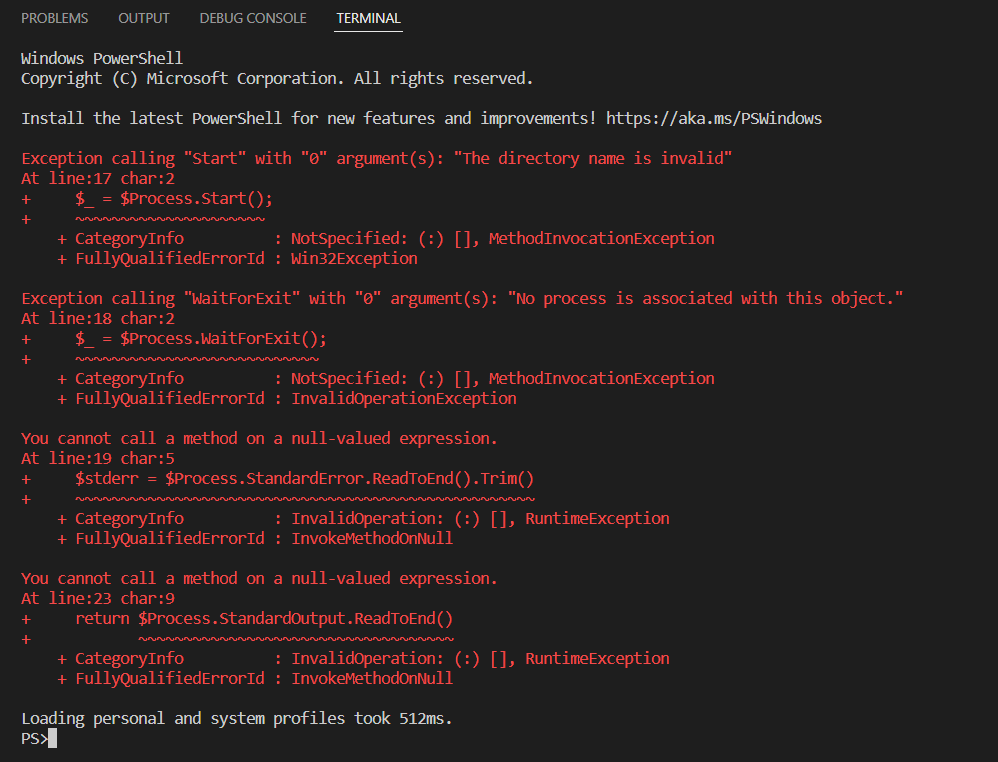
Replies: 10 comments 13 replies

|
Can it be it starts on a UNC path? What's the value of |

|
It was displaying broken unicode on the prompt before but a couple of days after i encountered this problem. Does it have to do anything with my powershell version? I am on powershell 5.1 now, they have an upgrade to 7. |
|
Here is my $PROFILE script : Import-Module oh-my-posh maybe you can find something in this. Any issue here? |

|
Why does the path have two slashes |
|
oh sry abt that my actual path : C:\Users\prath |
|
I really find it strange but it actually now reverted back to the previous state after a restart. Don't know how but yes it did! Still broken unicode prompt :
Can't display those nice little icons, it distracts me any fixes you can suggest? I really like the ohmyposh shell ! |
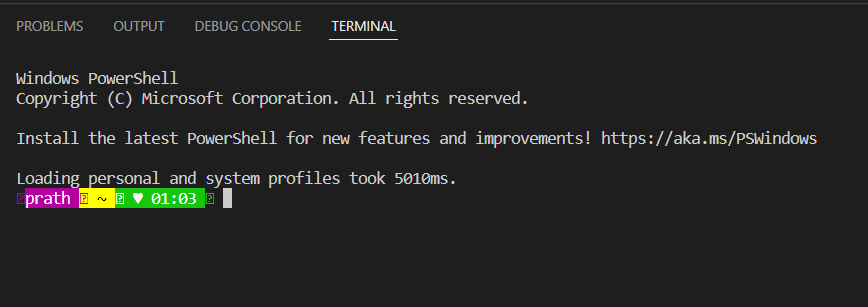
|
That's a font issue. All you need is to set the terminal font in code to one that supports powerline (preferably a Nerd Font). |
|
I did that i have set the terminal font to cascadia-cove nerd font and it doesn't supports powerline . I found out another nerd font Fira code that does support powerline fonts. Thanks @JanDeDobbeleer this resolves my issue, if something still persists i will get back for help. Thanks ! |

|
i Totally Fixed this issue in if you install oh-my-posh terminal theme with nerd fonts. Simply Add this line "terminal.integrated.gpuAcceleration": "auto",
"terminal.integrated.fontFamily": "'CaskaydiaCove Nerd Font Mono'", |
|
Changing the font does the work , NERD font fira code works well. Some tweaks fixed the issue. Thanks ! |

|
My mistake was that I had previously set my terminal font and it was overriding the editor font family setting. |

|
I have an interesting issue, all my icons and glyphs work fin in the external terminal normally when I run it in both normal and elevated modes (as seen from the attached image). However, when launching VSCode, it's missing some of the icons and glyphs though I have installed Melso Nerd font and set the Editor Font, which is the default for the Terminal. Kindly advise?
As you can see in the VSCode Terminal, 3 of the glyphs are missing. |


|
@sadranyi Last Image is VS Code Default Font Family Settings
|


|
I made the changes, yet the icons are missing |

|
@sadranyi is this the latest version of the Nerd Font (V3) and, did you install the font as admin or user? |
|
yes its the latest, I just selected all and installed them |

oh-my-posh Full Installation with Autocompletions and Fix VSCode Broken Issue
Download and Install [Windows 11 as Base in All Paths]
For only Who Need Autocompletions
For only Who Need to Fix Broken Powershell in VSCode
// ? Required
"terminal.integrated.fontFamily": "CaskaydiaCove NFM",

// ? Optional For Your Screen And Size Aujest it Manually
"terminal.integrated.fontSize": 12,
"terminal.integrated.fontWeight": "400",
Final Results
Made With ❤️ by @MeetBhingradiya |


|
Changing the font to CaskaydiaCove Nerd Font, as suggested by @MeetBhingradiya worked. thanks @MeetBhingradiya. I am still having to run VSCode as Administrator before it picks up the Path Variables. Any pointers? |

|
Using MesloLGLDZ Nerd Font works well for me. |


|
Its worked in my powershell but when i try to open inside vscode it was not showing. That's why I open vscode user settings file from location
Finally It's now working |


|
@JanDeDobbeleer can you lock this conversation so unnecessary comments can't confuse other users. |


Changing the font does the work , NERD font fira code works well. Some tweaks fixed the issue. Thanks !