Using bash backslash-escaped prompt characters #2267


|
I am a long time bash user in Linux that finally has decided to try out the new prompt styling tools. Oh My Posh is really nice and very fast! I do miss some things from vanilla bash, though. Especially having the history number and the terminal number in the prompt. With bash, I can achieve this by the backslash-escaped prompt characters '!' and '\l': Result: I thought I could use a text segment to achieve the same result: However, I get an extra backslash in front of each number: I figure this is because the template is taken literally instead of the first backslash being interpreted as an escape character. If I change the double backslashes to singles, oh-my-posh fails to parse the theme file: Does anyone know of a way to get around this? |
Replies: 1 comment 4 replies

|
Yes, that's because we replace |

|
Thanks for the quick reply! Yeah, that would be great! Do you want me to write a ticket? |

|
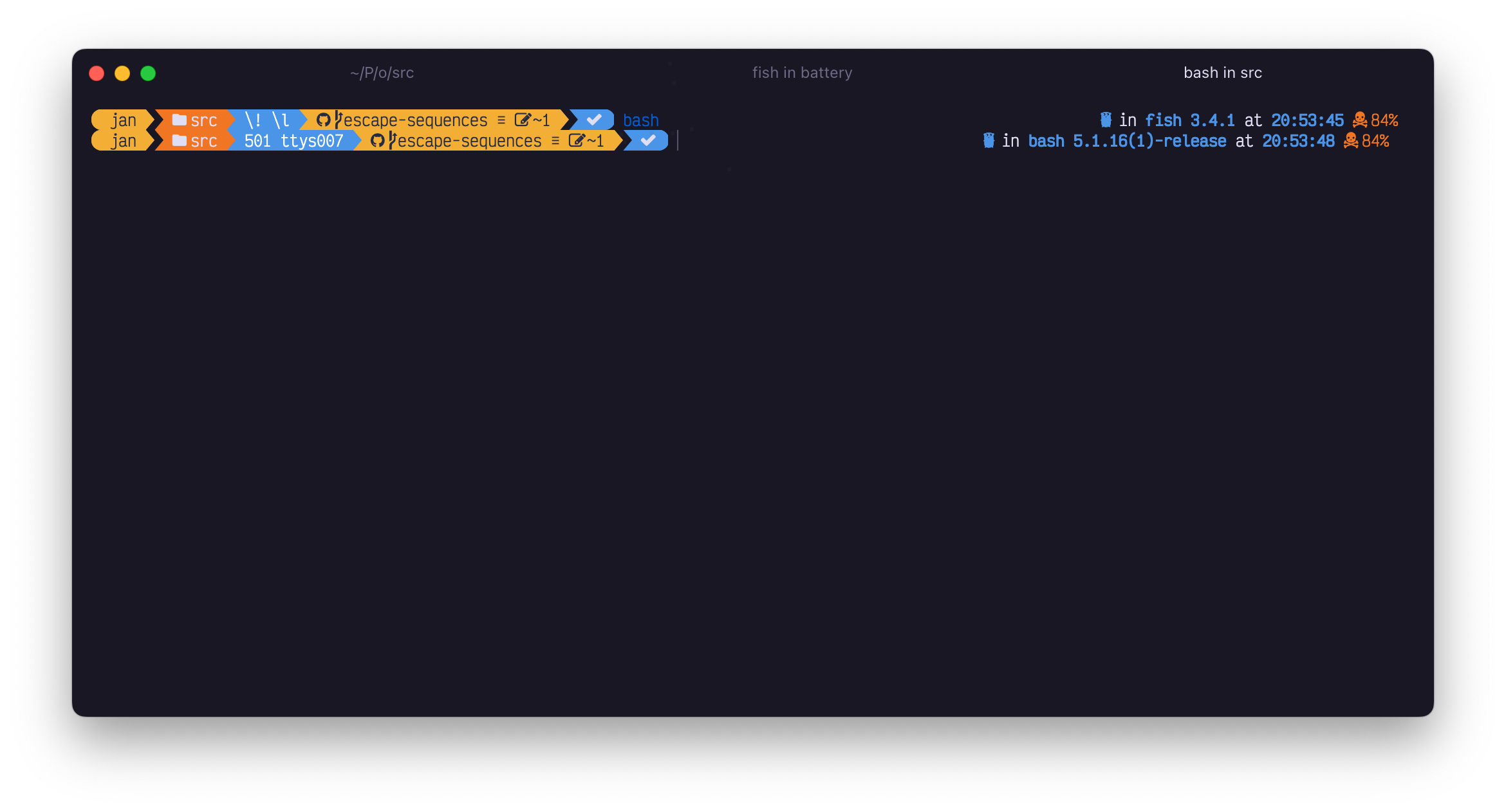
@MorganAntonsson almost there my friend {
"foreground": "#fff",
"style": "powerline",
"background": "p:blue",
"powerline_symbol": "\ue0b0",
"interactive": true,
"template": " \\! \\l ",
"type": "text"
}
|
|
@MorganAntonsson when this lands, you'll have these capabilities. Just need to double check something. |
That's awesome! Thanks a lot! |


Yes, that's because we replace
\!with\\!to avoid this from happening (so I'm confused as to why it now does display that). We could agree not to do that for the text segment, and still have this flexibility.