

Reinstall server with one-click 中文
- Support installation of 16 common Linux distributions.
- Support for installing Windows using the official original ISO. The script can automatically search for the ISO and drivers.
- Support reinstallation in any direction, meaning
Linux to Linux,Linux to Win,Win to Win,Win to Linux. - Specifically tailored for low-spec machines, addressing insufficient memory that prevents network installation.
- Automatically detect dynamic and static IPv4 / IPv6, eliminating the need to fill in IP / subnet mask / gateway.
- Support ARM, BIOS, EFI boot, with original system supporting LVM, BTRFS.
- No homemade packages included, all resources obtained in real-time from source sites.
- Includes many comments.
| Target System | Version | Memory | Disk |
|---|---|---|---|
| 3.17, 3.18, 3.19, 3.20 | 256 MB | 1 GB | |
| 9, 10, 11, 12 | 256 MB | 1 ~ 1.5 GB ^ | |
 Kali Kali |
Rolling | 256 MB | 1 ~ 1.5 GB ^ |
 Ubuntu Ubuntu |
16.04, 18.04, 20.04, 22.04, 24.04 | 512 MB * | 2 GB |
 CentOS CentOS |
9 | 512 MB * | 5 GB |
 Anolis Anolis |
7, 8 | 512 MB * | 5 GB |
 Rocky Rocky |
8, 9 | 512 MB * | 5 GB |
| 8, 9 | 512 MB * | 5 GB | |
 Oracle Oracle |
7, 8, 9 | 512 MB * | 5 GB |
| 39, 40 | 512 MB * | 5 GB | |
| 20.03, 22.03, 24.03 | 512 MB * | 5 GB | |
 openSUSE openSUSE |
15.5, 15.6, Tumbleweed (Rolling) | 512 MB * | 5 GB |
 Arch Arch |
Rolling | 512 MB | 5 GB |
 Gentoo Gentoo |
Rolling | 512 MB | 5 GB |
 Windows (DD) Windows (DD) |
Any | 512 MB | Depending on the image |
| Windows (ISO) |
Vista, 7, 8.x (Server 2008 ~ 2012 R2) | 512 MB | 25 GB |
| Windows (ISO) |
10, 11 (Server 2016 ~ 2025) | 1 GB | 25 GB |
(*) Indicates installation using cloud images, not traditional network installation.
(^) indicates requiring either 256 MB memory + 1.5 GB disk, or 512 MB memory + 1 GB disk
Warning
❌ This script does not support OpenVZ or LXC virtual machines.
Please use https://github.com/LloydAsp/OsMutation instead.
| System | Username | Password |
|---|---|---|
 Linux Linux |
root | 123@@@ |
| Windows (ISO) |
administrator | 123@@@ |
| Windows (DD) |
Image username | Image password |
Tip
If remote login to Windows fails, try using the username .\administrator.
For server outside China:
curl -O https://raw.githubusercontent.com/bin456789/reinstall/main/reinstall.shFor server inside China:
curl -O https://jihulab.com/bin456789/reinstall/-/raw/main/reinstall.shImportant
Before proceeding, please disable the 'Real-time protection' feature in Windows Defender. This feature may prevent certutil from downloading any files.
😢Still unable to download?
-
For Windows 7, install this patch to enable TLS 1.2.
-
Update SSL root certificates.
certutil -generateSSTFromWU root.sst
certutil -addstore Root root.sst
-
Download manually by copying these two files through
Remote Desktop Connection.https://raw.githubusercontent.com/bin456789/reinstall/main/reinstall.bat
https://raw.githubusercontent.com/bin456789/reinstall/main/reinstall.sh
For server outside China:
certutil -urlcache -f -split https://raw.githubusercontent.com/bin456789/reinstall/main/reinstall.batFor server inside China:
certutil -urlcache -f -split https://jihulab.com/bin456789/reinstall/-/raw/main/reinstall.batTip
All features can be used on both Linux and Windows.
on Linux, execute bash reinstall.sh
on Windows, execute reinstall.bat
- If no version number is entered, the latest version will be installed.
- Does not include a boot partition (except for Fedora), nor a swap partition, maximizing disk space utilization.
- When installing on a virtual machine, it will automatically select a official limmed-down kernel.
- During the initial login, you may receive a password error prompt; just wait a moment and it should be resolved.
Tip
When installing Debian / Kali, x86 architectures can monitor the installation progress through VNC in the background, while ARM architectures can use the serial console.
When installing other systems, can monitor the progress through various methods (SSH, HTTP 80 port, VNC in the background, serial console).
Important
To install Red Hat, you need to provide the qcow2 image link obtained from the following website.
bash reinstall.sh centos      9
                  anolis      7|8
                  alma        8|9
                  rocky       8|9
                  redhat      8|9   --img='http://xxx.qcow2'
                  opencloudos 8|9
                  oracle      7|8|9
                  fedora      39|40
                  debian      9|10|11|12
                  openeuler   20.03|22.03|24.03
                  alpine      3.17|3.18|3.19|3.20
                  opensuse    15.5|15.6|tumbleweed
                  ubuntu      16.04|18.04|20.04|22.04|24.04 [--minimal]
                  kali
                  arch
gentoo- Supports gzip, xz formats.
- A machine with a static IP running DD Windows will automatically configure the IP, which may take a few minutes to complete after the first boot.
Tip
Can monitor the progress through various methods (SSH, HTTP 80 port, VNC in the background, serial console).
bash reinstall.sh dd --img https://example.com/xxx.xz- Can be connected via SSH to perform manual DD, modify partitions, manually install Arch / Gentoo, etc.
- If the disk content is not modified, rebooting again will return to the original system.
bash reinstall.sh alpine --hold=1
- Can install more systems using vendor backend VNC.
- If the disk content is not modified, rebooting again will return to the original system.
bash reinstall.sh netboot.xyz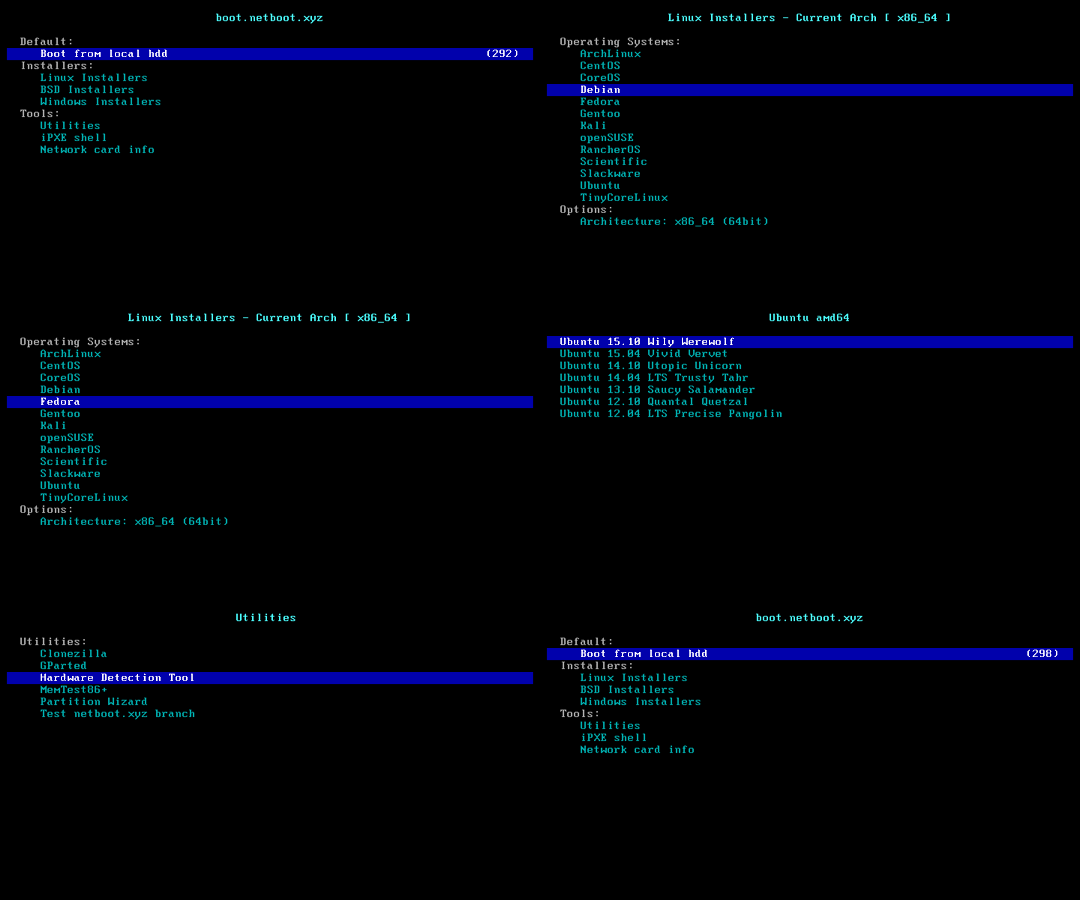
- Can automatically searching for most iso links. Need to set the language using
--lang, default isen-us. - Machines with static IP addresses will have their IPs automatically configured after installation.
- Can bypass Windows 11 installation restrictions.
Tip
The script uses https://massgrave.dev/genuine-installation-media.html as the ISO source. All ISOs provided are official originals.
Important
Note that parameters should be enclosed in quotation marks.
bash reinstall.sh windows \
     --image-name 'Windows 10 Enterprise LTSC 2021' \
--lang zh-cn- You can also specify an ISO link.
bash reinstall.sh windows \
     --image-name 'Windows 10 Enterprise LTSC 2021' \
     --iso 'https://drive.massgrave.dev/en-us_windows_10_enterprise_ltsc_2021_x64_dvd_d289cf96.iso'
The following website provides iso links.
- Massgrave
- https://massgrave.dev/genuine-installation-media.html (Recommended, iso sourced from official channels, updated monthly, includes the latest patches)
- Microsoft
- https://www.microsoft.com/software-download/windows10 (Need to open it with a mobile User-Agent)
- https://www.microsoft.com/software-download/windows11
- https://www.microsoft.com/software-download/windowsinsiderpreviewiso (Preview)
- https://www.microsoft.com/evalcenter/download-windows-10-enterprise
- https://www.microsoft.com/evalcenter/download-windows-11-enterprise
- https://www.microsoft.com/evalcenter/download-windows-11-iot-enterprise-ltsc
- https://www.microsoft.com/evalcenter/download-windows-server-2012-r2
- https://www.microsoft.com/evalcenter/download-windows-server-2016
- https://www.microsoft.com/evalcenter/download-windows-server-2019
- https://www.microsoft.com/evalcenter/download-windows-server-2022
- https://www.microsoft.com/evalcenter/download-windows-server-2025

--image-name Specify the image to install, case-insensitive, Commonly used images include:
Windows 7 Ultimate
Windows 10 Enterprise LTSC 2021
Windows 11 Pro
Windows Server 2022 SERVERDATACENTER
Use Dism++ File menu > Open Image File, select the iso to be installed to get the image name.

- Windows (Vista ~ 11)
- Windows Server (2008 ~ 2025)
- Windows Server Essentials *
- Windows Server (Semi) Annual Channel *
- Hyper-V Server *
- Azure Stack HCI *
* Must specify an ISO link.
- KVM (Virtio)
- XEN (XEN, Citrix, AWS)
- AWS (ENA Network Adapter, NVMe Storage Controller)
- GCP (gVNIC Network Adapter, GGA Graphics)
- Azure (MANA Network Adapter)
Warning
Vista (Server 2008) and 32-bit systems may lack drivers.
Warning
For EFI machines without CSM enabled, Windows 7 (Server 2008 R2) cannot be installed.
Warning
Supports installation of Windows 11 on ARM machines, limited to Hyper-V (Azure) only, not supported on KVM (Oracle Cloud).
Warning
In the Chinese version of Windows 10 LTSC 2021 ISO zh-cn_windows_10_enterprise_ltsc_2021_x64_dvd_033b7312.iso, the wsappx process may indefinitely consume CPU resources.
The solution is to update the system patches or manually install the VCLibs library https://www.google.com/search?q=ltsc+wsappx.
- Fork this repository.
- Modify the
confhomeat the beginning ofreinstall.shandreinstall.bat. - Make changes to the other code.
Thanks to the following businesses for providing free servers.

