Breeze commands for building the Apache Airflow Provider Registry.
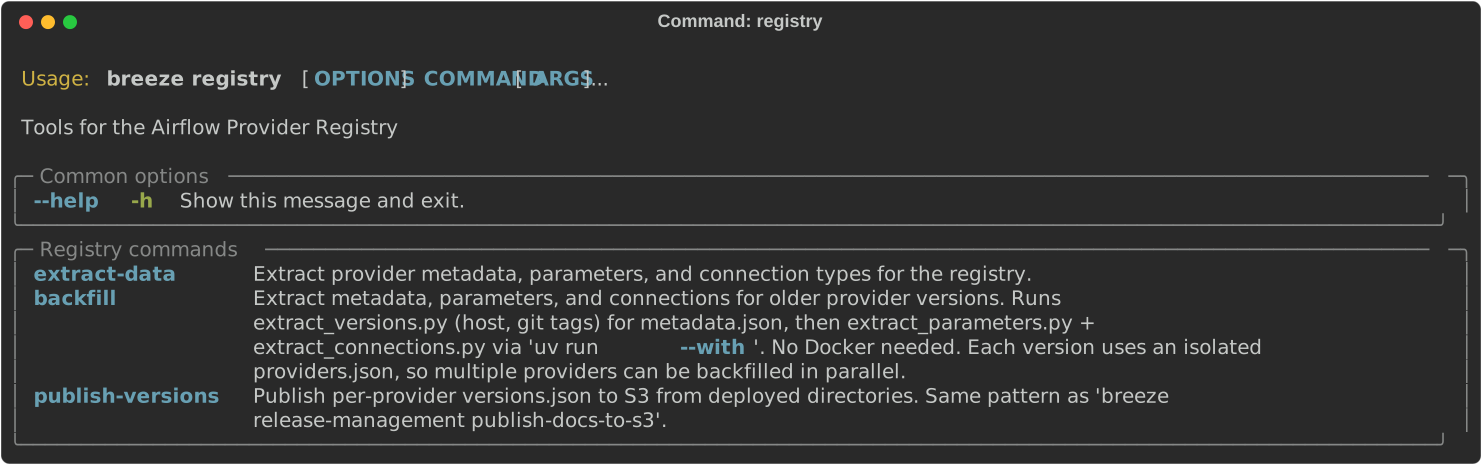
These are all of the available registry commands:
The breeze registry extract-data command runs the three extraction scripts
(extract_metadata.py, extract_parameters.py, extract_connections.py)
inside a breeze CI container where all providers are installed. This is the same
command used by the registry-build.yml CI workflow.
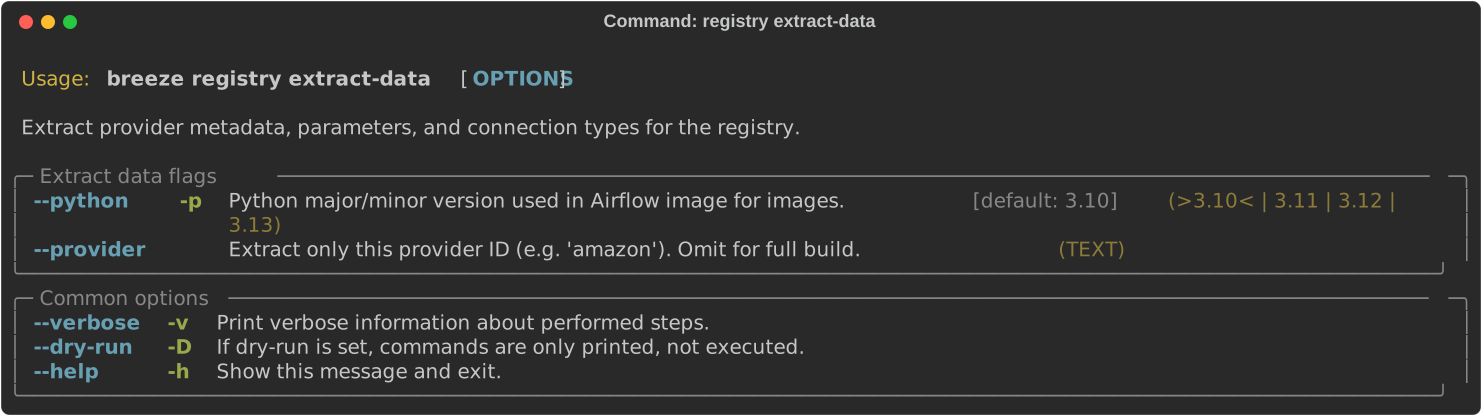
Example usage:
# Extract all registry data with default Python version
breeze registry extract-data

# Extract with a specific Python version
breeze registry extract-data --python 3.12The breeze registry backfill command extracts runtime parameters and connection
types for older provider versions without Docker. It uses uv run --with to
install the specific provider version in a temporary environment and runs
extract_parameters.py and extract_connections.py.
This is useful when you need to add pages for previously released versions that were not included in the initial registry build.
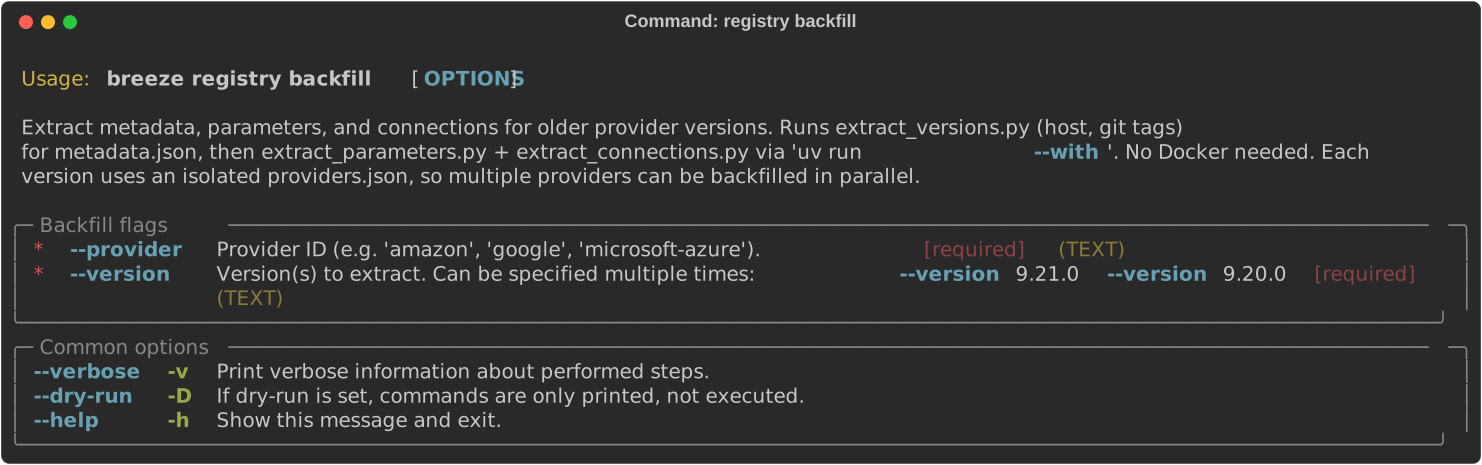
Example usage:
# Backfill a single version
breeze registry backfill --provider amazon --version 9.15.0

# Backfill multiple versions at once
breeze registry backfill --provider amazon --version 9.15.0 --version 9.14.0 --version 9.13.0

# Backfill a hyphenated provider
breeze registry backfill --provider microsoft-azure --version 11.0.0
Each run uses an isolated temporary providers.json, so different providers
can be backfilled in parallel from separate terminal sessions:
# Terminal 1
breeze registry backfill --provider amazon --version 9.15.0 --version 9.14.0

# Terminal 2 (safe to run simultaneously)
breeze registry backfill --provider google --version 14.0.0 --version 13.0.0
Output is written to registry/src/_data/versions/{provider}/{version}/:
parameters.json— operator/sensor/hook parametersconnections.json— connection type definitions
After backfilling, you still need to:
- Extract metadata from git tags:
uv run python dev/registry/extract_versions.py --provider {id} --version {version} - Build the Eleventy site:
cd registry && pnpm build - Sync new version pages to S3
- Run
breeze registry publish-versionsto update version dropdowns
The breeze registry publish-versions command lists S3 directories under
providers/{id}/ to discover every deployed version, then writes
api/providers/{id}/versions.json for each provider. It also invalidates
the CloudFront cache for the staging or live distribution.
This is the same command used by the registry-build.yml CI workflow after
syncing the built site to S3.
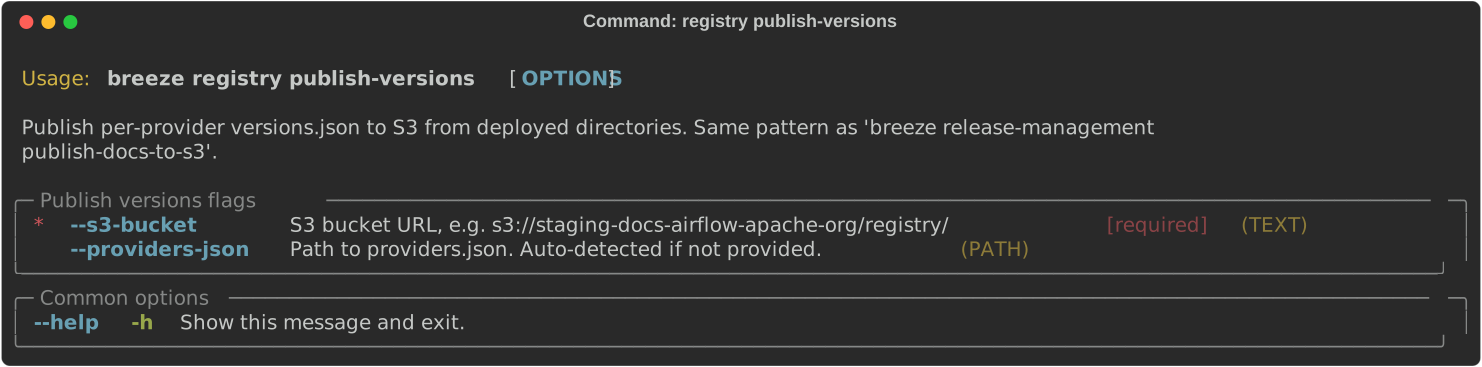
Example usage:
# Publish to staging
breeze registry publish-versions --s3-bucket s3://staging-docs-airflow-apache-org/registry/

# Publish to live
breeze registry publish-versions --s3-bucket s3://live-docs-airflow-apache-org/registry/

# With a custom providers.json
breeze registry publish-versions --s3-bucket s3://bucket/registry/ --providers-json path/to/providers.json
Next step: Follow the Issue tasks instructions to learn more about issue tasks.