🔥 Open Design 0.13.0 — Stay in Flow มาแล้ว. เซสชันออกแบบยาว ๆ เคยสะดุดทุกครั้งที่ถูกขัดจังหวะ — การรันหลุดตำแหน่ง ตัวเลือกโมเดลทำให้ต้องเดา และการส่งออกต้องอ้อมอีกขั้น 0.13.0 ทำให้เซสชันยังคงอยู่ต่อได้: กลับมารันต่อของ Codex / OpenCode / Pi / Open Design Cloud ข้ามเทิร์น เลือกโมเดลที่ใช่ได้เร็วขึ้น และส่งมอบ PPTX / PDF ที่มีภาพหน้าจอรองรับได้โดยไม่ต้องออกจากแอป ดาวน์โหลด 0.13.0 · บันทึกการอัปเดต
⚡ Open Design Cloud — บริการโมเดลอย่างเป็นทางการ. เติมเงินครั้งเดียวเพื่อใช้ GPT, Claude, Gemini และ DeepSeek ใน Open Design: โมเดลระดับ flagship กว่า 20 ตัว, ไม่ต้องตั้งค่า, คิดเงินตาม token ที่ใช้จริง. ลองใช้ Open Design Cloud
🏅 Open Design Fellow program เปิดรับแล้ว. ถ้าคุณเชื่อเหมือนกันว่า design ควรเปิดกว้าง มาเป็น Open Design Fellow, ร่วม shape ผลิตภัณฑ์กับ core team และช่วยให้คนมากขึ้นมีส่วนร่วมกำหนดอนาคตของ design. รายละเอียด →
MAINTAINERS.th.mdและ Discord.

เว็บไซต์ · ดาวน์โหลด · Open Design Cloud · Discord · ติดตาม @nexudotio




English · Español · Português · Deutsch · Français · 简体中文 · 繁體中文 · 한국어 · 日本語 · العربية · Русский · Українська · Türkçe · ภาษาไทย
🎨 ทางเลือก Claude Design แบบ local-first และโอเพนซอร์ส. 🖥️ แอป desktop native สำหรับ macOS และ Windows. ⚡ 100+ skills · ✨ ระบบ DESIGN.md ระดับแบรนด์ 150 ชุด · 📦 plugin พร้อมใช้ 261 ตัว. 🖼️ สร้าง prototype สำหรับ web · desktop · mobile, live dashboard / artifact, deck, image, video และ motion graphics ด้วย HyperFrames. 🔒 preview ผ่าน sandboxed iframe · export เป็น HTML / PDF / PPTX / MP4. 🤖 รันบน Claude Code · OpenClaw · Codex · Cursor · OpenCode · Qwen · Copilot · Amp · Hermes · Kimi · Antigravity และ local CLI 22 ตัว, หรือ endpoint ที่เข้ากันได้กับ OpenAI ผ่าน BYOK.
Open Design คือสิ่งที่เกิดขึ้นเมื่อ loop แบบ agent-native ที่ Anthropic เปิดตัวกับ Claude Design — ค้นหา brief, ล็อก direction, stream artifact, critique, deliver — เลิกเป็นระบบปิด แล้วกลายเป็น filesystem ของ skills, design systems และ plugins ที่ coding agent บน laptop ของคุณอ่าน เขียน และ remix ได้. CLI ของคุณกลายเป็น design engine, laptop ของคุณกลายเป็น studio, และ DESIGN.md ของทีมกลายเป็น brand contract.
มันยังเป็น ทางเลือกแทน Figma สำหรับยุค agent ด้วย แทนที่จะขยับ pixel บน canvas ระบบจะส่งมอบ artifact หน้าเดียวที่เป็น CSS จริง, font จริง, component จริง และ export ตรงเป็น HTML / PDF / PPTX / MP4 โดยถูก shape ด้วย design system ของคุณแล้ว และรันได้ใน agent ที่คุณใช้ทุกวัน.
ภาพรวมเร็ว ๆ ว่า Open Design คืออะไรและทำอะไรได้บ้าง. เริ่มจาก Home, จัด workflow ซ้ำ ๆ ด้วย Automation, กลั่น brand contract ใน Design System, และต่อยอดด้วย Plugins กับ integrations; ภายใน Studio ของแต่ละ project, design system เดียวกันจะ stream ออกมาเป็น prototypes, live artifacts, HyperFrames, decks และ images.
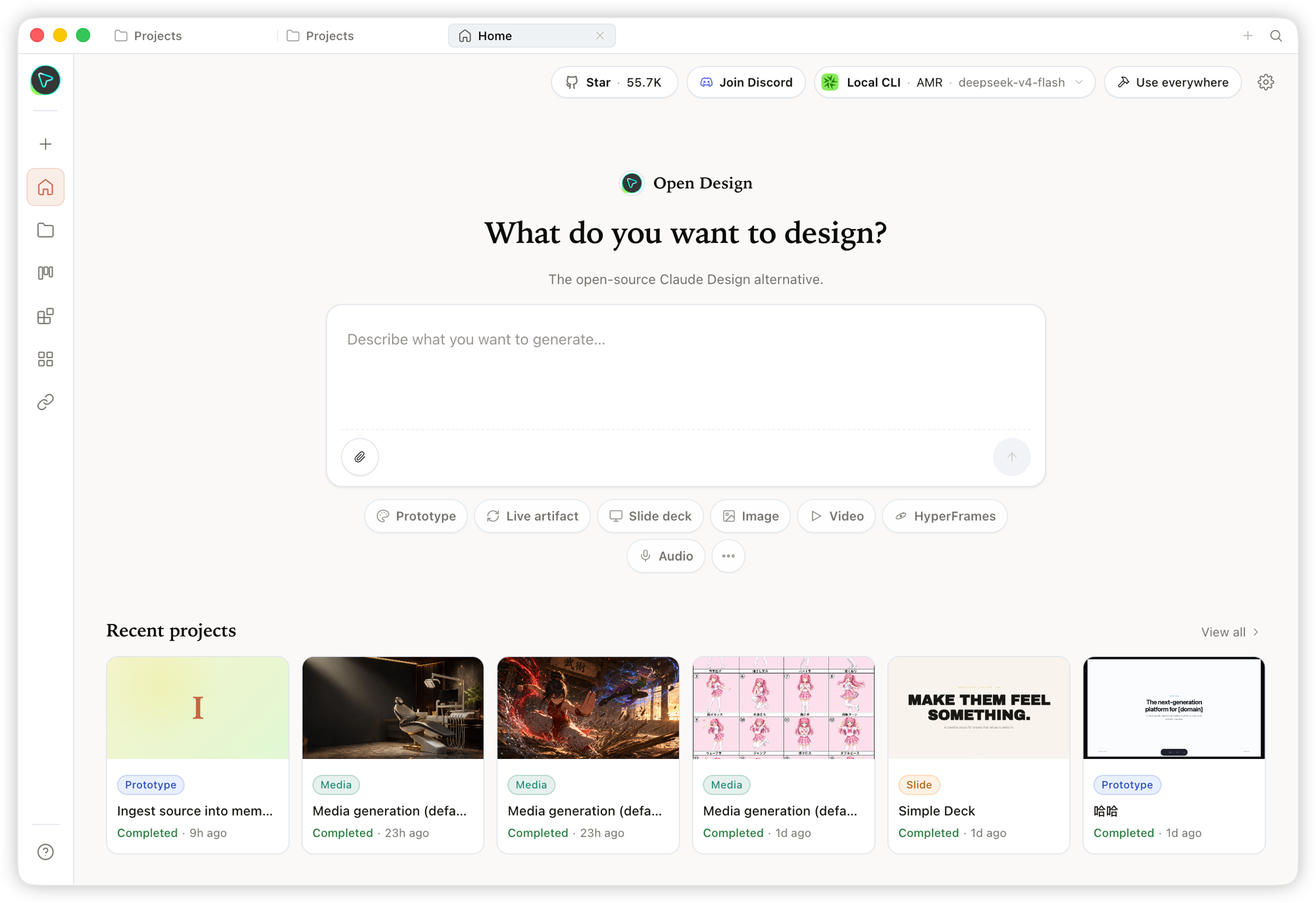 Home — จุดเข้าใช้งานภาพรวม. เลือก skill และ design system, พิมพ์ brief แล้วเริ่มงานทุกอย่างจากที่เดียว. |
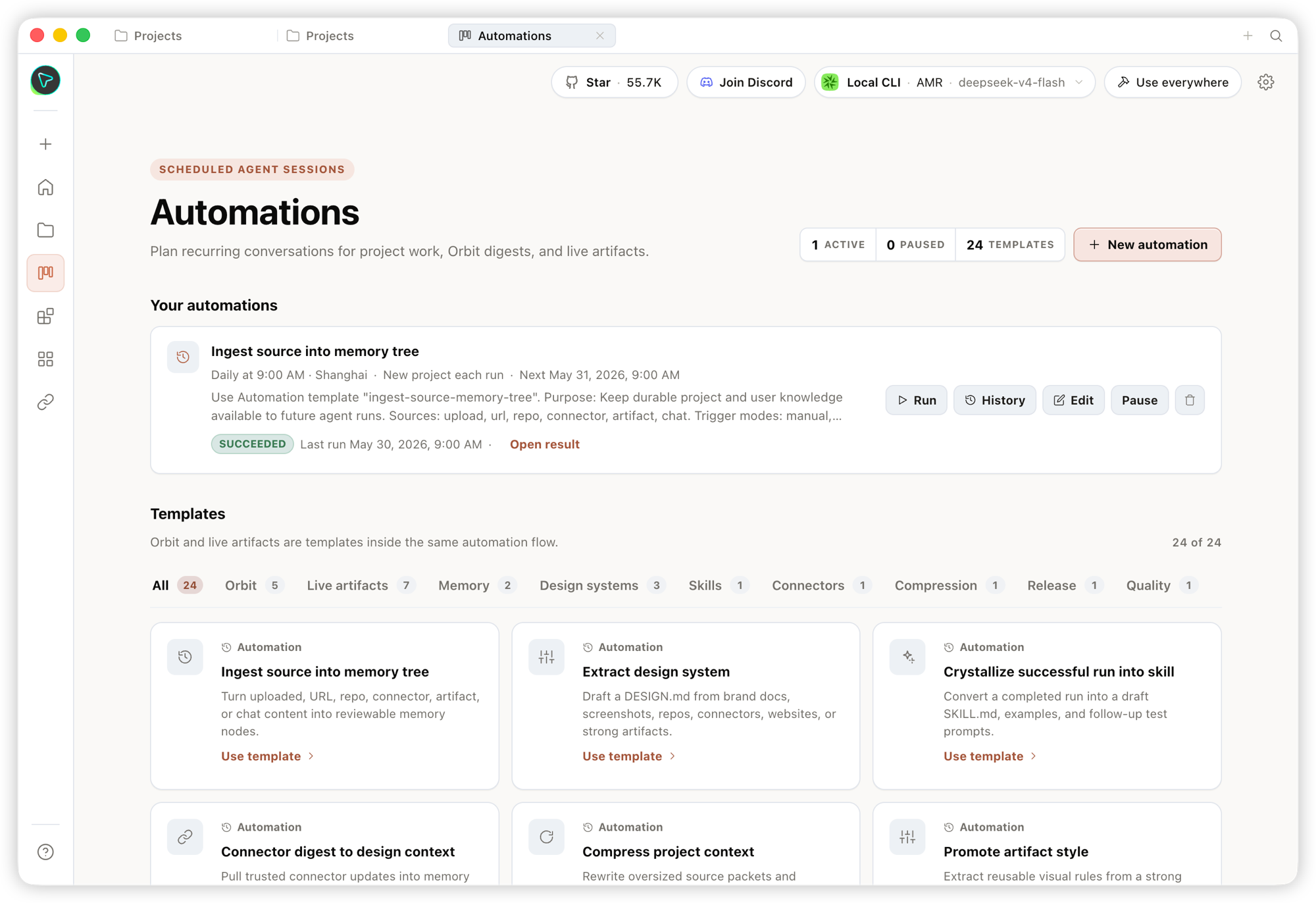 Automation — จัด workflow งานออกแบบที่ทำซ้ำให้เป็น automation ที่ reusable และตั้ง schedule ได้. |
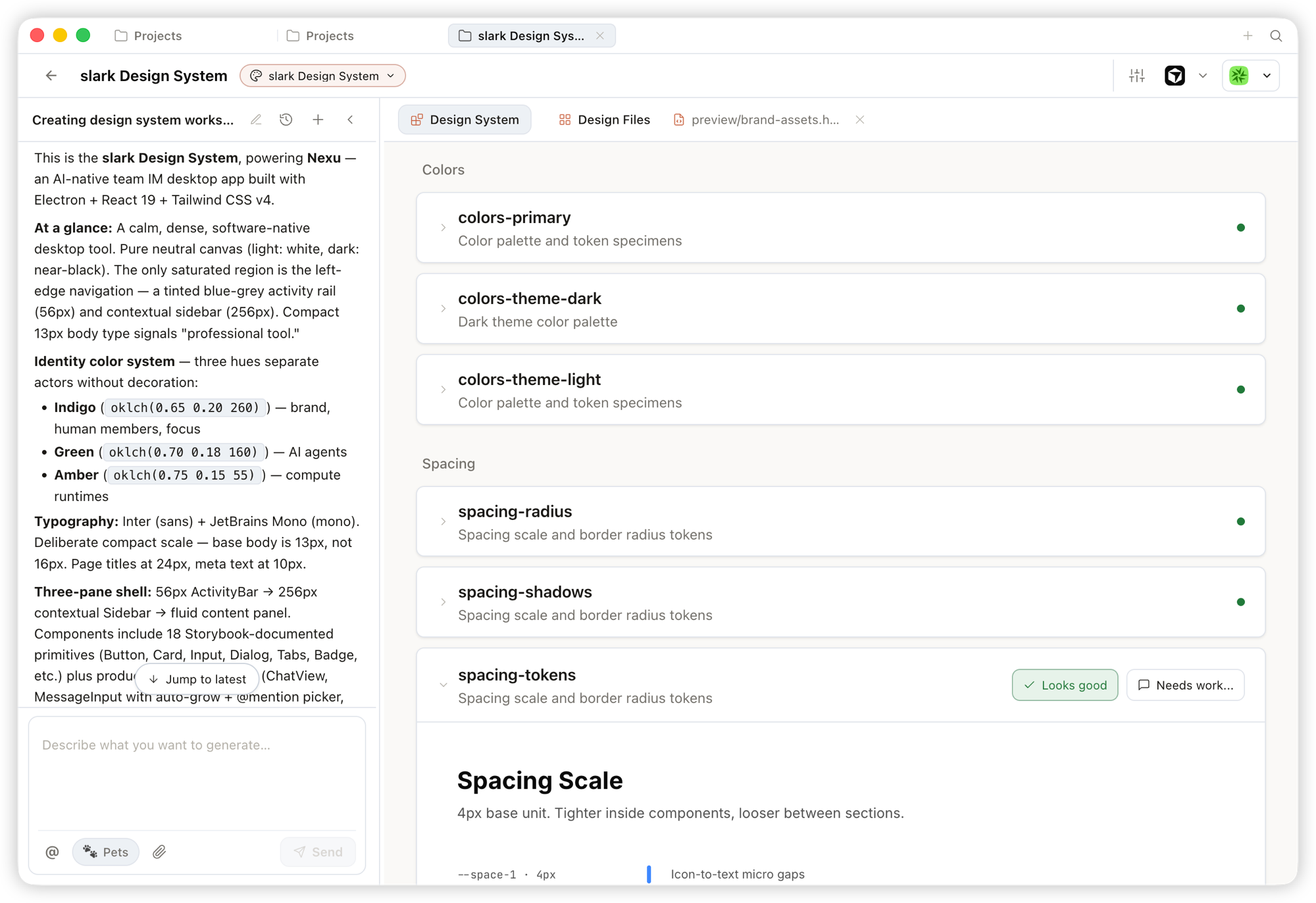 Design System — กลั่น DESIGN.md ของทีมให้เป็น brand contract ที่ shape ทุก output.
|
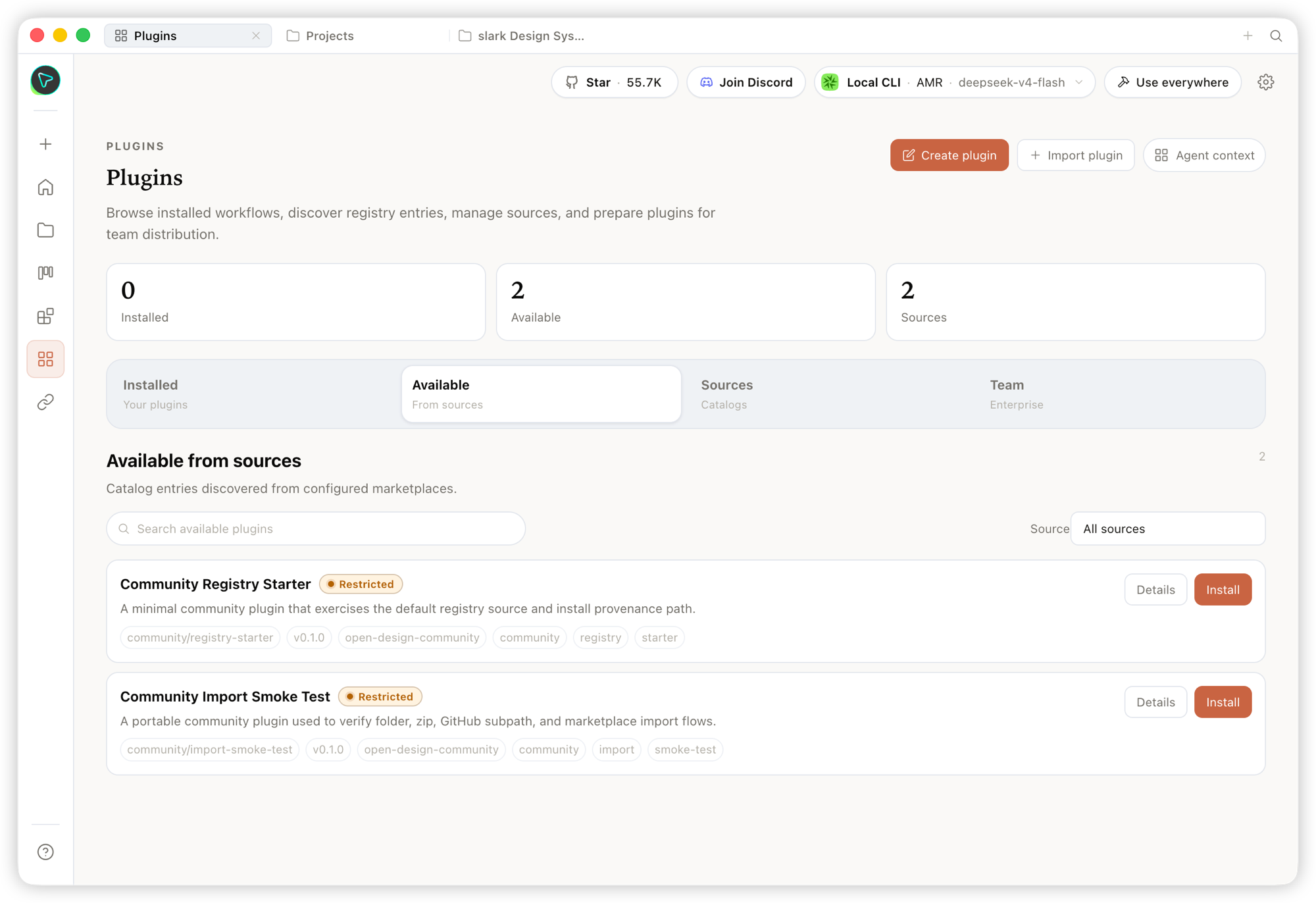 Plugin — browse, install และ distribute workflow plugins เพื่อขยาย generation ตามต้องการ. |
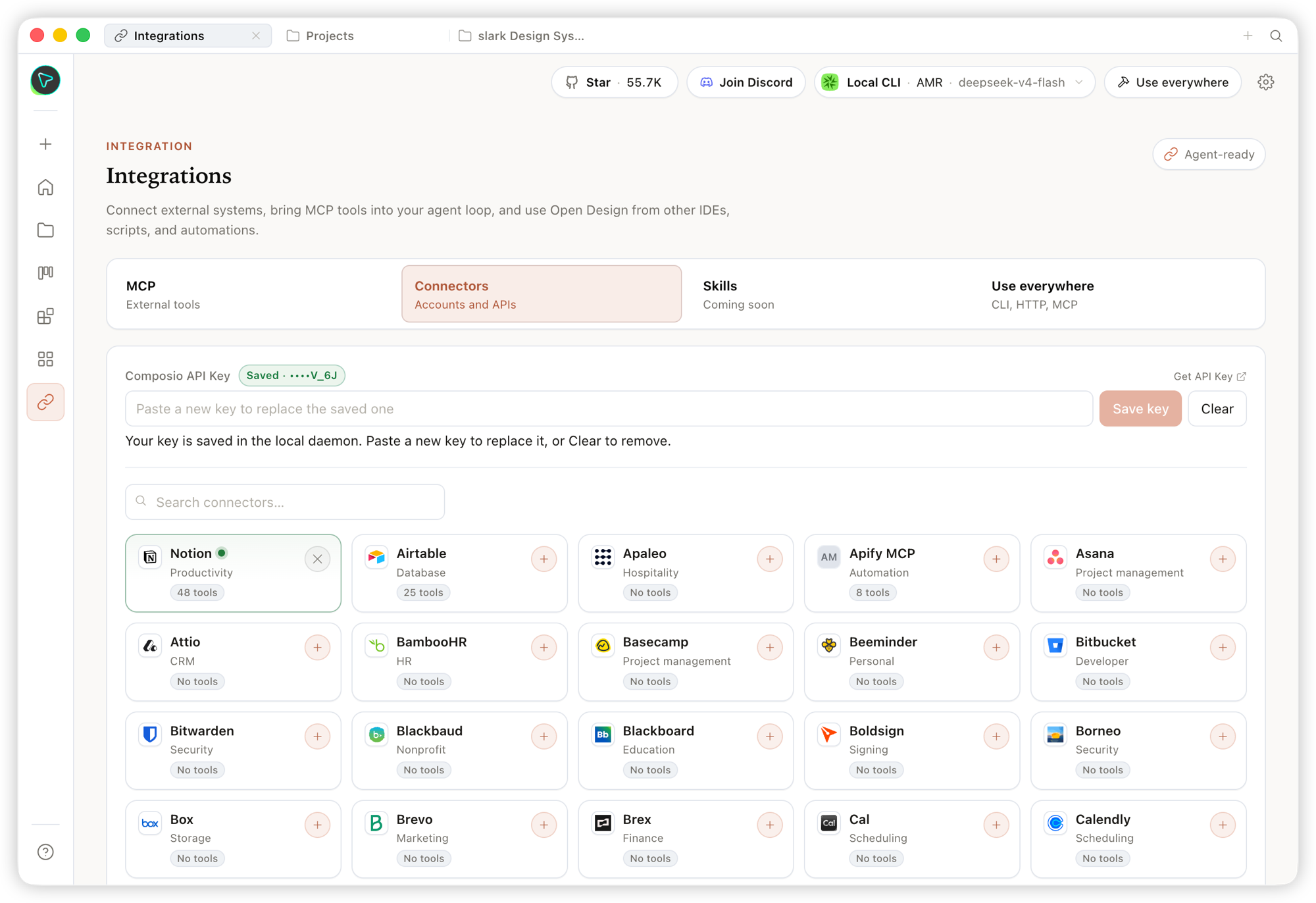 Integrations — เชื่อมต่อระบบภายนอกและ MCP tools แล้วใช้ Open Design จาก IDE, script หรือ automation ใดก็ได้. |
ภายใน Studio ของ project เดียวกัน, design system ชุดเดียวกันสามารถ stream artifact ได้หลายชนิด:
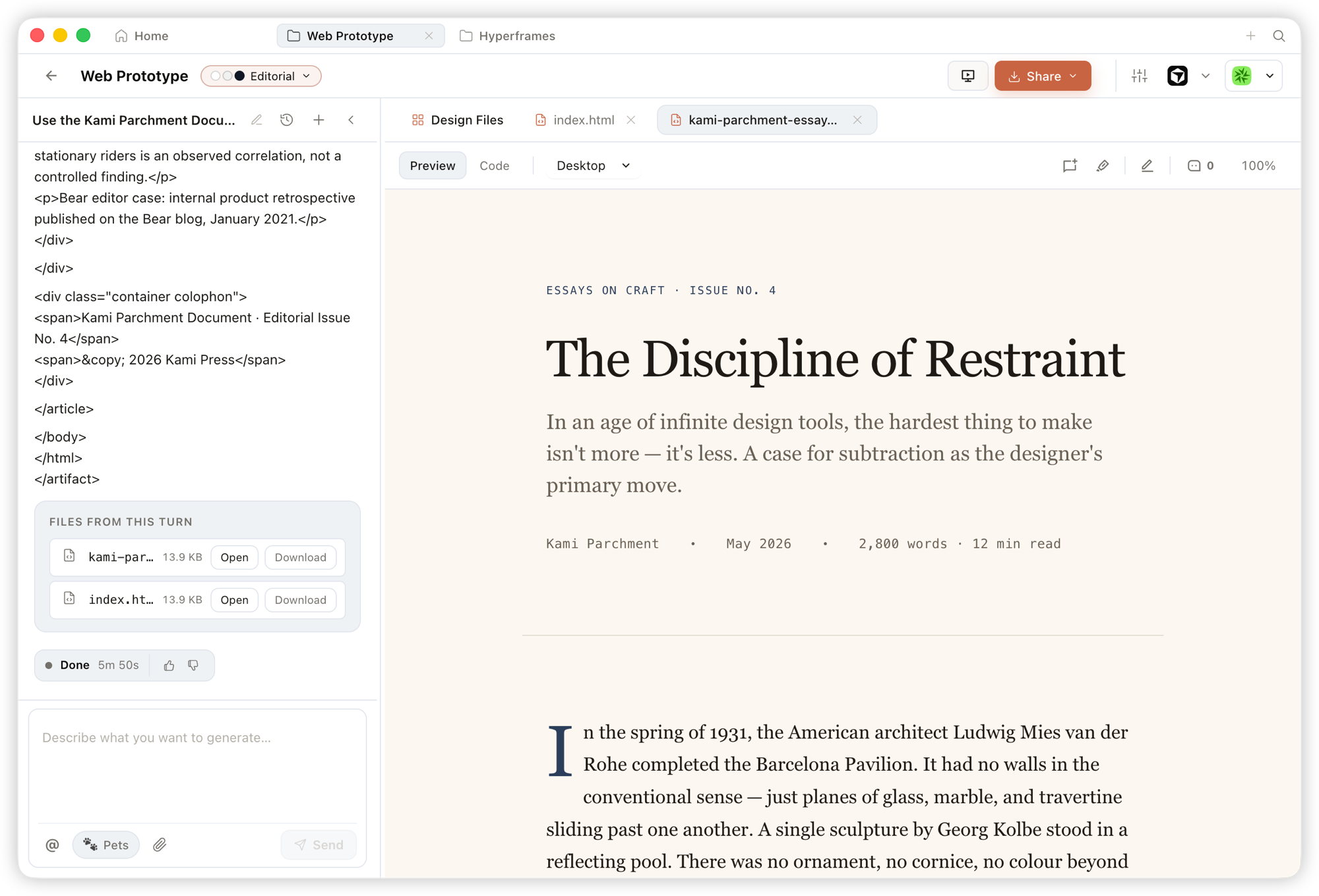 Prototype — artifact HTML หน้าเดียวที่อ่าน design system ของคุณและ render ใน sandboxed iframe, preview ได้ทันทีและดาวน์โหลด source ได้. |
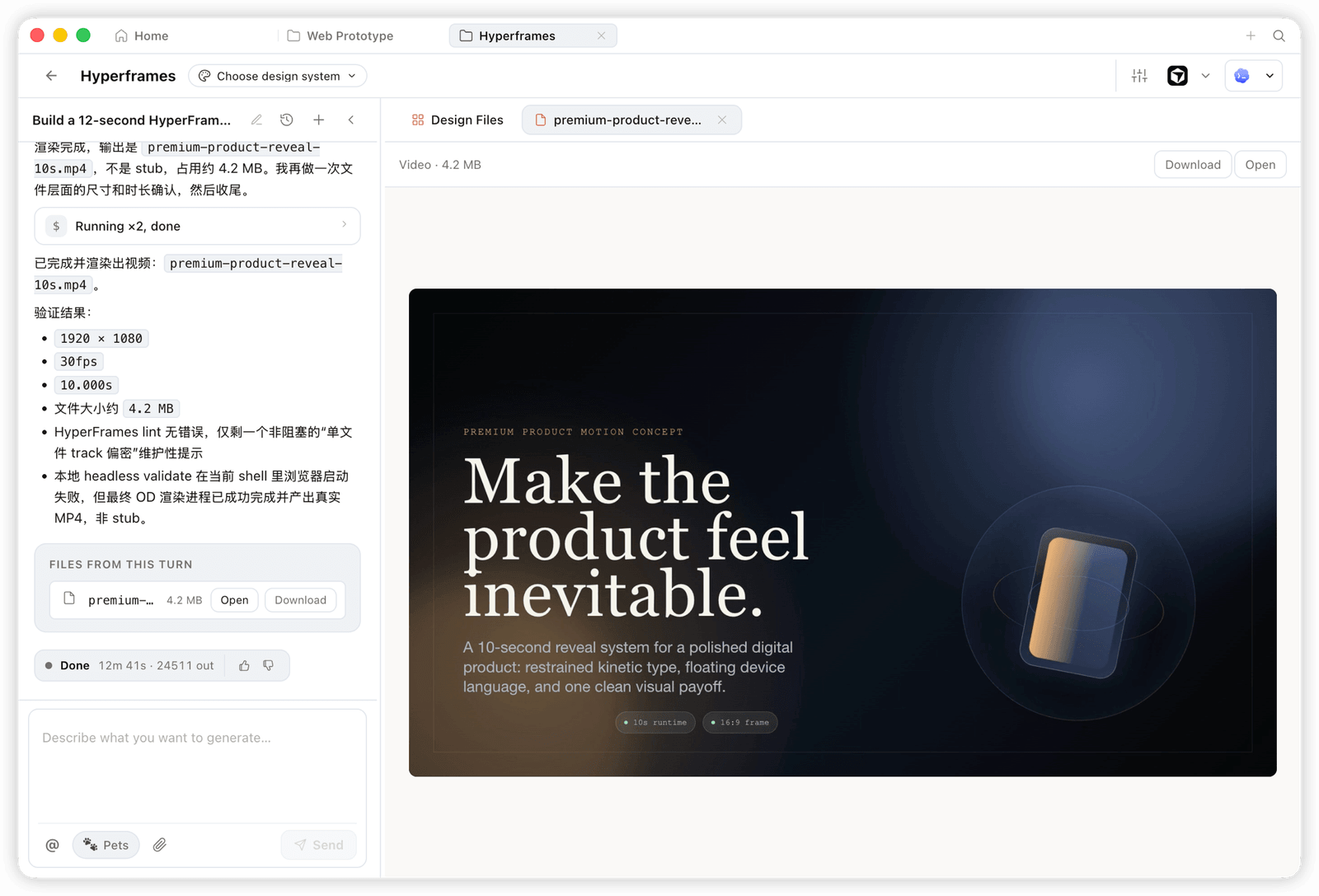 HyperFrame — motion และ animated graphics แบบ programmatic, render เป็น MP4 จริง (เช่น 1920×1080 · 30fps). |
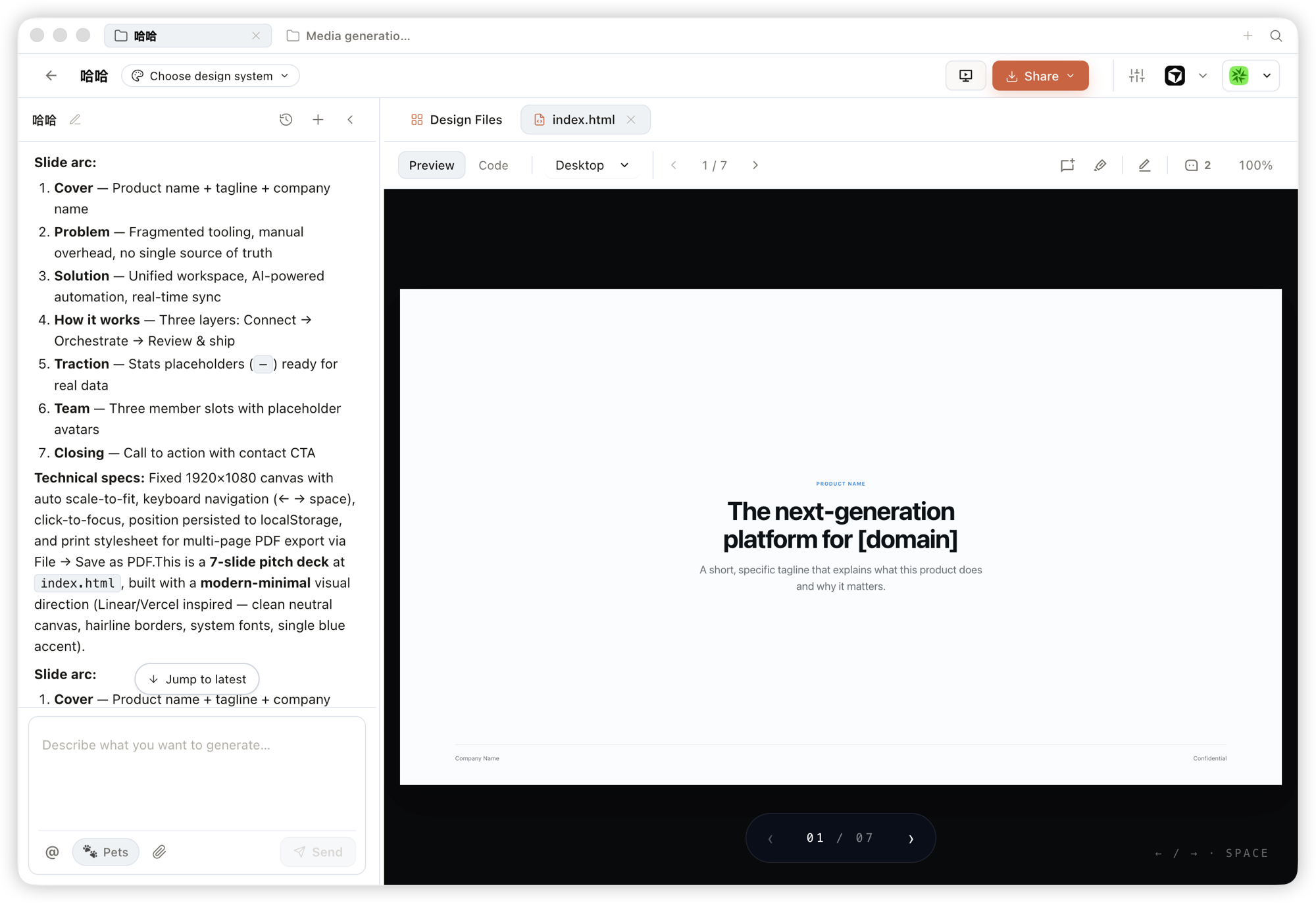 Deck — pitch deck ที่พลิกหน้าได้, ใช้ keyboard นำทางได้ และ export เป็น PPTX / PDF ได้. |
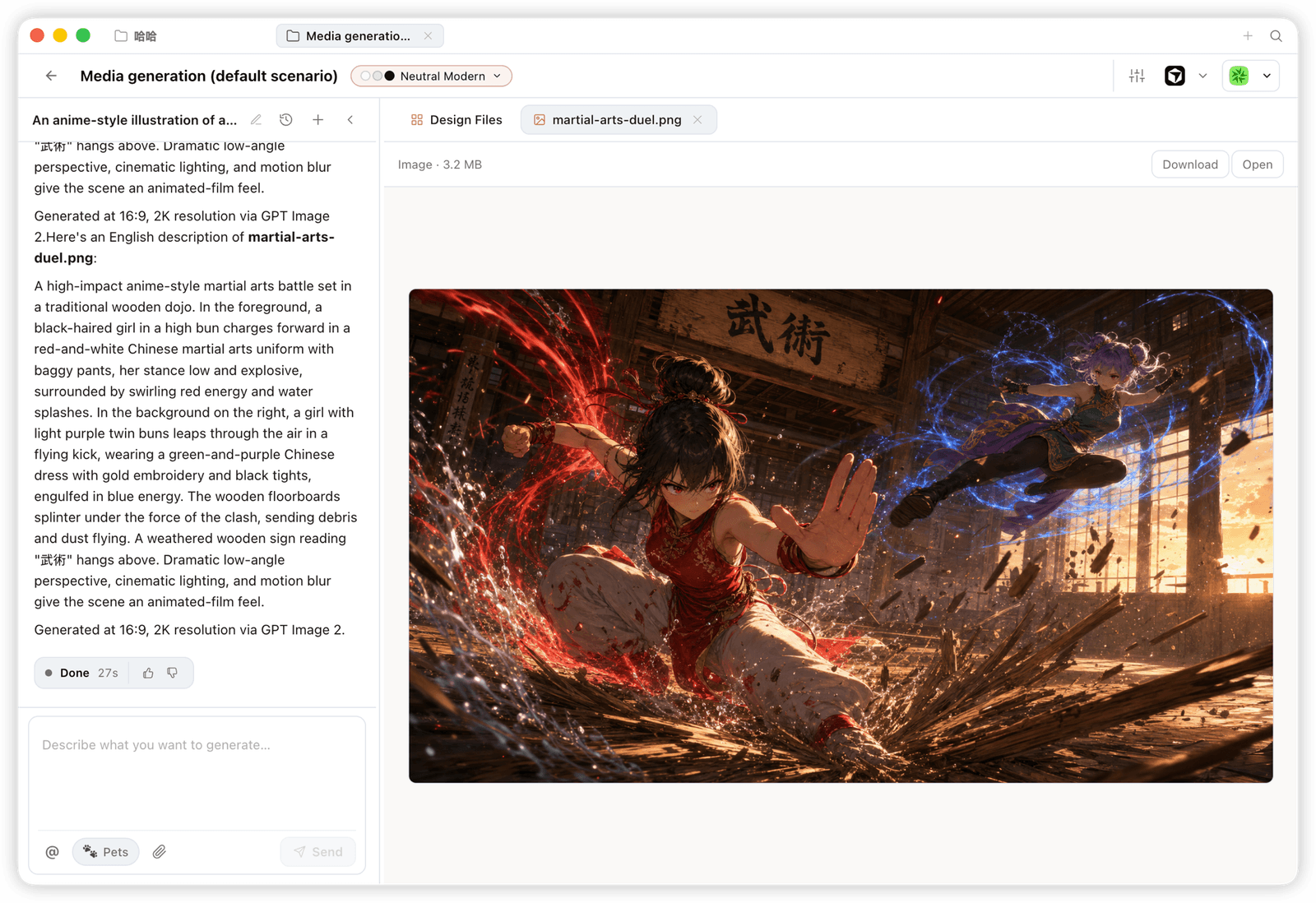 Image — image และ visual assets ระดับแบรนด์ พร้อม high-resolution generation และ download. |
Open Design มาพร้อม skills, CLI และ MCP server ที่ coding agent กระแสหลักใช้งานได้แบบ native. เมื่อติดตั้ง OD แล้ว คำสั่งเดียว
od mcp install <agent>จะเชื่อม MCP server เข้ากับ config ของ agent นั้น และคุณเรียกใช้ tools เดียวกันจากใน agent ใดก็ได้.
| Coding agent / platform | Status | One-line MCP server install |
|---|---|---|
| Claude Code | ✅ Supported | od mcp install claude |
| Codex CLI | ✅ Supported | od mcp install codex |
| DeepSeek Reasonix | ✅ Supported | od mcp install reasonix |
| Cursor | ✅ Supported | od mcp install cursor |
| VS Code + GitHub Copilot | ✅ Supported | od mcp install copilot |
| GitHub Copilot CLI | ✅ Supported | od mcp install copilot |
| Gemini CLI | ✅ Supported | od mcp install gemini |
| OpenCode | ✅ Supported | od mcp install opencode |
| OpenClaw | ✅ Supported | od mcp install openclaw |
| Antigravity | ✅ Supported | od mcp install antigravity |
| Cline | ✅ Supported | od mcp install cline |
| Trae | ✅ Supported | od mcp install trae |
| Kimi CLI | ✅ Supported | od mcp install kimi |
| Kiro | ✅ Supported | od mcp install kiro |
| Pi Agent | ✅ Supported | od mcp install pi |
| Mistral Vibe CLI | ✅ Supported | od mcp install vibe |
| Hermes Agent | ✅ Supported | od mcp install hermes |
ใช้ od mcp install <agent> --print เพื่อ preview แบบ dry-run · ใช้ --uninstall เพื่อลบ · ดูรายการเต็มด้วย od mcp install --help.
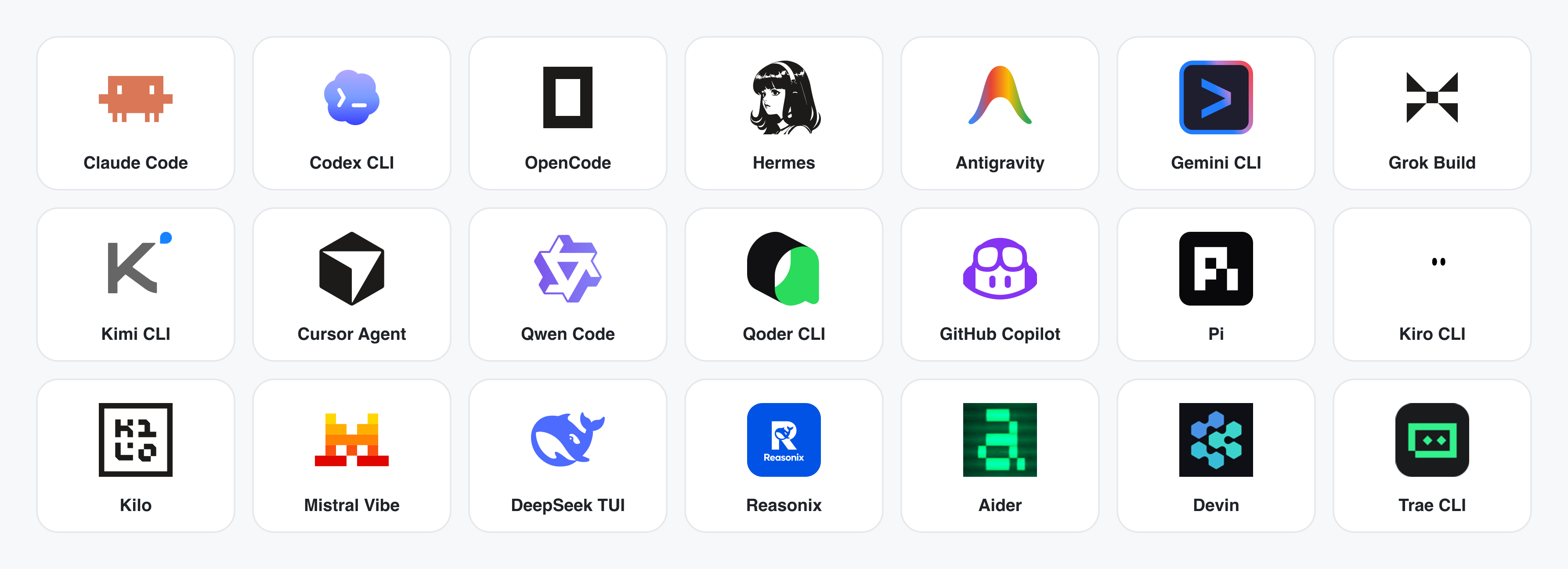
ยังไม่มี CLI ติดตั้ง? BYOK proxy ที่ POST /api/proxy/{anthropic,openai,azure,google,ollama,senseaudio}/stream ให้ loop แบบเดียวกัน (ไม่ต้อง spawn process) — วาง baseUrl + apiKey + model ได้เลย พร้อมรองรับ OpenAI, Anthropic, Azure OpenAI, Google Gemini, Ollama, LM Studio, vLLM หรือ endpoint ที่เข้ากันได้กับ OpenAI. การป้องกัน SSRF ต่อ target จะบล็อก internal IPs / link-local / CGNAT ที่ daemon edge.
Adapter contract และ stream parsers อยู่ใน apps/daemon/src/agents.ts. การเพิ่ม CLI ใหม่คือเพิ่ม entry เดียว — ดู docs/agent-adapters.md.
ผลิตภัณฑ์หลัก 4 หมวด ทั้งหมด render โดย coding agent ที่รันบน laptop ของคุณ. คลิก thumbnail เพื่อดูตัวอย่างจริง.
พื้นผิว output เริ่มต้น. Artifact HTML หน้าเดียวที่อ่าน DESIGN.md ของคุณและ render ใน sandboxed iframe.
 Entry view — เลือก skill, เลือก design system, พิมพ์ brief. พื้นผิวเดียวสำหรับ prototype, dashboard, deck, mobile app และหน้า magazine. |
 Mobile prototype — chrome ของ iPhone 15 Pro แบบ pixel-accurate, flow หลายหน้าจอ. Agent ไม่ต้องวาดกรอบมือถือใหม่ เพราะ shared device frames อยู่ใน assets/frames/.
|
 Web prototype — dashboard แบบ editorial พร้อม scrollbar, KPI และ chart. Render ตรงจาก design-templates/dating-web/.
|
 Mobile app prototype — flow gamified สามหน้าจอพร้อม XP ribbons และ quest detail. ส่งต่อให้ Cursor / Codex / Claude Code เพื่อเปลี่ยนเป็น React/Next/Vue ได้ทันที. |
Live dashboard, decision room, KPI wall — artifact หน้าเดียวที่ดึงข้อมูลผ่าน tweaks panel และยังแก้ไขในที่เดิมได้.
 Live dashboard — KPI wall ที่แก้ไขได้ โดย tweaks panel แสดง parameter ที่ควรปรับ. Agent emit manifest แล้ว iframe re-render โดยไม่ reload. |
 Decision room — briefing artifact หลาย source สำหรับประชุม product / research / ops. |
 GitHub-style dashboard — metrics ของ repo ในรูปแบบ live artifact. |
 Flow live-dashboard template — KPI template เฉพาะ domain ที่ brand ผ่าน DESIGN.md ที่ active อยู่.
|
 Deck mode (guizang-ppt) — layout แบบ magazine, WebGL hero, checklist P0/P1/P2. Bundle ตรงจาก op7418/guizang-ppt-skill พร้อมคง license เดิม.
|
 Swiss International-style deck — ยึด grid, accent monochrome. เป็นหนึ่งใน 15 deck templates และ 36 themes ใน design-templates/html-ppt-*/.
|
ทุก deck export ได้เป็น HTML (ไฟล์เดียวพร้อม inline assets), PDF (browser print แบบรู้จัก deck), PPTX (agent-driven skill), ZIP (archive) หรือ Markdown.
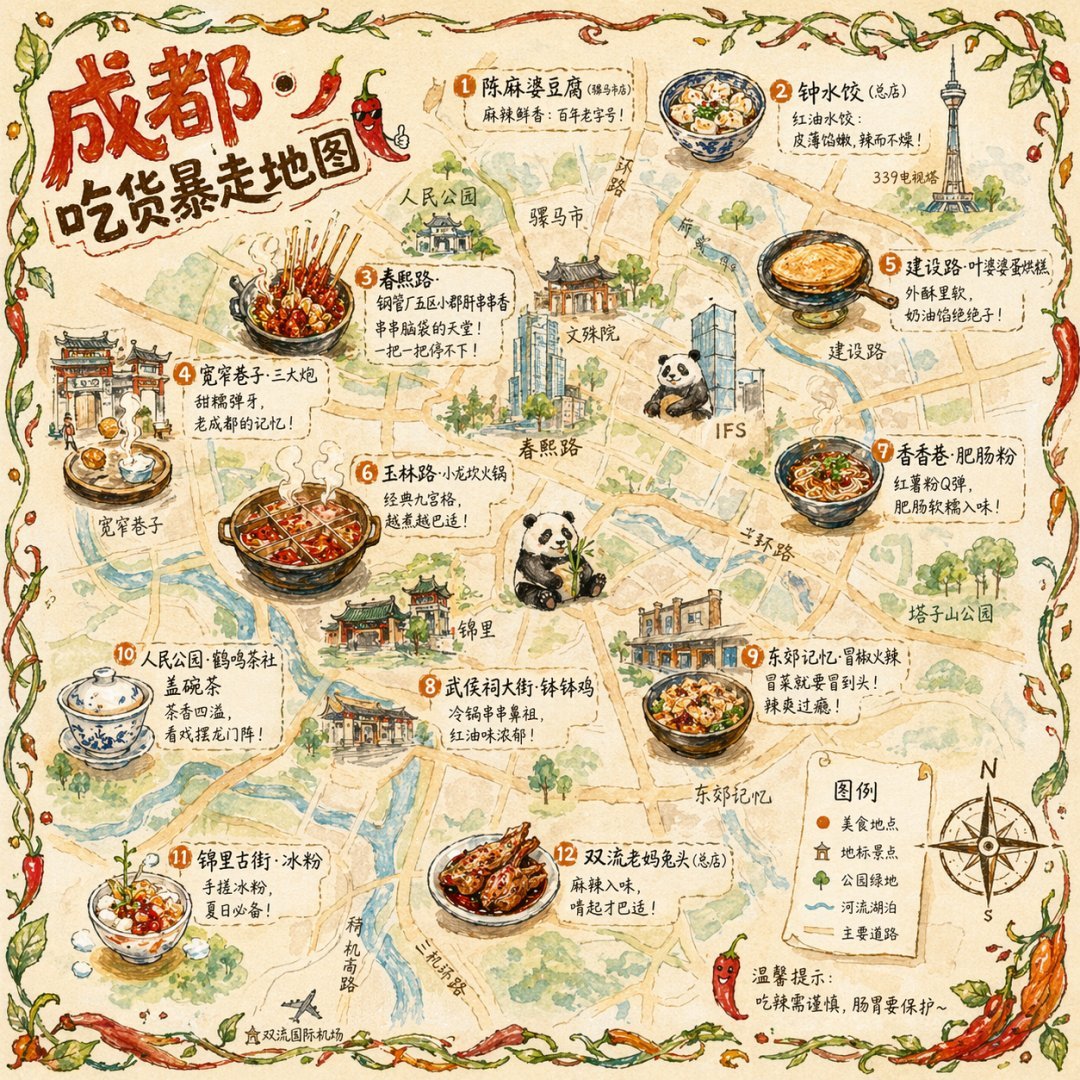 แผนที่อาหารเมืองแบบ illustration โปสเตอร์ท่องเที่ยว editorial แบบวาดมือ |
 ฉากลิฟต์แบบ cinematic ภาพนิ่ง editorial เฟรมเดียว |
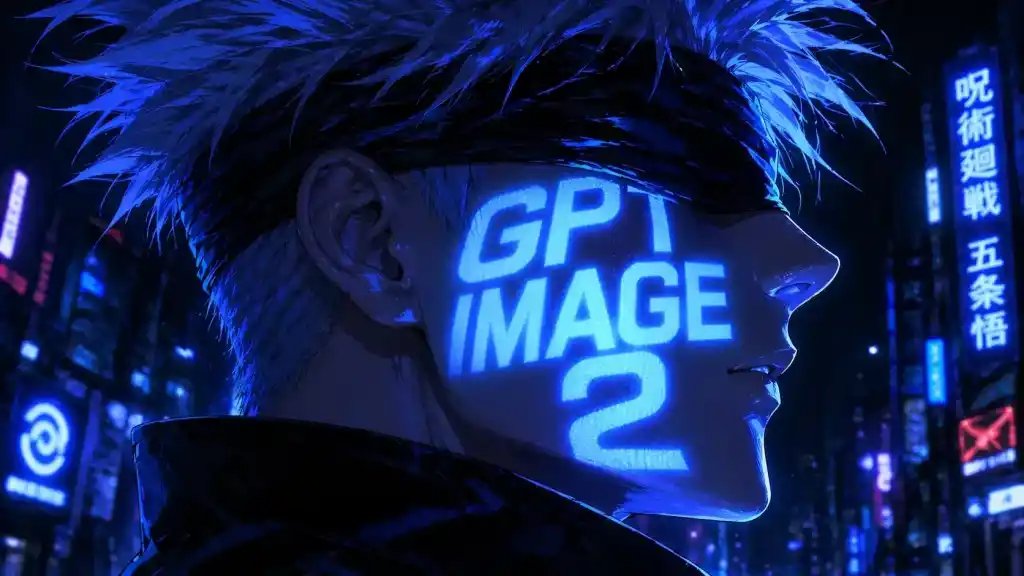 Cyberpunk portrait Profile avatar — neon face text |
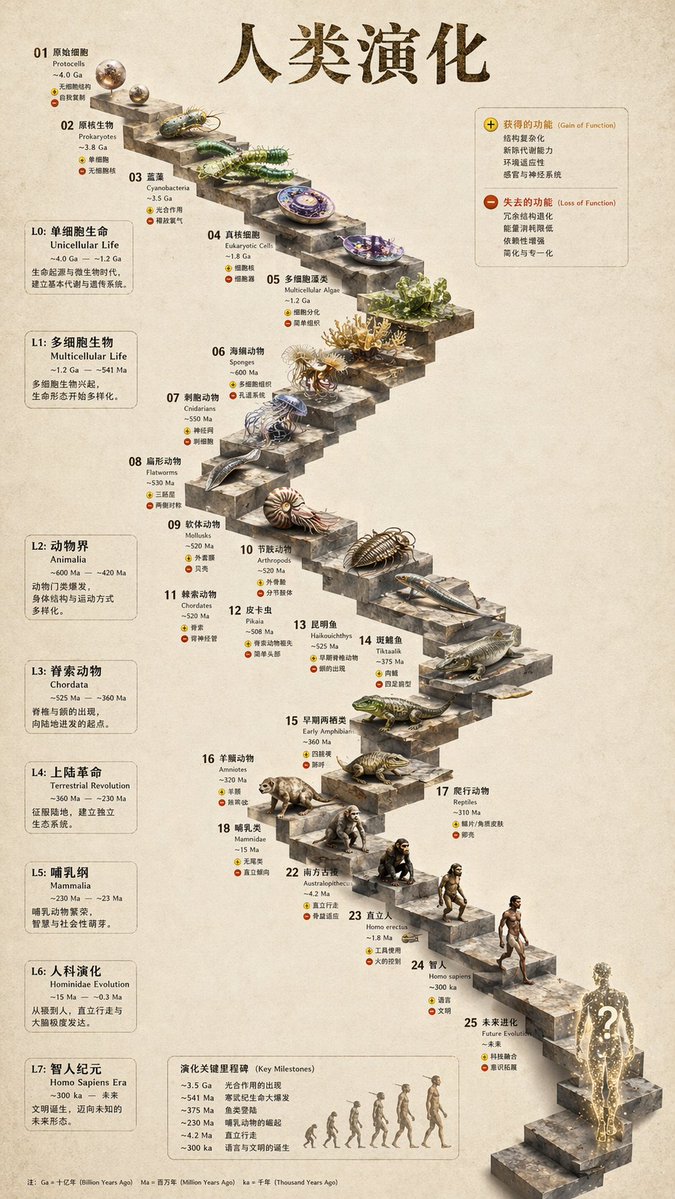 บันไดหิน 3D infographic หินสกัด |
 Glamorous portrait editorial studio shot |
prompt พร้อม replicate 93 รายการ อยู่ใน prompt-templates/ — มี preview thumbnail, prompt body เต็ม, target model, aspect ratio และ source attribution. คลิกเดียวก็ใส่ brief ลง composer ได้.
HyperFrames คือ framework วิดีโอแบบโอเพนซอร์สและ agent-native ของ HeyGen ซึ่งผสานเป็น first-class citizen ใน Open Design. Agent เขียน HTML + CSS + GSAP แล้ว HyperFrames render เป็น MP4 ที่ deterministic ผ่าน headless Chrome + FFmpeg. ใช้คู่กับ Seedance 2.0 สำหรับ cinematic t2v / i2v, Veo 3 / Sora 2 / Kling 2 สำหรับ routed model variants และ Suno v5 / Lyria 2 สำหรับ audio layer.
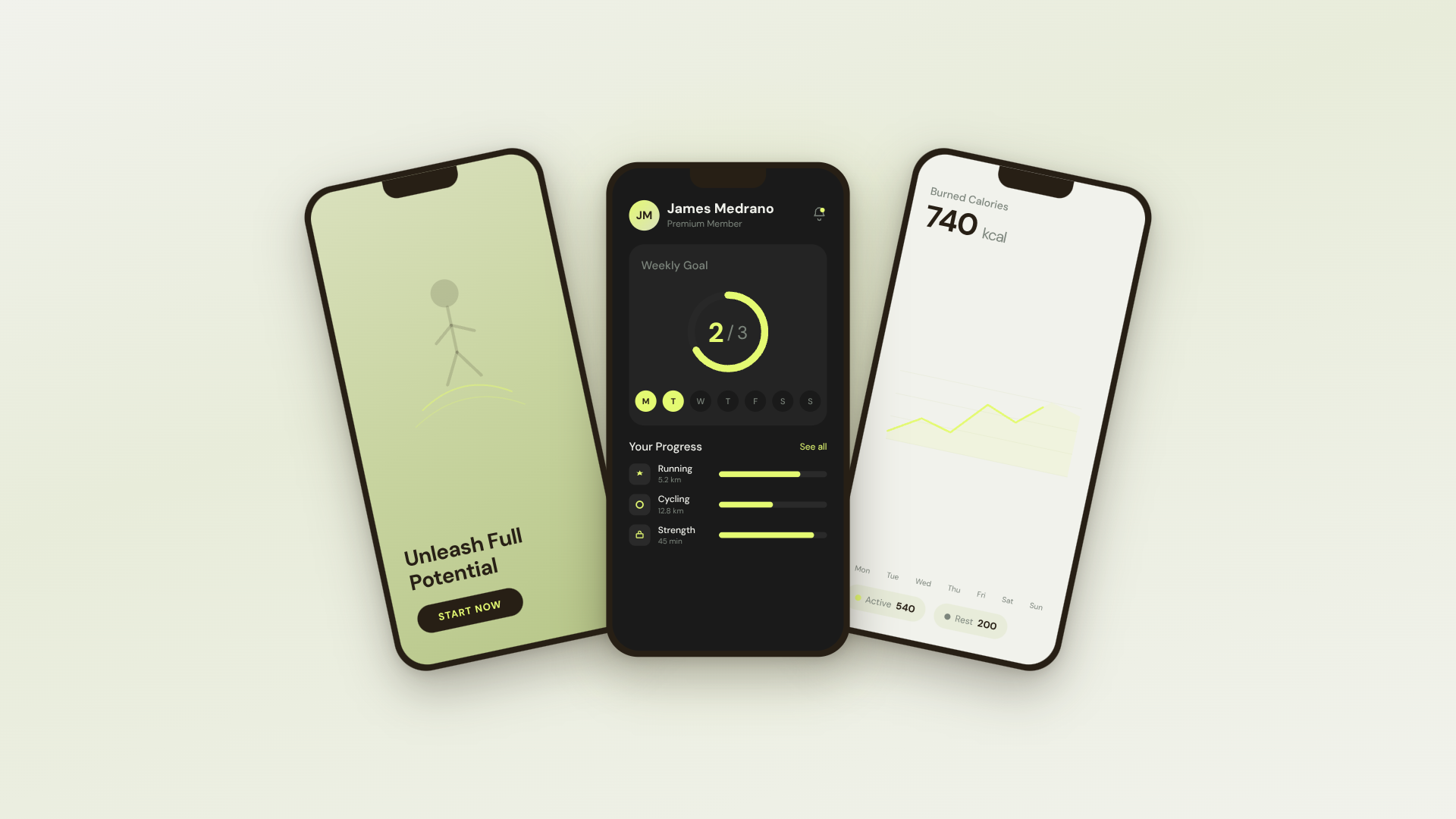 30s SaaS product promo · 16:9 · UI 3D reveals |
 TikTok karaoke talking-head · 9:16 · TTS + word-synced captions |
 30s brand sizzle reel · 16:9 · audio-reactive kinetic type |
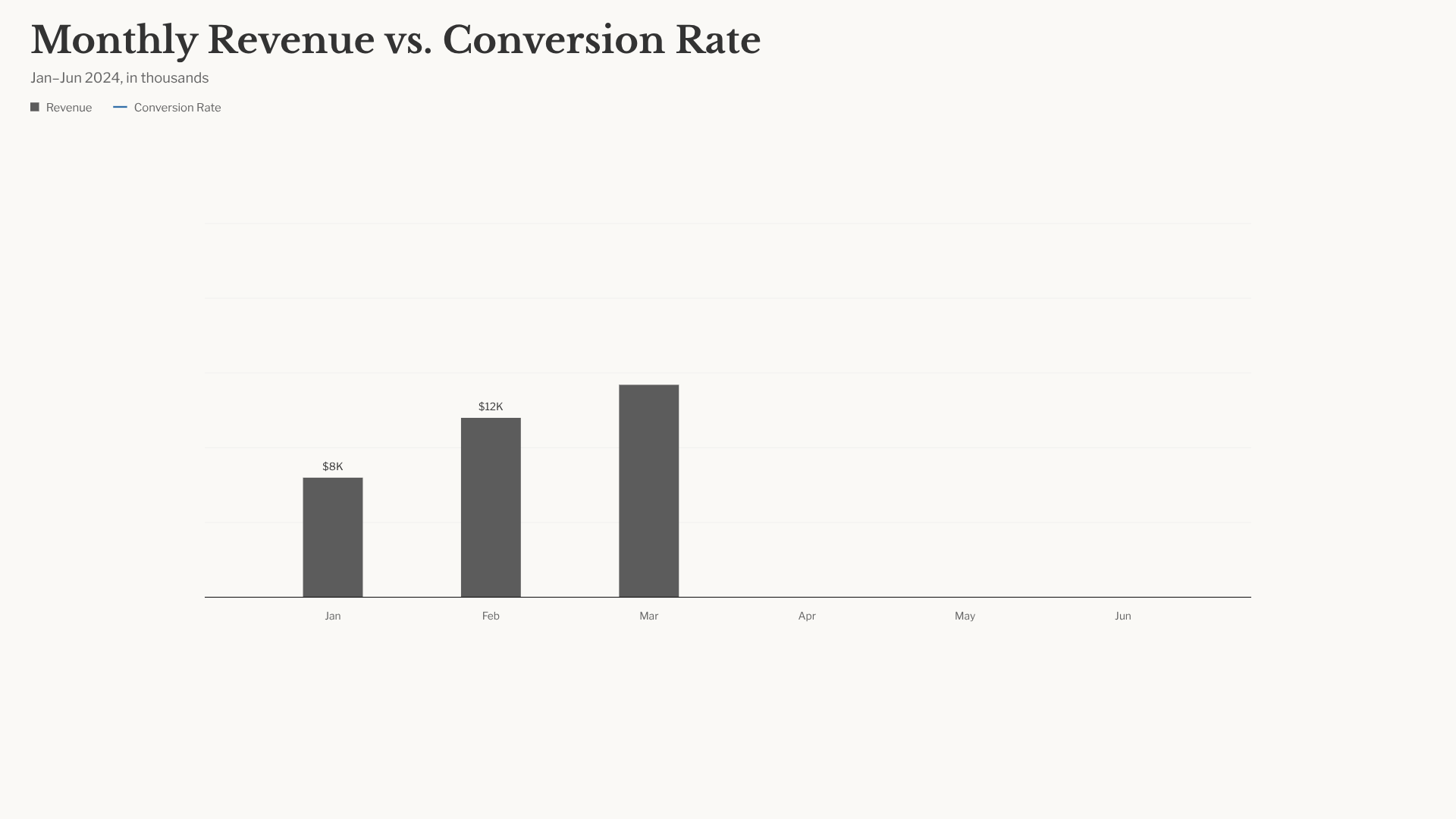 Bar chart race · 16:9 · data infographic สไตล์ NYT |
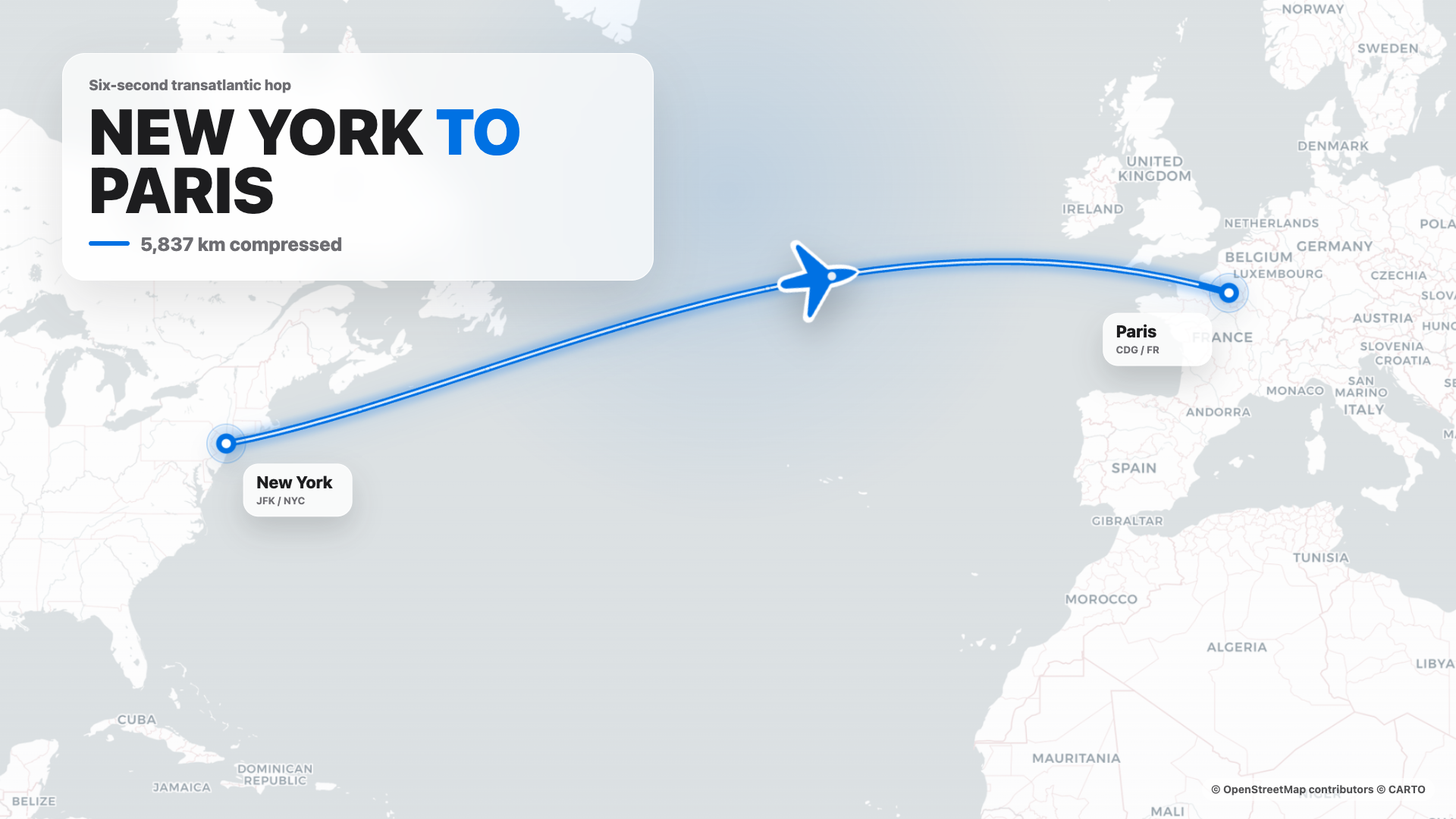 Flight map · 16:9 · route reveal สไตล์ Apple |
4s cinematic logo outro · 16:9 · piece-by-piece assembly + bloom |
 $0 → $10K money counter · 9:16 · hype สไตล์ Apple |
 Website-to-video · 16:9 · capture เว็บไซต์ที่ 3 viewport |
ใน repo มี HyperFrames templates 11 รายการ + Seedance prompts 39 รายการ. Catalog thumbnails © HeyGen; framework เป็น Apache-2.0. Workflow render เฉพาะของ OD (composition cache, sandbox-exec workaround, MP4-as-chip) อธิบายไว้ใน design-templates/hyperframes/.
ในเดือนเมษายน 2026, Anthropic เปิดตัว Claude Design — ครั้งแรกที่ LLM หยุดแค่เขียนข้อความ และเริ่มส่งมอบ design artifacts โดยตรง. มัน viral มาก แต่ยังเป็น closed-source, paid-only, cloud-only, ผูกกับโมเดลของ Anthropic, skills ของ Anthropic และ surface ของ Anthropic. ไม่มี checkout, ไม่มี self-host, ไม่มี Vercel deploy, ไม่มีการสลับ agent ของคุณเอง.
Open Design (OD) คือทางเลือกโอเพนซอร์ส. Loop เดียวกัน, mental model แบบ artifact-first เดียวกัน, แต่ไม่มี lock-in:
- 🤖 Agent-native, model-agnostic. เราไม่ได้ ship agent.
claude/codex/cursor-agent/copilot/hermes/kimiที่มีอยู่แล้วบนPATHของคุณคือ design engine. สลับได้ในคลิกเดียว. - 🧠 Brand-grade เป็นค่าเริ่มต้น. ทุก render อ่าน
DESIGN.mdที่ active อยู่ — schema 9 section ครอบคลุม palette, type, spacing, motion, voice และ anti-patterns. Repo ship systems 150 ชุด (Linear, Stripe, Vercel, Airbnb, Apple, Tesla, Notion, Anthropic, Cursor, Supabase, Figma…). วาง folder เข้าไป picker ก็หาเจอ. - 🖥️ Local-first, BYOK ทุกชั้น. แอป desktop native สำหรับ macOS (Apple Silicon + Intel) และ Windows (x64). Linux AppImage อยู่ใน release lane แบบ optional. SQLite ที่
.od/app.sqlite, files ที่.od/projects/<id>/, ไม่มี telemetry, ไม่มี cloud round-trip. - 🌍 ประกอบกันได้บน 3 plane. Plugins พา workflow ที่รันได้ · skills พา taste การออกแบบของ agent · design systems พาแบรนด์. ทั้งสามเป็นไฟล์ธรรมดาที่ใครก็ author, version และ publish ได้.
- 🔁 Refresh codebase เดิม. ส่ง
gitrepo +DESIGN.mdให้ agent แล้วมัน refactor component จริงของคุณให้เข้ากับ brand spec. มี plugin เฉพาะสำหรับ migrate workflow จาก Figma / Pencil ไปเป็น React / Next.js / Vue code. - 🔒 Privacy by conviction. ทุกอย่างรันในที่ที่ข้อมูลของคุณอยู่ — laptop ของคุณ, server ของทีม, Vercel project ของคุณ. เมื่อจำเป็นต้องใช้ network, BYOK proxy ก็มี SSRF guard.
| Claude Design | Figma | Lovable / v0 / Bolt | Open Design | |
|---|---|---|---|---|
| Open source | ❌ | ❌ | ❌ | ✅ Apache-2.0 |
| Self-host / desktop | ❌ | ❌ | ❌ | ✅ macOS + Windows + Vercel |
| Agent-native (รันใน CLI ของคุณ) | Anthropic เท่านั้น | ❌ | Cloud agent เท่านั้น | ✅ 22 CLIs + BYOK |
DESIGN.md ระดับแบรนด์ |
Proprietary | Theme JSON | Limited tokens | ✅ ship systems 150 ชุด |
| Skills / plugins / templates | Closed | Plugin store | Closed | ✅ 100+ skills · 261 plugins |
| HyperFrames (HTML→MP4) | ❌ | ❌ | ❌ | ✅ First-class |
| Refresh repo เดิมให้ตรง brand | ❌ | ❌ | ❌ | ✅ ผ่าน agent + DESIGN.md |
| Minimum billing | Pro / Max / Team | Pro / Org | Pro / Team | BYOK · endpoint ใดก็ได้ที่เข้ากันได้ |
วิธีที่เร็วที่สุดในการใช้ Open Design. ไม่ต้องมี Node, ไม่ต้องมี pnpm, ไม่ต้อง clone.
- macOS (Apple Silicon · Intel x64) → open-design.ai หรือ GitHub Releases
- Windows (x64) → open-design.ai หรือ GitHub Releases
- Linux (AppImage, optional lane) → GitHub Releases
หลังติดตั้ง: แอปจะ auto-detect coding-agent CLI ทุกตัวบน PATH, โหลด 100+ skills และ 150 design systems แล้วให้คุณพิมพ์ brief ใน entry view ได้ทันที.
คุณใช้ Open Design ได้โดยไม่ต้องเปิด GUI เลย — เรียกใช้เป็น skill, plugin หรือ MCP server ใน Claude Code, Codex, Cursor, Copilot, OpenClaw, Antigravity, Hermes, Kimi และอื่น ๆ.
# One-line install into the agent you're using:
curl -fsSL https://open-design.ai/install.sh | sh -s <agent>
# <agent> = claude | codex | cursor | copilot | openclaw | antigravity | gemini
#         | pi | vibe | hermes | cline | kimi | trae | opencode
จากนั้นใน agent:
> Use open-design to generate a landing page with the Linear design system
Agent จะอ่าน skills/, เลือก SKILL.md ที่เหมาะ, bind DESIGN.md ที่คุณระบุ และ emit <artifact> ที่ preview ได้ที่ http://localhost:7456.
git clone https://github.com/nexu-io/open-design.git
cd open-design/deploy
cp .env.example .env
echo "OD_API_TOKEN=$(openssl rand -hex 32)" >> .env
docker compose up -d
# open http://localhost:7456
ผู้ใช้ macOS: ถ้า web UI แสดง
Authorization: Bearer <OD_API_TOKEN> required, สาเหตุคือ bridge networking ของ Docker Desktop. ดูวิธีแก้ที่ Docker Desktop on macOS.
git clone https://github.com/nexu-io/open-design.git
cd open-design
corepack enable && pnpm install
pnpm tools-dev run web
Node ~24, pnpm 10.33.x. ผู้ใช้ Windows ดู docs/windows-troubleshooting.md. Quickstart เต็ม, env vars, Nix flake และ packaged build flow → QUICKSTART.th.md.
brief → plugin → direction → design system → artifact → handoff → memory
- PM ส่ง brief. Plugin picker เสนอ landing page · pitch deck · dashboard · social post · PM spec · OKR scorecard…
- Designer (หรือ agent) ล็อก direction. ยังไม่มี brand? เลือกจาก 5 direction ที่ curate ไว้. มี brand แล้ว? วาง screenshot / URL → agent เชื่อม GitHub, import Figma และ codify เป็น
DESIGN.mdที่ reusable. - Agent emit
<artifact>แรก. Plugin + skill +DESIGN.mdถูก bind แล้ว. มัน stream เข้า sandboxed iframe และแก้ไขในที่เดิมได้ — ไม่ใช่ "regenerate from scratch." - ส่งต่อให้ engineering. Artifact คือ HTML/CSS จริง — วางเข้า Cursor, Codex หรือ Claude Code เพื่อ build ต่อเป็น code. หรือ export PPTX / PDF / MP4 ตรงไป marketing.
- Open Design ฉลาดขึ้นเมื่อคุณใช้มัน. Screenshot, font, palette และ artifact ที่ confirm แล้วจะสะสมเป็น default สำหรับ session ถัดไป. งานซ้ำน้อยลง, drift น้อยลง.
Open Design ship stdio MCP server และ install scripts สำหรับแต่ละ agent. Agent ที่รองรับ MCP ใน repo อื่นสามารถอ่านไฟล์จาก project Open Design local ของคุณได้โดยตรง — tokens CSS, JSX components, entry HTML — ในรูปแบบ structured API ที่ query ตามชื่อได้. Agent เห็นไฟล์ live เสมอ ไม่ใช่ stale export.
# One-line install (รองรับ 16+ CLIs):
curl -fsSL https://open-design.ai/install.sh | sh -s <agent>

# Then the agent can:
od search-files "primary button"      # search files across projects
od get-file design-systems/linear-app/DESIGN.md
od get-artifact <slug>                # latest rendered artifact
od plugin run web-prototype --brief "..."
od skill list --scenario marketing
ทำไมต้อง MCP? การ export แล้ว attach zip ใหม่ทุก iteration ทำให้ flow สะดุด. MCP เปิด source ของ design โดยตรง — agent เห็นไฟล์ live เสมอ.
สำหรับ agent ที่เริ่มจากศูนย์, installer จะวาง ~/.config/<agent>/open-design.json (หรือ path ตาม platform) พร้อม MCP snippet สำหรับ copy-paste. Cursor ได้ deeplink แบบ one-click; Claude Code ได้ one-liner claude mcp add-json; agent อื่นได้ JSON ตาม schema config ของตัวเอง. Flow ต่อ agent แบบเต็ม → Settings → MCP server ใน desktop app หรือ docs/agent-adapters.md.
Security model. ค่าเริ่มต้นเป็น read-only, daemon bind กับ 127.0.0.1, และ SSRF ถูกบล็อกที่ proxy edge. การเปิดให้ LAN ต้องตั้ง OD_BIND_HOST พร้อม OD_ALLOWED_ORIGINS อย่างชัดเจน. Connector credentials และ live-artifact preview routes ยังเป็น loopback-only เสมอ.
มี 100+ skills ในกล่อง — แต่ละอันเป็น folder ใต้ skills/ ตาม convention SKILL.md ของ Claude Code, ขยายด้วย frontmatter od: (mode, platform, scenario, preview.type, design_system.requires, default_for, fidelity, example_prompt). วาง folder เข้าไป, restart daemon, มันจะปรากฏใน picker.
มี modes หลักสองแบบใน catalog: prototype (artifact หน้าเดียวสำหรับ web/mobile/desktop) และ deck (presentation แนวนอนแบบ swipe). ยังมี image, video, audio, template, design-system และ utility. Field scenario จัดกลุ่มตาม audience: design · marketing · operation · engineering · product · finance · hr · sale · personal.
| Skill | Mode | Scenario | สิ่งที่ผลิต |
|---|---|---|---|
web-prototype |
prototype | design | Landing page / hero เริ่มต้น |
saas-landing |
prototype | marketing | Hero / features / pricing / CTA |
dashboard |
prototype | operation | Admin / analytics (พร้อม sidebar) |
mobile-app |
prototype | design | แอปในกรอบ iPhone 15 Pro / Pixel |
mobile-onboarding |
prototype | design | Splash · value-prop · sign-in flow |
social-carousel |
prototype | marketing | Carousel 3 cards ขนาด 1080×1080 |
email-marketing |
prototype | marketing | Brand email ที่ table-fallback-safe |
magazine-poster |
prototype | marketing | Layout magazine หน้าเดียว |
motion-frames |
prototype | marketing | Hero motion loop ด้วย CSS |
sprite-animation |
prototype | marketing | Animated explainer แบบ 8-bit pixel |
pm-spec |
prototype | product | PM spec doc (พร้อม TOC + decision log) |
team-okrs |
prototype | product | OKR scorecard |
eng-runbook |
prototype | engineering | Incident runbook |
finance-report |
prototype | finance | Exec finance summary |
hr-onboarding |
prototype | hr | Role onboarding plan |
guizang-ppt |
deck | marketing | Web PPT สไตล์ magazine (ค่าเริ่มต้นของ deck) |
html-ppt-* |
deck | marketing | 15 deck templates × 36 themes (master template อยู่ใน design-templates/html-ppt/) |
hyperframes |
video | marketing | HTML → MP4 motion graphics (HeyGen OSS framework) |
critique |
utility | design | Self-critique scoresheet 5 มิติ |
tweaks |
utility | design | Manifest สำหรับ tweaks-panel ที่ AI emit |
Skill protocol เต็ม → docs/skills-protocol.md. Skill registry endpoint: GET /api/skills.
ระบบ DESIGN.md ระดับแบรนด์ 150 ชุด ship มากับ repo — แต่ละชุดเป็น Markdown ไฟล์เดียวที่มี schema 9 section (color, typography, spacing, layout, components, motion, voice, brand, anti-patterns), จาก VoltAgent/awesome-design-md. สลับ system → render ถัดไปใช้ token ใหม่. ไม่ใช่ theme JSON.
Catalog เต็ม (คลิกเพื่อขยาย)
AI & LLM — claude · cohere · mistral-ai · minimax · together-ai · replicate · runwayml · elevenlabs · ollama · x-ai
Developer Tools — cursor · vercel · linear-app · framer · expo · clickhouse · mongodb · supabase · hashicorp · posthog · sentry · warp · webflow · sanity · mintlify · lovable · composio · opencode-ai · voltagent
Productivity — notion · figma · miro · airtable · superhuman · intercom · zapier · cal · clay · raycast
Fintech — stripe · coinbase · binance · kraken · mastercard · revolut · wise
E-commerce — shopify · airbnb · uber · nike · starbucks · pinterest
Media — spotify · playstation · wired · theverge · meta
Automotive — tesla · bmw · ferrari · lamborghini · bugatti · renault
Other — apple · ibm · nvidia · vodafone · resend · spacex
Starters — default (Neutral Modern) · warm-editorial
Re-import library ผ่าน scripts/sync-design-systems.ts. เพิ่มแบรนด์ของคุณเอง → วาง DESIGN.md ใน design-systems/<brand>/. คู่มือเต็ม → design-systems/README.md.
Official plugins 261 ตัว อยู่ใน plugins/_official/. Plugin แต่ละตัวเป็น portable agent-skill folder — มี SKILL.md (อ่านได้โดย agent ใดก็ได้ที่รองรับ Agent Skills), พร้อม manifest open-design.json แบบ optional ที่ให้ metadata ของ Open Design marketplace, inputs, previews, pipelines และ capability declarations. ไปที่ category ได้ทันที:
| Category | Count | Contents |
|---|---|---|
scenarios/ |
11 | Complete design scenarios — od-default, od-design-refine, od-figma-migration, od-code-migration, od-react-export, od-nextjs-export, od-vue-export, od-media-generation, od-new-generation, od-tune-collab, od-plugin-authoring |
image-templates/ |
45 | One-shot image prompts — editorial, cinematic, product, portrait |
video-templates/ |
50 | HyperFrames / Seedance / Veo motion templates |
design-systems/ |
142 | Brand DESIGN.md ที่ wrap เป็น plugins |
atoms/ |
13 | UI fragments ที่ reusable (buttons, heroes, KPI cards) |
examples/ |
140 | Reference outputs ที่ remix ได้ |
ยังมี plugins/community/ สำหรับ community plugins และ plugins/registry/ สำหรับ publishing flow.
- 🤖 รันใน coding agent ใดก็ได้ — Claude Code, Codex, Cursor, Copilot, OpenClaw, Antigravity, Hermes, Kimi… ผ่าน skill protocol เดียวกับที่ agent รู้จักอยู่แล้ว.
- 🔁 Migrate workflow จาก Figma / Pencil → source แบบ React, Next.js หรือ Vue. ดู
od-figma-migration. - 🛠️ Refresh codebase เดิมให้ตรง brand spec — ชี้ plugin ไปที่
gitrepo +DESIGN.mdแล้วได้ PR. ดูod-code-migration. - 💾 Persist custom workflows — reusable templates ของทีมคุณอยู่ข้าง ๆ ของที่ ship มากับระบบ.
Plugins มี parity เต็มระหว่าง web UI และ od CLI — ใช้ /api/plugins endpoints เดียวกัน เลือกทางที่เหมาะกับคุณ.
ใน desktop / web app: เปิดหน้า Plugin เพื่อ browse marketplace แล้วคลิก Install; ภายใน Studio ของ project, plugins จะปรากฏเป็น composer chips ที่คุณคลิกเพื่อ apply (พร้อม inputs ที่ประกาศไว้).
บน command line (รันได้โดยไม่ใช้ UI — เป็น path ที่ external agents ใช้):
od plugin list                       # list installed plugins (--task-kind / --mode / --tag filters)
od plugin search "landing page"      # search by keyword
od plugin info od-default            # inspect a plugin's metadata, inputs, capabilities
od plugin install od-figma-migration # install from a registry; also accepts ./local-folder or an https://… link
od plugin apply od-default --input brief="a one-page pitch for our seed round"
od plugin upgrade od-default         # upgrade
od plugin uninstall od-default       # uninstall
ทุก command รองรับ --json จึง pipe ผ่าน jq / xargs เข้า automation ได้.
Plugin ต้องมีแค่ SKILL.md เป็นขั้นต่ำ; ถ้าต้องการให้แสดงใน Open Design marketplace ให้เพิ่ม open-design.json:
my-plugin/
├── SKILL.md            ← required: YAML frontmatter (name · description) + trigger phrasing + workflow (aim for < 500 lines)
├── open-design.json    ← needed to list: marketplace metadata + inputs + pipeline + capabilities
├── README.md           ← optional: usage, install, registry links
├── preview/            ← optional: index.html / poster.png (strongly recommended for visual plugins)
└── examples/           ← optional: concrete use cases
Field หลักของ open-design.json: specVersion (ปัจจุบัน 1.0.0), name (stable ID), version (semver), compat.agentSkills[].path (ชี้ไป ./SKILL.md), od.kind (skill / scenario / atom / bundle), od.taskKind (new-generation / figma-migration / code-migration / tune-collab), od.mode (output surface เช่น prototype / deck / live-artifact / image / video / hyperframes / audio / design-system / scenario), od.capabilities[] (ประกาศเท่าที่จำเป็นขั้นต่ำ — restricted install ให้แค่ prompt:inject โดย default), od.inputs[] (parameter ตอน apply).
Scaffold + validate ในเครื่อง:
od plugin scaffold --id my-plugin --title "My Plugin"   # generate the skeleton
od plugin validate ./my-plugin                          # check manifest / file layout
pnpm guard && pnpm --filter @open-design/plugin-runtime typecheck
Field set และ runtime contract เต็ม → plugins/spec/SPEC.md; พัฒนา plugin ด้วย coding agent → plugins/spec/AGENT-DEVELOPMENT.md; template ขั้นต่ำแบบ copy-paste → plugins/spec/examples/.
- วาง plugin folder ใน
plugins/community/(third-party plugins), หรือ — ถ้าจะ ship bundled กับ Open Design — วางใน tier ที่ตรงกันของplugins/_official/. - ผ่าน validation:
od plugin validate,pnpm guard,pnpm --filter @open-design/plugin-runtime typecheck. - กรอก PR ด้วย template ใน
plugins/spec/CONTRIBUTING.md(ID, version, lane, mode, capabilities, trigger examples; แนบ screenshot / preview สำหรับ visual plugins). - ถ้าจะ publish ไป registry ภายนอก (skills.sh / ClawHub / standalone GitHub) →
plugins/spec/PUBLISHING-REGISTRIES.md.
Plugin registry endpoint: GET /api/plugins. ภาพรวม directory → plugins/README.md (简体中文).
┌────────────────── browser (Next.js 16) / Electron shell ──────────────┐
│  chat · file workspace · iframe preview · settings · import · MCP     │
└──────────────┬─────────────────────────────────────┬─────────────────┘
               │ /api/*                              │
               ▼                                     ▼
   ┌─────────────────────────────────┐   /api/proxy/{provider}/stream (SSE)
   │  local daemon (Express+SQLite)  │   ─→ any OpenAI-compatible BYOK,
   │                                  │       SSRF-guarded at the edge
   │  /api/skills    /api/plugins    │
   │  /api/design-systems            │
   │  /api/chat (SSE)   /api/proxy/* │
   │  /api/projects/:id/files/...    │
   │  /api/artifacts/{save,lint}     │
   │  /api/import/claude-design      │
   │  MCP stdio server                │
   └─────────┬───────────────────────┘
             │ spawn(cli, [...], { cwd: .od/projects/<id> })
             ▼
   ┌──────────────────────────────────────────────────────────────────┐
   │  claude · codex · cursor-agent · copilot · openclaw · antigravity ·│
   │  gemini · opencode · qwen · qoder · hermes (ACP) · kimi (ACP) ·    │
   │  pi (RPC) · kiro · kilo · vibe (ACP) · cline · trae · deepseek     │
   │  reads SKILL.md + DESIGN.md, writes artifacts to disk             │
   └──────────────────────────────────────────────────────────────────┘
| Layer | Stack |
|---|---|
| Frontend | Next.js 16 App Router + React 18 + TypeScript |
| Daemon | Node 24 · Express · SSE streaming · better-sqlite3 |
| Storage | Files ที่ .od/projects/<id>/ + SQLite ที่ .od/app.sqlite + media-config.json (gitignored, auto-created). OD_DATA_DIR ย้ายทุกอย่างได้. |
| Preview | Sandboxed srcdoc iframe + streaming <artifact> parser |
| Export | HTML (inlined) · PDF (browser print) · PPTX (agent-driven) · ZIP · Markdown · MP4 (HyperFrames) |
| Desktop | Electron shell + sandboxed renderer + sidecar IPC (STATUS · EVAL · SCREENSHOT · CONSOLE · CLICK · SHUTDOWN) |
| Lifecycle | Entry point เดียว: pnpm tools-dev (start / stop / run / status / logs / inspect / check) |
Architecture เต็ม → docs/architecture.md. Skill protocol → docs/skills-protocol.md. Agent adapter contract → docs/agent-adapters.md.
- Daemon + 22 coding-agent CLI adapters + skill registry + design-system catalog
- Web app + chat + question form + 5-direction picker + todo progress + sandboxed preview
- 100+ skills · 150 design systems · 5 visual directions · 5 device frames
- SQLite-backed projects · conversations · messages · tabs · templates
- Multi-provider BYOK proxy (
/api/proxy/{anthropic,openai,azure,google,ollama,senseaudio}/stream) + SSRF guard - Claude Design ZIP import (
/api/import/claude-design) - Sidecar protocol + Electron desktop + IPC automation
- Artifact lint API + 5-dim self-critique pre-emit gate
- 0.8.0 — plugin marketplace infrastructure (official plugins 261 ตัว, manifest spec, per-agent install scripts)
- 0.9.0 — Open Design Cloud (official Model Router ในตัวแอป: zero config, one-click sign-in)
- Packaged Electron builds — macOS (Apple Silicon + Intel) + Windows (x64) + Linux AppImage (optional lane)
- Comment-mode surgical edits — ship บางส่วนแล้ว; reliable targeted patching กำลังทำอยู่
- AI-emitted tweaks panel UX — ยังไม่ implement
-
npx od initเพื่อ scaffold project พร้อมDESIGN.md - Plugin SDK +
od plugin {add,list,remove,test,publish}CLI - Figma / Pencil → React / Next / Vue migration plugins (alpha)
- Refresh-existing-codebase plugin (ชี้ไปที่ git repo +
DESIGN.md)
Phased delivery → docs/roadmap.md.
คนจริงอยู่เบื้องหลังทุกช่องทาง.
- 💬 Discord — คุยรายวัน, แชร์ plugin, ถามคำถาม → discord.gg/qhbcCH8Am4
- 🐦 X / Twitter — release notes, milestones, behind the scenes → @nexudotio
- 🗣️ GitHub Discussions — Q&A เชิงลึก, RFCs, "show your work" → Discussions
- 🐛 GitHub Issues — bug reports, feature requests → Issues
Label good-first-issue และ help-wanted เป็นจุดเริ่มที่ง่ายที่สุด.
Open Design เดินหน้าได้เพราะ contributors — designers, engineers, prompt authors — กลับมา contribute อย่างต่อเนื่อง. Skills, design systems และ plugins ที่ถูกใช้มากที่สุดหลายตัวเขียนโดยคนนอก core team.
| อยาก ship… | ทำอย่างไร | ที่ไหน |
|---|---|---|
| skill ใหม่ | วาง folder ที่มี SKILL.md + assets/ + references/ |
skills/ · spec ใน docs/skills-protocol.md |
| design system ใหม่ | วาง DESIGN.md ตาม schema 9 section |
design-systems/<brand>/ |
| plugin ใหม่ | วาง open-design.json + manifest ใน category folder |
plugins/community/ · spec ใน plugins/spec/SPEC.md · agent dev guide ใน plugins/spec/AGENT-DEVELOPMENT.md |
| รองรับ coding-agent CLI ใหม่ | เพิ่ม adapter entry + stream parser หนึ่งชุด | apps/daemon/src/agents.ts |
| แก้ bug หรือ polish UI | ดู label good-first-issue |
Issues → |
| แปล docs | อัปเดตไฟล์ README.<lang>.md |
TRANSLATIONS.md |
ถ้า คุณคือ agent ที่กำลังอ่านข้อความนี้ path ที่เร็วที่สุดคือ:
# 1. Boot locally
git clone https://github.com/nexu-io/open-design.git
cd open-design && corepack enable && pnpm install
pnpm tools-dev run web

# 2. Find a good-first-issue and assign yourself
gh issue list --label "good first issue" --state open --limit 20
gh issue develop <number>   # create a branch and worktree

# 3. Make the change, run the checks
pnpm guard && pnpm typecheck
pnpm --filter @open-design/<package> test

# 4. Open the PR
gh pr create --fill
Contribution flow สำหรับ agent, code style และ PR bar แบบเต็ม → CONTRIBUTING.th.md (Deutsch · Français · 简体中文 · 日本語 · 한국어 · Português).
เรากำลังรับสมัคร Open Design Fellows ทั่วโลก — Fellows ร่วม shape ผลิตภัณฑ์กับ core team, เป็นตัวแทน Open Design อย่างเป็นทางการในภูมิภาคของตน และขยาย community local โดยมี funded support ($1,000 / MR), LLM credits ฟรี และ direct review track. รายละเอียด → MAINTAINERS.th.md และประกาศใน Discord.
พวกเขาแบกงานจำนวนมาก — maintenance รายวัน, review และ community support.
 @Nagendhra-web Maintainer |
 @Sid-Qin Maintainer |
 @YOMXXX Maintainer |
กติกา maintainer, promotion criteria และ exit protocol → MAINTAINERS.th.md (มี Deutsch · Français · 简体中文 · 日本語 · 한국어 · Português).
ขอบคุณทุกคนที่มีส่วนร่วม — code, docs, feedback, issue ที่คม, skill ใหม่, design system ใหม่.

SVG ด้านบน regenerate ทุกวันโดย .github/workflows/metrics.yml ด้วย lowlighter/metrics.
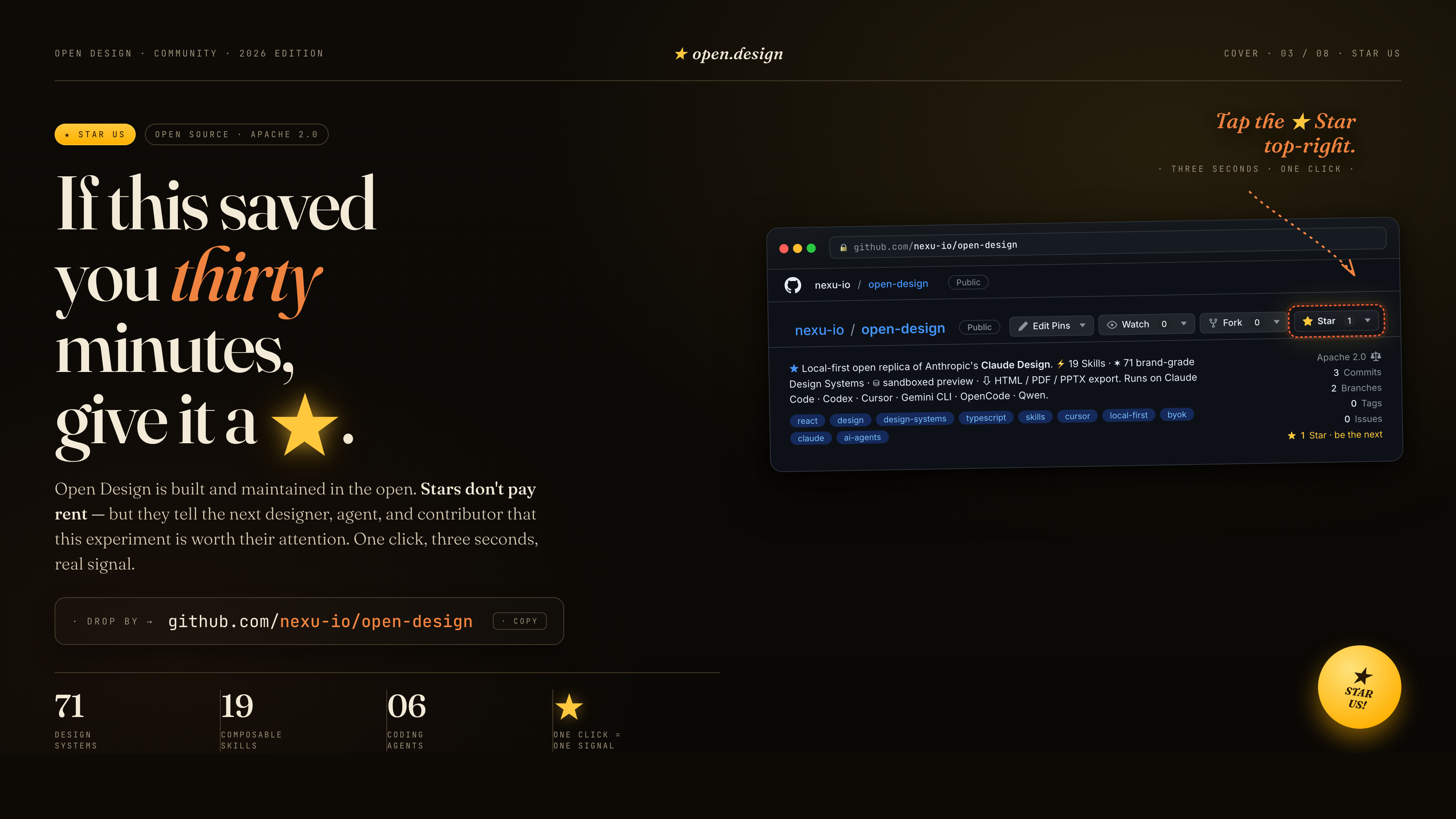
ถ้าสิ่งนี้ช่วยคุณประหยัดเวลาได้สามสิบนาที กด ★ ให้เราได้เลย. Stars ไม่ได้จ่ายค่าเช่า — แต่มันบอก designer, agent และ contributor คนถัดไปว่าการทดลองนี้ควรค่าแก่ความสนใจ. คลิกเดียว, สามวินาที, เป็นสัญญาณจริง.
| Project | Role |
|---|---|
| Claude Design | ผลิตภัณฑ์ closed-source ที่ repo นี้เป็นทางเลือกโอเพนซอร์สแทน. |
alchaincyf/huashu-design |
เข็มทิศด้าน design philosophy — workflow ของ junior designer, brand-asset protocol, anti-AI-slop checklist, critique 5 มิติ. |
op7418/guizang-ppt-skill |
Skill web PPT สไตล์ magazine ที่ bundle ตรงไว้ใต้ design-templates/guizang-ppt/. เป็นค่าเริ่มต้นของ deck mode. |
lewislulu/html-ppt-skill |
ตระกูล HTML PPT Studio — 15 deck templates, 36 themes, 31 page layouts, animation runtime, magnetic-card presenter mode. |
OpenCoworkAI/open-codesign |
ทางเลือกโอเพนซอร์สแทน Claude Design ตัวแรก; UX patterns ที่เรายืมมา (streaming-artifact loop, sandboxed iframe, live agent panel). |
multica-ai/multica |
สถาปัตยกรรม daemon + adapter — PATH-scan agent detection, local daemon เป็น privileged process เพียงตัวเดียว. |
VoltAgent/awesome-design-md |
แหล่งที่มาของ schema DESIGN.md 9 section และ product systems 70 ชุด. |
bergside/awesome-design-skills |
แหล่งที่มาของ design skills 57 ชุดที่เพิ่มไว้ใต้ design-systems/. |
heygen-com/hyperframes |
Framework motion-graphics HTML→MP4 ที่ integrate เป็น hyperframes-html แบบ first-class ใน Open Design. |
| Claude Code skills | Convention SKILL.md ที่เรารับมาใช้ตรง ๆ. |
Provenance แบบละเอียด → docs/references.md.
Apache-2.0. design-templates/guizang-ppt/ ที่ bundle มายังคง LICENSE เดิม (MIT, @op7418). design-templates/html-ppt/ ที่ bundle มายังคง LICENSE เดิม (MIT, @lewislulu).