When you are at the top level of a section the breadcrumb shows a single link like so
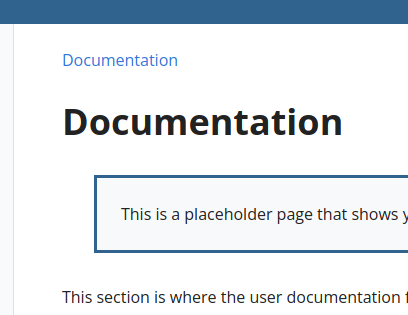
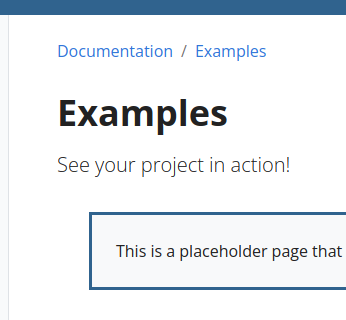
which looks a little odd as it is not obvious that is is a breadcrumb. With >1 item it is fine
Thus consider changing breadcrumb.html to hide the nav for a single item.
{{ $isSingle := true -}}
{{ with .Parent -}}
  {{ $isSingle = .IsHome -}}
{{ end -}}
{{ if not $isSingle }}
<nav aria-label="breadcrumb" class="td-breadcrumbs
    {{- if $isSingle }} td-breadcrumbs__single {{- end }}">
  <ol class="breadcrumb">
    {{- template "breadcrumbnav" (dict "p1" . "p2" .) }}
  </ol>
</nav>
{{ end }}
...
For me this then looks like:

Also, when you have the archived banner visible, the breadcrumbs appear below it which looks a little odd.
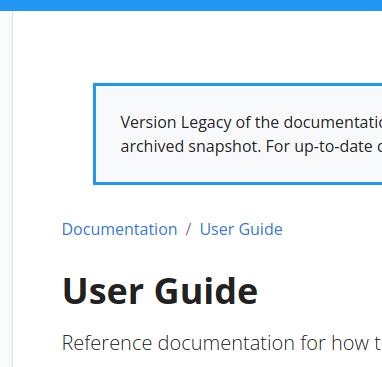
I think it looks better if the breadcrumbs always remain at the top like so
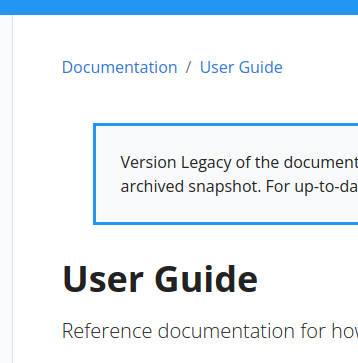
i.e. in layouts/docs/baseof.html
...
          <main class="col-12 col-md-9 col-xl-8 pl-md-5" role="main">
            {{ if not .Site.Params.ui.breadcrumb_disable }}{{ partial "breadcrumb.html" . }}{{ end }}
            {{ partial "version-banner.html" . }}
            {{ block "main" . }}{{ end }}
          </main>
...
Appreciate this is all subjective.

When you are at the top level of a section the breadcrumb shows a single link like so
which looks a little odd as it is not obvious that is is a breadcrumb. With >1 item it is fine
Thus consider changing
breadcrumb.htmlto hide the nav for a single item.{{ $isSingle := true -}} {{ with .Parent -}} {{ $isSingle = .IsHome -}} {{ end -}} {{ if not $isSingle }} <nav aria-label="breadcrumb" class="td-breadcrumbs {{- if $isSingle }} td-breadcrumbs__single {{- end }}"> <ol class="breadcrumb"> {{- template "breadcrumbnav" (dict "p1" . "p2" .) }} </ol> </nav> {{ end }} ...For me this then looks like:
Also, when you have the archived banner visible, the breadcrumbs appear below it which looks a little odd.
I think it looks better if the breadcrumbs always remain at the top like so
i.e. in
layouts/docs/baseof.html... <main class="col-12 col-md-9 col-xl-8 pl-md-5" role="main"> {{ if not .Site.Params.ui.breadcrumb_disable }}{{ partial "breadcrumb.html" . }}{{ end }} {{ partial "version-banner.html" . }} {{ block "main" . }}{{ end }} </main> ...Appreciate this is all subjective.