| title | Build Interactive Menus |
|---|---|
| description | Build beautiful interactive menus for your console application |
Interactive menus are a powerful way to guide the people using your application. Instead of typing the number that corresponds to their choice, they simply use the arrow keys on their keyboard to make a selection.
The menu component adds a menu method to your commands, allowing you to build beautiful, navigable menus in a few lines of code.
Warning: This component requires the
ext-posixPHP extension, which is not available on Windows. Installing it will prevent your application from running on Windows systems. If you need cross-platform support, use theselectfunction provided by Laravel Prompts instead.
You may install the menu component using the app:install Artisan command:
php application app:install menuThe menu method accepts a title and an array of options. Calling open displays the menu and returns the key of the option the user selected:
$option = $this->menu('Pizza menu', [
    'Freshly baked muffins',
    'Freshly baked croissants',
    'Turnovers, crumb cake, cinnamon buns, scones',
])->open();

$this->info("You have chosen the option number #$option");
When you run the command, the output will look similar to this:
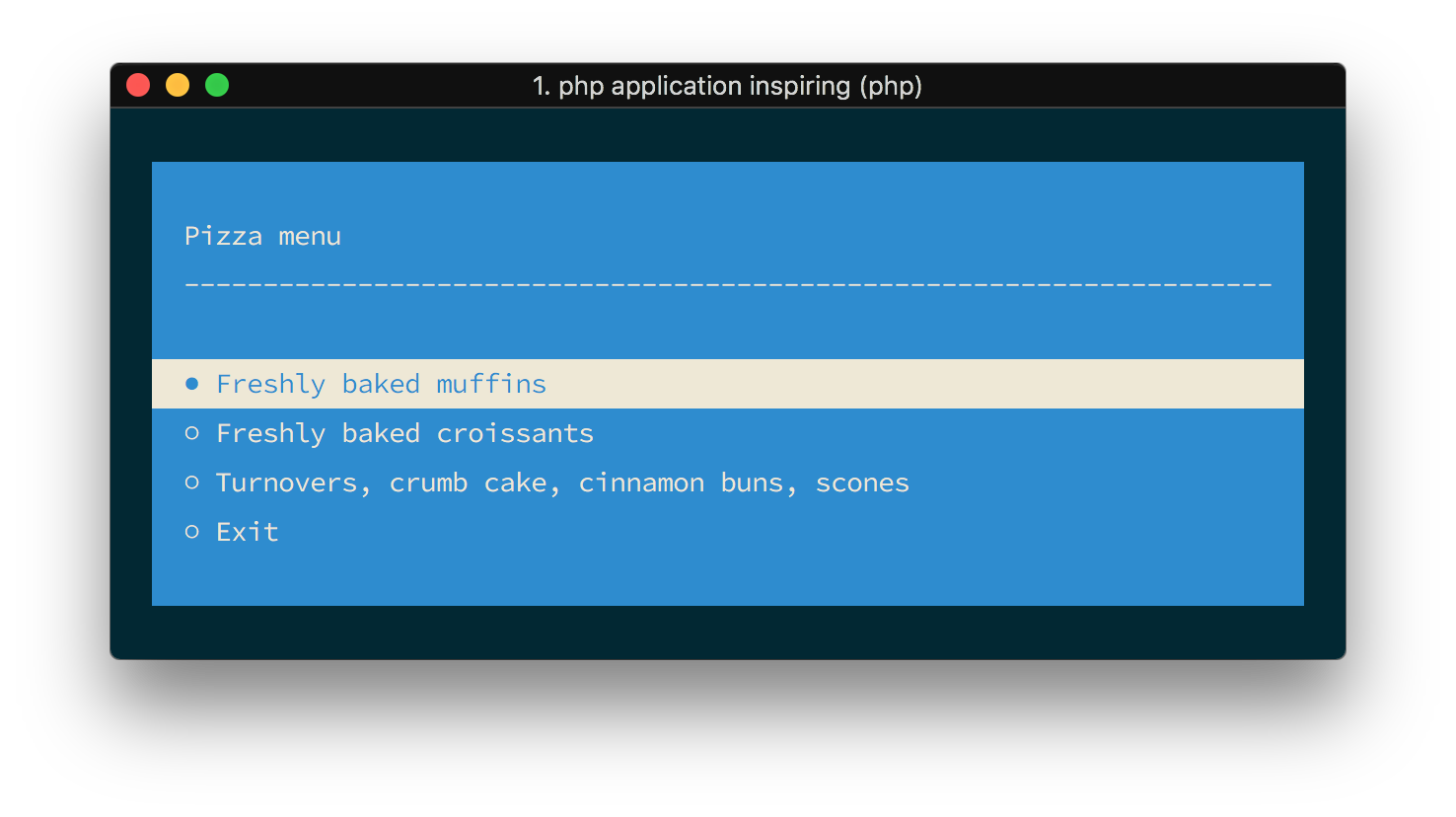
The appearance of the menu may be adjusted using a fluent API. What if you like a green font on a black background? The code below shows you how to do just that, along with a few extras:
$option = $this->menu($title, $options)
    ->setForegroundColour('green')
    ->setBackgroundColour('black')
    ->setWidth(200)
    ->setPadding(10)
    ->setMargin(5)
    ->setExitButtonText('Abort')
    ->setTitleSeparator('*-')
    ->addLineBreak('<3', 2)
    ->addStaticItem('AREA 2')
    ->open();
If you would like to remove the exit button entirely, you may use the disableDefaultItems method:
$this->menu($title, $options)->disableDefaultItems()->open();Note: Behind the scenes, the
menumethod uses thenunomaduro/laravel-console-menupackage. You will find further details on the available options there.