Problem
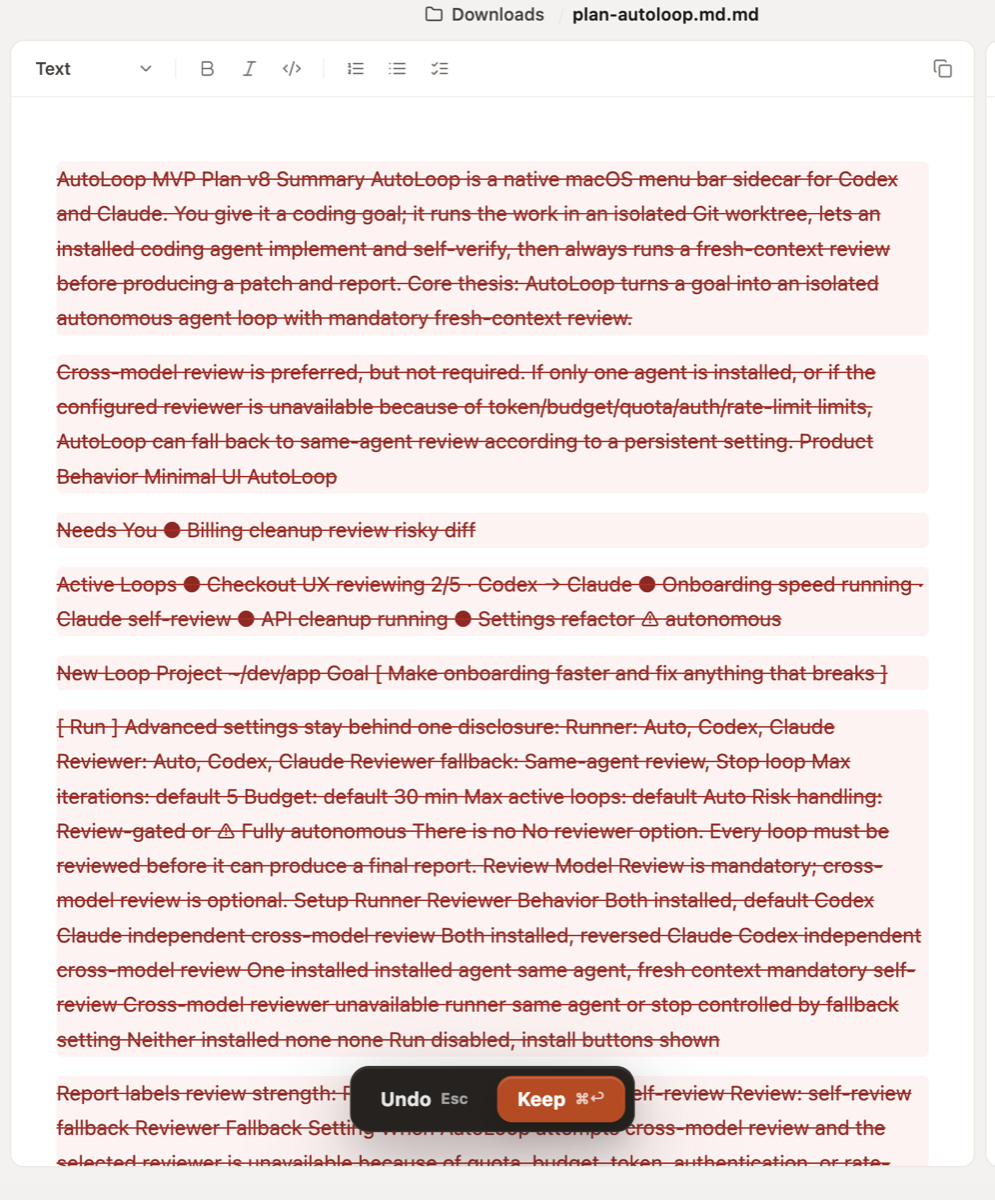
Formatting a Markdown file through the embedded Claude Code flow can result in Flashtype showing the entire original document as deleted, while Claude appears to create a rewritten replacement file. The editor then shows confusing diff/display behavior, and asking Claude to open the newly created file opens it in a separate Flashtype window instead of opening it in the current workspace/window.
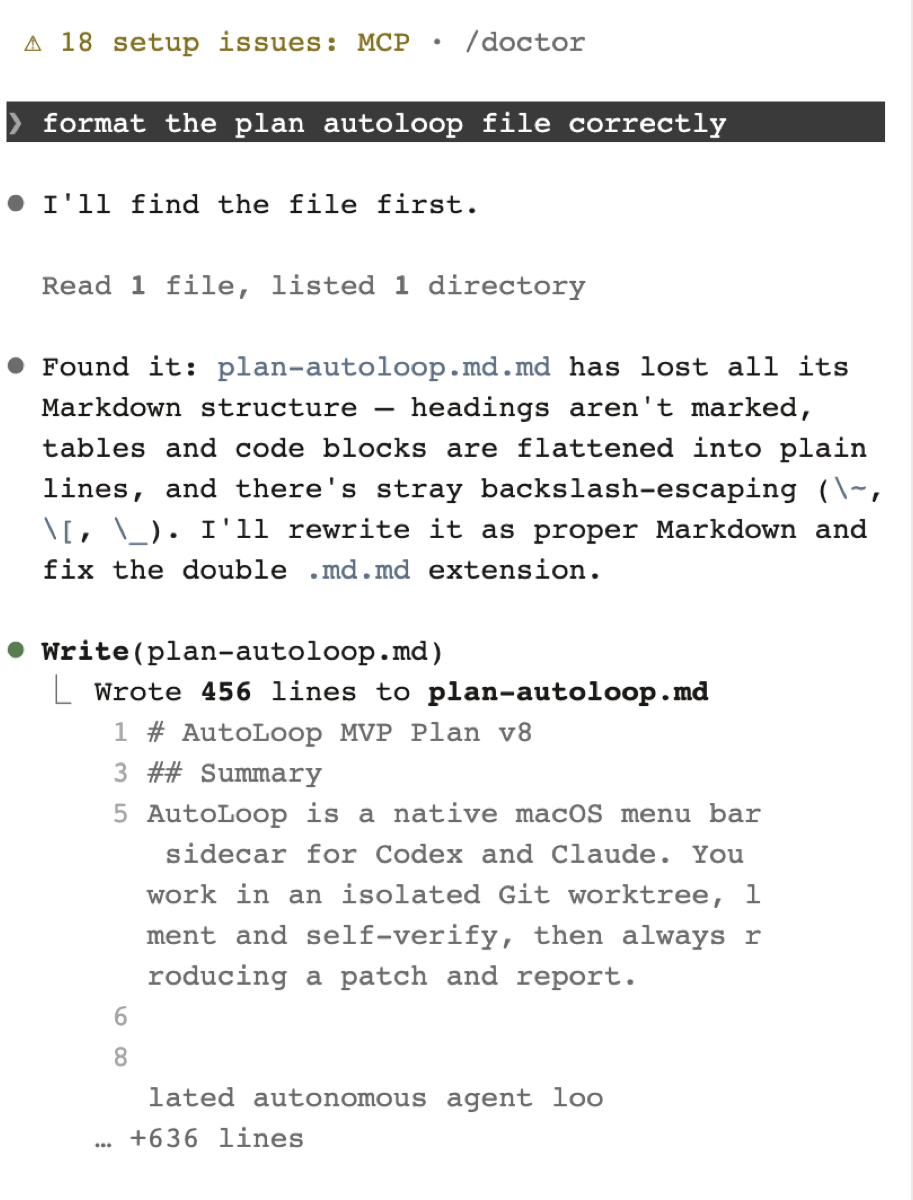
The observed case involved a file named plan-autoloop.md.md in ~/Downloads. Claude rewrote it as plan-autoloop.md, said the old .md.md file was deleted, and Flashtype displayed the old document as a large red deletion diff.
Steps to reproduce
- Open a Markdown file in Flashtype, e.g.
plan-autoloop.md.md from ~/Downloads.
- In the embedded Claude Code panel, ask Claude to format the file correctly.
- Claude detects that the file has lost Markdown structure and rewrites it as a corrected Markdown file with a fixed filename, e.g.
plan-autoloop.md.
- Observe the Flashtype editor for the original file.
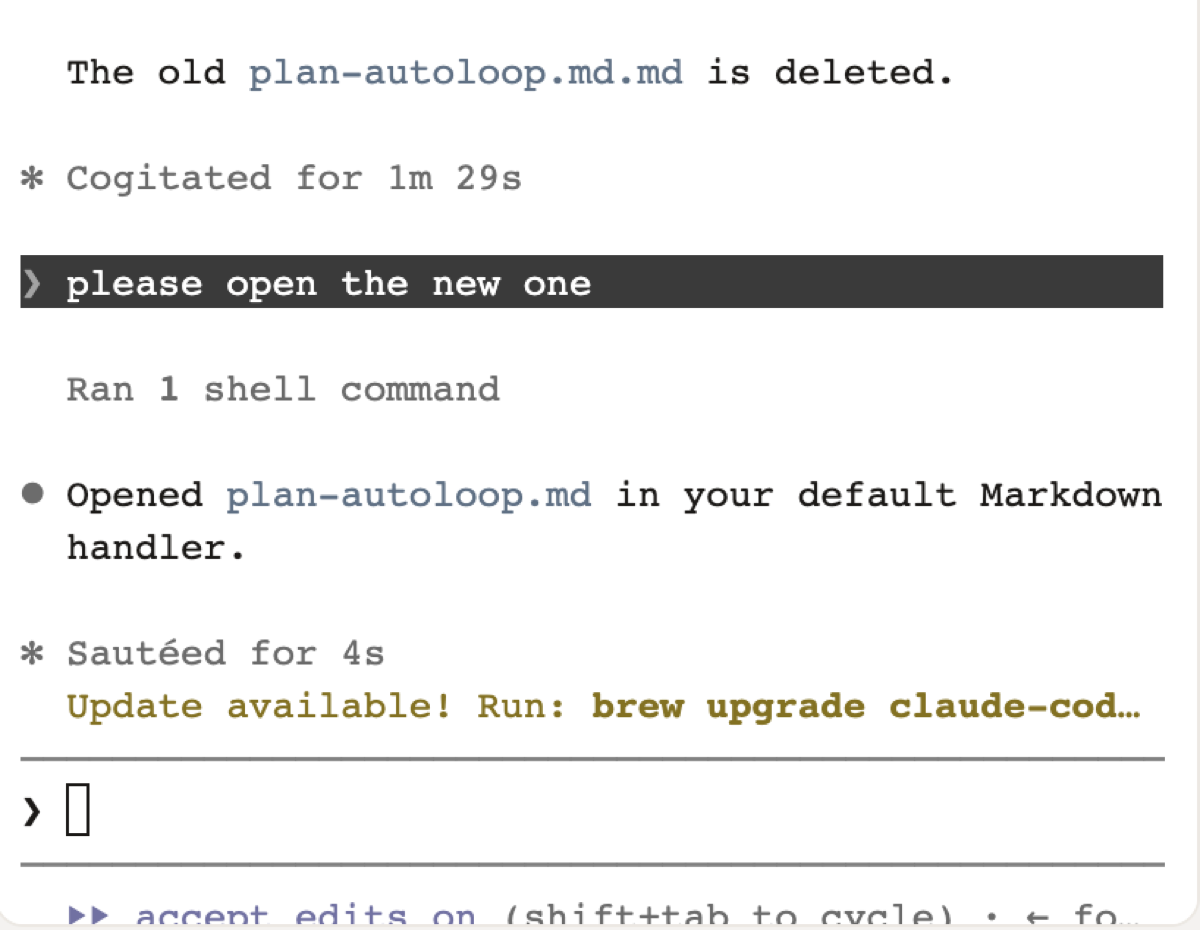
- Ask Claude to open the newly created file.
Expected behavior
- Formatting or rewriting a Markdown file should not make Flashtype display the original document as if the full file was deleted unless that is the real intended operation.
- If an agent creates a replacement file with a corrected name, Flashtype should keep the current workspace coherent and make the file transition understandable.
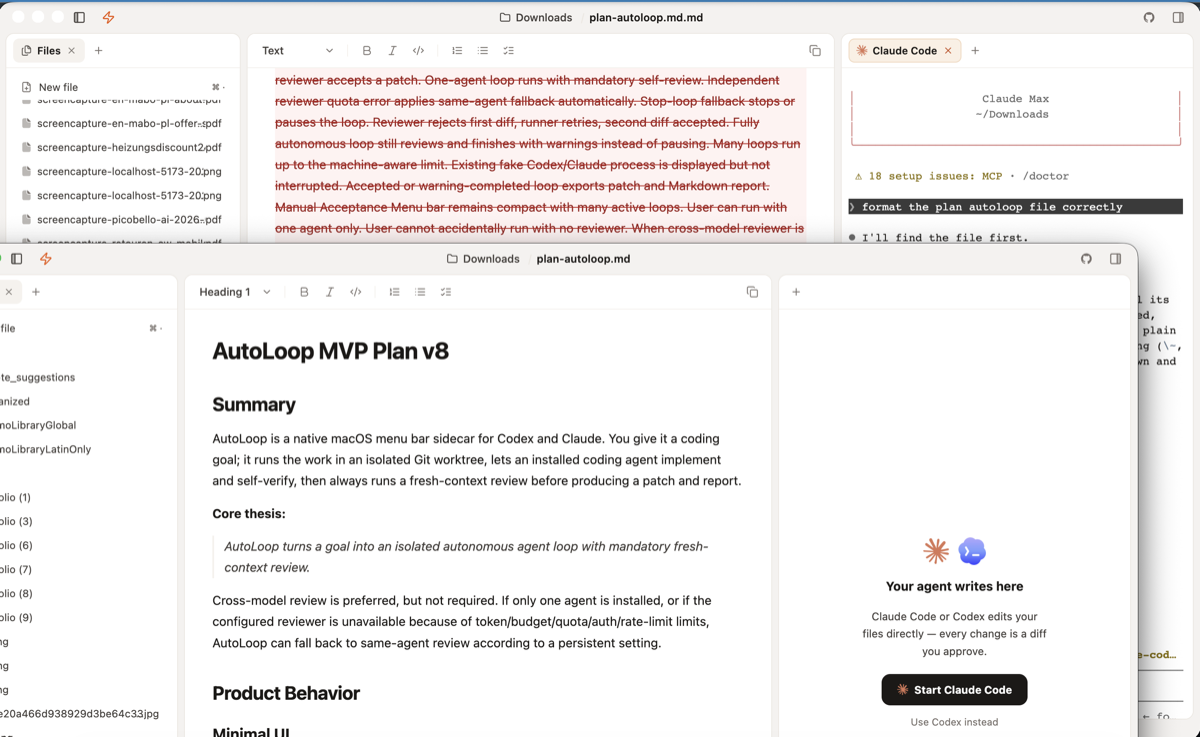
- Asking the agent to open the newly created file should open it in the existing Flashtype window/workspace, not spawn a separate Flashtype window.
- The diff display should make it clear whether content was rewritten, renamed, deleted, or replaced.
Actual behavior
- The original file view shows nearly all content as deleted in red strikethrough blocks.
- Claude reports that it wrote a new
plan-autoloop.md file and that the old plan-autoloop.md.md was deleted.
- The display state is confusing because the document appears deleted while the replacement exists separately.
- Asking Claude to open the new file opens another Flashtype window instead of opening the file in the existing window.
Impact
This makes agent-assisted formatting feel unsafe. A user can interpret the operation as data loss, and the additional window makes it harder to understand which file/workspace is now authoritative.
Screenshots
Original file shown as deleted in Flashtype
Claude rewrites the file and fixes the double extension
Claude says it opened the new file
New file opens in a separate Flashtype window
Problem
Formatting a Markdown file through the embedded Claude Code flow can result in Flashtype showing the entire original document as deleted, while Claude appears to create a rewritten replacement file. The editor then shows confusing diff/display behavior, and asking Claude to open the newly created file opens it in a separate Flashtype window instead of opening it in the current workspace/window.
The observed case involved a file named
plan-autoloop.md.mdin~/Downloads. Claude rewrote it asplan-autoloop.md, said the old.md.mdfile was deleted, and Flashtype displayed the old document as a large red deletion diff.Steps to reproduce
plan-autoloop.md.mdfrom~/Downloads.plan-autoloop.md.Expected behavior
Actual behavior
plan-autoloop.mdfile and that the oldplan-autoloop.md.mdwas deleted.Impact
This makes agent-assisted formatting feel unsafe. A user can interpret the operation as data loss, and the additional window makes it harder to understand which file/workspace is now authoritative.
Screenshots
Original file shown as deleted in Flashtype
Claude rewrites the file and fixes the double extension
Claude says it opened the new file
New file opens in a separate Flashtype window