Skins control the visual appearance of Traven — colors, fonts, spacing, borders, and dark mode. They are plain CSS files with zero JavaScript, and can be hot-swapped at runtime by changing a single <link> tag. No rebuild, no re-initialization.
Skins vs. Toolbars
- Skins control how the editor looks (colors, fonts, spacing).
- Toolbars control which buttons appear and how the toolbar bar is laid out. These are independent — you can mix any skin with any toolbar stylesheet.
Traven bundles a default skin (skin-starter.css) inside dist/traven.css. If you load Traven via the standard CDN script, the starter skin is already active — no extra <link> needed.
To switch to a different skin, add a <link> tag pointing to the skin file. The external skin overrides the bundled defaults via normal CSS cascade:
<!-- Load Traven (includes skin-starter.css by default) -->
<script type="module" src="https://cdn.jsdelivr.net/npm/@freedomware/traven@latest/dist/traven.js"></script>

<!-- Override with a different skin -->
<link rel="stylesheet" href="https://cdn.jsdelivr.net/npm/@freedomware/traven@latest/assets/skins/skin-dark.css">
That's it. The editor picks up the new skin immediately.
All skins live in packages/core/assets/skins/. Here are the eight shipped skins:
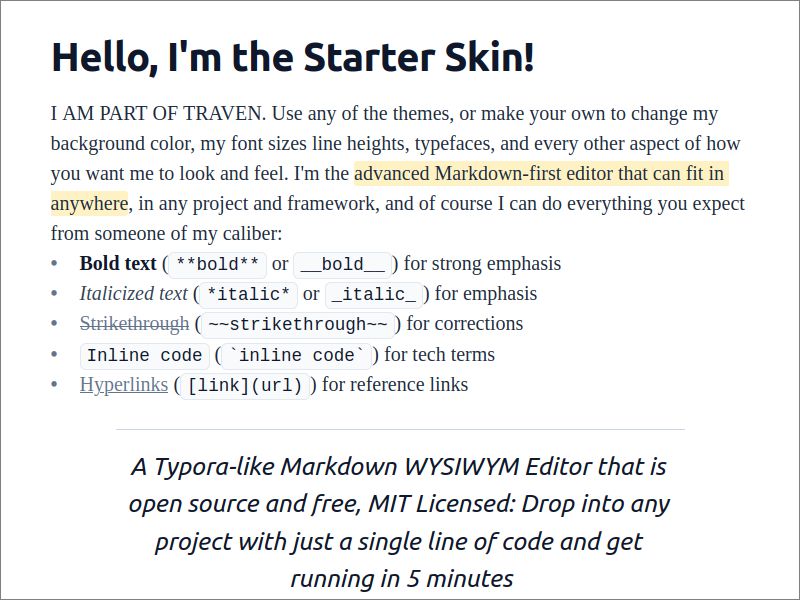
The barebones starter skin, bundled directly into dist/traven.css. No external fonts, no network calls — pure system fonts.
| Property | Value |
|---|---|
| Body font | Georgia / system serif |
| Heading font | System sans-serif (system-ui) |
| Mono font | System monospace |
| Network calls | None |
| Best for | Offline apps, privacy-first deployments, fast loading |
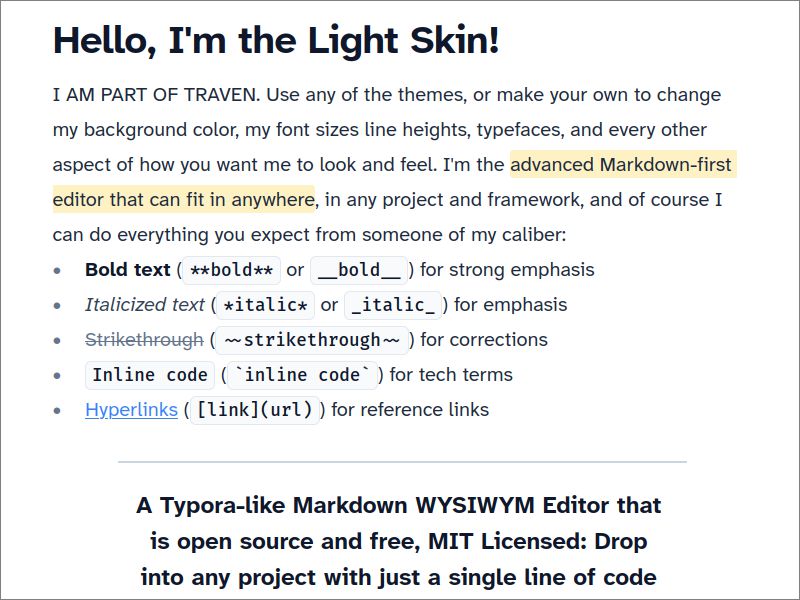
A clean, neutral light theme using the accessible Atkinson Hyperlegible typeface.
| Property | Value |
|---|---|
| Body font | Atkinson Hyperlegible Next (Google Fonts) |
| Heading font | Atkinson Hyperlegible Next, bold |
| Mono font | Fira Code (Google Fonts) |
| Network calls | Google Fonts |
| Best for | General-purpose editing, blogs, CMS dashboards |
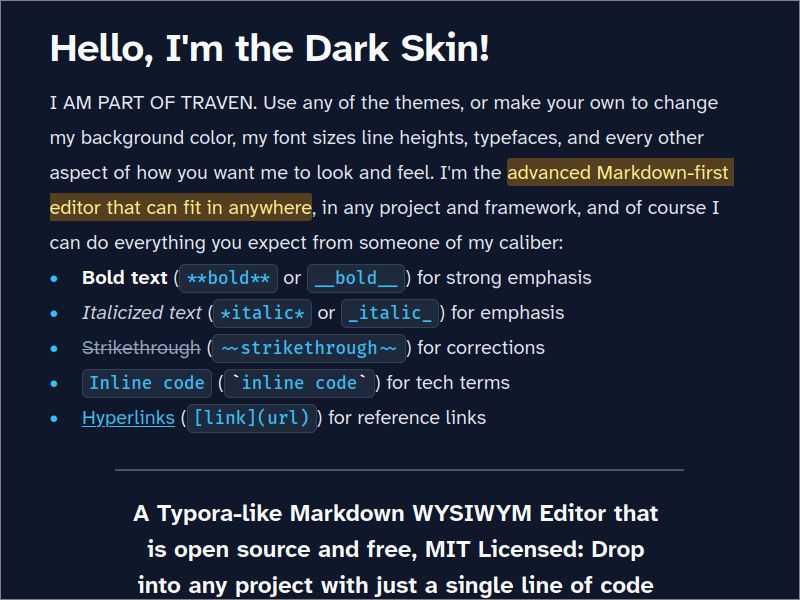
A dark mode companion to skin-light.css with sky-blue accents and the same typeface pairing.
| Property | Value |
|---|---|
| Body font | Atkinson Hyperlegible Next (Google Fonts) |
| Heading font | Atkinson Hyperlegible Next, bold, near-white |
| Mono font | Fira Code (Google Fonts) |
| Network calls | Google Fonts |
| Best for | Dark mode interfaces, night editing |
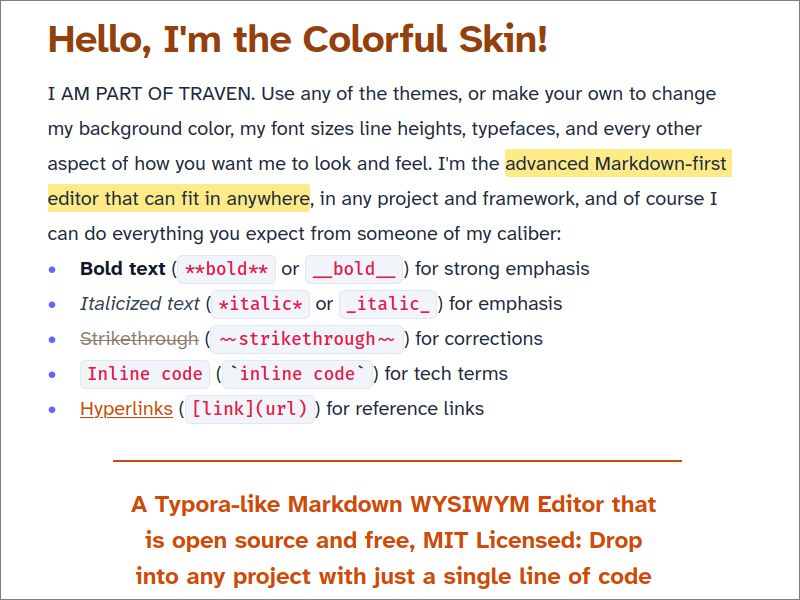
An expressive, warm light theme with rust and indigo accents.
| Property | Value |
|---|---|
| Body font | Atkinson Hyperlegible Next (Google Fonts) |
| Heading font | Atkinson Hyperlegible Next, bold, bright rust caret |
| Mono font | Fira Code (Google Fonts) |
| Network calls | Google Fonts |
| Best for | Branded interfaces, creative sites |
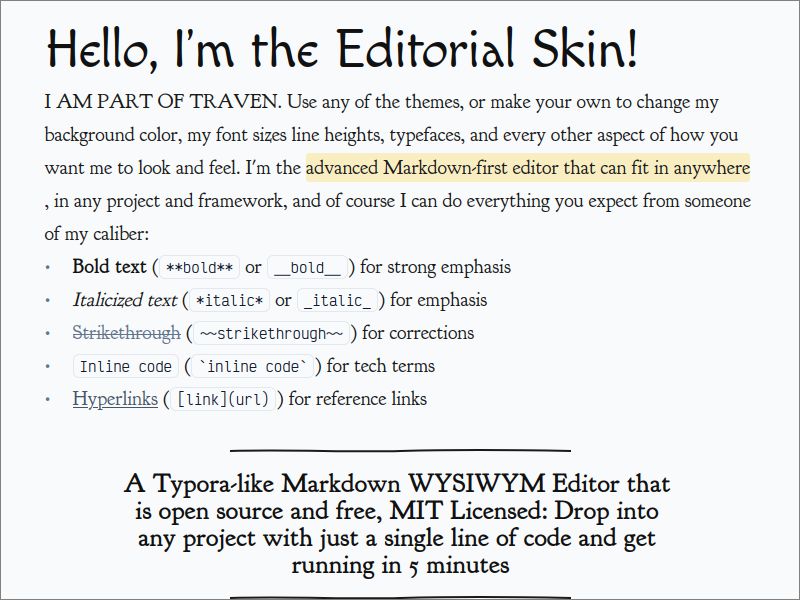
A distraction-free, paper-like feel with classic serif typography. No visible chrome.
| Property | Value |
|---|---|
| Body font | Goudy Bookletter 1911 (Google Fonts) |
| Heading font | Macondo (Google Fonts) |
| Mono font | Victor Mono (Google Fonts) |
| Network calls | Google Fonts |
| Best for | Long-form writing, editorial content, quiet reading |
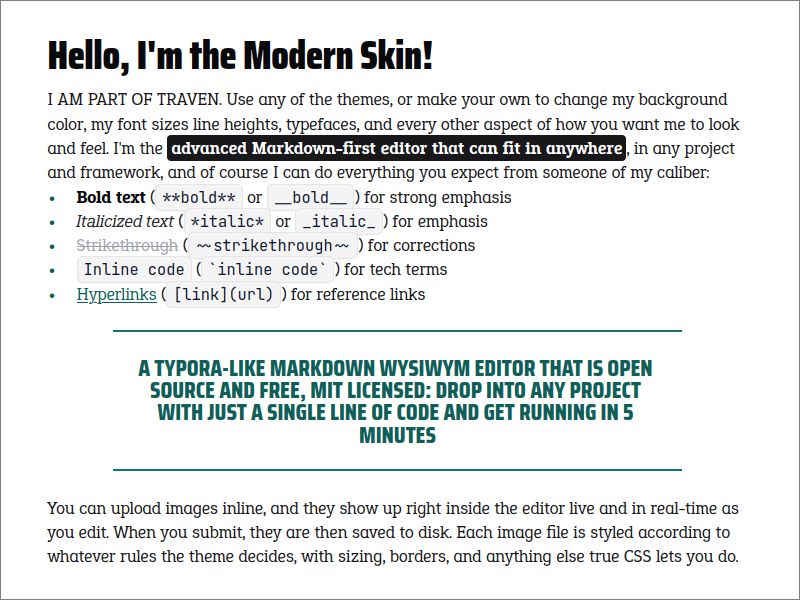
A modern, high-contrast layout with slab serif body text and condensed sans headings.
| Property | Value |
|---|---|
| Body font | Epunda Slab (Google Fonts) |
| Heading font | Saira Condensed (Google Fonts) |
| Mono font | JetBrains Mono (Google Fonts) |
| Network calls | Google Fonts |
| Best for | Technical blogs, developer docs, modern dashboards |
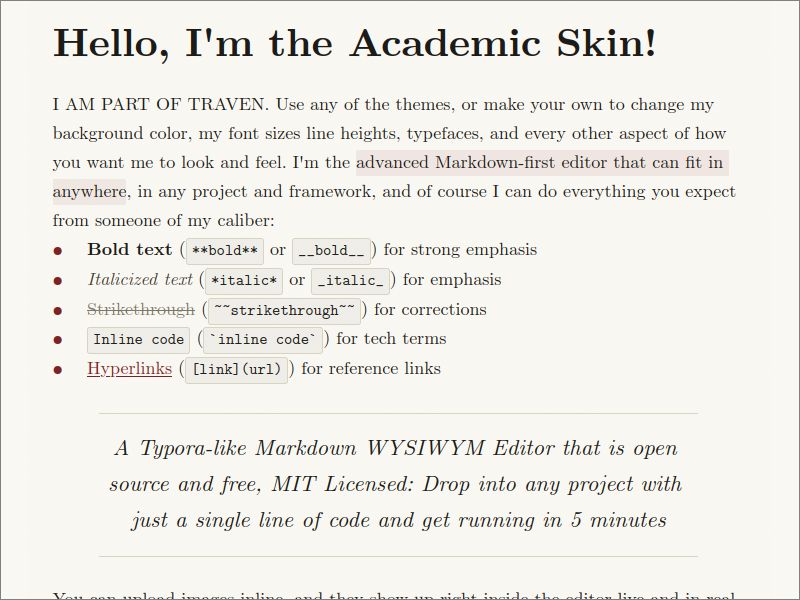
A classic academic paper aesthetic using Computer Modern fonts, evoking LaTeX typesetting.
| Property | Value |
|---|---|
| Body font | Computer Modern Serif / Source Serif 4 (BitMaks + Google Fonts) |
| Heading font | Computer Modern Serif |
| Mono font | Computer Modern Typewriter / Courier Prime (BitMaks + Google Fonts) |
| Network calls | BitMaks CDN + Google Fonts |
| Best for | Academic writing, research papers, LaTeX-style output |
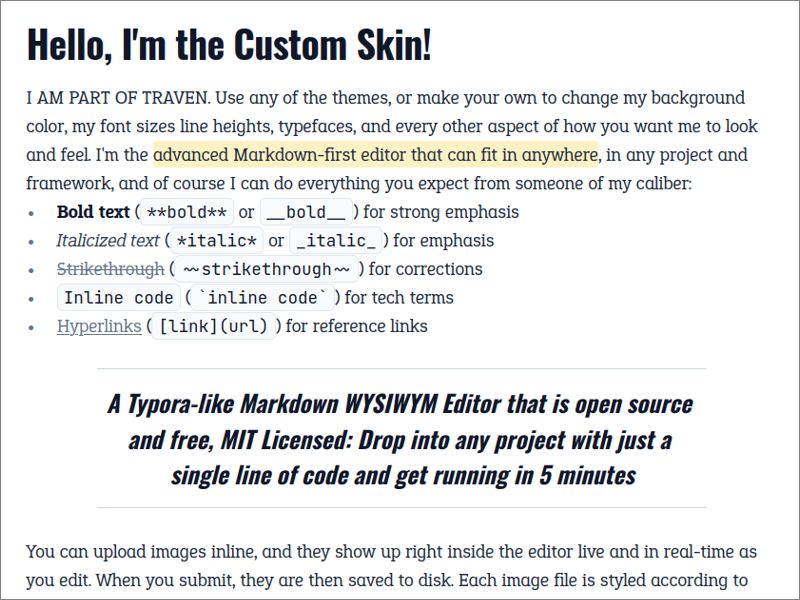
A thin overlay skin designed for JavaScript-driven font switching at runtime. It defines the three --traven-font-* CSS custom properties with system font fallbacks and inherits all layout and color rules from skin-starter.css.
| Property | Value |
|---|---|
| Body font | Configurable via --traven-font-body |
| Heading font | Configurable via --traven-font-display |
| Mono font | Configurable via --traven-font-mono |
| Network calls | None (host page controls font loading) |
| Best for | Apps that let users pick their own fonts, white-label products |
See Custom Typography for the full runtime font-switching API.
If you host Traven locally instead of using the CDN, point the <link> to your local copy:
<link rel="stylesheet" href="packages/core/assets/skins/skin-editorial.css">Or, if you copied the skin file into your own project directory:
<link rel="stylesheet" href="/assets/css/skin-dark.css">Because skins are plain CSS loaded via a <link> tag, you can swap them at any time by changing the href attribute. The editor re-renders with the new skin instantly — no JavaScript re-initialization needed.
<!-- The skin link tag (give it an id so you can target it) -->
<link rel="stylesheet" href="packages/core/assets/skins/skin-starter.css" id="traven-skin">

<!-- A simple skin picker -->
<select id="skin-picker">
  <option value="skin-starter.css">Starter</option>
  <option value="skin-light.css">Light</option>
  <option value="skin-dark.css">Dark</option>
  <option value="skin-colorful.css">Colorful</option>
  <option value="skin-editorial.css">Editorial</option>
  <option value="skin-modern.css">Modern</option>
  <option value="skin-academic.css">Academic</option>
</select>

<script>
  document.getElementById("skin-picker").addEventListener("change", (e) => {
    document.getElementById("traven-skin").href =
      "packages/core/assets/skins/" + e.target.value;
  });
</script>
This is exactly how the skin picker works in Traven's own demo pages.
Six of the eight skins load fonts from Google Fonts (or BitMaks) by default. To run fully offline:
- Download the font files (
.woff2) and host them in a localfonts/directory. - Create a
fonts.cssstylesheet with@font-facerules for each family. - Replace the
@import url(...Google Fonts...)line at the top of the skin file with a local reference:
@import url('/path/to/your/fonts/fonts.css');skin-starter.css and skin-custom.css already make zero external calls and need no changes for offline use.