Releases: toastmasters-dev/quip-toastmasters
Releases · toastmasters-dev/quip-toastmasters
Release list
Version 17: March 29, 2019 07:33:50 PM

Intercept clicks to fix uneditable RichTextBoxes

This is perhaps a cleaner and more intuitive way to deal with the issue. Most of the time, the user clicks on the `RichTextBox` in order to edit it, rather than trigger whatever action lies behind clicking the @-mention. That said, the original action is literally one more click away, provided the focus stays within the `RichTextBox`.
Version 16: March 19, 2019 02:50:24 AM
v16-b62

If I had a quarter for every time I forgot to bump the version...
Version 15: March 19, 2019 01:28:01 AM
Make large RichTextBoxes editable again (#30) To illustrate what this change does, consider the screenshot below, which shows borders around the text boxes and the entire table: 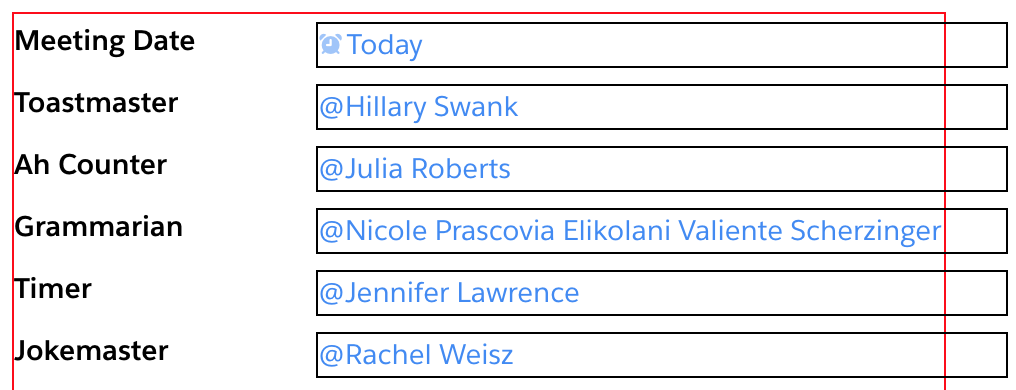 Previously, the text box for Grammarian would not be editable. But now, thanks to the extra space to its right, it is possible to click into it and edit the text.
Version 15: March 18, 2019 05:58:34 AM
Let there be comments (#28) * Let there be comments Fixes #26. There are _two_ types of comments getting enabled by this PR. 1. App-Level Comments ===================== App-level comments enable broadcasts concerning the entire meeting for that day. --- 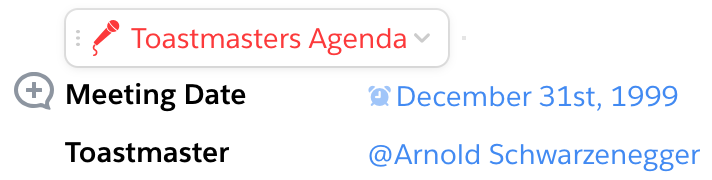 --- 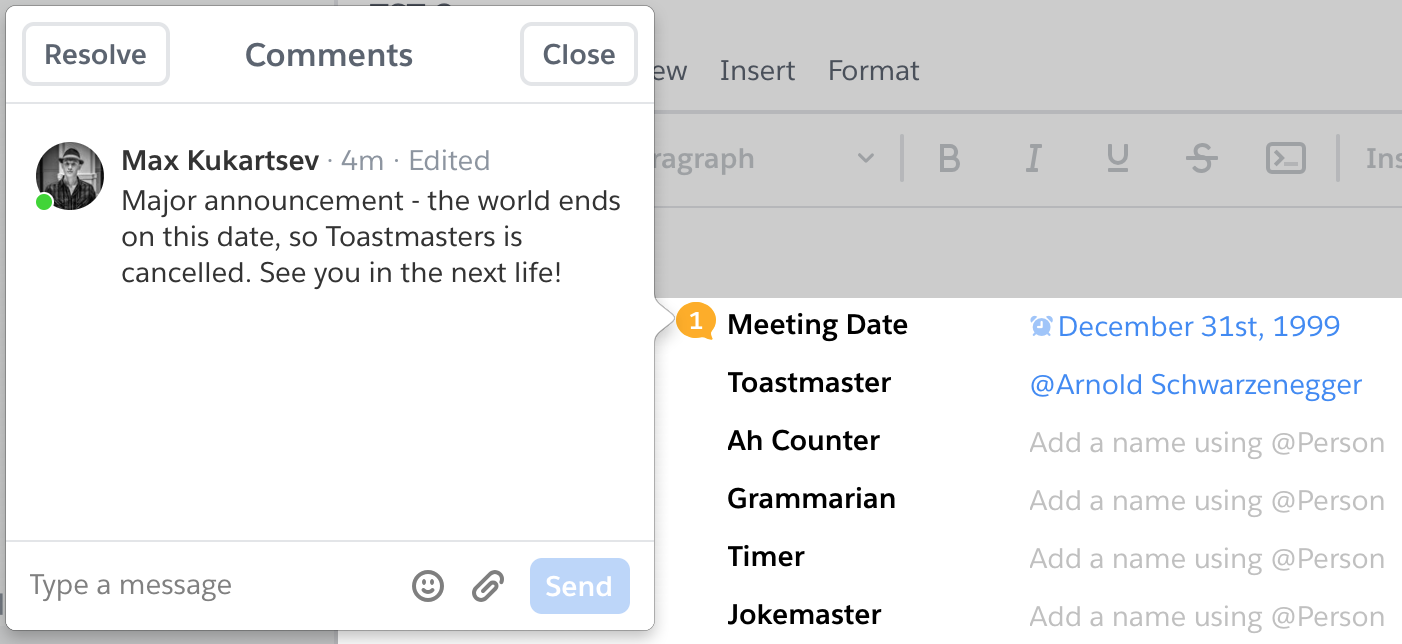 --- 2. Role-Specific Comments ========================= Additional comments pertaining to individual roles are also supported. When hovering over a role, a comment bubble appears: ---  --- 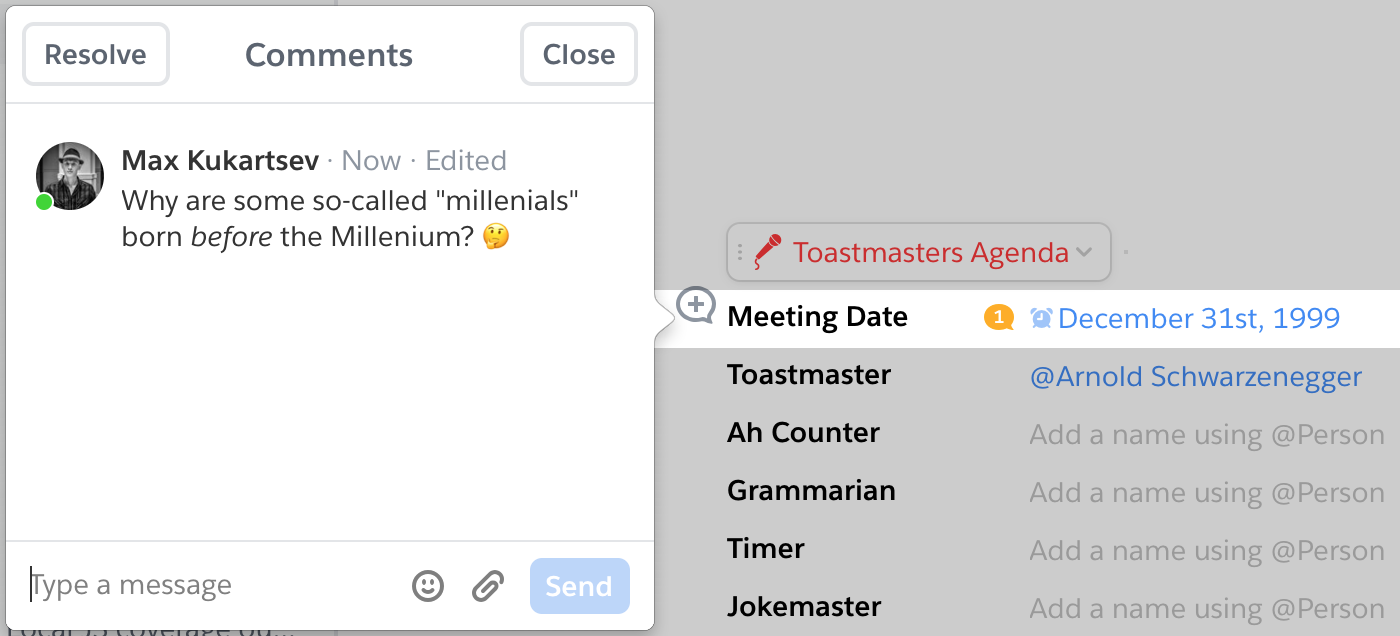 * Bump le version
Version 13: March 13, 2019 07:40:48 AM
v13-b42

As always, remember to bump version
Version 12: March 13, 2019 07:35:05 AM
Make data model more flexible (#25)

So far, we have had a very well-defined and rigid data schema. Every meeting has a General Evaluator. Every meeting has up to two speakers. And so on... As the app moves forward, it is beneficial to relax some of these constraints and allow for flexible meeting roles. This PR is the first step in that direction.

Because current instances of the app are using the previous data model, this PR only makes new instances of the app use the new data model, and leaves the previous data model and corresponding React components which access it in place... for now. :wink:

After this PR is in place, the next steps are to:

1. Write a migration function to move data from the old model to the new.
2. Completely remove the old data model and React components.

Features
========

- Speech project selection and cancellation is _live_! When a document is opened in multiple places, these changes will get synced between them. :smile:
- New data model makes it possible to have custom roles in the future.
- React components are organized between multiple files.
- CSS modules isolate styles with auto-generates classnames.
Version 12: February 22, 2019 07:06:28 AM
Feature/19 backup speaker (#20)
* Adding support for backup speaker field (#19)
* Bumping version
* Fixing order of arguments
* Finalize backup speaker manifesto
- Rename speaker3 to backupSpeaker
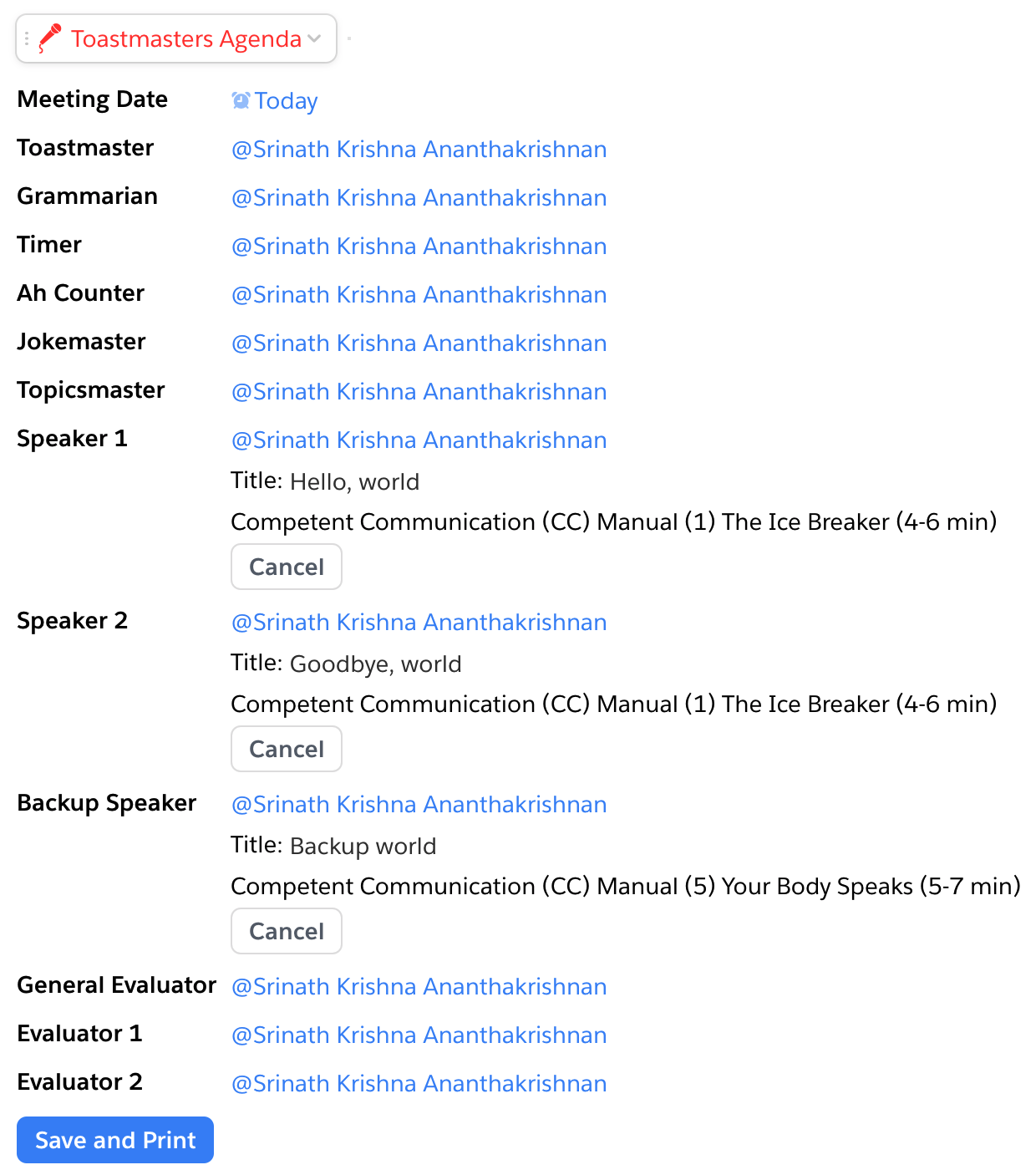
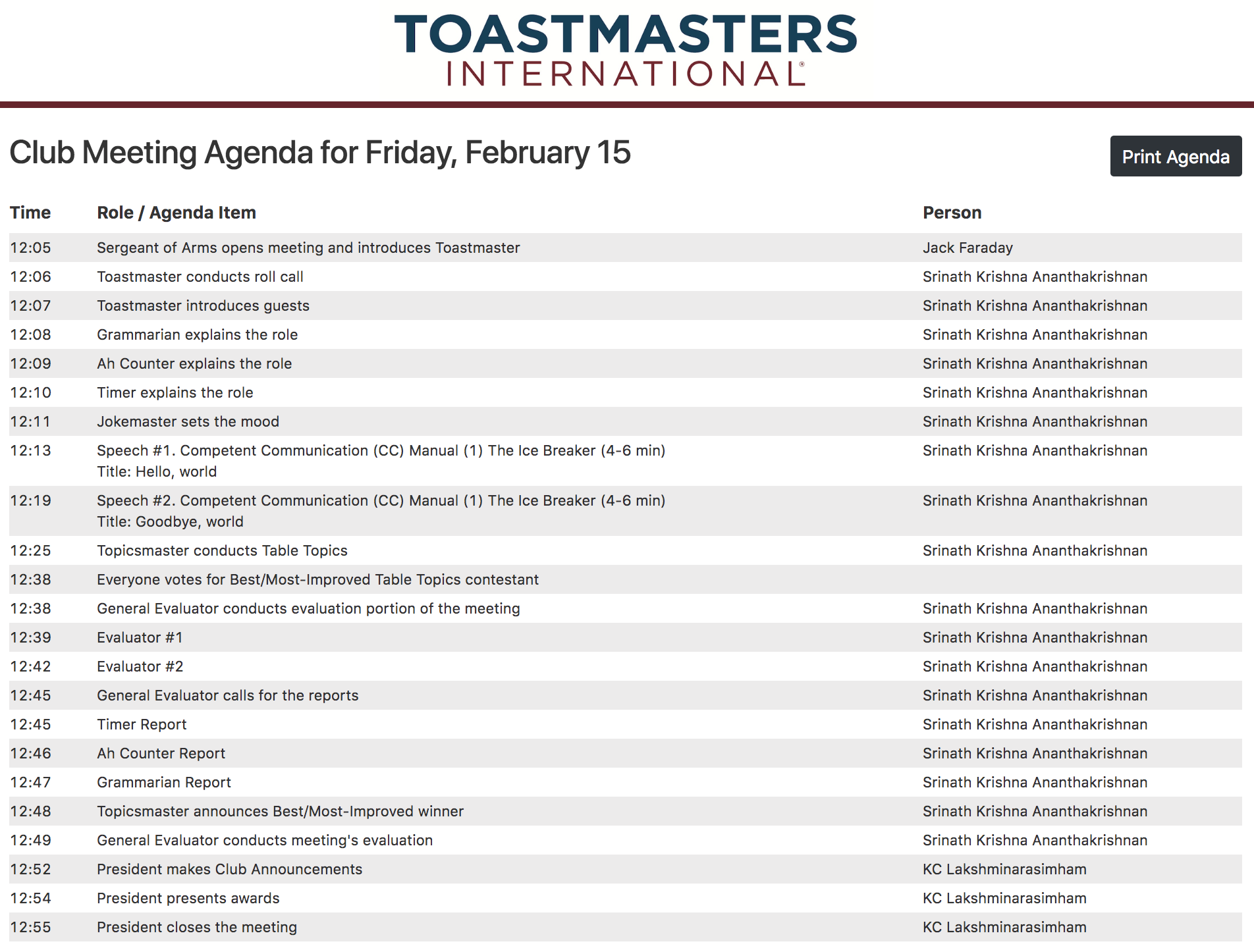
- Exclude backup speaker from printed agenda, which expects third evaluator for third speaker
- Make all new instances of quip live app initialize with extra backupSpeaker slot
- Move initialization of `rootRecord.get("speakerSlot")` from `initializationCallback` to `getDefaultProperties`
- Eliminate unnecessary use of 1-based speech indexes and use 0-based indexes as much as possible
- Remove customizations in webpack.config.js; apparently Webpack's default JSON loading works without it
- Add entries to .gitignore
- Adjust into in package.json
- Regenerage package-lock.json
Screenshots
===========
Backup speaker slot shown in Quip app, but excluded from printed agenda.
---
---
* Remove mention of project3 and anything *3
Not that it matters, since agenda archiving is currently broken
Version 11: February 16, 2019 02:06:04 AM
Update Travis config

- Use npm instead of yarn, since we're not tracking yarn.lock in git
- Put explicit dependency install of Python 2.7 to not rely on it being there by default
Version 11: December 12, 2018 05:15:37 PM
Change speech inclusion criteria to one non-blank field (#17)

The original intent was to only exclude a speech from the printed agenda when _all_ of its fields (name, title, project/duration) are blank, but the logic committed needs only _one_ blank field. This makes it too easy to unintentionally exclude a speech by forgetting, for example, to input its title.
Version 10: December 10, 2018 10:58:08 PM
v10-b22

Bump le version