

- HTML5 – Structured the web content.
- CSS3 – Custom styling for a polished look.
- Tailwind CSS – Utility-first framework for rapid and responsive UI design.
- JavaScript (Vanilla) – Managed modal logic, DOM manipulation, and interactive alerts.
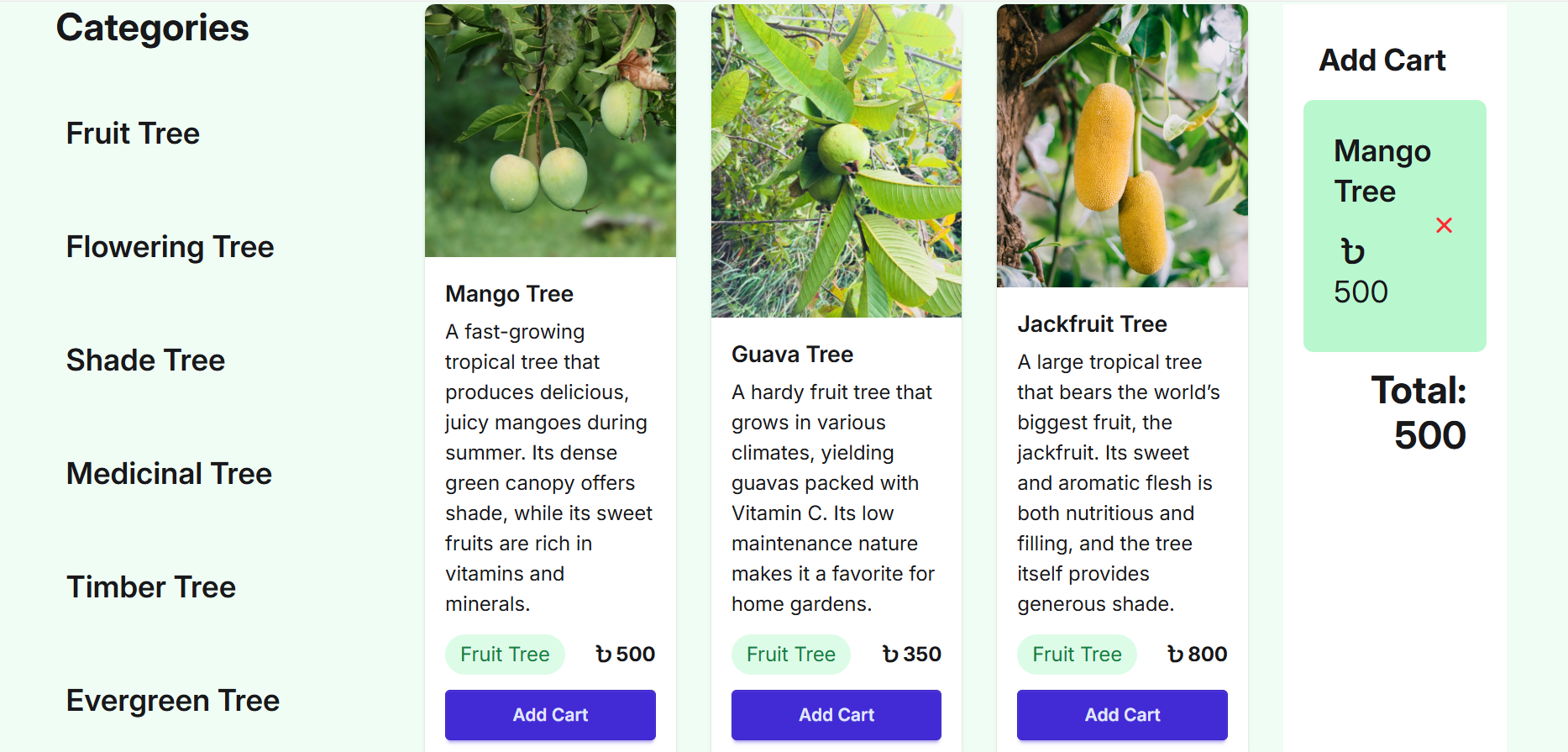
- 🪴 Dynamic Plant Gallery: Browse a wide variety of plants with high-quality images and clear pricing.
- 🔍 Interactive Modals: Clicking on a plant name opens a detailed modal window showing the plant's full name, specific price, and other essential information.
- 🛒 Add to Cart System: A functional "Add to Cart" button that provides instant feedback to the user.
- 🔔 Success Alerts: Upon adding a plant to the cart, a custom alert message ("আপনার প্ল্যান্টটি অ্যাড করা হয়েছে") confirms the action.
- 📱 Fully Responsive: The layout is perfectly optimized for mobile phones, tablets, and desktop screens.
- ⚡ Modern UI/UX: Clean, green-themed interface designed using Tailwind CSS for a refreshing user experience.
This project is built primarily with core web technologies:
- Tailwind CSS (via CDN or PostCSS)
- Lucide Icons / FontAwesome (If used for icons)
- Google Fonts (For typography)
Follow these steps to set up the project on your local machine:
1. Clone the repository:
git clone https://github.com/ALA22min22/Green-Earth-VS.git
2. Navigate to the project directory:
cd Green-Earth-VS
3. Install dependencies (If using a build tool like Vite/NPM):
npm install
4. Run the development server:
npm run dev
5. Open in Browser: The app should now be running at http://localhost:5173 (or simply open index.html if using Live Server).
- Live Site: stupendous-lebkuchen-9d1fcc.netlify.app
- Tailwind Documentation: tailwindcss.com
- JavaScript MDN: developer.mozilla.org

