Home
Last update 16 May 2024.
This is updated for 14_1_0_pre4 onwards.
For each pre-release we run:
- Run3 (noPU and PU);
- Run3 special BPH wfs (noPU and PU);
- Phase2 with D110 geometry (noPU and PU=200);
- HIN noPU and PU;
- Data 2022 and 2023 reHLT+reRECO.
In the table here you can find the wf list for what we run and in the Tickets tab the example of which tickets to run.
TO UPDATE: put this table on github
Before all of this we should generate the MinBias for the target release for Run3 and Phase2 (the current one is D98) geometries. These will be used as inputs for the PU samples and we need GEN-SIM only. In order to do this the best way would be to take the wf number you have for RelVals and create a new ticket with the relative MinBias wf. Here few examples.
| 2023 | 2024 | Phase2 D98 | Phase2 D110 | |
|---|---|---|---|---|
| MinBias | 12440 | 12840 | 24840 | 29640 |
create the RelVals and then delete the steps (check here to learn how to act on RelVal tickets) after the GEN-SIM step.
In parallel to these samples (that will be very fast, less than a day) you can go to the Data and noPU step.
(Tickets: 9,10 in the spreadsheet)
With data tickets we run on top of RAW files (available on disk at CERN) starting from the HLT step. Since in this case we are running on exactly the same events (about 100k for each workflow) and this wfs take usually the longest time in the lot (around 7-8 days) it’s good to reduce the number of lumisections per job for all the RelVals of the ticket. This allows us to:
- spawn more jobs and run faster;
- keep a more granular DQM output [N.B. this will be true once we will be able to exclude the merging for these wfs see the JIRA]
**TO UPDATE: now we run this super long data rerecos. Opening a PR soon to fix this **
(Tickets: 11,12,13,14 in the spreadsheet)
As next step we will have a set of four tickets of standard noPU samples (HIN, Run3, Phase2 and BPH81). These will not be used in the current cyle validation but will be used as the GEN-SIM inputs for the next one. Nothing special to mention here. Just be careful with the batch name to include Reference* and the label to use RegGS so that in the GT string will be clear these have regenerated GEN-SIM.
(Tickets: 1,3,5,7 in the spreadsheet)
So, for the standard noPU tickets, to be used in this cycle validation, we recycle the GEN SIM from the reference/previous release. In this way we minimize the fluctuations.
An example of the set of tickets we need to send may be found looking for the tickets with the dummy CMSSW_1_2_3_preX.
Together with these we will also produce a set of regenerated GEN-SIM tickets for noPU to be used as reference fo the next cylce and that may be also used in case some changes happened in this pre-release on the simulation or generation side that we want to validate.
(Tickets: 2,4,6,8 in the spreadsheet)
For the PU tickets we don’t recycle the GEN SIM since this effect would be anyway cancelled by the PU mixing done at the DIGI step. For these steps wait for the MinBias GEN-SIM generated as first step. You can follow, as an example these tickets:
Still, please, check the current setup anyway all the times.
(Tickets: 11,12,13,14 in the spreadsheet)
We run RecoOnly wfs only for PU samples but we don't use recycled GEN-SIM. This is because reusing the GEN-SIM does not remove all the fluctuations for PU samples where the random MinBias mixing plays a role. So we run PU wfs (also) with the following setup:
- with the target release;
- running only from RECO onward;
Let's say, e.g., we are creating the ticket for 2024 PU for CMSSW_14_1_0_pre3. In this case we need to use the CMSSW_14_1_0_pre2 samples as inputs. To do that we will have to use the "Rewrite GT String" field
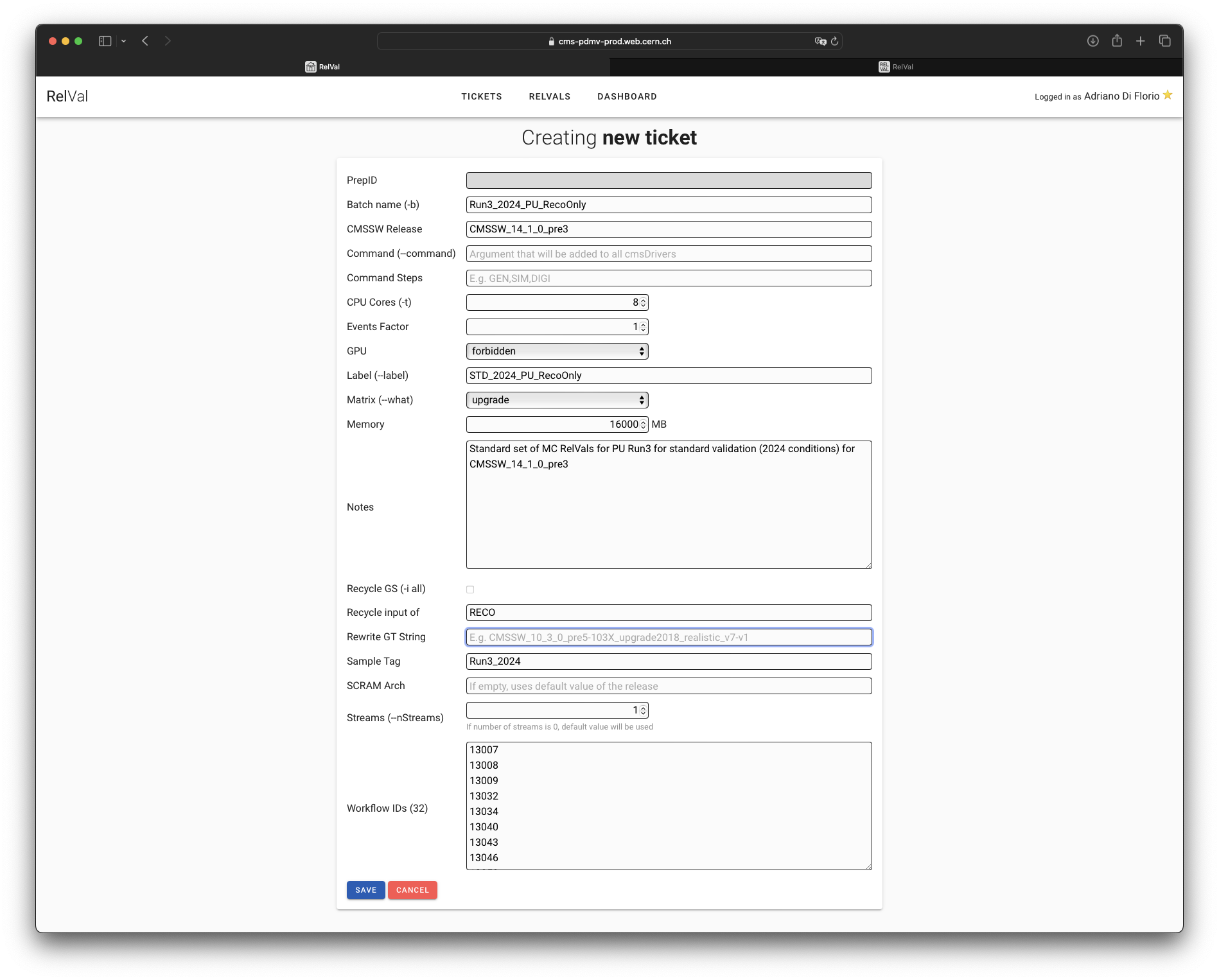
and there we will need to put the CMSSW_14_1_0_pre2 2024 PU samples GT String. An easy way to get it is to check the original ticket in CMSSW_14_1_0_pre2. So go to https://cms-pdmv-prod.web.cern.ch/relval/tickets and search for a generic CMSSW_14_1_0_pre2 ticket. If you click on the release name in the CMSSW Release column you will see only the tickets of that specific release. So clicking on
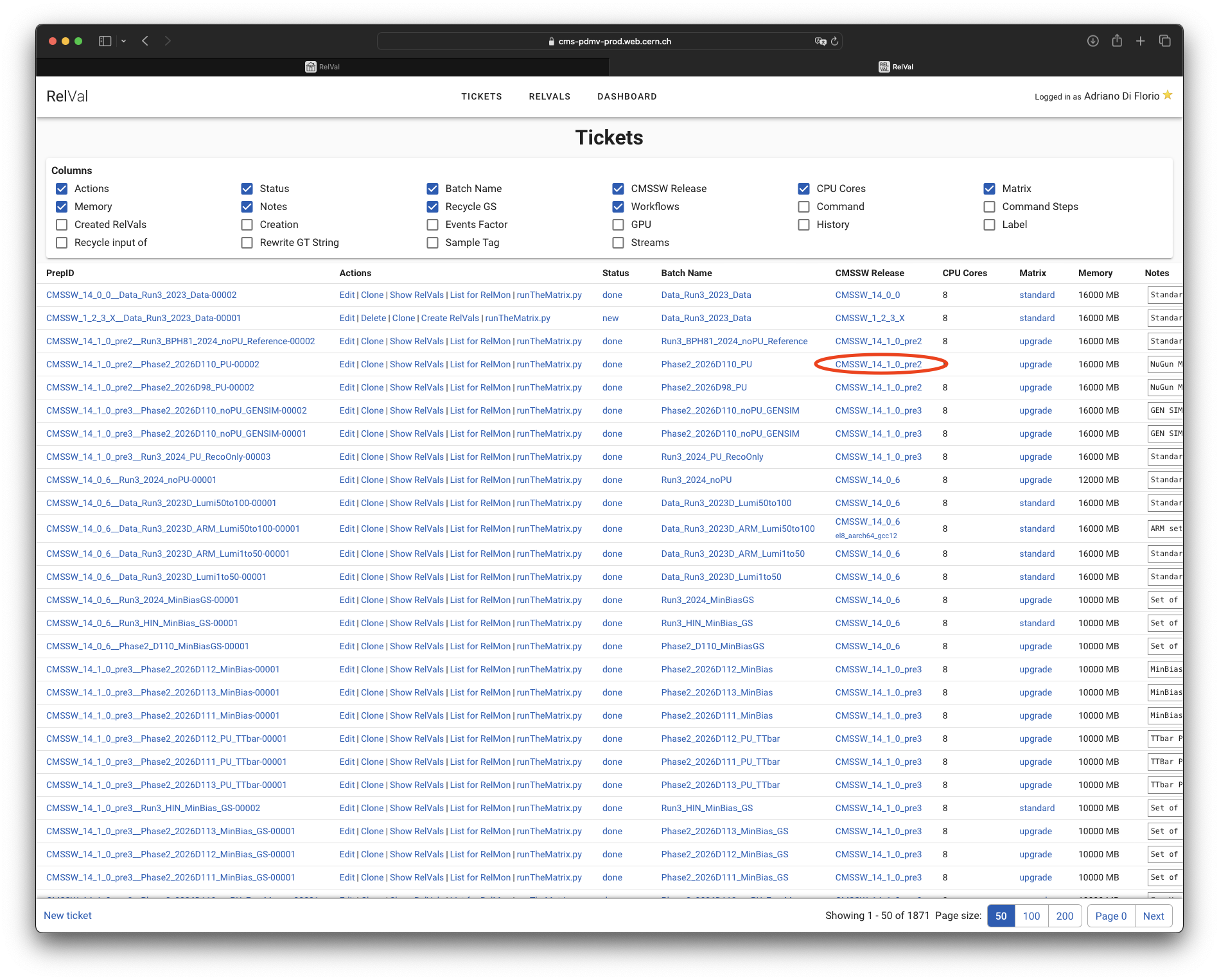
will result in a list of filtered tickets where you can easily spot the Run3 2024 PU ticket and you can click onShow RelVals
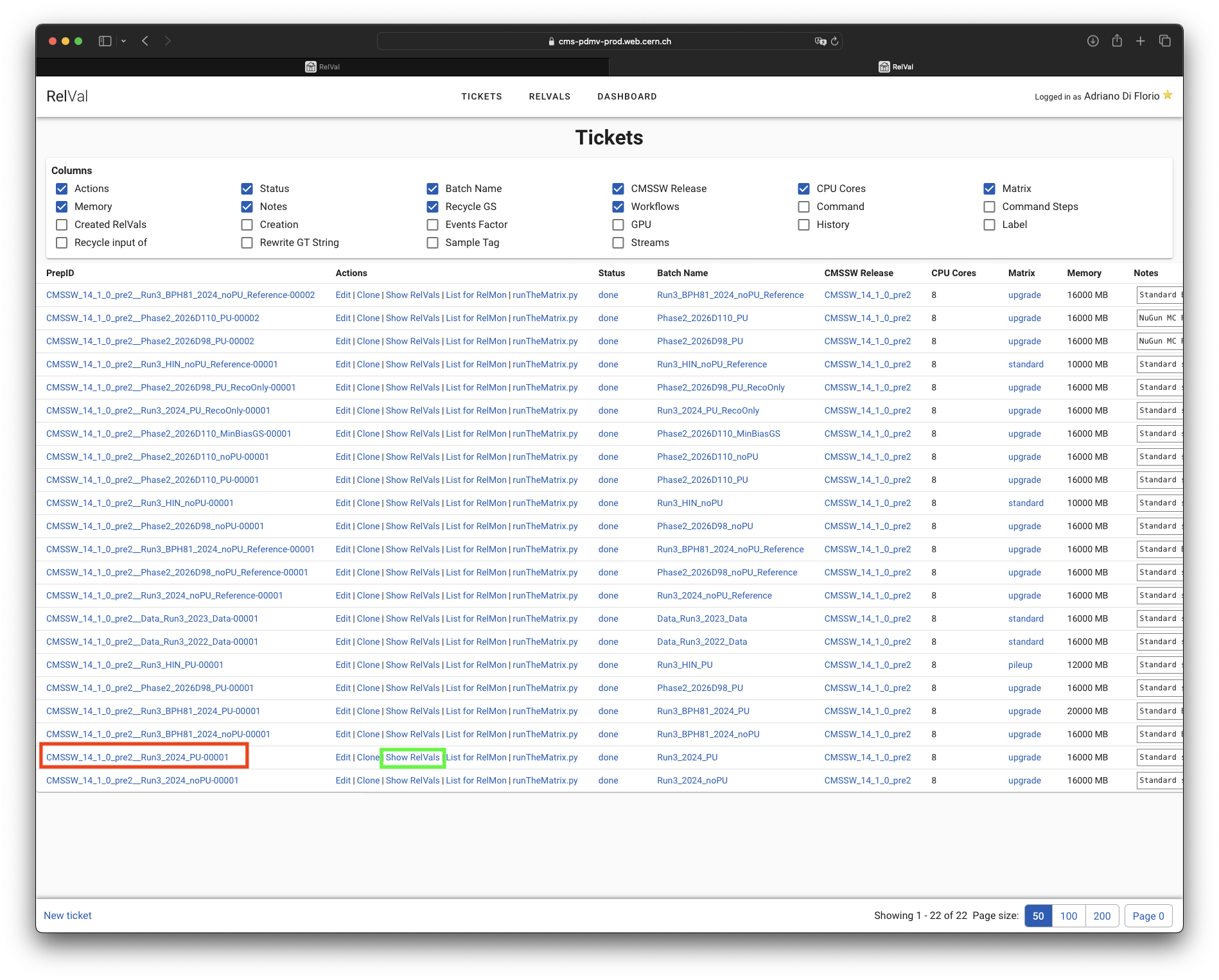
this will show you all the wfs included in that ticket and by clicking on the checkbox Output Datasets
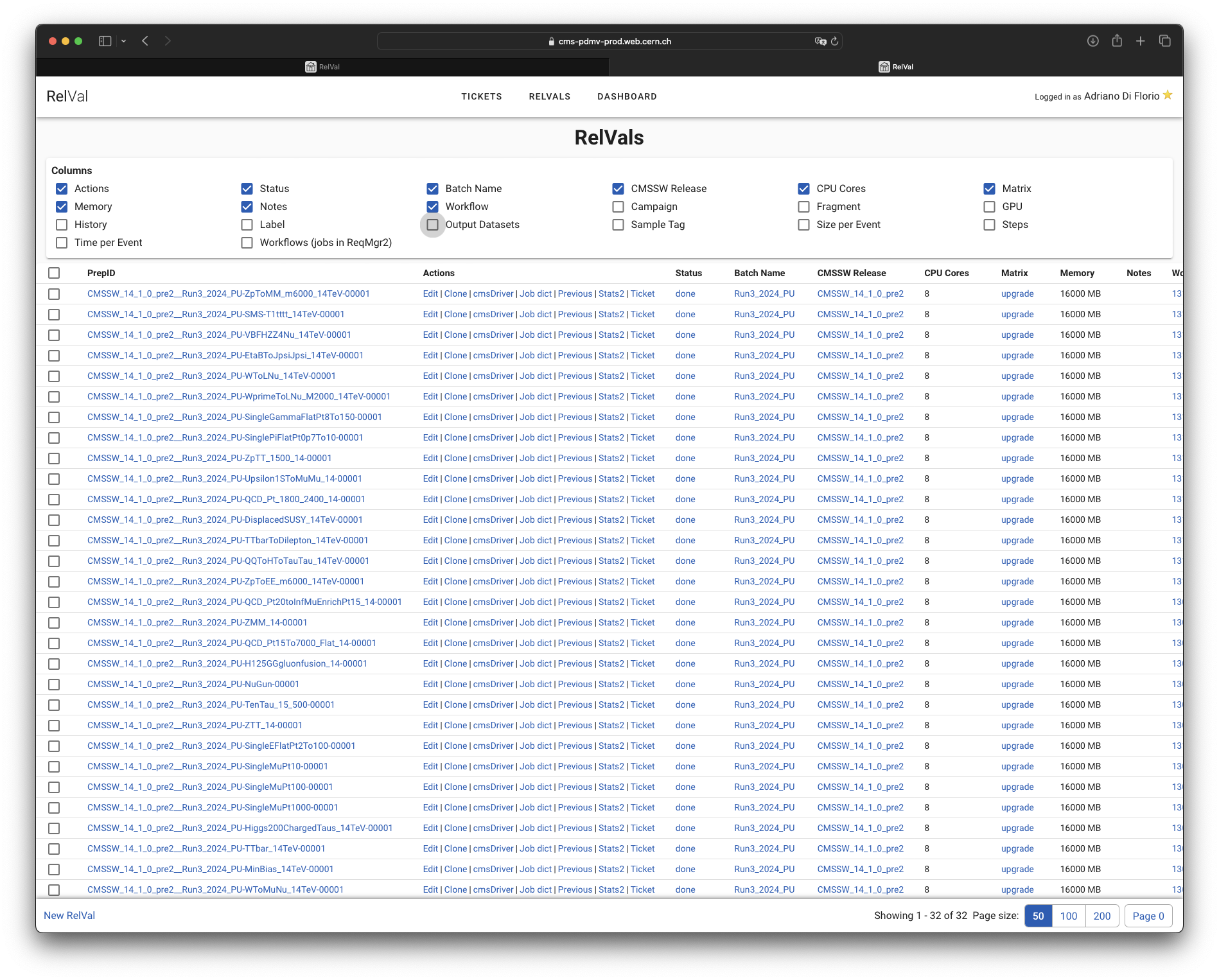
you can inspect the samples produced
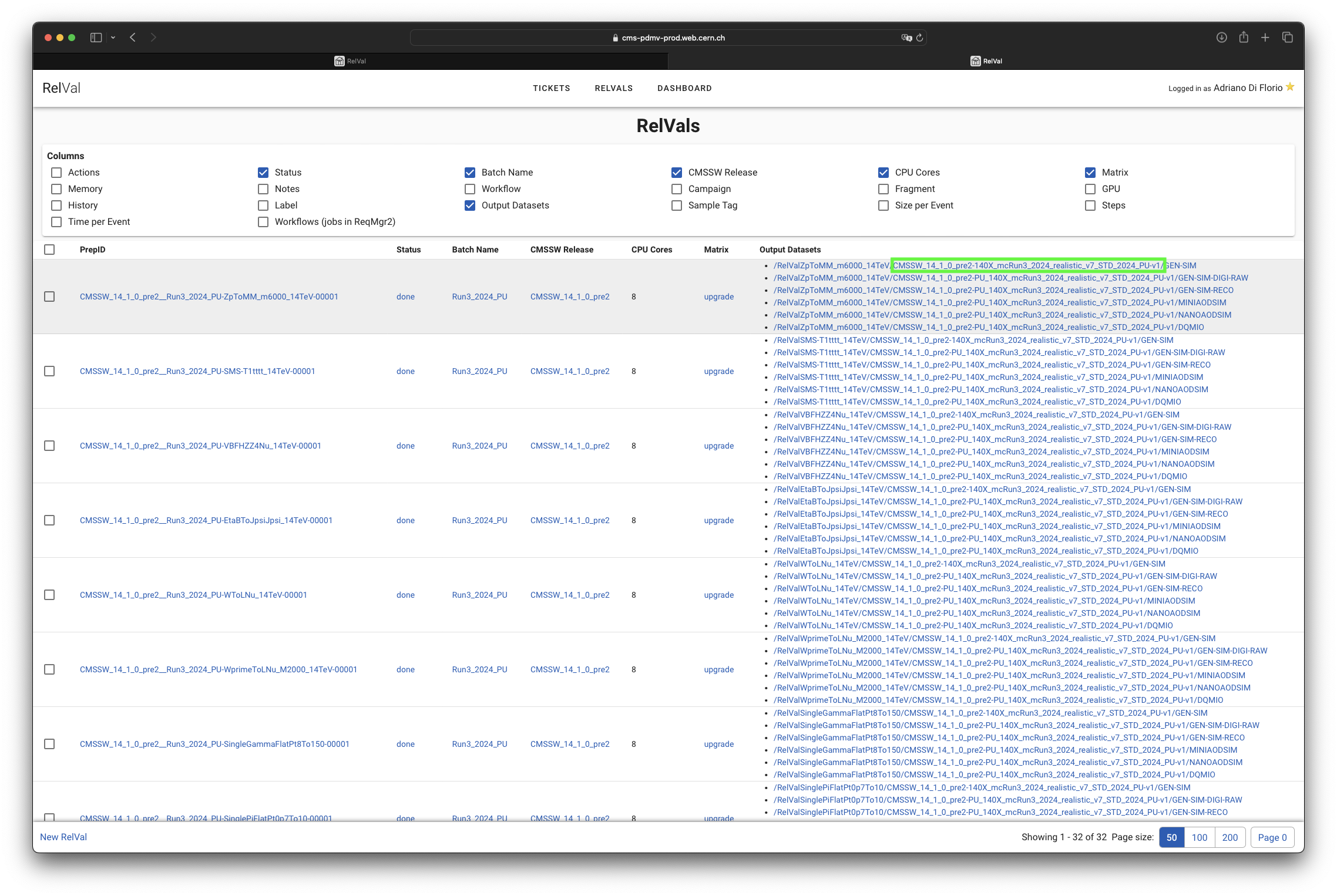
ans from there see the GT String to be used (in this case CMSSW_14_1_0_pre2-140X_mcRun3_2024_realistic_v7_STD_2024_PU-v1).
N.B. this string should be the same for all the datasets. If not you will need to create different tickets for different wfs with different GT strings.
So now we can craete the RecoOny ticket for 14_1_0_pre3 with the proper GT String telling it the samples to be used as input.
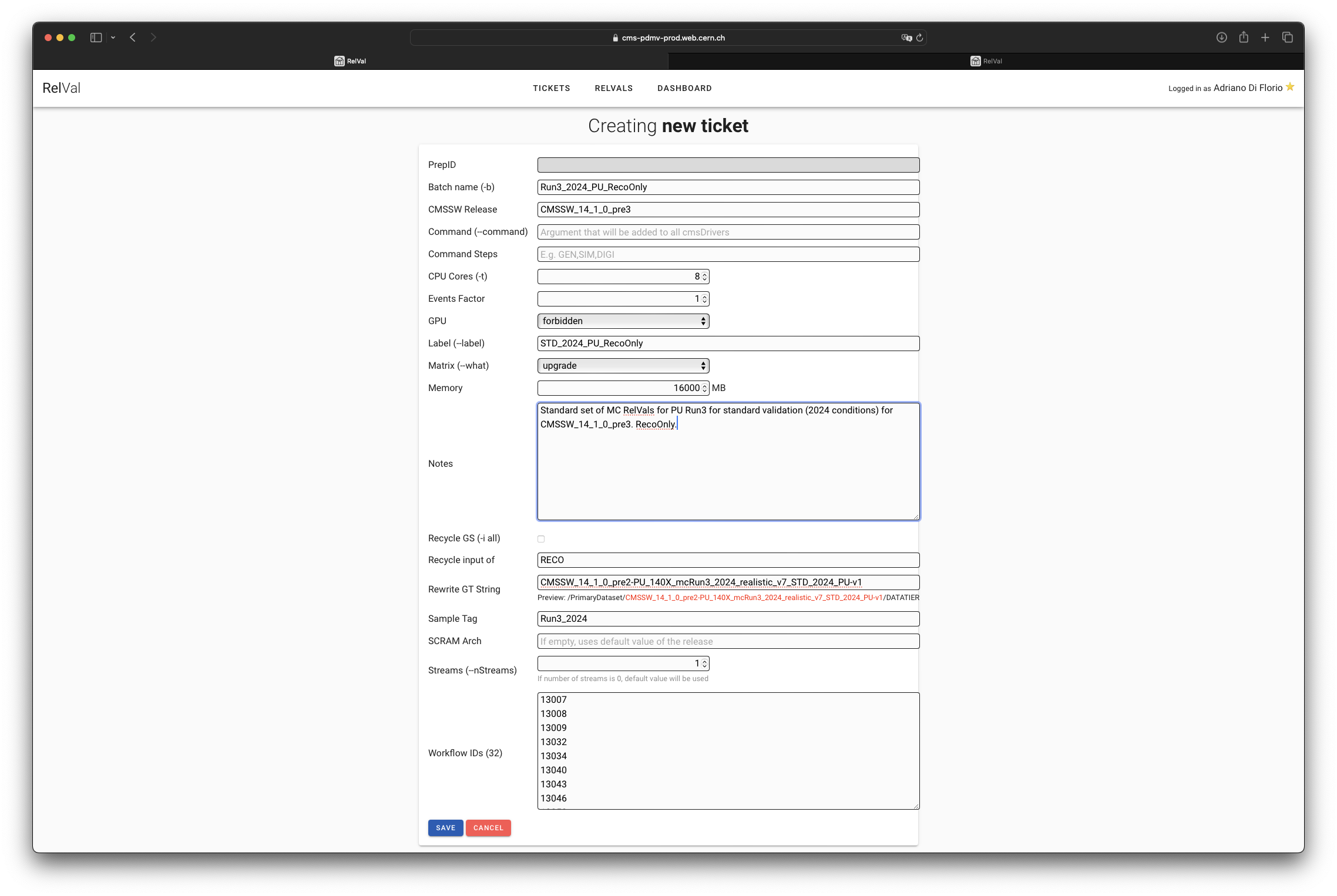
As you see you will need to specify the input that needs to be reused (in this case the input of RECO).
There are two things also to check once the RelVals have been created.
Since the PU mixing is done at DIGI level, our wfs don't really need the PU input to be defined. So we can remove it for each RelVal wfs. In order to do so simply check for the created RelVals and edit all of them in one round by selectin them with the checkbox on the top left