A lightweight, self-hosted bookmark organizer with automatic metadata fetching, proxy support, and a sleek UI.
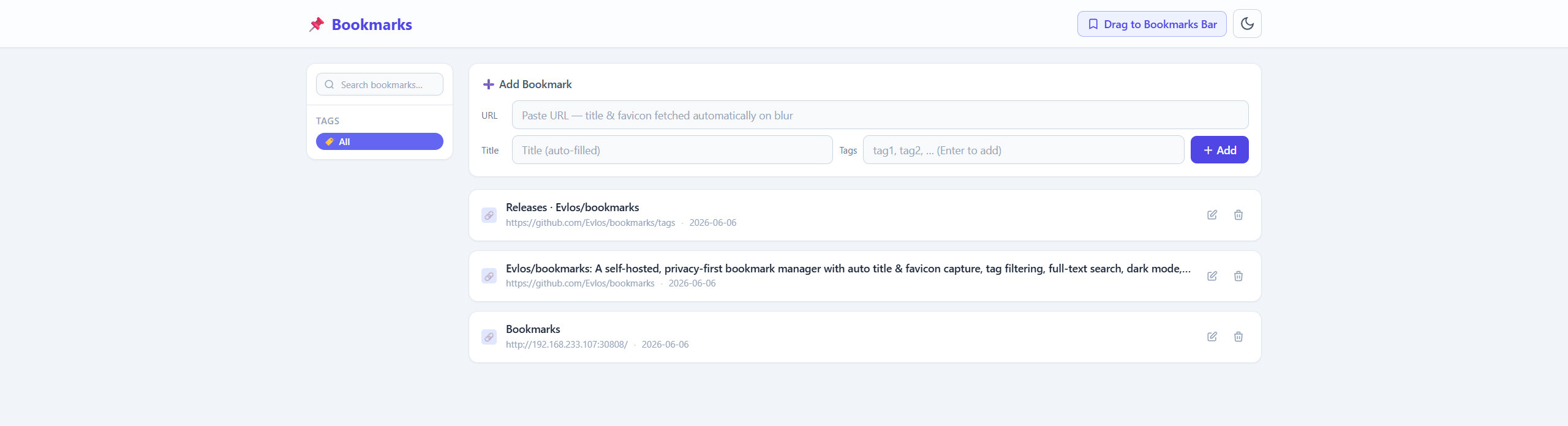
- Smart Addition: Simply paste a URL — the application automatically fetches the page title and favicon in the background.
- Dark Mode Support: A built-in dark mode toggle that saves your preference to
localStorageand automatically applies it on your next visit. - Tag Sidebar: Keep everything organized with an intuitive left sidebar that displays all tags for quick, one-click filtering.
- Full Bookmark Control: Easily view, edit, and delete bookmarks. The list gracefully displays titles, icons, URLs, tags, and creation times.
- Built-in Icon Proxy: All third-party favicons are safely routed through a server-side proxy (
/api/proxy-icon) to completely eliminate CORS issues.
Ensure you have Python installed on your machine.
Install the required Python dependencies by running:
pip install flask "requests[socks]" beautifulsoup4Start the Flask development server:
python app.pyOnce the server is running, open your browser and navigate to http://localhost:5000.
If you need to fetch web metadata through a SOCKS5 proxy (useful for restricted network environments), you can optionally set the SOCKS5_PROXY environment variable before starting the application.
Without Authentication:
export SOCKS5_PROXY="socks5://127.0.0.1:1080"
python app.py
With Authentication:
export SOCKS5_PROXY="socks5://user:password@127.0.0.1:1080"
python app.pybookmark_app/
├── app.py # Core Flask backend server
├── requirements.txt # Python dependency list
├── data/
│ └── bookmarks.db # SQLite database (auto-generated on first run)
└── templates/
└── index.html # Single-page frontend view (Tailwind CDN)
This project is open-sourced under the GNU General Public License v3.0.