
| English version | 中文版本 |
|---|
Support for highlight syntax ==...== in Markdown previews, including Jupyter Notebook previews.

Markdown preview example
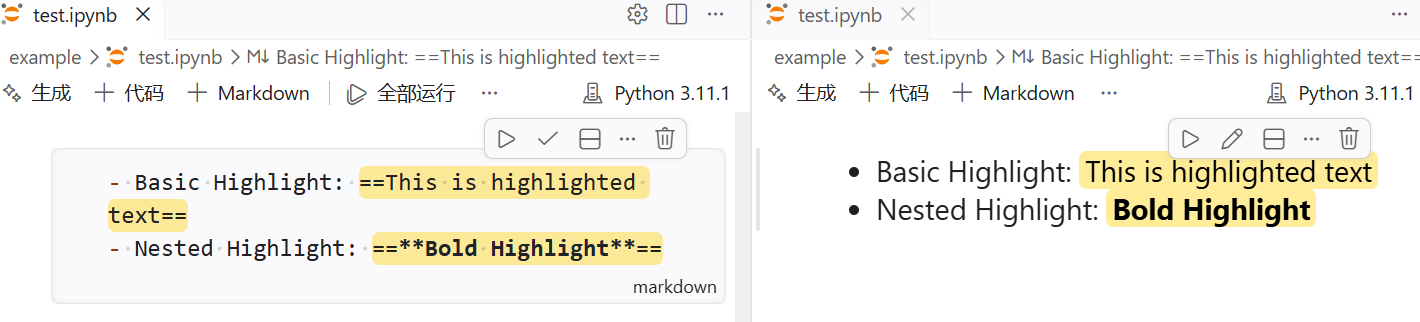
Jupyter Notebook preview example
Basic: ==this is highlighted==
Nested: ==**bold highlighted**== or **==bold highlighted==**
| Shortcut | Action |
|---|---|
Ctrl + Shift + = |
Wrap the selected text with ==...== |
Note: The keybinding may conflict with other extensions or VS Code features. Adjust in settings if needed.
- Use the editor context menu item "Wrap Selection with Highlight" to wrap selected text.
- You can install the extension from the Visual Studio Code Marketplace or by searching for "markdown highlight mark" in the Extensions view in VS Code.
- Alternatively, you can download the extension from the Releases page on GitHub.