



Ever had your player pick the wrong audio language, or show 20 subtitle options you'll never use? Most media files ship with far more tracks than you need.
Muxarr cleans them up by removing unwanted audio and subtitle tracks and standardizing track metadata. It uses mkvmerge for MKV files and ffmpeg with stream copy for other containers, so tracks are remuxed rather than re-encoded and there is zero quality loss. A 4GB file takes about a minute instead of hours, even on low-end hardware like a NAS or Raspberry Pi.
Hooks into Sonarr & Radarr for original language detection and automatic processing - new imports get cleaned up as they arrive.
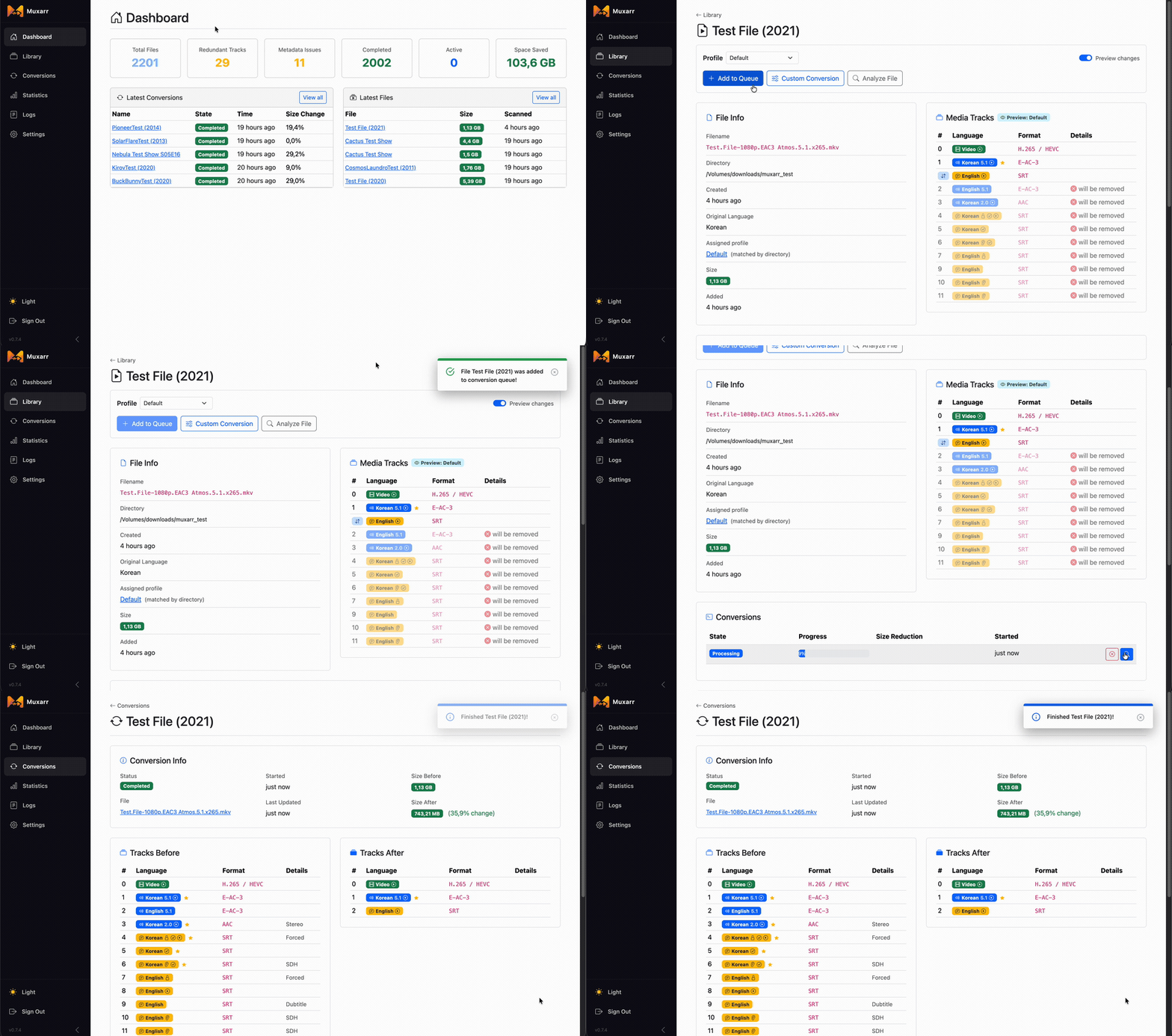
A quick demo of a file being optimized (35.9% reduction)
services:
  muxarr:
    image: ghcr.io/kirovair/muxarr:latest
    container_name: muxarr
    environment:
      - TZ=Europe/Amsterdam
      - PUID=1000
      - PGID=1000
    volumes:
      - /path/to/appdata:/config
      - /path/to/media:/media
    ports:
      - 8183:8183
    restart: unless-stopped
Upgrading from an older version? See Upgrading before changing your mounts.
- Strip unwanted tracks - remove audio (commentary, foreign dubs) and subtitles (SDH, foreign) without re-encoding, so quality is untouched. A typical 4GB file processes in about a minute depending on disk speed. Cutting spare audio tracks alone often saves 10-30%.
- Original language detection - integrates with your *arr stack so foreign films and shows always keep the correct audio track
- Automatic processing - webhook support to process new imports as they arrive
- Per-directory profiles - different language and track rules for different collections (e.g. anime vs western media)
- Language priority & track limits - control track ordering per language, limit tracks per language (e.g. keep only the best English audio track), and choose between best quality or smallest size
- Fallback languages - hang a language under another so it is only kept when the one above it is missing. "English subs, but only if the file has no German ones"
- Regional language variants - tells VFQ apart from VFF/Truefrench, Latino from Castilian, and more. Reads BCP 47 tags and track names, so "keep Quebec French, drop the France dub" just works
- Smart metadata fixes - cleans up encoder tags and codec dumps from track names. Uses mkvpropedit for metadata-only changes (instant, no remux needed)
- Safe by default - validates the output file before replacing the original. If anything fails, the original is untouched.
- Library overview - full breakdown of codecs, resolutions, and languages across your library
Supports Matroska (.mkv, .webm) and MP4-family (.mp4, .m4v). Every setting is explained in the profiles docs.
More screenshots

⬇️

Before and after metadata cleanup
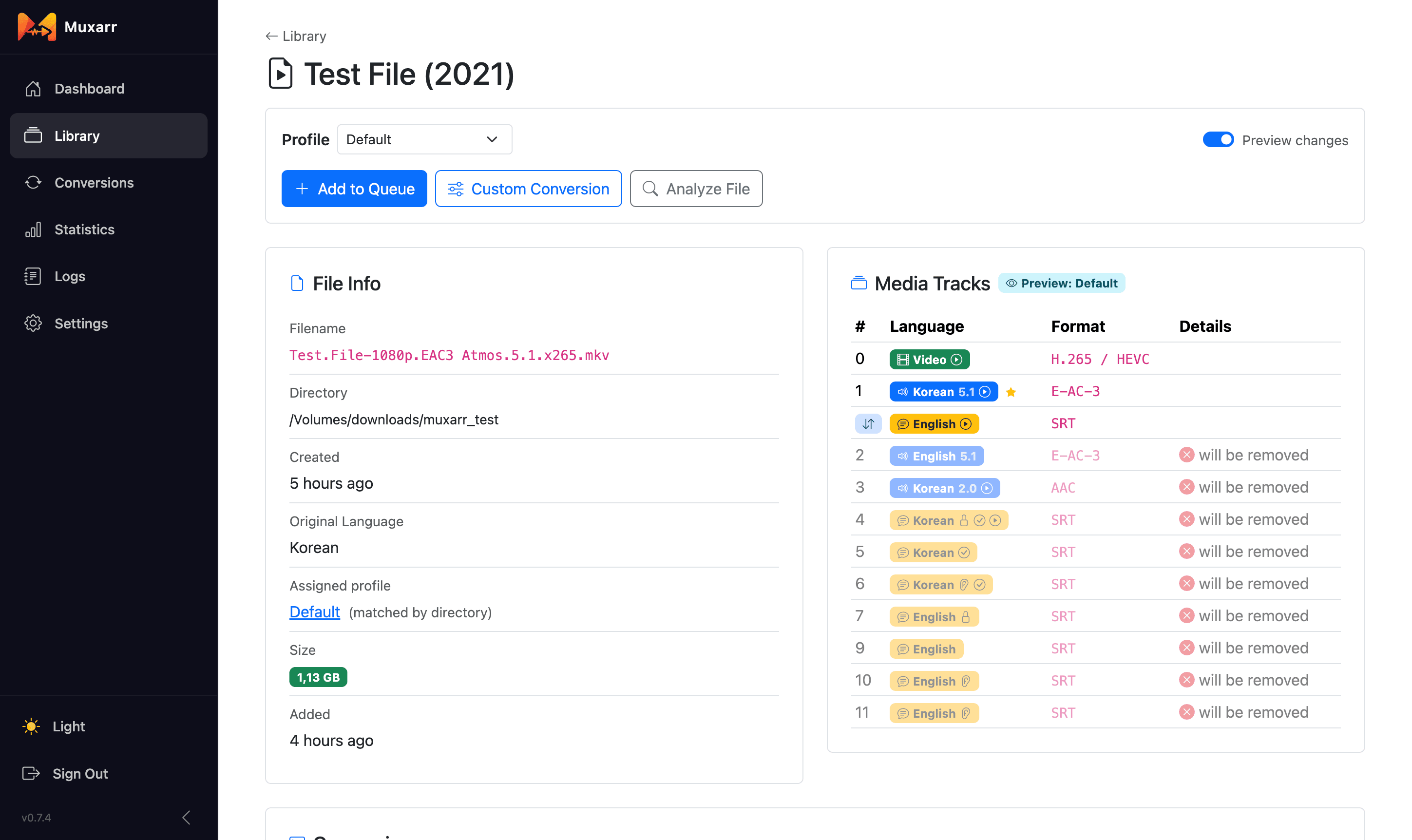
File details with track preview
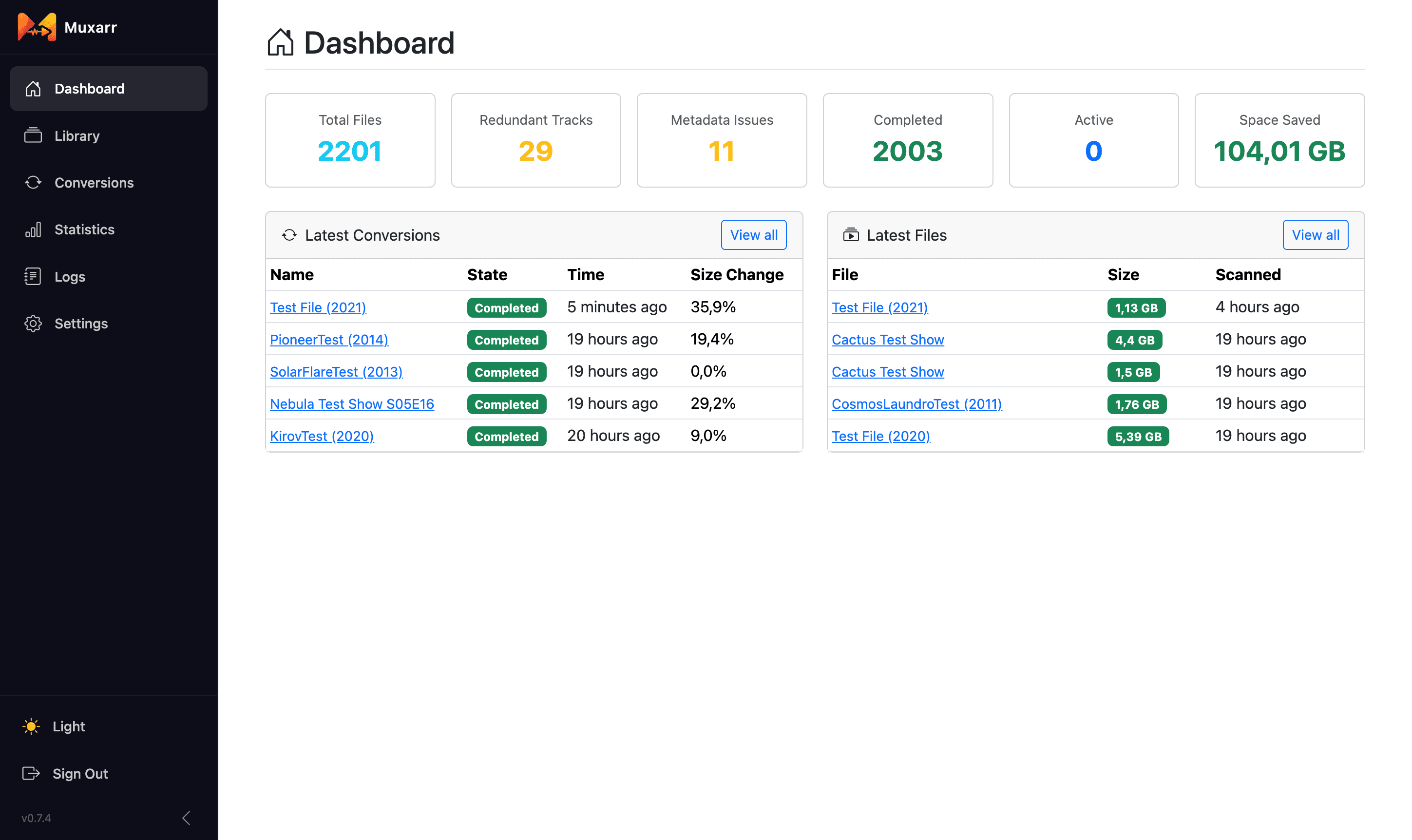
Dashboard
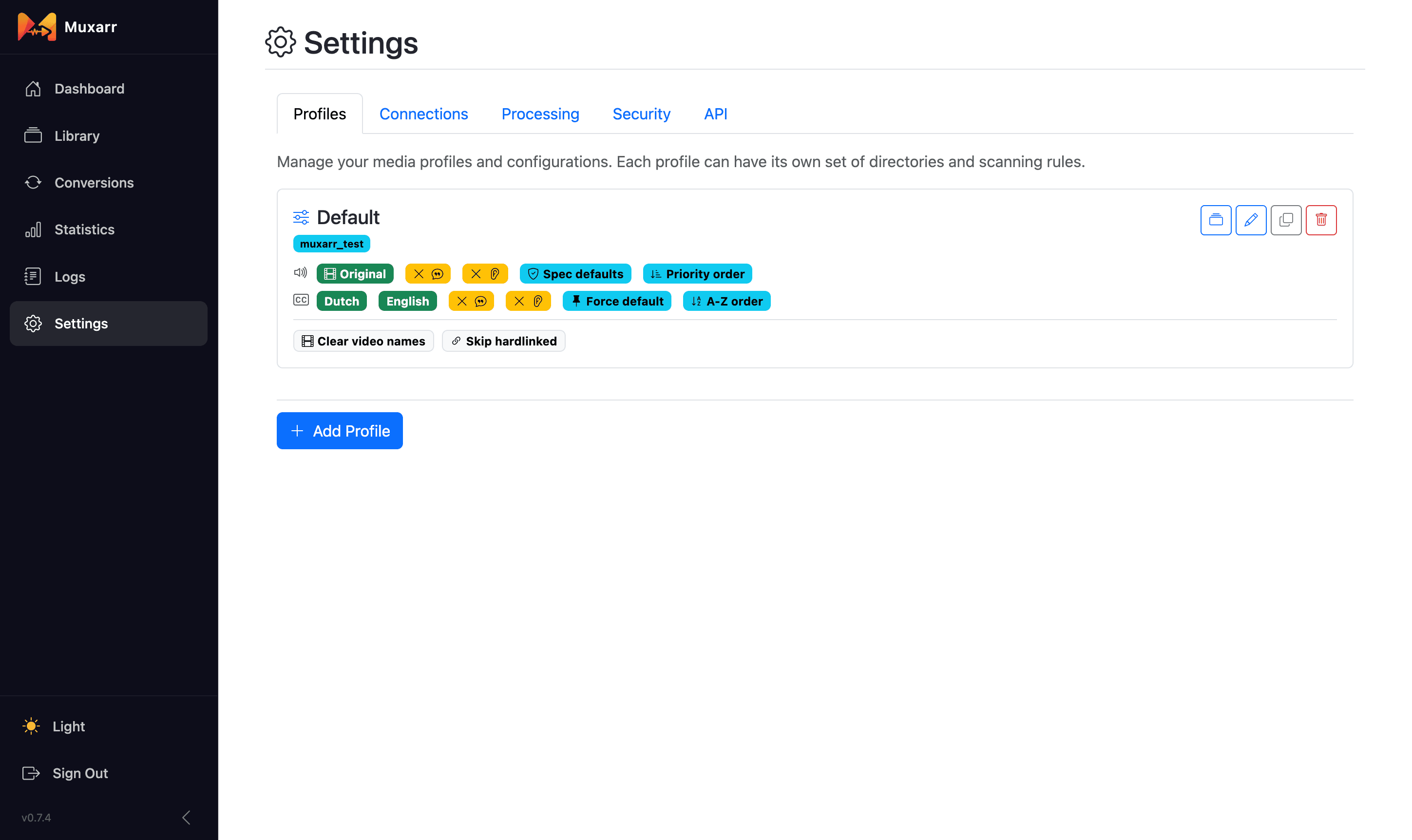
Profile settings
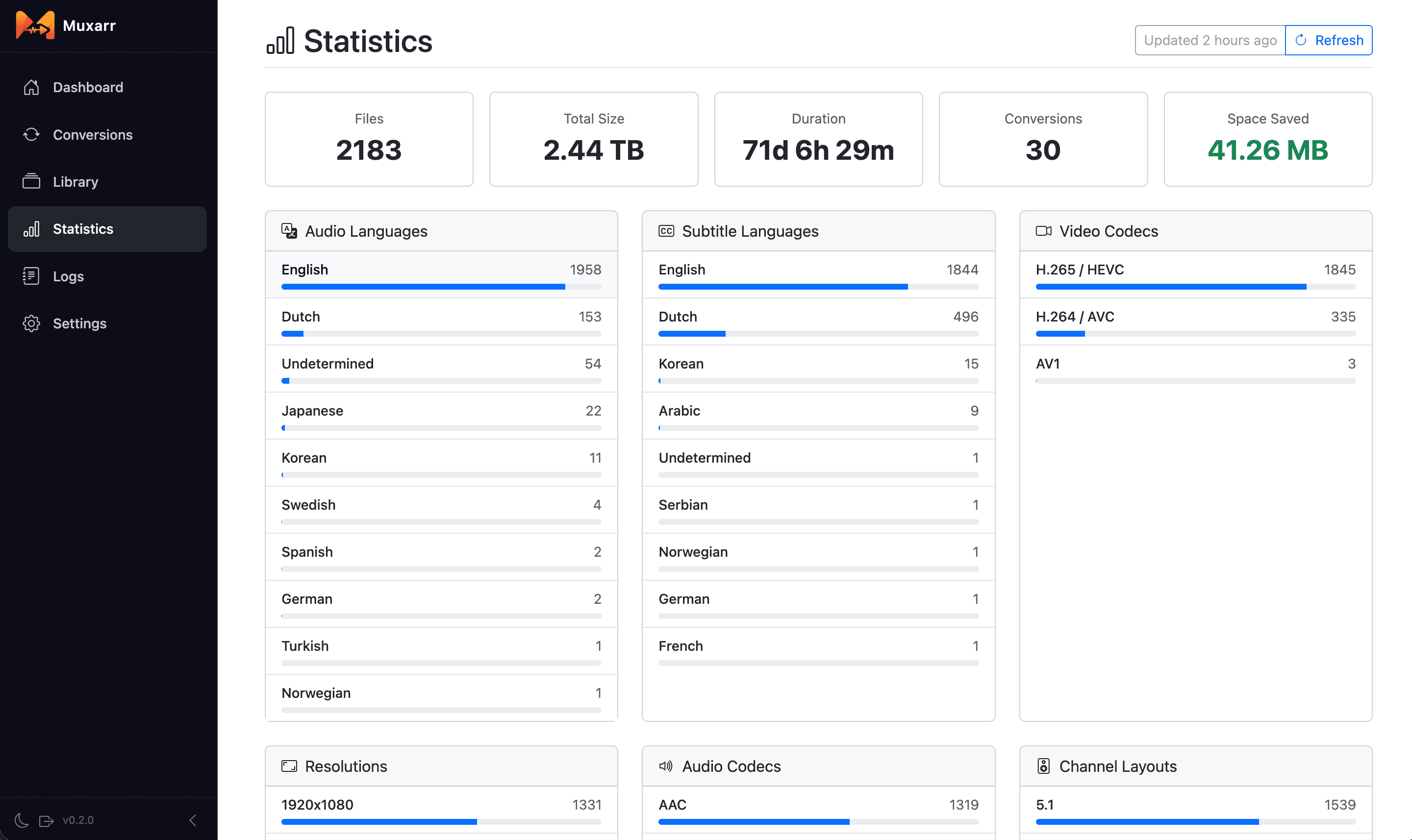
Statistics
docker run -d \
  --name=muxarr \
  -e TZ=Europe/Amsterdam \
  -e PUID=1000 \
  -e PGID=1000 \
  -p 8183:8183 \
  -v /path/to/appdata:/config \
  -v /path/to/media:/media \
  --restart unless-stopped \
ghcr.io/kirovair/muxarr:latestOlder versions stored the database in /data. To upgrade an existing install, point your appdata volume at /config instead of /data and keep the same host path:
    volumes:
      - /path/to/appdata:/config  # was - /path/to/appdata:/data
      - /path/to/media:/media     # keep media mounts exactly as they were
Do not move your media mounts. Your profiles and Sonarr/Radarr path mappings reference the old container paths, so /media stays /media.
Until you do, Muxarr keeps running from /data and shows a reminder in the app. Nothing is moved or deleted automatically, so rolling back to an older version only takes pointing the mount at :/data again. If your appdata folder is empty (you never mounted one, or you mounted /config on an older version that ignored it), the database sits in a Docker volume: stop the container, run docker cp muxarr:/data/. /path/to/appdata/ before removing it, then mount that folder at /config.
| Variable | Description | Default |
|---|---|---|
TZ |
Timezone | UTC |
PUID |
User ID for file permissions | 888 |
PGID |
Group ID for file permissions | 888 |
UMASK |
Permission mask for files Muxarr writes, e.g. 002 for group-writable libraries |
022 |
| Path | Description |
|---|---|
/config |
Database and configuration |
/media |
Media files (any mount path works, use multiple -v mounts as needed) |
- Open
http://your-ip:8183- the setup wizard will guide you through - Set a username and password (optional)
- Connect Sonarr/Radarr for original language detection and webhook automation (optional)
- Create a profile with your media directories and language rules
- Scan your library, preview the changes, and queue files for processing
Muxarr exposes a stats API at /api/stats (authenticated via X-Api-Key header). Works with Homepage and other dashboards. See Settings > API for examples.
- .NET 10 / Blazor
- MKVToolNix (mkvmerge, mkvpropedit)
- FFmpeg (ffmpeg, ffprobe)
GPL-3.0 - see LICENSE.
Muxarr is not affiliated with Sonarr, Radarr, or any other *arr projects.