brute forceing for auto labeling the dataset
- how many records in log: 1247
- this is avg time: 26.59 sec
- the amount of max combinations when brutforceing: 36^5 = 60,466,176
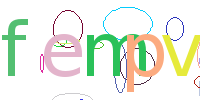
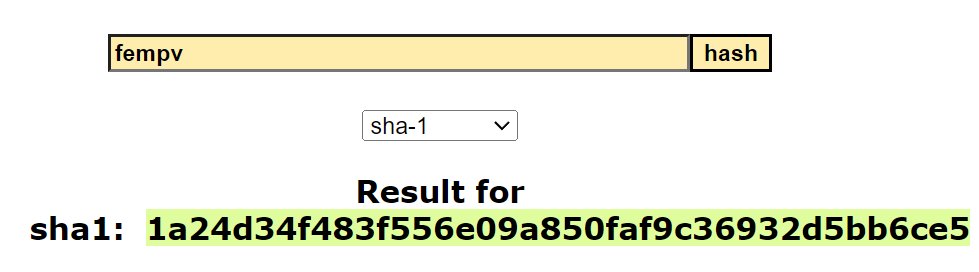
Image name cap_1a24d34f483f556e09a850faf9c36932d5bb6ce5 consist of cap_[SHA1_hashvalue]
-
open config.py
- if you want to send answers to discord server put in webhook
- UNLABLED_DIR from where to get data
- LOGTIME if you want to log how long it takes to bruteforce
- DATA_DIR under #Universal config to where files will be sent
-
open get_train_data.py
- if no discord comment out send_discord_img(f"{unhashed_guess}_{hash_value}.png", unhashed_guess, operation_time=end) LINE 40
- to edit combination and len on guess line 30 for guess in itertools.product(string.ascii_lowercase + string.digits, repeat=5):
- to edit name on file line 28 hash_value = file.split(".png")[0][4:] look up for example on filename
Run relabel_all_captchas to get only answer and remove the old hash value
- files names need to be only the answer my case, fempv.png
-
open config
- batchsize for how many times to split data
- image width for image width on picture
- image hight for image hight on picture
- num of workers on your gpu
- Epochs for how long to run program 50, 100 will have saves
- cuda and nividia gpu needed for this ai
- show test samples, "" for all
- DATA_DIR for where to get data.
- Modelversion = version name on your model "model_{modelversion}_{epoch}.pt"
-
open train
- line 49 is sensetive for length of filename
- line 108 to change learning rate
- e-start on line 98 will get epoch of model (model_"verson"_"50")
- open config
- Deployment data for where to get the captchas you want to solve.
- edit classes.txt to put your all your guesses your program can make.
- config = settings
- classes = all guesses
- dataset = for image handeling
- deploy ai = for production
- engine = for loss during traning
- get_train_data = for labeling
- log = loggning hash-cracking time
- model_1_50.pt = my model
- model = our ai model
- relabel all captchas = to remove hashvalue and move files
- train - to train ai
- view_data for playing with train model.