Important
In addition to the five native callout types in SiYuan, this plugin adds several new styles. Please note that when these new styles are converted back to official callouts (i.e., when this plugin is disabled), there will be display issues: they will become callout blocks with transparent backgrounds and missing icons. Use with caution if you mind this!
For more details, please refer to here.
Default appearance:
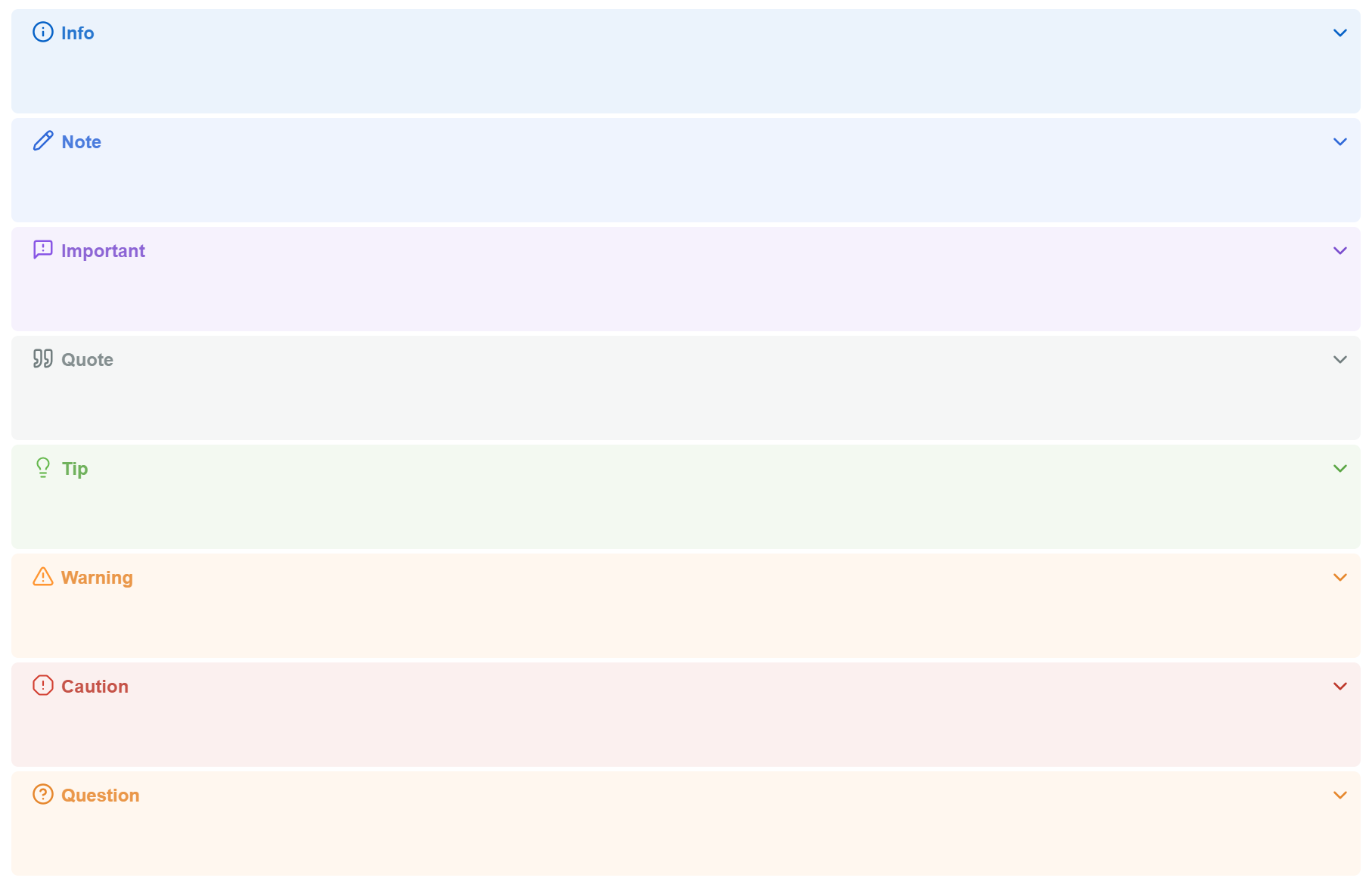
After nesting:



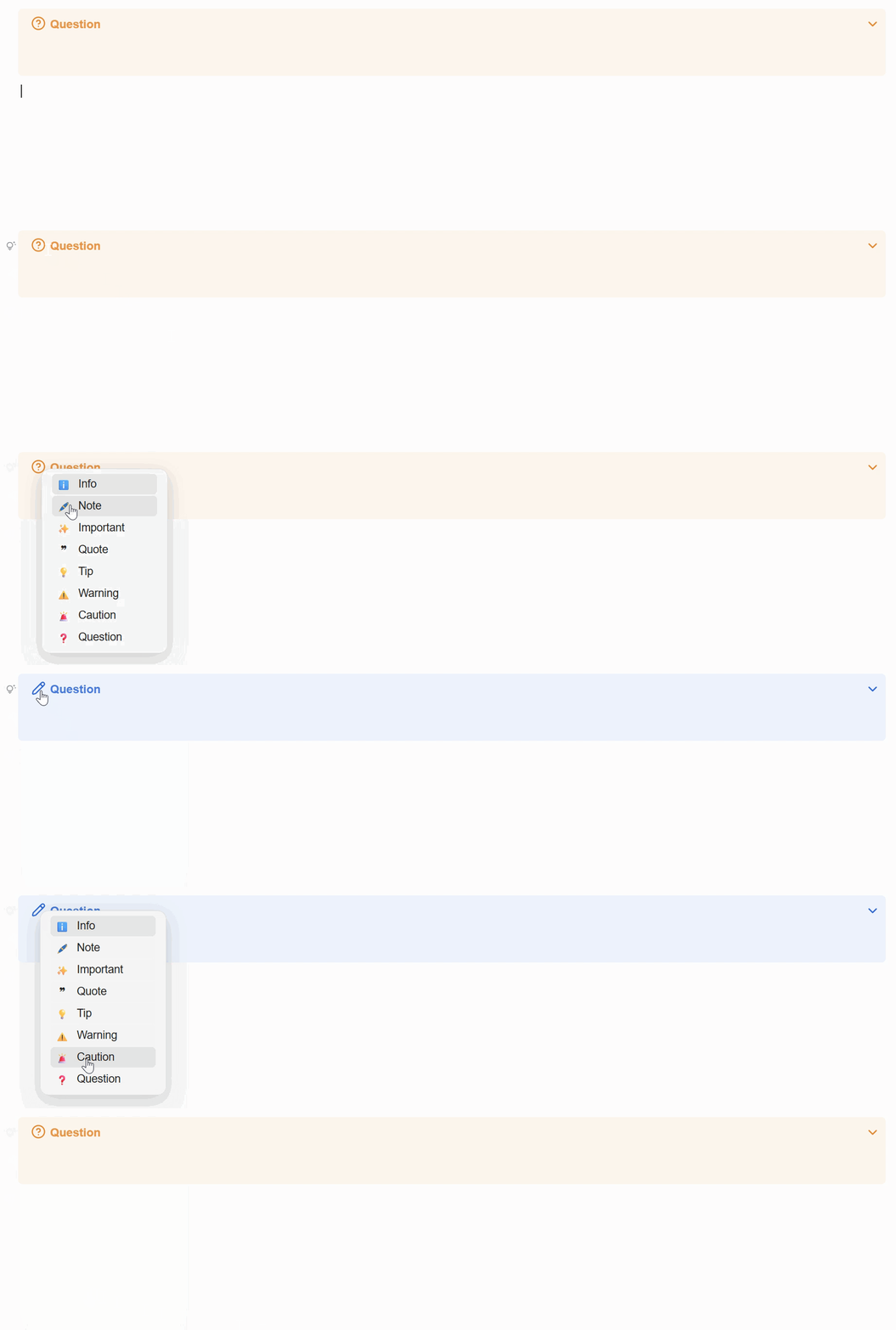
- Type
[or【at the beginning of the first line of a quote block to open the completion menu. - Supports keyboard navigation or mouse click to select a type.
- Supports auto-completion. Note: you do not need to type
!after[/【; just type letters to trigger completion.

- Click the icon to open the type menu.
- Supports keyboard navigation or mouse click to select a type.
-
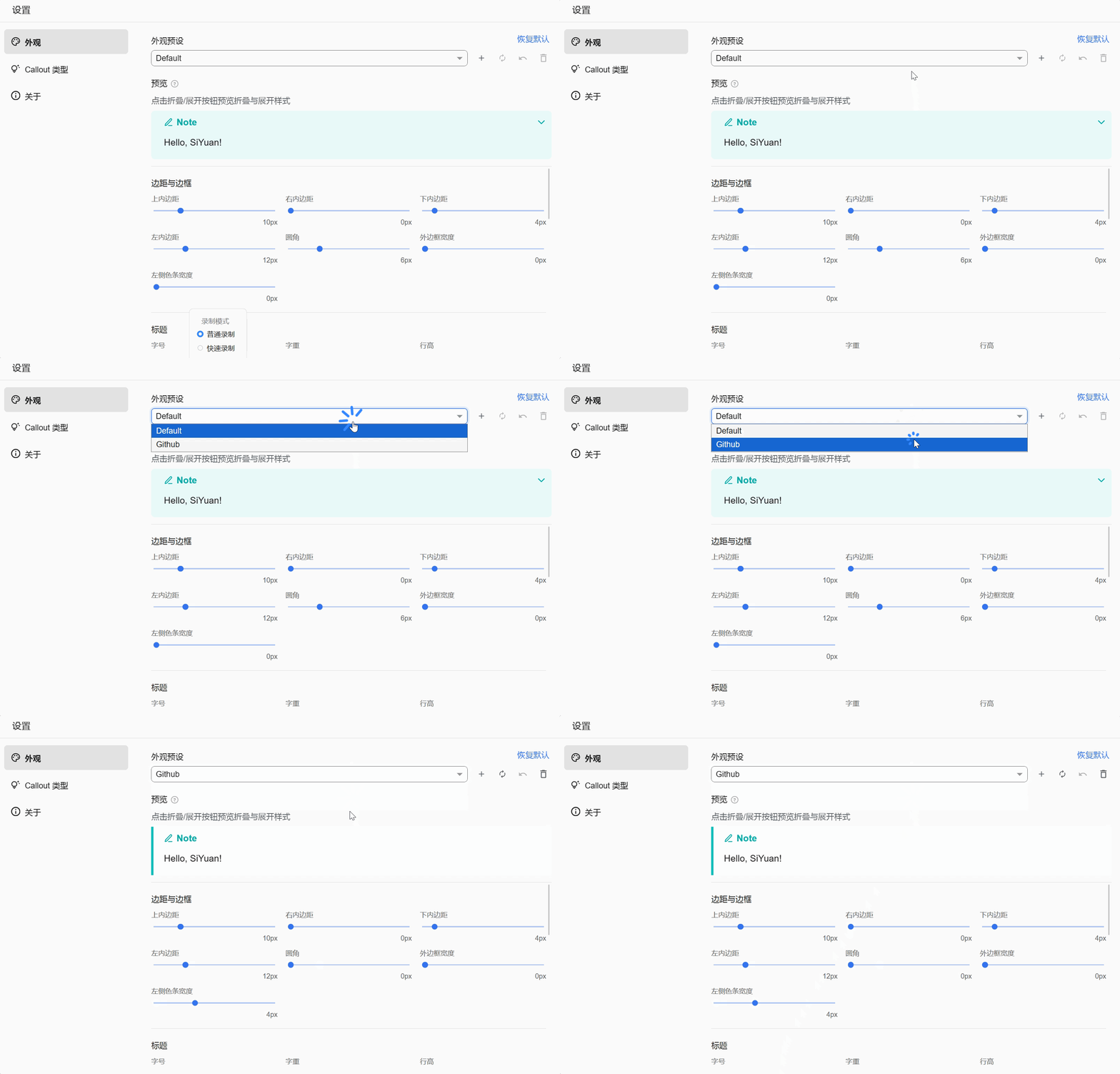
Customize callout appearance under Settings → Appearance, with preset save/load, preset management, and live preview.
-
Example: GitHub-style callout appearance:
-
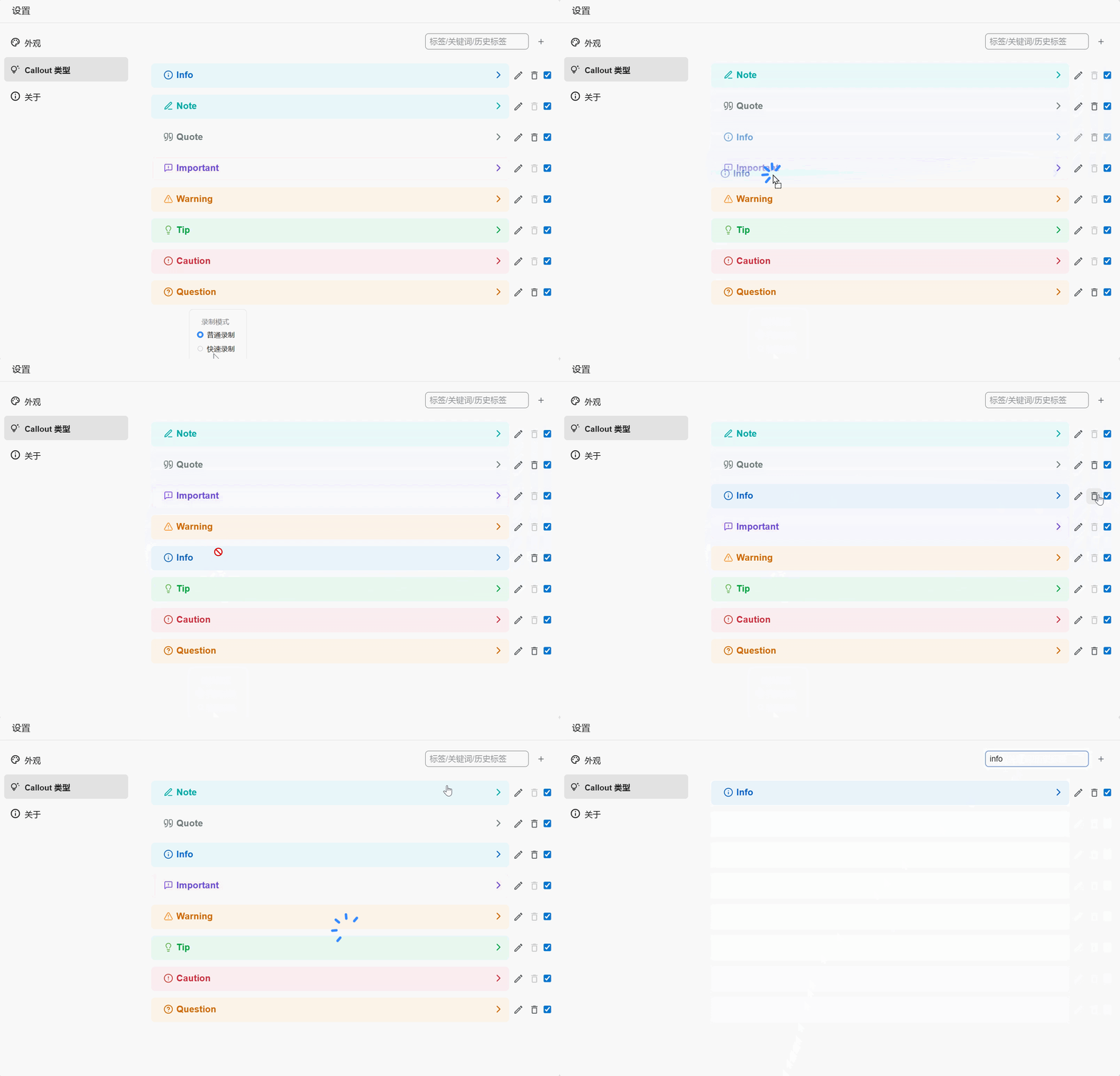
Under Settings → Callout Types, add, delete, disable, reorder, and edit callout types. Built-in SiYuan types (NOTE, TIP, etc.) cannot be deleted.
-
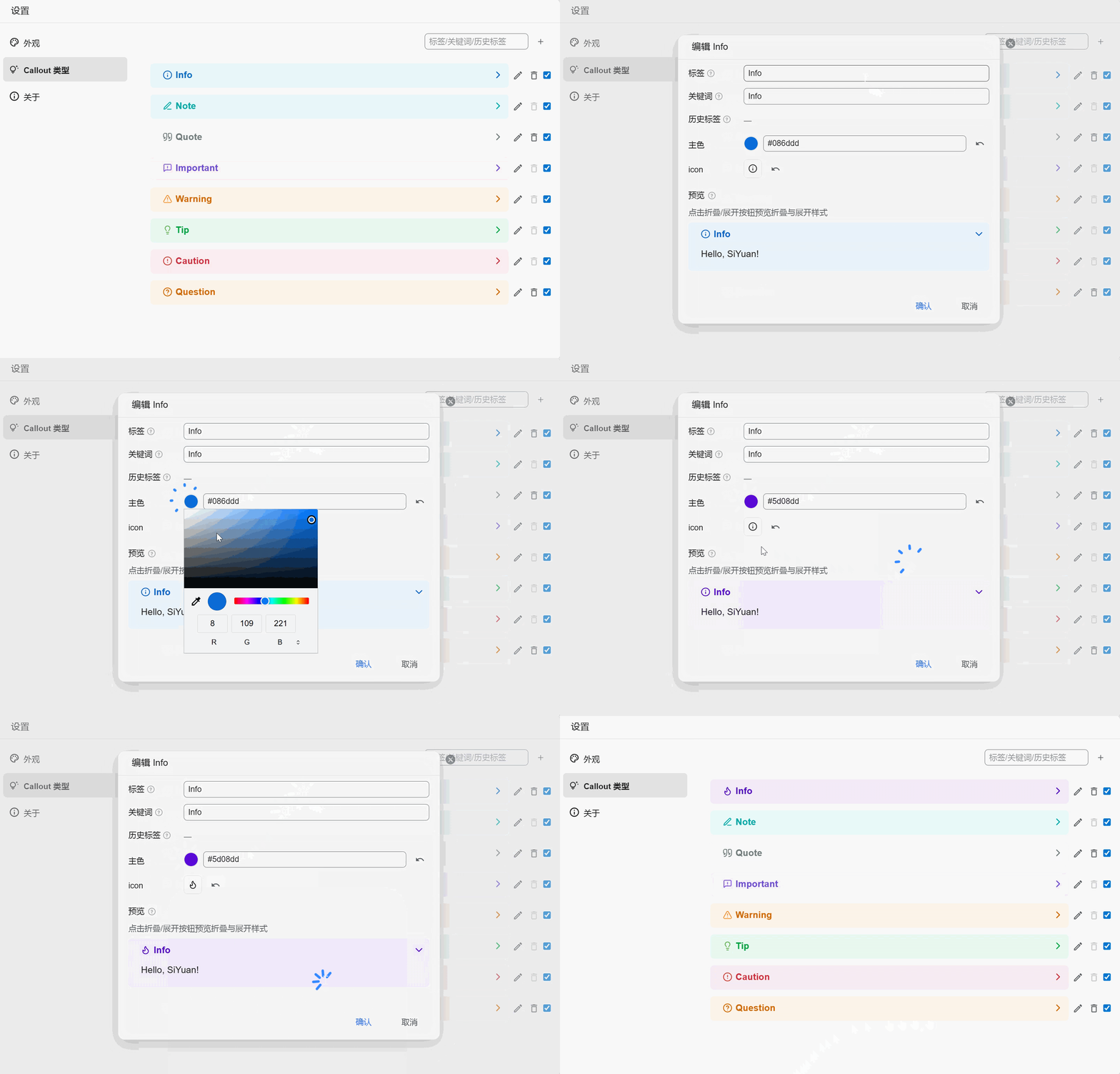
The callout style edit dialog supports custom label, keywords, main color, and icon, with live preview while editing.


-
Settings → About → Clean up legacy data: Before using this feature, understand the effects of the following operations under Settings → Callout Types:
- Rename label: Callout blocks in your notes still keep the old
data-subtype. The plugin automatically saves the pre-rename label as a past label so those blocks continue to match your styles. - Delete callout type: Matching blocks keep their original
data-subtypeand fall back to the default (NOTE) styling. The deleted type’s label and past labels are recorded in the tombstone list.
Clean up legacy data migrates callout block
data-subtypevalues in your notes to the new label or the NOTE label, so past labels and the tombstone can be cleared safely. - Rename label: Callout blocks in your notes still keep the old
-
Settings → About → Debug log: Show detailed plugin DEBUG logs in the SiYuan console.
See CHANGELOG.md
Download the source code of this repository and package the plugin as follows:
- Install Node.js and pnpm.
- Run
pnpm iin the current directory. - Run
pnpm run devfor the development build. - Run
pnpm run buildto packagepackage.zip.
MIT License
- Developed based on the SiYuan plugin sample template.
- Special thanks to xqh042 for the code snippets, which inspired this plugin.
- obsidian-callout-manager: referenced for callout type management.
- sy-bookmark-plus: referenced for the icon picker UI.
- syplugin-hierarchyNavigate: referenced for draggable type list rows.
For simple usage, you can also base it on the code snippets here without adding this plugin.
However, please note that this plugin has received many optimizations on top of those snippets. Unless there are special circumstances, the code snippets will not be updated in the future. Therefore, it is strongly recommended to use the plugin directly.