A comprehensive, modern art gallery management system built with ASP.NET, Blazor WebAssembly, and Docker. This application provides a complete solution for managing artists, paintings, exhibitions, and museums with advanced features like search, favorites, user management, and monitoring.
- Features
- Architecture
- Technology Stack
- Prerequisites
- Quick Start
- Configuration
- API Documentation
- Monitoring & Observability
- Authentication
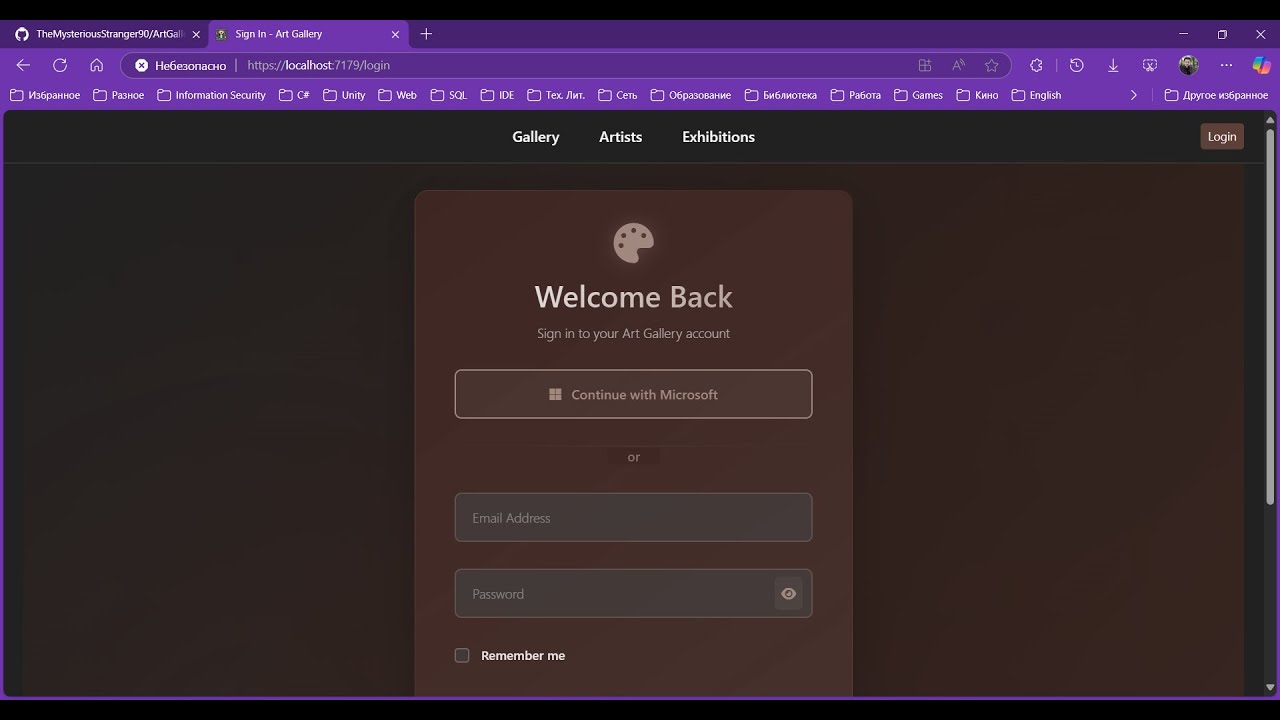
- Screenshots
- Contributing
- Author
- License
- YouTube Review
- Artist Management: Full CRUD operations for artists with biographical information
- Painting Management: Comprehensive painting catalog with image upload to Cloudinary
- Exhibition Management: Create and manage art exhibitions with date ranges
- Museum Integration: Link paintings and exhibitions to specific museums
- Advanced Search: Full-text search with filtering by artist, genre, type, and date ranges
- User Favorites: Users can save favorite artists and paintings
- Role-Based Access Control: Admin and User roles with different permissions
- External Authentication: Microsoft OAuth integration
- Real-time Monitoring: Prometheus metrics and Grafana dashboards
- Distributed Tracing: OpenTelemetry integration
- Centralized Logging: Elasticsearch and Kibana for log analysis
- Caching: In-memory caching for improved performance
- Rate Limiting: API rate limiting to prevent abuse
- Health Checks: Application health monitoring
- JWT Authentication: Secure token-based authentication
- HTTPS/TLS: Full TLS encryption with certificate management
- Data Protection: ASP.NET Core Data Protection for sensitive data
- Input Validation: Comprehensive input validation and sanitization
- CORS Configuration: Proper cross-origin resource sharing setup
The application follows Clean Architecture principles with the following layers:
ArtGallery/
 ArtGallery.Domain/          # Business entities and domain logic
 ArtGallery.Application/     # Use cases and business rules
 ArtGallery.Infrastructure/  # External services (Cloudinary, etc.)
 ArtGallery.Persistence/     # Data access layer (Entity Framework)
 ArtGallery.Identity/        # Authentication and user management
 ArtGallery.WebAPI/          # REST API controllers and middleware
 ArtGallery.ClientApp/       # Blazor WebAssembly frontend
 docker-compose.yml         # Container orchestration
The application uses two separate databases for optimal security and separation of concerns:
-
ArtGalleryDB - Main application database containing:
- Artists and their biographical information
- Paintings with metadata and Cloudinary image references
- Exhibitions and their associated paintings
- Museums and gallery information
- User favorites (paintings and artists)
-
ArtGalleryIdentityDB - Identity and authentication database containing:
- User accounts and profiles (
ApplicationUser) - Roles and permissions (
AppRole) - Authentication tokens and claims
- Password hashes and security stamps
- External login providers data
- User accounts and profiles (
This separation provides:
- Enhanced Security: User credentials isolated from business data
- Better Performance: Optimized queries for each domain
- Easier Maintenance: Independent database migrations and backups
- Compliance: Simplified user data management for GDPR/privacy requirements
- CQRS (Command Query Responsibility Segregation): Separate read and write operations
- Mediator Pattern: Decoupled request/response handling with MediatR
- Repository Pattern: Data access abstraction
- Unit of Work: Transaction management
- ASP.NET Core Web API: RESTful API development
- Entity Framework Core: Object-relational mapping
- SQL Server: Primary database (dual database setup)
- MediatR: Mediator pattern implementation
- FluentValidation: Input validation
- AutoMapper: Object mapping
- Serilog: Structured logging
- Blazor WebAssembly: Client-side web framework
- Bootstrap 5: CSS framework
- JavaScript Interop: For enhanced functionality
- Docker & Docker Compose: Containerization
- Elasticsearch: Search and logging
- Kibana: Log visualization
- Prometheus: Metrics collection
- Grafana: Metrics visualization
- OpenTelemetry: Distributed tracing
- Cloudinary: Image storage and transformation
- Microsoft Graph API: External authentication
Before you begin, ensure you have the following installed:
- Docker Desktop (latest version)
- Docker Compose (v3.8+)
- .NET 8 SDK (for local development)
- OpenSSL (for certificate generation)
# Windows
.\Generate-Certificates.ps1# Copy and configure environments file (.env for development and .env.production for production)
cp .env .env.production
# Edit .env.production with your settings# Start all services
docker-compose up -d
# Check service status
docker-compose ps- Web Application: https://localhost:8083
- API Documentation: https://localhost:8081/docs
- Grafana: http://localhost:3000 (admin/admin)
- Kibana: http://localhost:5601
- Prometheus: http://localhost:9090
Create a .env.production file in the root directory:
# JWT Configuration
JWT_KEY=your-super-secret-jwt-key-minimum-32-characters-long
JWT_ISSUER=https://localhost:8081
JWT_AUDIENCE=https://localhost:8081

# Cloudinary Configuration
CLOUDINARY_CLOUD_NAME=your-cloud-name
CLOUDINARY_API_KEY=your-api-key
CLOUDINARY_API_SECRET=your-api-secret

# External Authentication
MICROSOFT_CLIENT_ID=your-microsoft-client-id
MICROSOFT_CLIENT_SECRET=your-microsoft-client-secret

# Database Configuration (optional - defaults provided)
SQL_SERVER_PASSWORD=YourStrong!PasswordThe application automatically manages two databases:
# Main application database
ArtGalleryDbConnection=Server=sqlserver;Database=ArtGalleryDB;User=sa;Password=YourStrong!Password;TrustServerCertificate=True;

# Identity/authentication database
ArtGalleryIdentityDbConnection=Server=sqlserver;Database=ArtGalleryIdentityDB;User=sa;Password=YourStrong!Password;TrustServerCertificate=True;
Both databases are automatically:
- Created during first startup
- Migrated to latest schema
- Seeded with initial data (including default users)
The system creates these default users during initial setup:
| Password | Role | Description | |
|---|---|---|---|
| admin@artgallery.com | Admin@123! | Administrator | Full system access |
| curator@artgallery.com | Curator@123! | Moderator | Content management |
| maria@example.com | User@123! | User | Regular user |
| alex@example.com | User@123! | User | Regular user |
| sophia@example.com | User@123! | User | Regular user |
The application requires SSL certificates for HTTPS. You can:
- Use the provided generation scripts (recommended for development)
- Use your own certificates (place them in the
certificates/folder) - Use Let's Encrypt certificates (for production)
Default rate limits (configurable in appsettings.json):
- Authentication: 5 requests per minute
- Registration: 3 requests per minute
- General API: 100 requests per minute
- Install dependencies:
dotnet restore- Update database:
# Update main application database
dotnet ef database update --project ArtGallery.Persistence

# Update identity database
dotnet ef database update --project ArtGallery.Identity- Run the API:
cd ArtGallery.WebAPI
dotnet run- Run the client app:
cd ArtGallery.ClientApp
dotnet run# Add new migration for main database
dotnet ef migrations add MigrationName --project ArtGallery.Persistence
# Add new migration for identity database
dotnet ef migrations add MigrationName --project ArtGallery.Identity
# Update databases
dotnet ef database update --project ArtGallery.Persistence
dotnet ef database update --project ArtGallery.Identity
# Remove last migration
dotnet ef migrations remove --project ArtGallery.Persistence
dotnet ef migrations remove --project ArtGallery.IdentityWe use the following tools to maintain code quality:
- FluentValidation: Input validation
- StyleCop: Code style analysis
- Unit Tests: xUnit testing framework
The API is fully documented using OpenAPI/Swagger. Access the interactive documentation at:
- Development: https://localhost:8081/docs
POST /api/account/register- User registrationPOST /api/account/authenticate- User loginPOST /api/account/microsoft-auth- Microsoft OAuth
GET /api/artists- Get paginated artists listGET /api/artists/{id}- Get artist detailsPOST /api/artists- Create new artist (Admin only)PUT /api/artists/{id}- Update artist (Admin only)DELETE /api/artists/{id}- Delete artist (Admin only)
GET /api/paintings- Get paginated paintings listGET /api/paintings/{id}- Get painting detailsPOST /api/paintings- Create new painting (Admin only)PUT /api/paintings/{id}- Update painting (Admin only)DELETE /api/paintings/{id}- Delete painting (Admin only)
GET /api/exhibitions- Get all exhibitionsGET /api/exhibitions/current- Get current exhibitionsGET /api/exhibitions/upcoming- Get upcoming exhibitionsPOST /api/exhibitions- Create exhibition (Admin only)
- Application Metrics: Request rates, response times, error rates
- System Metrics: CPU, memory, disk usage
- Business Metrics: User registrations, paintings created, favorites
- Structured Logging: JSON-formatted logs with contextual information
- Log Levels: Error, Warning, Information, Debug
- Search & Analytics: Full-text search and log analysis
- Distributed Tracing: Request flow across services
- Performance Monitoring: Identify bottlenecks
- Error Tracking: Trace errors through the system
- Database Connectivity: SQL Server health (both databases)
- External Services: Elasticsearch, Cloudinary
- Application Health: Memory usage, response times
Access monitoring tools:
- Grafana: http://localhost:3000 (admin/admin)
- Kibana: http://localhost:5601
- Prometheus: http://localhost:9090
- Local Authentication: Username/password with JWT tokens
- Microsoft OAuth: Integration with Microsoft accounts
- Role-Based Access: Administrator, Moderator, and User roles
- View artists, paintings, and exhibitions
- Manage personal favorites
- Update personal profile
- All User permissions
- Content moderation capabilities
- Limited administrative functions
- All User and Moderator permissions
- Create, update, delete artists
- Create, update, delete paintings
- Manage exhibitions
- User management
- Access to admin dashboard
- System configuration
Tokens include:
- Expiration: 1 hour (configurable)
- Refresh: Automatic refresh mechanism
- Claims: User ID, email, roles
- Encryption: HS256 algorithm


Contributions are welcome. Please fork the repository and create a pull request with your changes.
Bohdan Harabadzhyu