A tool to import Udonarium save data into Resonite via ResoniteLink.
Intro video: https://youtu.be/wRQq6zVO6fc
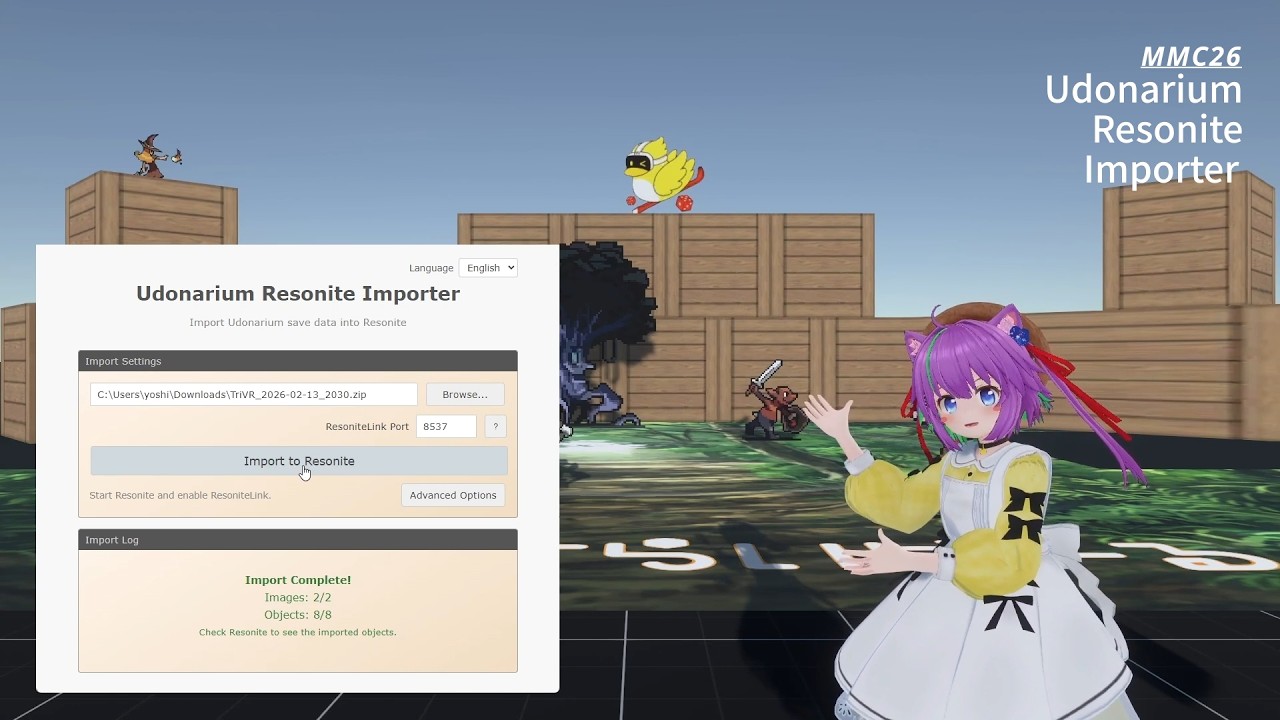
- Import by specifying a ZIP file and the ResoniteLink port
- Supports major objects: characters, cards, terrain, tables, etc.
- Automatic image asset import
- For detailed usage, see the English guide.
| Udonarium | Resonite Representation |
|---|---|
| Character (GameCharacter) | Quad + Texture |
| Dice Symbol (DiceSymbol) | Quad (face switching) |
| Card | Double-sided Quad |
| Card Stack (CardStack) | Grouped cards |
| Terrain | Top + side Quad meshes (walls grouped under one slot) |
| Map Mask (TableMask) | Quad (semi-transparent support) |
| Table (GameTable) | Quad |
- Resonite with ResoniteLink enabled
Download the latest package from GitHub Releases.
- Choose GUI for desktop app usage, or CLI for command-line/automation usage
- CLI filename pattern:
udonarium-resonite-importer-cli-<platform>-bundle.zip(<platform>=win/macos/linux) - GUI filename pattern:
udonarium-resonite-importer-gui-<version>-<os>-<arch>.<ext>(usually.zipon Windows/macOS, sometimes.AppImageon Linux) - OS quick guide
- Windows:
...-cli-win-bundle.zipor...-gui-...-win-...zip - macOS:
...-cli-macos-bundle.zipor...-gui-...-mac-...zip - Linux:
...-cli-linux-bundle.zip(GUI only when a Linux GUI asset is published)
- Windows:
- Download and extract the GUI package from Releases
- Launch
Udonarium Resonite Importer(.exeon Windows /.appon macOS) - Click "Browse..." to select a Udonarium ZIP file
- In Resonite, enable ResoniteLink and set the port
- Click "Import to Resonite"

Use the executable inside the extracted CLI ZIP package.
# Windows
.\udonarium-resonite-importer.exe -i .\save.zip -p 7869

# macOS
./udonarium-resonite-importer-macos -i ./save.zip -p 7869

# Linux
./udonarium-resonite-importer-linux -i ./save.zip -p 7869| Option | Short | Description | Default |
|---|---|---|---|
--input |
-i |
Input ZIP file path | (required) |
--port |
-p |
ResoniteLink port (or RESONITELINK_PORT) |
(required, not needed in --dry-run) |
--host |
-H |
ResoniteLink host (or RESONITELINK_HOST) |
localhost |
--root-scale |
- | Root Scale | 1 |
--root-grabbable |
- | Add Grabbable to Root | false |
--simple-avatar-protection / --no-simple-avatar-protection |
- | Add SimpleAvatarProtection (toggle with --no-simple-avatar-protection) |
true |
--transparent-blend-mode |
- | Transparent image render mode (Cutout or Alpha) |
Cutout |
--enable-character-collider / --disable-character-collider |
- | Add colliders to table and fixed terrain / disable them | true |
--dry-run |
-d |
Analysis only (no connection) | false |
--verbose |
-v |
Verbose output | false |
--lang |
-l |
Language (en, ja) | Auto-detect |
--help |
-h |
Display help | - |
--version |
-V |
Display version | - |
MIT
- Udonarium - Web-based virtual tabletop
- ResoniteLink - Resonite integration tool
- tsrl - TypeScript library used for ResoniteLink connectivity
This tool was submitted to Metaverse Maker Competition 2026.
Version at the time of entry: v1.0.1
- Event: Metaverse Maker Competition 2026
- Category:
Other: TAU - World: [MMC26] Udonarium Resonite Importer - Resonite