A secure authentication system that enables Minecraft players to verify their identity through Discord OAuth2 instead of using regular passwords. Built with Phoenix and Elixir, this project also provides a complete REST API, real-time session tracking, and seamless integration with Minecraft servers via SkriptMC.
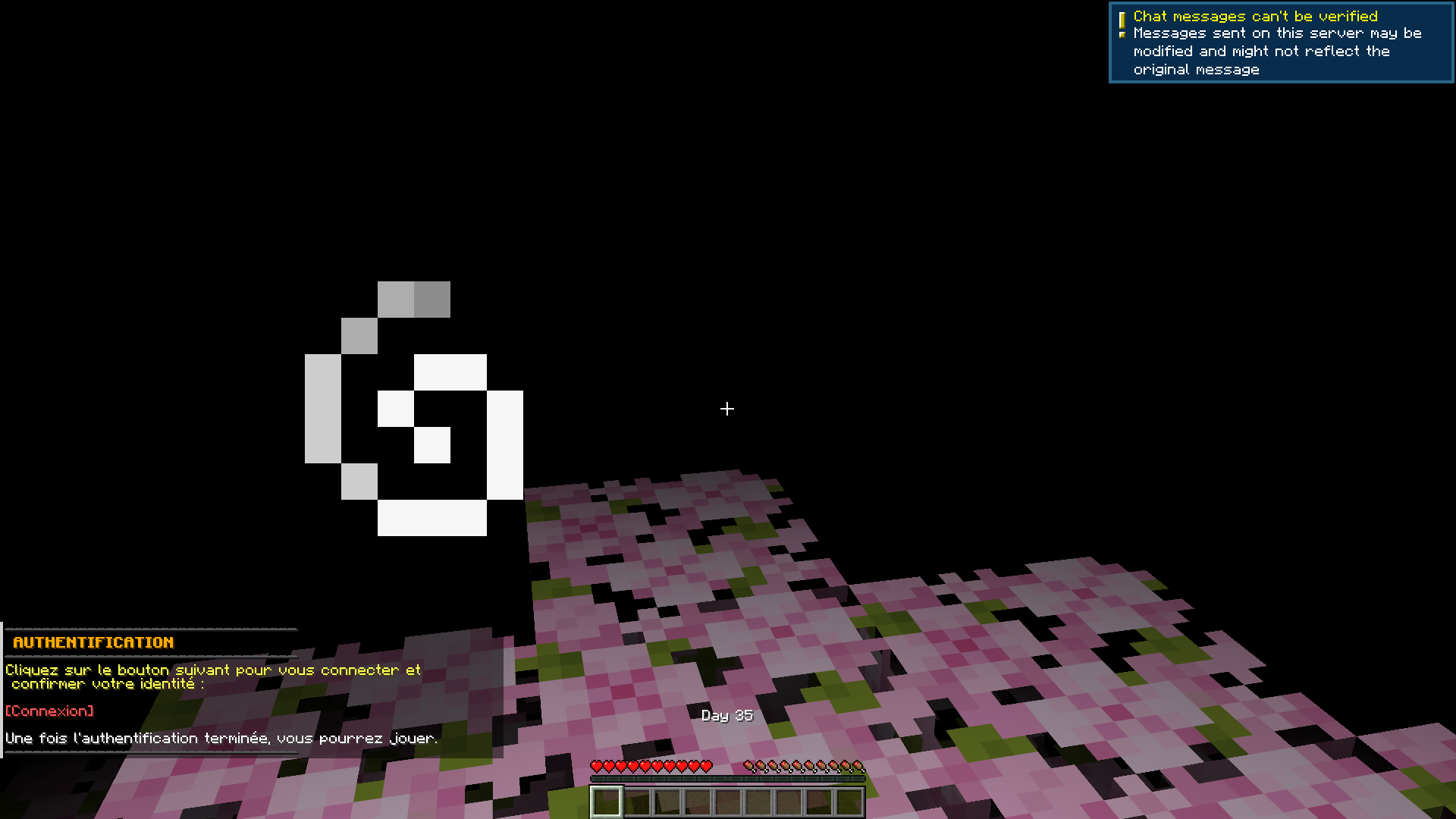
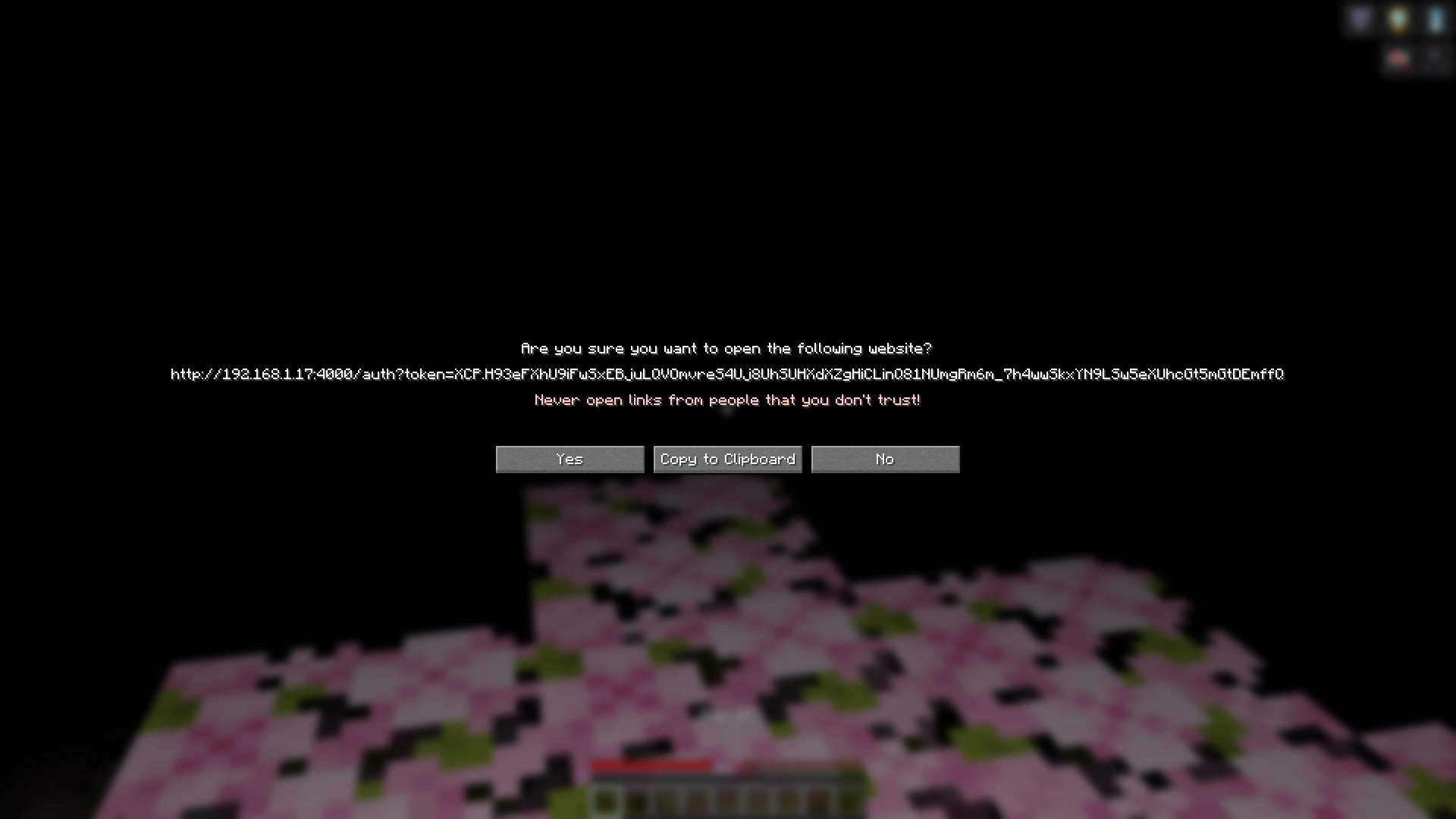
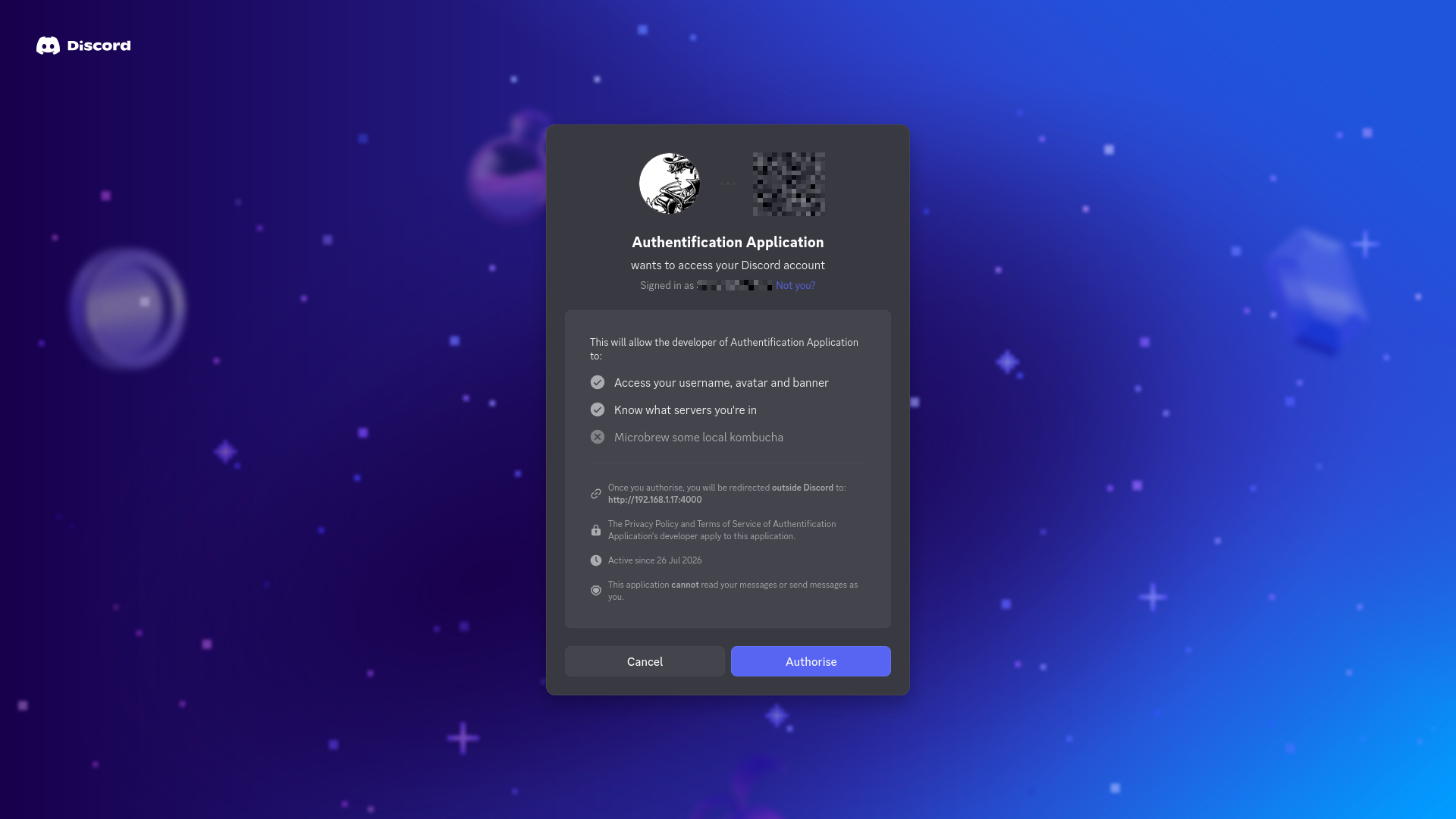
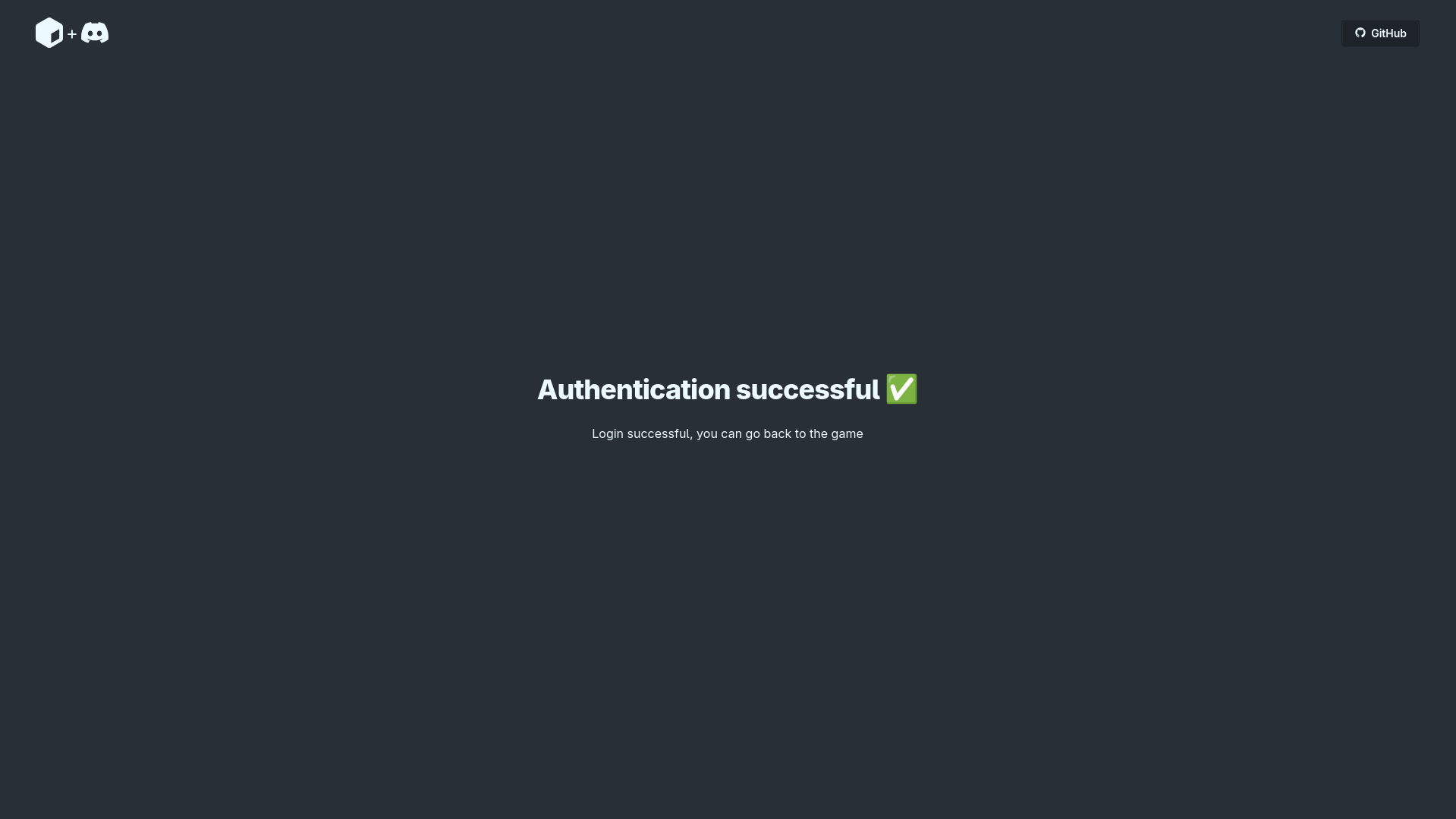
- Discord OAuth 2.0 Authentication: Secure authentication flow using Discord's OAuth
- Player Account Linking: Associate Minecraft usernames with Discord accounts
- Minecraft Plugin Integration: Seamless integration with Skript for in-game authentication
- Guild Whitelist: Optional Discord guild membership requirement
- Minecraft Commands: The Minecraft plugin comes with a set of management commands
- Responsive UI: Clean authentication pages with Tailwind CSS and daisyUI
- IP Tracking: Validate player IPs to prevent duplicate accounts
- RESTful API: JSON endpoints for integration with Minecraft server plugins
- Rate Limiting: Built-in request rate limiting for API protection
- Reverse Proxy Integration: Default trusted IPs for rate limiting are Cloudflare's, but you can change them
/createLogin <mc_username> <ds_username> <ds_id>- Create player account/logged <player>- Check if player is logged in (temporary state)/templog <player>- Temporarily mark player as logged/loginInfo <player>- Get player info by Minecraft username/loginInfoDiscord <discord_username>- Get player info by Discord username/editLogin <discord_username> <new_mc_username>- Update Minecraft username/resetLoginIp <player>- Reset player IP/resetLoginIpDiscord <discord_username>- Reset IP by Discord username/deleteLogin <player>- Delete player account/deleteLoginDiscord <discord_username>- Delete player by Discord username
- Phoenix - Web development framework for Elixir with real-time capabilities
- Elixir - Functional, concurrent programming language running on BEAM
- Ecto - Database wrapper and query generator for Elixir
- SQLite - Embedded database (can be swapped for PostgreSQL/MySQL)
- Ueberauth + Ueberauth.Discord - Authentication framework with Discord strategy
- Hammer - Rate limiting library for Phoenix
- Tailwind CSS - Utility-first CSS framework for rapid UI development
- daisyUI - Tailwind CSS component library for beautiful, accessible UI
- SkriptMC - Minecraft plugin that allows server owners to modify their servers without learning Java
- skJson - A Skript addon to handle HTTP requests and JSON
Before running this project, make sure you have:
- Elixir 1.15+
- Phoenix 1.8+
- Node.js 18+ (for asset compilation)
- Discord Developer Account
git clone https://github.com/baidys/minecraft_discord_auth.git
cd minecraft_discord_authmix deps.getmix ecto.create
mix ecto.migrate# Generate secret used by Phoenix
mix phx.gen.secret
# Generate API authentication token (SMP_SECRET)
mix phx.gen.secretCreate a .env file in the project root with the following variables:
# Discord OAuth2 Configuration
export DISCORD_CLIENT_ID=
export DISCORD_CLIENT_SECRET=
export GUILD_ID=
# GUILD_ID needs to be set to a number even if Discord whitelist is false

# Application Secrets
export SMP_SECRET=            # API auth key used by the Minecraft plugin
export SECRET_KEY_BASE=       # Secret used by Phoenix

# Server Configuration
export PORT=4000
export PHX_HOST=yourdomain.com
export MC_SERVER_IP=your_minecraft_server_ip # For rate limit bypass

# Discord Whitelist
export DISCORD_WHITELIST=true- Go to Discord Developer Portal
- Create a new application
- Go to OAuth2 → General
- Add redirect URI:
http://localhost:4000/auth/discord/callback(development) orhttps://yourdomain.com/auth/discord/callback(production) - Copy the Client ID and Client Secret to your
.envfile
mix assets.setup
mix assets.buildmix phx.serverThe server will be available at http://localhost:4000.
- Download SkriptMC and skJson plugins
- Start your server to generate files
- Configure the auth server URL and API secret in the
minecraft_plugin/discord_auth.skfile - Place
discord_auth.skin your server'splugins/Skript/scriptsdirectory - Restart your server or reload all Skript with the
/sk reloadcommand
mix phx.server- Server runs on
http://localhost:4000 - Auto-reloads on code changes
- LiveView enabled
# Build for production
MIX_ENV=prod mix deps.get --only prod
MIX_ENV=prod mix ecto.create
MIX_ENV=prod mix ecto.migrate
MIX_ENV=prod mix compile
MIX_ENV=prod mix assets.deploy
MIX_ENV=prod mix phx.digest

# Create release
MIX_ENV=prod mix release

# Run the executable created by release command to start the server
./_build/prod/rel/auth_backend/bin/auth_backend startAll API endpoints require the secret header to be set with the SMP_SECRET value.
| Method | Endpoint | Description | Parameters |
|---|---|---|---|
| GET | /token |
Generate authentication token | mc_username |
| POST | /create |
Create player account | mc_username, ds_username, ds_id |
| GET | /logged |
Check if player is logged in | mc_username |
| GET | /templog |
Mark player as logged in | mc_username |
| GET | /show |
Get player info | mc_username or ds_username |
| POST | /edit |
Update Minecraft username | ds_username, new_mc_username |
| GET | /resetip |
Reset player IP | mc_username or ds_username |
| DELETE | / |
Delete player account | mc_username or ds_username |
| Field | Type | Description |
|---|---|---|
ds_id |
integer | Discord user ID |
ds_username |
string | Discord username |
mc_username |
string | Minecraft username |
ip |
string | Hashed IP address (SHA-256) |
inserted_at |
datetime | Account creation timestamp |
updated_at |
datetime | Last update timestamp |
auth_backend/
├── assets/                      # Frontend assets
│   ├── css/                    # Stylesheets
│   │   └── app.css             # Tailwind CSS with daisyUI
│   ├── js/                     # JavaScript files
│   │   └── app.js              # Main JavaScript bundle
│   └── vendor/                 # Third-party libraries (daisyUI, heroicons)
│
├── config/                     # Configuration files
│   ├── config.exs              # Main configuration
│   ├── dev.exs                 # Development configuration
│   ├── prod.exs                # Production configuration
│   ├── runtime.exs             # Runtime configuration
│   └── test.exs                # Test configuration
│
├── lib/                        # Source code
│   ├── auth_backend/            # Core application modules
│   │   ├── application.ex       # Application entry point
│   │   ├── players/            # Player-related modules
│   │   │   └── player.ex       # Player Ecto schema
│   │   ├── players.ex          # Player business logic
│   │   ├── logged_players.ex    # Session tracking with Agent
│   │   ├── ratelimit.ex        # Rate limiting configuration
│   │   ├── repo.ex             # Ecto repository
│   │   └── mailer.ex           # Email functionality
│   │
│   └── auth_backend_web/       # Web-related modules
│       ├── router.ex           # Route definitions
│       ├── endpoint.ex         # Phoenix endpoint
│       ├── telemetry.ex        # Metrics and monitoring
│       ├── gettext.ex          # Internationalization
│       ├── components/         # HEEx components
│       │   ├── core_components.ex
│       │   ├── elements.ex      # UI components (navbar, logo)
│       │   └── layouts/         # Layout templates
│       │       └── root.html.heex
│       └── controllers/        # Web controllers
│           ├── api_controller.ex    # REST API endpoints
│           ├── auth_controller.ex  # Authentication flow
│           ├── auth_html.ex     # HTML templates for auth
│           ├── error_html.ex    # HTML error pages
│           └── error_json.ex    # JSON error responses
│
├── minecraft_plugin/           # Minecraft integration
│   └── discord_auth.sk         # Skript plugin for authentication
│
├── priv/                       # Private files
│   ├── repo/                   # Database files
│   │   ├── migrations/         # Database migrations
│   │   └── seeds.exs           # Database seeds
│   └── static/                 # Static files
│
├── test/                       # Test files
│   └── auth_backend_web/       # Web tests
│       └── controllers/        # Controller tests
│
├── .env                        # Environment variables (template)
├── .gitignore                  # Git ignore rules
├── mix.exs                     # Project configuration
├── mix.lock                    # Dependency lock file
└── README.md                   # Basic README
Contributions are welcome! Here's how you can help:
- Fork the repository
- Create a feature branch (
git checkout -b feature/amazing-feature) - Commit your changes (
git commit -m 'Add some amazing feature') - Push to the branch (
git push origin feature/amazing-feature) - Open a Pull Request
- Follow Elixir and Phoenix best practices
- Keep modules small and focused
- Use pattern matching effectively
- Write clean, readable code (use
mix format) - Add tests for new features
- Update documentation
- Use descriptive commit messages
- Keep pull requests focused on one feature/fix
# Run all tests
mix test

# Run specific test file
mix test test/auth_backend_web/controllers/api_controller_test.exs

# Run with coverage
mix test --cover- Save secret hash to avoid recalculating it on each request
- Better messages for plugin and full translation to English
- Logged endpoint with Discord username
- Login token expiration
- User-like experience with sessions and settings to allow users to change their Minecraft username
- QR code in Minecraft chat at login
- Health API endpoint and Minecraft command to check server health
- Light mode auto icon
- Command tree in Minecraft for easier commands
- Fork with Flutter instead of Discord
This project was bootstrapped with Phoenix 1.8's web application template. For more information about the base configuration, see the Phoenix documentation.
Phoenix is a web development framework written in Elixir for building scalable, maintainable, and real-time web applications.
Key Features:
- Convention over configuration
- Built-in WebSocket support (Phoenix Channels)
- LiveView for real-time HTML updates without JavaScript
- Functional programming paradigms
- Modular plug-based architecture
Elixir is a functional, concurrent programming language built on the Erlang VM (BEAM).
Key Features:
- Functional programming with immutable data
- Lightweight processes for concurrency
- Fault-tolerant with "let it crash" philosophy
- Distributed computing capabilities
- Powerful metaprogramming with macros
Why Elixir for this project?
- Perfect for real-time applications (WebSockets, gaming)
- Scalable to millions of connections
- Fault-tolerant: systems self-heal
- Great developer experience
This project is licensed under the MIT License - see the LICENSE file for details.
⭐ Star this repo if you find it helpful!
Made with ❤️ by baidys