


A userscript that adds powerful keyboard shortcuts to Jobber to speed up your workflow.
CMD + /(Mac) orCTRL + /(Windows) - Show keyboard shortcuts reference modalCMD + \(Mac) orCTRL + \(Windows) - Toggle Activity Feed side panelCMD + OPTION + \(Mac) orCTRL + ALT + \(Windows) - Toggle Messages side panelCMD + ENTER(Mac) orCTRL + ENTER(Windows) - Click Save/Send Button (works in Visit Modals, Note inputs, email forms, text message forms, and new note forms)
CMD + CTRL + E(Mac) orCTRL + ALT + E(Windows) - Open visit Edit dialogCMD + CTRL + T(Mac) orCTRL + ALT + T(Windows) - Open Text Reminder dialogCMD + CTRL + A(Mac) orCTRL + ALT + A(Windows) - Assign CrewSHIFT + N- Switch to Notes TabSHIFT + I- Switch to Info Tab
SHIFT + V- Scroll to Scheduled visits section (job page only)SHIFT + N- Start a new Note and focus the note field
Pick the option that matches your browser:
👉 Install from the Chrome Web Store 👈
⚠️ Maintainer note: the link above is a placeholder until the extension is published. After it's approved in the Chrome Web Store Developer Dashboard, replaceREPLACE_WITH_EXTENSION_IDwith the real listing URL.
That's it — click Add to Chrome, then open Jobber. The extension updates itself automatically whenever a new version ships.
Prefer not to wait for the store, or want the latest dev version? Load it unpacked:
- Download this repo (green Code button → Download ZIP, then unzip), or
git cloneit. - Open
chrome://extensionsin your browser. - Turn on Developer mode (top-right).
- Click Load unpacked and select the
chrome-extensionfolder. - Open Jobber — the shortcuts are live.
Full details and the Safari conversion notes are in chrome-extension/README.md.
Install a userscript manager and the script — see the steps below.
Install browser extension:
- Safari:
- Chrome: Tampermonkey (Chrome Web Store)
- Firefox: Tampermonkey (Firefox Add-ons)
Install Tampermonkey browser extension:
- Chrome: Chrome Web Store
- Firefox: Firefox Add-ons
- Edge: Edge Add-ons
-
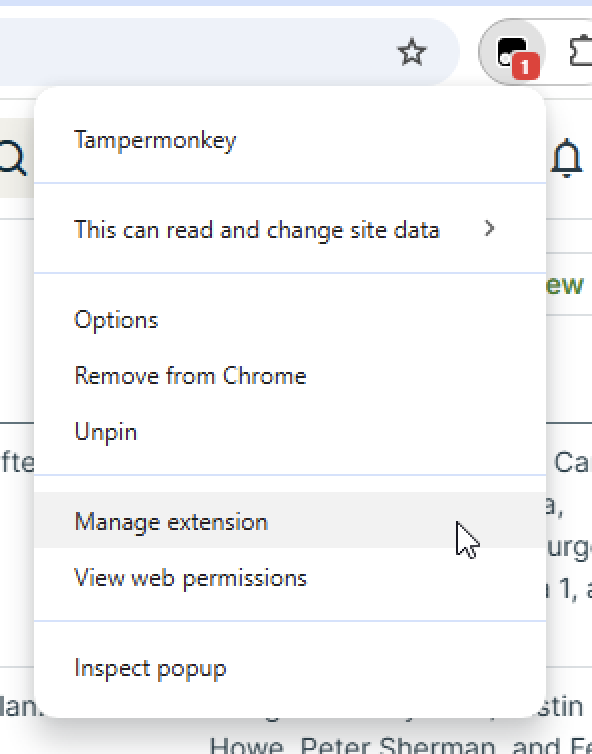
Right-click the Tampermonkey icon in your browser toolbar
-
Choose "Manage Extension"
-
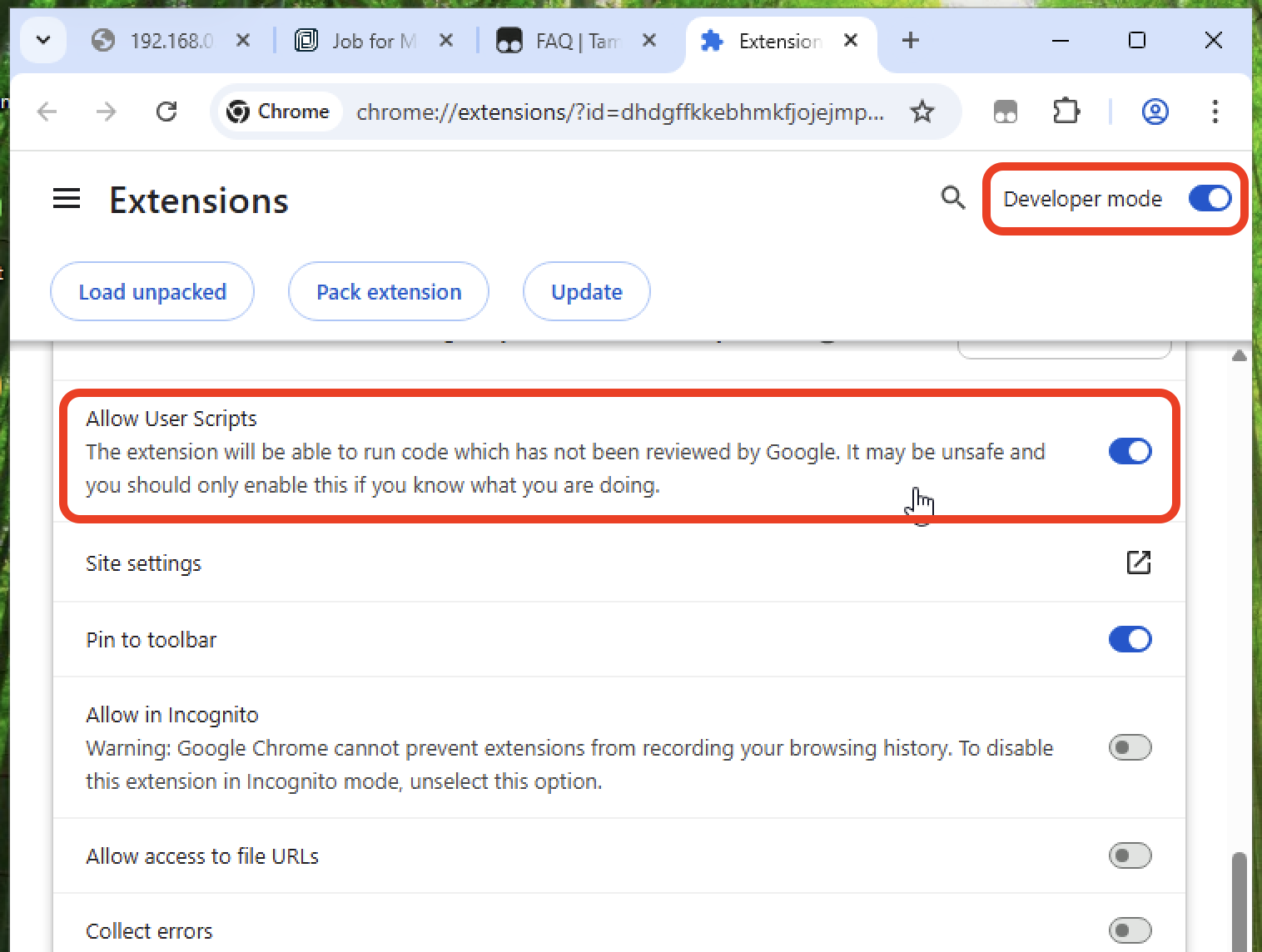
Toggle ON two settings: "Developer Mode" (in the upper right) and "Allow User Scripts"
-
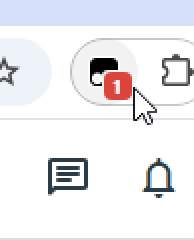
Return to Jobber. https://secure.getjobber.com. If it's working, you'll see a red number on the Tampermonkey icon.
- Visit the install page (read #2 below first): 👉🏼CLICK HERE👈🏼
- While on that page:
-
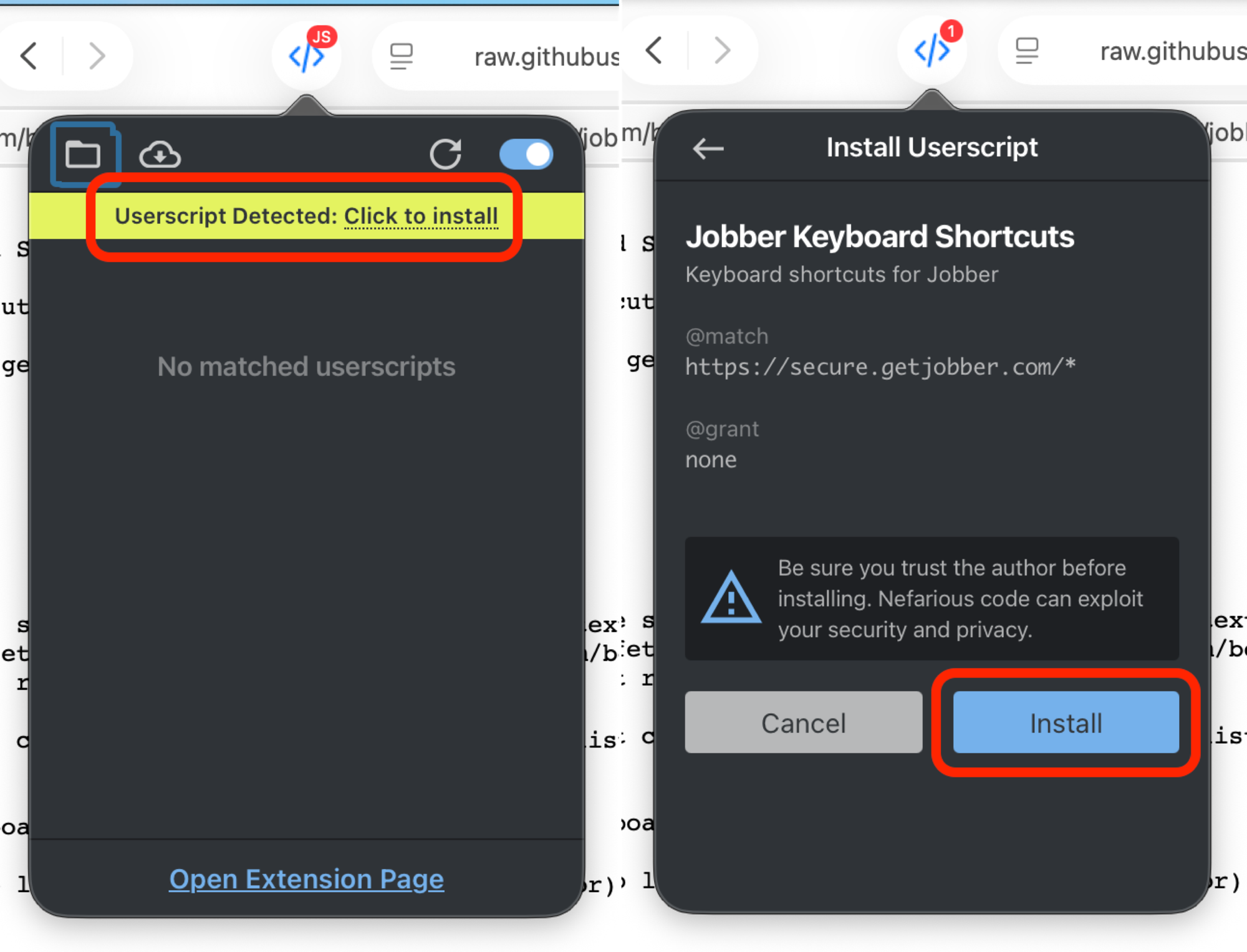
For Safari/Userscripts: Click the Userscripts icon in browser (looks like "</>"), then click "Click to install"
-
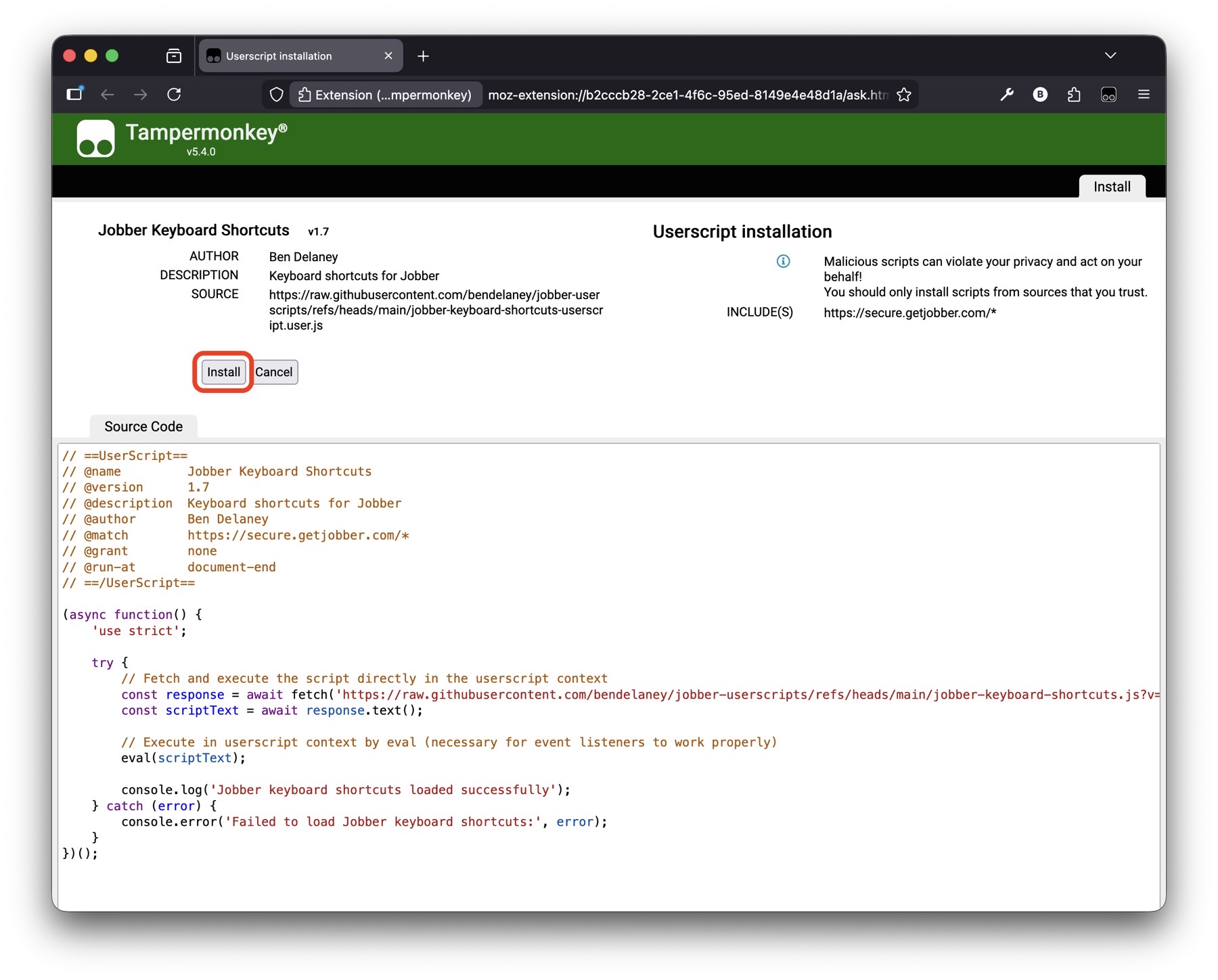
For Tampermonkey: Tampermonkey will automatically detect the userscript and show an 'installation page' near the top. Click Install button.
-
When this userscript is updated, you don't need to do anything! The loader automatically fetches the latest version every time you load Jobber.
Shortcuts aren't working:
- Check that you are "in" the Jobber window - click anywhere to make sure that window is the active one.
- Try refreshing the page
- Check the browser console for error messages
- Make sure the userscript is enabled in the Userscripts extension
Script not loading:
- Check your internet connection
- Verify the userscript code was pasted correctly
- Make sure you're on
https://secure.getjobber.com/*
Found a bug or want to request a feature? Open an issue on this repository!
MIT License - feel free to modify and share!