Create btcpay-server-2-4-0.md #76
There are no files selected for viewing
This file contains hidden or bidirectional Unicode text that may be interpreted or compiled differently than what appears below. To review, open the file in an editor that reveals hidden Unicode characters.
Learn more about bidirectional Unicode characters
Loading
Sorry, something went wrong. Reload?
Sorry, we cannot display this file.
Sorry, this file is invalid so it cannot be displayed.
Loading
Sorry, something went wrong. Reload?
Sorry, we cannot display this file.
Sorry, this file is invalid so it cannot be displayed.
Loading
Sorry, something went wrong. Reload?
Sorry, we cannot display this file.
Sorry, this file is invalid so it cannot be displayed.
Loading
Sorry, something went wrong. Reload?
Sorry, we cannot display this file.
Sorry, this file is invalid so it cannot be displayed.
Loading
Sorry, something went wrong. Reload?
Sorry, we cannot display this file.
Sorry, this file is invalid so it cannot be displayed.
Loading
Sorry, something went wrong. Reload?
Sorry, we cannot display this file.
Sorry, this file is invalid so it cannot be displayed.
Loading
Sorry, something went wrong. Reload?
Sorry, we cannot display this file.
Sorry, this file is invalid so it cannot be displayed.
Loading
Sorry, something went wrong. Reload?
Sorry, we cannot display this file.
Sorry, this file is invalid so it cannot be displayed.
This file contains hidden or bidirectional Unicode text that may be interpreted or compiled differently than what appears below. To review, open the file in an editor that reveals hidden Unicode characters.
Learn more about bidirectional Unicode characters
| Original file line number | Diff line number | Diff line change |
|---|---|---|
| @@ -0,0 +1,195 @@ | ||
| --- | ||
| title: "BTCPay Server 2.4.0: Global Search, Passkeys, New Multisig Setup Flow, Wallet Permissions" | ||
| date: 2026-06-25 | ||
| author: Pavlenex | ||
| category: | ||
| - "releases" | ||
| tags: | ||
| - "btcpay-server" | ||
| - "release" | ||
| - "2.4.0" | ||
| coverImage: "/images/btcpay-2-4-featured.png" | ||
| --- | ||
|
|
||
| We are excited to announce the release of **BTCPay Server 2.4.0**! This update introduces a new global search bar, clearer navigation, passkey authentication, a guided multisig wallet setup flow, new language packs, more granular wallet permissions and a more features, integrations, plugins and bug fixes. | ||
|
|
||
| For a complete list of changes, see the [full release notes](https://github.com/btcpayserver/btcpayserver/releases/tag/v2.4.0). | ||
|
|
||
| ## 🔑 Key Features | ||
|
|
||
| - New global search bar and navigation improvements | ||
| - New guided multisig wallet setup | ||
| - Loginless and passwordless passkey authentication | ||
| - Improved translation system and new language packs | ||
| - More granular wallet management permissions | ||
| - Subscription refunds and notification email improvements | ||
| - Point of Sale tax configuration for tips and tax-inclusive pricing | ||
| - New e-commerce and Point of Sale integrations | ||
| - Easier Bitcoin node implementation switching | ||
| - Wallet transaction search and date filters | ||
| - Shopify plugin update required | ||
| - Lightning Network component updates | ||
|
|
||
| ## 🔎 Global Search and Navigation | ||
|
|
||
| [](https://www.youtube.com/watch?v=1VIH3wUCQRc) | ||
|
|
||
| BTCPay Server keeps getting more powerful, but with that comes a familiar challenge: finding the exact setting, invoice or feature you need should not depend on remembering where exactly it lives. | ||
|
|
||
| That is especially true for users who are both **store operators** and **server administrators**. Store settings, account settings, server settings and plugin management all have different scopes, but they have historically competed for the same navigation sidebar space. | ||
|
|
||
| Going forward, the left sidebar is becoming focused on **store-level workflows**. User account settings, server settings and plugin management are moving into the top navigation area, creating a clearer separation between what belongs to your store and what belongs to your user account or server instance. | ||
|
|
||
| The new **global search bar** is the next step in that direction. Instead of clicking through multiple menus, you can search for what you need directly. You can search for pages, settings, wallets, invoices, addresses, transaction IDs, order IDs, plugin features and other common BTCPay objects. | ||
|
|
||
| For fast navigation, BTCPay can search known pages and settings instantly in the browser. When you search for something more specific, such as an invoice ID, order ID, Bitcoin address or Bitcoin transaction, BTCPay asks the server and returns matching results. You can also focus the search bar with `/` on your keyboard and start typing right away. | ||
|
|
||
| The goal is simple: if you know what you are looking for, BTCPay should help you get there quickly. We expect this area to keep improving as more features and plugins become searchable, and we are looking forward to hearing how it works in real usage. | ||
|
|
||
| ## 🔐 Passkey Authentication | ||
|
pavlenex marked this conversation as resolved.
|
||
|
|
||
| [](https://www.youtube.com/watch?v=ziuWrnFvX5s) | ||
|
|
||
| BTCPay Server 2.4.0 introduces **passkey authentication**, giving users a faster and safer way to sign in without typing a password or email. | ||
|
|
||
| With passkeys, you can log in using the same method you already use to unlock your device, such as Face ID, Touch ID, Windows Hello, Android biometrics or a hardware security key. Instead of remembering another password, your trusted device confirms that it is really you. | ||
|
|
||
| This makes signing in more convenient, but it also improves security. Passkeys cannot be guessed, reused across sites or phished in the same way as traditional passwords. For users managing payments, stores and server settings, reducing password exposure is a meaningful security improvement. | ||
|
|
||
| Passkeys work alongside existing login methods, so you can adopt them gradually. Users who prefer traditional login flows can continue using them, while those with modern devices and browsers can switch to a smoother passwordless experience. | ||
|
|
||
| ## 🛡️ Guided Multisig Wallet Setup | ||
|
Contributor
Author
There was a problem hiding this comment. @thgO-O Please review this section for accuracy and let me know what's missing by making an direct suggestion. |
||
|
|
||
|  | ||
|
|
||
| The new guided multisig wallet setup helps store owners create a multisig wallet directly inside BTCPay Server without coordinating everything manually. You can start a setup, choose the signing policy, invite other store users to provide their signer keys, review generated addresses and broadcast the transaction once all required signer keys have been collected. | ||
|
|
||
| Signer keys can be submitted manually or through [BTCPay Server Vault](https://docs.btcpayserver.org/HardwareWalletIntegration/), which makes the flow easier for teams using hardware wallets. BTCPay also shows multisig setups in progress on the dashboard and wallet list, so it is clear when a wallet is still waiting for participants action. | ||
|
|
||
|  | ||
|
|
||
| Email notifications help everyone stay in sync during the process. Participants can be notified when their signer key is requested, when keys are submitted, when the wallet is created and when multisig transaction signatures are pending. | ||
|
|
||
| This is a major usability improvement for teams, organizations and businesses that want [shared custody without relying on a third-party](https://blog.btcpayserver.org/case-study-btcinc/). | ||
|
|
||
| ## 🔑 Granular Wallet Permissions | ||
|
Contributor
Author
There was a problem hiding this comment. @thgO-O Please review this section for accuracy and let me know what's missing by making an direct suggestion. |
||
|
|
||
| As more businesses use BTCPay Server with teams, integrations and plugins, wallet permissions need to be precise. Not every user or API key should have the same level of wallet access. | ||
|
|
||
| BTCPay Server 2.4.0 adds more **granular permissions for wallet management**, making it easier to separate responsibilities. Viewing wallet data, creating transactions, signing transactions, broadcasting through BTCPay Server, and managing wallet settings can now be controlled more carefully. | ||
|
|
||
| The Greenfield API now follows the wallet permission model more closely as well, aligning API access with what users can do in the BTCPay interface. This gives store owners and server administrators better control when delegating wallet-related actions to team members, apps and external systems. | ||
|
|
||
|  | ||
|
|
||
| ## 🔄 Subscription Improvements | ||
|
pavlenex marked this conversation as resolved.
|
||
|
|
||
| Subscriptions were introduced in BTCPay Server [2.3.0](https://blog.btcpayserver.org/btcpay-server-2-3-0/) as a native way to manage recurring payments, memberships, recurring donations, SaaS access and [server monetization](https://docs.btcpayserver.org/Monetization/). In 2.4.0, we are continuing to improve the practical day-to-day flows around them. | ||
|
|
||
| Store owners can now issue **credit refunds through Pull Payments**. This is useful when a customer has prepaid a subscription balance and needs part of that balance returned. Instead of handling the refund outside the subscription flow, merchants can use BTCPay's existing [Pull Payments](https://docs.btcpayserver.org/PullPayments/) system to let the customer claim the refund directly. | ||
|
|
||
| Subscribers and customers can also manage their **notification email** in the subscription portal. This is a small but important usability improvement. The email address a customer uses for subscription reminders is not always the same one they used during checkout, and customers should be able to keep that information up to date without contacting the merchant. | ||
|
|
||
|  | ||
|
|
||
|
|
||
| ## 🧾 Point of Sale Tax Improvements | ||
|
|
||
| BTCPay Server 2.4.0 adds configuration for **tax on tips**. Merchants can decide whether tips should be included in the taxable amount, helping restaurants, cafes and service businesses match the way they are required to handle taxes in their jurisdiction. | ||
|
|
||
| This release also adds support for configuring whether Point of Sale prices are **tax-inclusive or tax-exclusive**. Some merchants enter prices that already include tax. Others prefer to enter a base amount and have tax added on top. The keypad Point of Sale can now better support both workflows. | ||
|
|
||
|  | ||
|
|
||
|
|
||
| ## 🌍 Improved Translation System and New Language Packs | ||
|
pavlenex marked this conversation as resolved.
|
||
|
|
||
| BTCPay Server speaks more languages than ever, and 2.4.0 makes managing them far simpler. | ||
|
|
||
| The Translations page has been rebuilt so you can see every supported language at a glance and install a language pack with one click. Each language also shows its maintainer, making it clear who keeps it accurate. | ||
|
|
||
| Languages can now have a dedicated maintainer. Contributors can claim a language directly in the translator repository, giving the community a clear, low-barrier way to keep BTCPay Server accurate in their own language. Several languages already have maintainers, including French, Spanish, Portuguese (Brazil) & Serbian. | ||
|
|
||
|  | ||
|
|
||
| Language packs are now distributed through a manifest that BTCPay Server reads directly, so packs stay in sync as new strings are added across the app. For 2.4.0, every existing language pack was reviewed and refreshed against the current strings. | ||
|
|
||
| If you can help with a language we do not cover yet, or want to improve an existing one, contribute at the [translator repository](https://github.com/btcpayserver/btcpayserver-translator/issues). | ||
|
|
||
| ## 🔍 Wallet Transaction Search and Filters | ||
|
|
||
| In 2.4.0, wallet transactions get search and date filtering improvements that bring the wallet view closer to the experience already available in invoices and payment requests. | ||
|
|
||
| You can now search wallet transactions by transaction ID and related metadata, and use filters for labels, unlabeled transactions and incoming or outgoing direction. Date filters make it easier to review recent activity, narrow down a custom period or prepare exports for accounting. | ||
|
|
||
| ## ₿ Bitcoin Node Implementation | ||
|
|
||
| With BTCPay Server 2.4.0, server administrators can choose and switch between supported Bitcoin node implementations. | ||
|
|
||
| The new `switch-node.sh` tool lets admins switch their deployment with a single command: | ||
|
|
||
| - `switch-node.sh default` uses the Bitcoin node implementation selected by the BTCPay Server team. This is currently Bitcoin Core 29, and is planned to move to Bitcoin Core 31+ in the next major release, BTCPay Server 2.5.0. | ||
| - `switch-node.sh bitcoincore` pins your deployment to latest Bitcoin Core. (Currently 31) | ||
| - `switch-node.sh bitcoinknots` pins your deployment to Bitcoin Knots. | ||
|
|
||
| ## ⚡ Lightning Network Updates | ||
|
|
||
| The new major update also upgrades supported Lightning Network implementations: | ||
|
|
||
| - **LND** is updated from `v0.19.3-beta` to `v0.21.0-beta` | ||
| - **Core Lightning** is updated from `v25.05` to `v26.06.1` | ||
| - **phoenixd** is updated from `0.6.3` to `0.8.0` | ||
|
|
||
| The newer CLN and LND versions do not work properly on BTCPay Server 2.3.9 because of deprecated routes that were still being used. We recommend users using Lightning to update to BTCPay 2.4 to resolve any of these issues. | ||
|
|
||
| ## 🛒 Plugins | ||
|
|
||
| The plugin ecosystem continues to mature and remains central to how BTCPay Server grows. Plugins allow new functionality to be developed and shipped independently of BTCPay Server core, making it easier for contributors to experiment, for merchants to get specialized tools, and for users to discover integrations through the [Plugin Builder](https://plugin-builder.btcpayserver.org/public/plugins). | ||
|
|
||
| ### Plugin Builder & Directory | ||
|
|
||
|  | ||
|
|
||
| The Plugin Builder has grown over the past few months. You can now build plugins straight from GitLab. Until now the plugin builder was GitHub-only; GitLab is now a supported source provider, so authors hosting their plugins there can publish through the builder just like everyone else. | ||
|
|
||
| The Plugin Builder now has a documented API, with a full OpenAPI spec and browsable Redocly docs, plus new endpoints for managing version releases and listing builds, and a health endpoint for monitoring. | ||
|
|
||
| Plugins can now specify the range of BTCPay Server versions they support. The directory shows this on each plugin's page, so before you install you can check whether a plugin works with the version you're on or download the specific version that does. | ||
|
|
||
| Plugin authors can now add videos and screenshots to their listings, write a short description that appears on the main directory page, and upload SVG logos that stay sharp at any size giving people a clearer view of what each plugin actually does. | ||
|
|
||
| ### OpenPatreon | ||
|
|
||
| [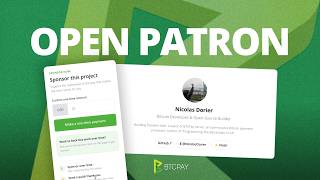](https://www.youtube.com/watch?v=DiugrBthMY8) | ||
|
|
||
| OpenPatreon is a new plugin for building self-hosted sponsor pages directly inside BTCPay Server. You can start from a predefined template, then customize the page by dragging and dropping different layouts. It supports one-time contributions and recurring sponsorships, integrating directly with [Subscriptions](https://docs.btcpayserver.org/Subscriptions/) so supporters can back your work through a polished, self-hosted page. | ||
|
|
||
| ### Shopify Plugin Update | ||
|
|
||
| If you are using [Shopify with BTCPay Server](https://docs.btcpayserver.org/ShopifyV2/), this release includes a breaking change for the Shopify integration. To continue operation after upgrading to BTCPay Server 2.4.0, you will need to update the Shopify plugin to the latest version. | ||
|
|
||
| ### Lightspeed | ||
|
|
||
| [](https://www.youtube.com/watch?v=wYDMfW_UTz4) | ||
|
|
||
| The new [Lightspeed plugin](https://plugin-builder.btcpayserver.org/public/plugins/lightspeed) lets merchants accept Bitcoin and Lightning payments directly at the Lightspeed Retail Point of Sale. For physical shops already running one of the most widely used retail POS systems, this means adding Bitcoin at the counter without changing how they operate, with funds settling straight to their own wallet. | ||
|
|
||
| ### Jumpseller | ||
|
|
||
| [](https://www.youtube.com/watch?v=IP7WPGyG10g) | ||
|
|
||
| The new [Jumpseller plugin](https://plugin-builder.btcpayserver.org/public/plugins/jumpseller) brings the same to online stores. Merchants running a Jumpseller storefront can now accept Bitcoin through BTCPay Server. This extends BTCPay's e-commerce coverage to another established storefront platform and the merchants who rely on it. | ||
|
|
||
| ## 🛠️ Other Improvements | ||
|
|
||
| Server administrators can now set the **maximum number of stores per user**, which is useful for hosted instances and community servers that need clearer resource limits. Admins using server monetization also get more control over whether invited users should subscribe to monetization during onboarding. | ||
|
|
||
| Developers and integrators get a separate `CanSendStoreEmail` permission for the store email API, making email-related access more explicit. The 403 page now shows missing permissions, which should make troubleshooting access issues easier for users, admins and plugin developers. | ||
|
|
||
| ## 💚 Thank You | ||
|
|
||
| A huge thank you to everyone who contributed to BTCPay Server 2.4.0, including Abhijay007, bitcoinbrisbane, BuffaloDyl, BullishNode, NicolasDorier, sixside, Sup3rlativ3, TChukwuleta, teamssUTXO, thgO-O, Wiredancer and everyone who tested, reviewed, translated, reported issues or gave feedback. | ||
|
|
||
| Most of all, thank you for using BTCPay Server, sharing feedback, building plugins, running community instances and helping merchants accept Bitcoin on their own terms. Join the conversation in our community [channels](https://t.me/btcpayserver) and let us know what you would like to see next. | ||
|
|
||
| The BTCPay Server team 💚 | ||


Oops, something went wrong.
Oops, something went wrong.
Add this suggestion to a batch that can be applied as a single commit.
This suggestion is invalid because no changes were made to the code.
Suggestions cannot be applied while the pull request is closed.
Suggestions cannot be applied while viewing a subset of changes.
Only one suggestion per line can be applied in a batch.
Add this suggestion to a batch that can be applied as a single commit.
Applying suggestions on deleted lines is not supported.
You must change the existing code in this line in order to create a valid suggestion.
Outdated suggestions cannot be applied.
This suggestion has been applied or marked resolved.
Suggestions cannot be applied from pending reviews.
Suggestions cannot be applied on multi-line comments.
Suggestions cannot be applied while the pull request is queued to merge.
Suggestion cannot be applied right now. Please check back later.
Uh oh!
There was an error while loading. Please reload this page.