Plugin style build shell for static sites behind Apache2 or Nginx.
When a push event arrives, the app switches to a build shell page, replays blocks from the final site top to bottom, types text into each block, and then marks the site as ready.
This is meant for teams who want a client friendly progress view during delivery. Instead of a hard refresh from old page to new page, clients can watch the page shape itself commit by commit. The same stream can also be used by project managers who want a visual checkpoint of progress.
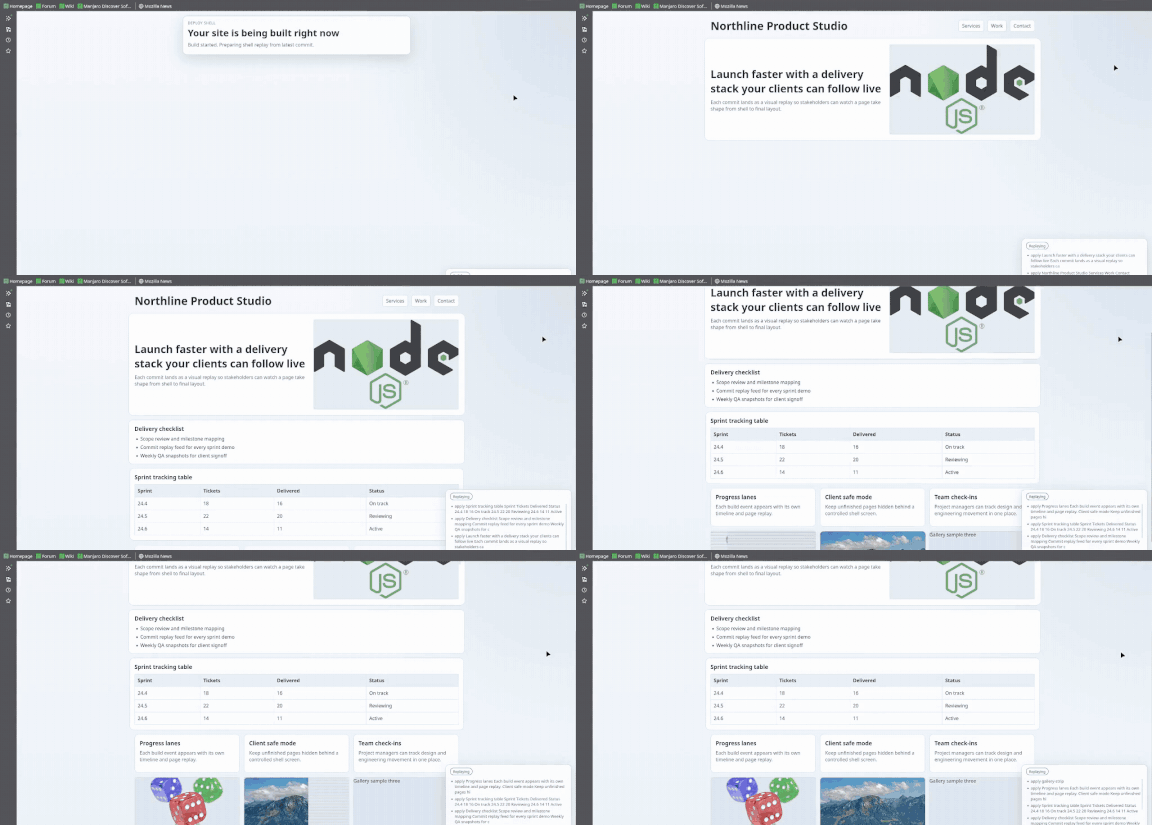
- Show live progress to clients during demos
- Give project managers a visible commit flow view
- Keep a clean "site is building" shell while deploy steps run
npm install
npm run dev
Open http://localhost:8787.
Trigger a demo replay:
curl -X POST http://localhost:8787/plugin/demoThe demo site now includes eight common page elements so the replay is easier to evaluate:
- Header with nav links
- Hero with headline and image
- Checklist list section
- Data table section
- Feature card grid
- Three image gallery strip
- Timeline list section
- Footer with form controls
Images in the shell replay use a simulated dialup scanline load effect before they resolve.
Use POST /plugin/webhook and select push events.
PORTdefault8787SITE_ROOTdefaultexample-siteSITE_ENTRYdefaultindex.htmlBUILD_COMMANDoptional command to run before replay
Common setup is proxying your domain to this plugin process. Keep your built site in SITE_ROOT.
Nginx minimal example:
location / {
  proxy_pass http://127.0.0.1:8787;
}
Apache2 minimal example:
ProxyPass / http://127.0.0.1:8787/
ProxyPassReverse / http://127.0.0.1:8787/GET /plugin/stateGET /plugin/streamPOST /plugin/demoPOST /plugin/webhook