

A terminal coding agent built on
everruns-runtime. One binary
that plans, edits, runs, and verifies code in your repository — autonomous by
default, with persistent sessions, agent skills, MCP servers, and editor
integration over the Agent Client Protocol.
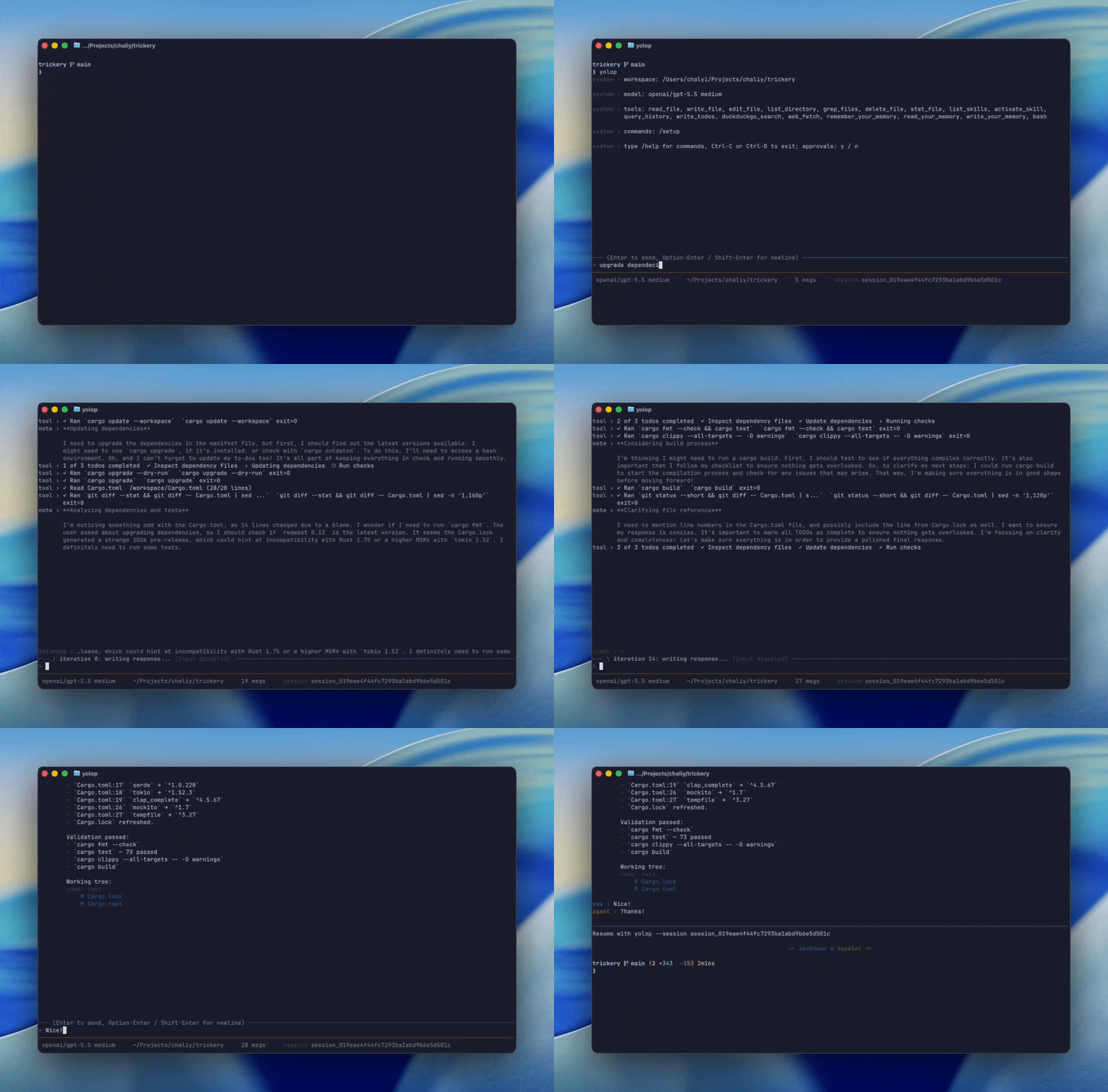
brew install everruns/tap/yolopWorks on macOS (arm64/x86_64) and Linux (x86_64). If your Homebrew enforces
tap trust checks, trust the tap once first with brew trust --tap everruns/tap.
Building from source instead? cargo install yolop --locked.
cd your/repo
yolop
First launch with no credentials opens a guided, keyboard-driven setup: provider → API key → model. Or set a provider key and go:
OPENAI_API_KEY=sk-… yolop

yolop -C /path/to/repo        # work in a different workspace
yolop -p "summarize the build setup"   # one-shot, no TUI, prints to stdout
yolop --provider llmsim -p "hi" # offline demo, no API key required- Autonomous by default — yolop runs writes, edits, deletes, and bash
commands without prompting. A standing write blocklist rejects writes
into
.git/,node_modules/,target/,dist/,build/,.next/,.venv/,venv/,.tox/,.gradle/at any depth; reads are unrestricted inside the workspace. - TUI chat (ratatui): scrolling transcript, multiline composer, status
bar, slash commands (
/help,/tools,/mcp,/cwd,/setup,/model,/effort,/clear,/quit). - Planning —
write_todoskeeps multi-step tasks on track, and loop detection stops the model from retrying the same failing tool call. - One-shot mode —
--printruns a single prompt non-interactively, for scripts and CI.
- Filesystem —
read_file,write_file,edit_file,list_directory,grep_files,delete_file,stat_file, backed by the real workspace disk. - Shell —
bash -lcfrom the workspace root, with a 120 s wall-clock timeout and per-stream 1 MiB output cap; large output is spilled to disk under the session folder and stays readable. - Web —
web_fetch(HTTP GET/HEAD with markdown/text conversion, DNS-pinned SSRF protection) andduckduckgo_search(free, no API key).
AGENTS.md— project instructions re-read every turn.- Workspace context — root, shell, local date/timezone, Git identity and branch injected automatically.
- Memory — a central
MEMORY.mdof durable, cross-session user preferences, edited in natural language ("remember that I prefer terse answers") and injected every turn under a managed size budget. Seespecs/your.md. - Skills —
SKILL.mdfiles discovered from workspace (.agents/skills/), global (<config_dir>/yolop/skills/), and system (bundled) scopes, exposed vialist_skills,read_skill,write_skill, andactivate_skill. Workspace/global skills installed after startup are available immediately; the bundledskill-managementskill covers search, npx-style imports, and upgrades. Seespecs/skills.md. - Infinity context — older history is trimmed out of the live prompt but
stays queryable via
query_history, so long sessions don't hit the wall. - Tool search — provider-agnostic deferred tool loading: core file/shell
tools stay loaded, long-tail tools are hidden until the model pulls them in
on demand, saving input tokens on every provider. See
specs/tool-search.md. - Prompt caching — Anthropic prompt-caching markers out of the box.
- MCP servers — extra tools from local (stdio) or remote (HTTP)
Model Context Protocol servers via
.mcp.json(see MCP servers). - Hooks — workspace and global hook files can block, mutate, or audit
agent actions through the upstream
user_hookscapability. Configure them by chatting with yolop or by editinghooks.json. Seedocs/features/hooks.md. - Editor integration —
--acpspeaks the Agent Client Protocol over stdio, so editors such as Zed can drive yolop as an external agent (see Editor integration). - Sessions — every run writes a durable per-session event log; resume any
conversation with
--session <id>(see Session persistence).
| Provider | Credential | Default model |
|---|---|---|
| OpenAI | OPENAI_API_KEY |
gpt-5.5 |
| Anthropic | ANTHROPIC_API_KEY |
claude-sonnet-4-5 |
| OpenRouter | OPENROUTER_API_KEY |
openai/gpt-5.2 |
GEMINI_API_KEY / GOOGLE_API_KEY |
gemini-2.5-flash |
|
| Ollama | OLLAMA_BASE_URL / OLLAMA_API_KEY |
llama3.2 |
| Custom | CUSTOM_BASE_URL (+ optional CUSTOM_API_KEY) |
— (set via /setup) |
| llmsim | none (offline simulator) | — |
Pick explicitly with --provider, override the model with -m/--model.
Custom is any OpenAI-compatible Chat Completions endpoint (vLLM,
llama.cpp, LM Studio, hosted gateways, …): point CUSTOM_BASE_URL at it or
configure the base URL, optional key, and model interactively via /setup.
Enabled by default and configurable. When yolop creates commits, it keeps
your git author/committer identity and appends
Co-Authored-By: yolop <yolop@everruns.com> once. PR descriptions created or
edited through gh get a Generated with yolop footer. Disable with
/setup attribution off.
yolop implements the agent side of the Agent Client
Protocol. Launch it with --acp and it
speaks newline-delimited JSON-RPC 2.0 over stdin/stdout: the editor performs
the initialize handshake, opens a session with session/new, and sends
turns with session/prompt; yolop streams back assistant text, reasoning,
tool calls, and plans as session/update notifications. Editors can also
load an existing yolop session with session/load; yolop replays the persisted
conversation history and continues from the same JSONL session log used by
CLI --session.
To set up Zed:
yolop into zedThat adds a custom ACP agent server to ~/.config/zed/settings.json using
the current yolop executable, preserving any existing env and extra
settings on re-run. Then pick yolop in Zed's agent panel. See
specs/acp.md for the full protocol surface, mappings, and
current limitations.
Yolop pulls in extra tools from MCP servers — remote (Streamable HTTP)
and local (stdio, a child process) — configured in the standard
.mcp.json shape every MCP client understands. Two scopes are read and
merged (workspace overrides global by name):
- workspace:
<workspace_root>/.mcp.json - global:
<config_dir>/yolop/mcp.json(e.g.~/.config/yolop/mcp.json)
{
  "mcpServers": {
    "docs": {
      "type": "http",
      "url": "https://example.com/mcp",
      "headers": { "Authorization": "Bearer ${DOCS_TOKEN}" }
    },
    "fs": {
      "type": "stdio",
      "command": "mcp-server-filesystem",
      "args": ["${WORKSPACE}"],
      "env": { "RUST_LOG": "info" }
    }
  }
}typedefaults tohttp; HTTP servers need aurl, stdio servers need acommand.- String values support
${VAR}expansion from the environment, so secrets stay out of the file (an unset${VAR}is left as-is so it's easy to spot). - Discovered tools are exposed to the model as
mcp_<server>__<tool>;/mcplists the configured servers.
Trust model: HTTP requests keep yolop's DNS-pinned SSRF protection; stdio
servers run local processes you listed yourself, so authoring .mcp.json is
the act of consent. MCP tools run autonomously like the rest of yolop's
tools. See specs/mcp.md.
| Flag | Description |
|---|---|
-C, --cwd <PATH> |
Workspace root (default: current dir) |
--provider <P> |
Force anthropic, openai, google, openrouter, ollama, custom, or llmsim |
-m, --model <ID> |
Override the model id for the chosen provider |
-p, --print <PROMPT> |
Run one prompt non-interactively and print the result |
--acp |
Speak the Agent Client Protocol over stdio (for editors like Zed) |
--session <ID> |
Resume a previous session by id |
--session-dir <PATH> |
Override the parent directory for session folders |
--reasoning-effort <E> |
OpenAI/OpenRouter/custom reasoning effort (minimal / low / medium / high) |
| Command | Description |
|---|---|
yolop version |
Print yolop, commit, and runtime versions |
yolop into zed |
Configure yolop as a custom ACP agent in Zed |
RUST_LOG is honored for the underlying tracing layer (writes to stderr).
| Env var | Effect |
|---|---|
OPENAI_API_KEY |
Select OpenAI unless --provider overrides |
ANTHROPIC_API_KEY |
Select Anthropic when OpenAI is not configured |
OPENROUTER_API_KEY |
Select OpenRouter when OpenAI/Anthropic are not configured |
OPENROUTER_BASE_URL |
Optional, defaults to https://openrouter.ai/api/v1 |
GEMINI_API_KEY / GOOGLE_API_KEY |
Select Google Gemini via its OpenAI-compatible endpoint |
GOOGLE_BASE_URL |
Optional, defaults to https://generativelanguage.googleapis.com/v1beta/openai |
OLLAMA_BASE_URL |
Select Ollama, defaults to http://localhost:11434/v1 |
OLLAMA_API_KEY |
Optional, defaults to ollama for local Ollama |
CUSTOM_BASE_URL |
Select the custom OpenAI-compatible endpoint (beats the saved base URL) |
CUSTOM_API_KEY |
Optional key for the custom endpoint (a placeholder is sent otherwise) |
EVERRUNS_CLI_MODEL |
Override the auto-selected default model (beats the saved model) |
EVERRUNS_CLI_REASONING_EFFORT |
OpenAI/OpenRouter/custom reasoning effort override |
A small TOML settings file persists the preferred provider, per-provider
model picks, custom endpoint base URLs, and (optionally) provider API tokens
across runs: <config_dir>/yolop/settings.toml —
~/.config/yolop/settings.toml on Linux,
~/Library/Application Support/yolop/settings.toml on macOS,
%APPDATA%\yolop\settings.toml on Windows.
The TUI's /setup, /model, and /effort commands update the active
provider, saved API keys, current model, reasoning effort, or offline demo
mode. The /setup provider picker shows which providers are already
connected (env key, saved key, or no key needed); selecting a connected one
jumps straight to model selection, and c opens key/base-URL configuration
for any provider. Provider, model, and custom base URL choices are written
to this file.
The model picker queries the provider's models API live (OpenAI, Anthropic,
and OpenRouter via the everruns drivers; Ollama, Gemini, and other
OpenAI-compatible endpoints via GET <base>/models), enriched with
human-readable names and descriptions from the everruns model profiles. A
curated shortlist is shown until the API responds — or instead of it, when
listing is unavailable — and the "Custom..." entry always accepts any model
id.
Provider resolution at startup:
--providerflag (always wins)- Saved
providersetting - Auto-detect: the first provider in the order OpenAI → Anthropic → OpenRouter → Google → Ollama → Custom with either a matching env var or a saved token/base URL (the provider order decides the tiebreak, not the credential source)
- Fall back to OpenAI's default model and open setup so a provider/API key can be configured
The model saved by /setup model for the resolved provider is restored,
unless -m/--model or EVERRUNS_CLI_MODEL overrides it. At runtime, the
per-provider env var (OPENAI_API_KEY, etc.) always beats the saved token,
so a per-run env override is always possible. /model <id> opens the model
picker prefilled for the active provider. OpenAI, OpenRouter, and custom
endpoint reasoning effort can be changed at runtime with the /effort modal
or /setup effort <level> (for example, high or medium).
/setup can store an API token under [tokens] in the settings file. The
file is written with 0o600 on Unix (owner-only) and stored token values are
never echoed — but it is plain text on disk, so treat it the same way you
would ~/.aws/credentials.
Every run writes a durable per-session folder under the platform-native user data directory:
| OS | Default location |
|---|---|
| Linux | $XDG_DATA_HOME/yolop/sessions/<session_id>/ (typically ~/.local/share/…) |
| macOS | ~/Library/Application Support/yolop/sessions/<session_id>/ |
| Windows | %APPDATA%\yolop\sessions\<session_id>\ |
The event log lives at <session_folder>/events.jsonl; large tool output is
spilled under <session_folder>/outputs/. On Unix the session folder is
0o700 and the log 0o600 (owner-only). The log keeps everything needed to
restore the transcript and provider continuation state on resume — including
prompts, tool arguments and output, and reasoning artifacts.
To continue a previous conversation:
yolop --session session_019e3db018a17450aba5407af5777237--session-dir <PATH> overrides the parent storage location (useful for
keeping per-workspace session histories in <workspace>/.yolop/sessions/).
Treat session logs as you would shell history. They contain every prompt
you typed, every string passed to bash / write_file / web_fetch, tool
output, and reasoning artifacts — deliberately unredacted, because providers
need them to resume encrypted reasoning across sessions. There is no
retention policy or rotation. If a session should not be persisted, point
--session-dir at a path you can wipe (e.g. a tmpfs) or delete the JSONL
after the run.
Development setup, validation commands, and local smoke tests live in
CONTRIBUTION.md.
Please report vulnerabilities through SECURITY.md, and follow
the project CODE_OF_CONDUCT.md when participating.
Yolop ships to the everruns/homebrew-tap Homebrew tap and to crates.io as
the yolop crate. See specs/release.md for the
release procedure and CHANGELOG.md for what shipped in
each version.
MIT — see LICENSE.