


Vim plugin to use Tig as a git client.
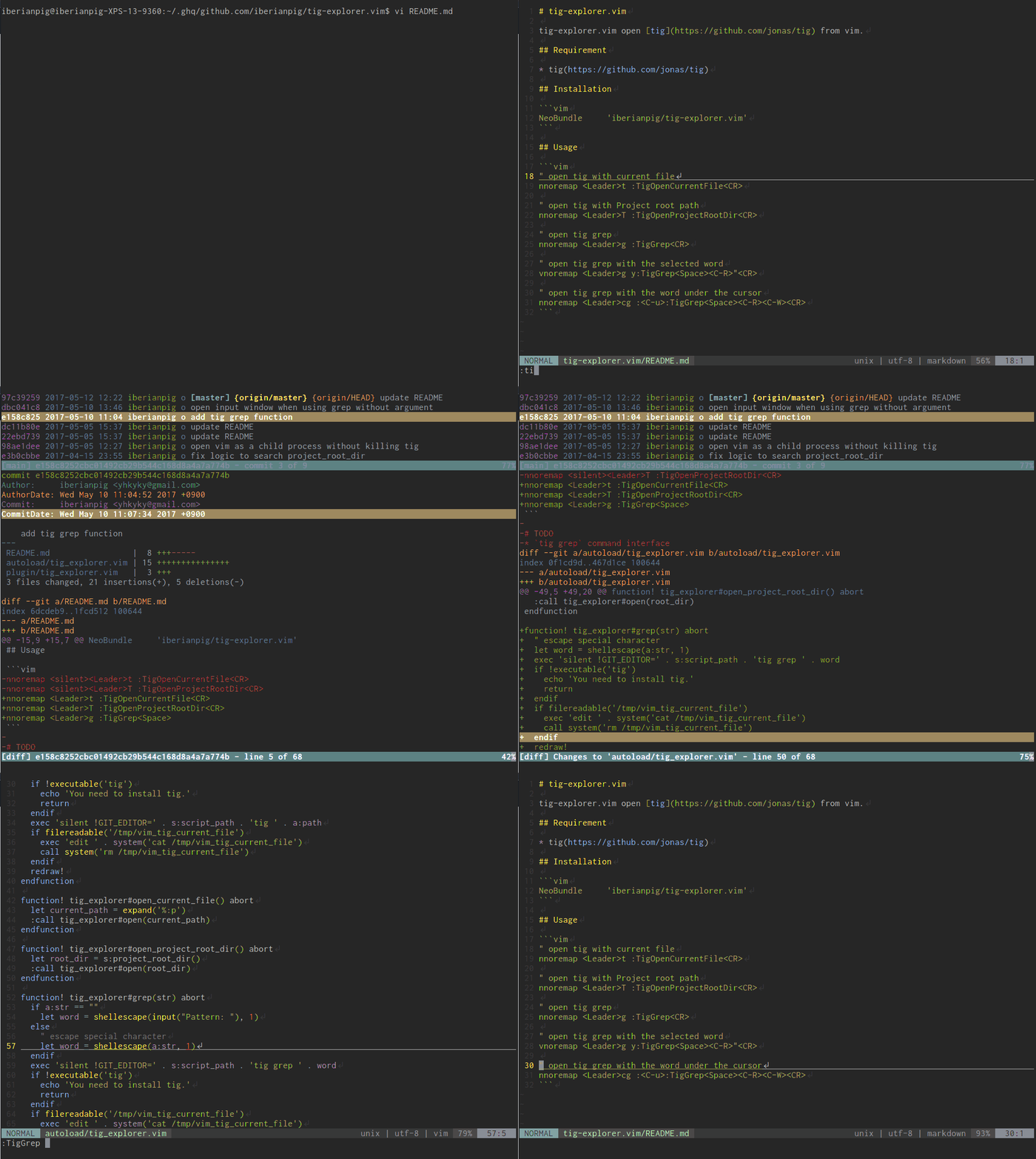
- Seamless switching between Vim and Tig
- Adding buffer in the same process, not a child of Tig process.
- Open files in tabs or vertically / horizontal split windows on Vim from Tig
- Dynamically defining keymaps on Tig
- Support Vim8 / NeoVim terminal
- Open diff-mode side by side at the selected commit from Tig
{
  'iberianpig/tig-explorer.vim',
  dependencies = { 'rbgrouleff/bclose.vim' }, -- required for Neovim
}use {
'iberianpig/tig-explorer.vim',
requires = { 'rbgrouleff/bclose.vim' }, -- required for Neovim
}Plug 'iberianpig/tig-explorer.vim'
Plug 'rbgrouleff/bclose.vim' " required for NeovimNOTE: If you use Neovim, you have to add the dependency to the plugin bclose.vim.
| Command | Description |
|---|---|
:Tig [args] |
Open Tig with optional arguments |
:TigOpenCurrentFile |
Open Tig with the current file |
:TigOpenProjectRootDir |
Open Tig at the project root directory |
:TigGrep [pattern] |
Run Tig grep (prompts for pattern if omitted) |
:TigGrepResume |
Resume the last Tig grep search |
:TigBlame |
Open Tig blame for the current file |
:TigStatus |
Open Tig status view |
:TigOpenFileWithCommit [commit] [file] [lineno] |
Open a file at the specified commit in read-only mode |
:TigOpenFileWithCommit! [commit] [file] [lineno] |
Open a file at the specified commit with diffsplit |
Following commands are available on Tig launched from tig-explorer.
e, <Ctrl-o>: edit on existing tab
<Ctrl-t>   : edit on new tab
<Ctrl-v>   : edit with vsplit window
<Ctrl-s>   : edit with split window

<ESC> o: open with commit on existing tab
<ESC> t: open with commit on new tab
<ESC> v: open with commit with vsplit window
<ESC> s: open with commit with split window
Keymaps are available in the main, blame, tree, and refs views. When opened with the commit, it opens in read-only mode. When opening with commit with split or vsplit, it will open with diffsplit.
tig-explorer.vim defines the following keymap by default
let g:tig_explorer_keymap_edit_e  = 'e'
let g:tig_explorer_keymap_edit    = '<C-o>'
let g:tig_explorer_keymap_tabedit = '<C-t>'
let g:tig_explorer_keymap_split   = '<C-s>'
let g:tig_explorer_keymap_vsplit  = '<C-v>'

let g:tig_explorer_keymap_commit_edit    = '<ESC>o'
let g:tig_explorer_keymap_commit_tabedit = '<ESC>t'
let g:tig_explorer_keymap_commit_split   = '<ESC>s'
let g:tig_explorer_keymap_commit_vsplit = '<ESC>v'Add following script to ~/.vimrc
" open tig with current file
nnoremap <Leader>T :TigOpenCurrentFile<CR>

" open tig with Project root path
nnoremap <Leader>t :TigOpenProjectRootDir<CR>

" open tig grep
nnoremap <Leader>g :TigGrep<CR>

" resume from last grep
nnoremap <Leader>r :TigGrepResume<CR>

" open tig grep with the selected word
vnoremap <Leader>g y:TigGrep<Space><C-R>"<CR>

" open tig grep with the word under the cursor
nnoremap <Leader>cg :<C-u>:TigGrep<Space><C-R><C-W><CR>

" open tig blame with current file
nnoremap <Leader>b :TigBlame<CR>By default, tig-explorer will use the built-in terminal if available. To force launching tig-explorer as a shell command, you can add the following to ~/.vimrc
" don't use builtin terminal
let g:tig_explorer_use_builtin_term=0
On Gvim, only the built-in terminal is available.
If you have a custom tigrc file in a non-standard location, you can specify it:
let g:tig_explorer_orig_tigrc='/path/to/your/tigrc'By default, tig-explorer searches for your tigrc in the following order:
$XDG_CONFIG_HOME/tig/config~/.config/tig/config~/.tigrc/etc/tigrc
MIT - Copyright (c) 2017 Kohei Yamada