Releases: imagineSamurai/GlowRays
Releases · imagineSamurai/GlowRays
Release list
GlowRays v1.3.0

GlowRays v1.3.0 - Visual Settings UI & Enhanced Dynamic Glow
Summary
This release introduces a dedicated Settings UI, enhanced dynamic glow effects with intuitive controls, and numerous usability improvements.
✨ New Features
Visual Settings UI
- New command: "Open GlowRays Settings"
- Intuitive visual interface for all configuration options
- Real-time preview of settings changes
- Automatic settings persistence
- Tag-based system for language configuration
Enhanced Dynamic Glow
- Improved "breathing" glow effect with smoother transitions
- Volume-style sliders for min/max intensity and speed
- Warning dialogs explaining alpha status of experimental features
- Auto-disable controls when features are toggled off
Advanced Settings Mode
- Toggle for accessing advanced features
- Supports higher intensity values (up to 30)
- Warning dialog for low-end device users
- Clearer visual separation of basic/advanced options
🛠️ Improvements
- Fixed settings persistence for Advanced Mode
- Improved dynamic glow animation smoothness
- Better error handling for configuration
- Added CSS styling for disabled controls
- More descriptive tooltips and labels
- Pause animation while typing to reduce distractions
🔧 Technical Details
- Implemented proper NodeJS.Timeout for dynamic glow animation
- Added error handling for WebView initialization
- Improved event handling for settings changes
- Added real-time feedback for slider controls
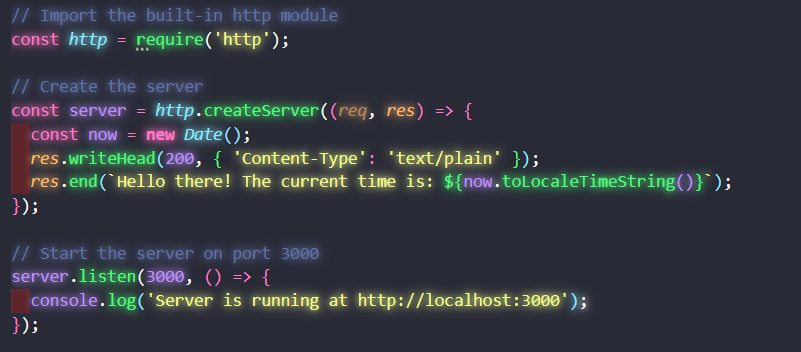
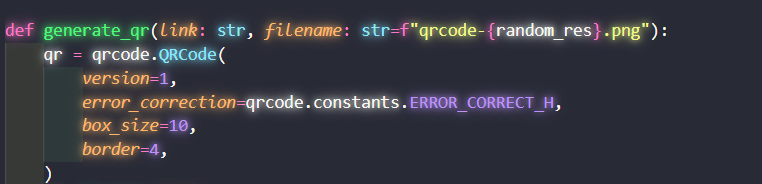
📸 Screenshots
GlowRays UI (only on v1.3.0)

JavaScript with Glow Effect
Python with Glow Effect
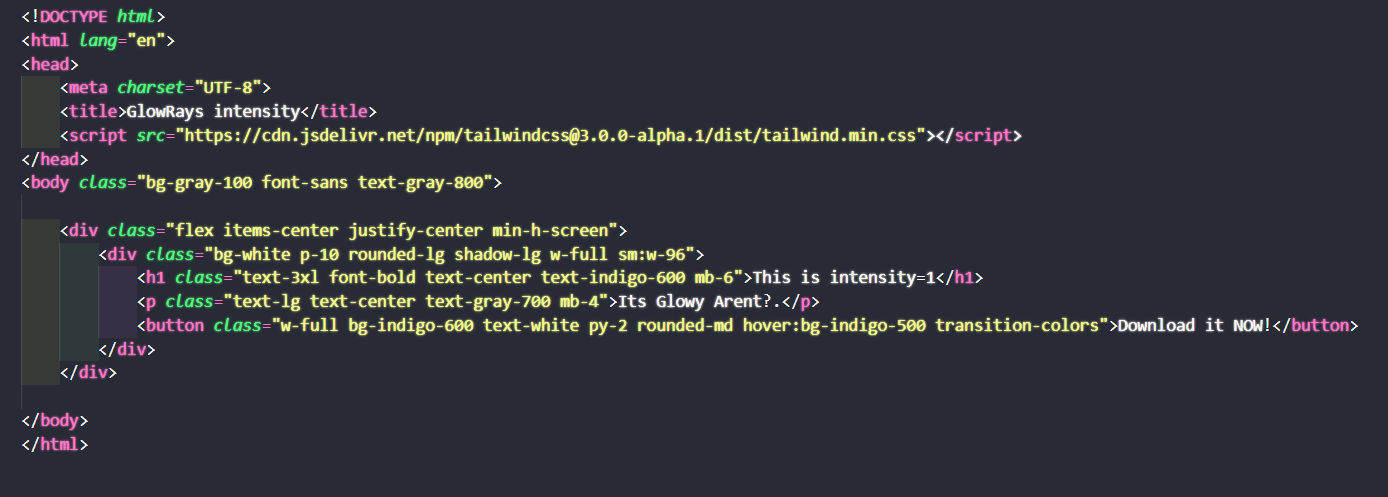
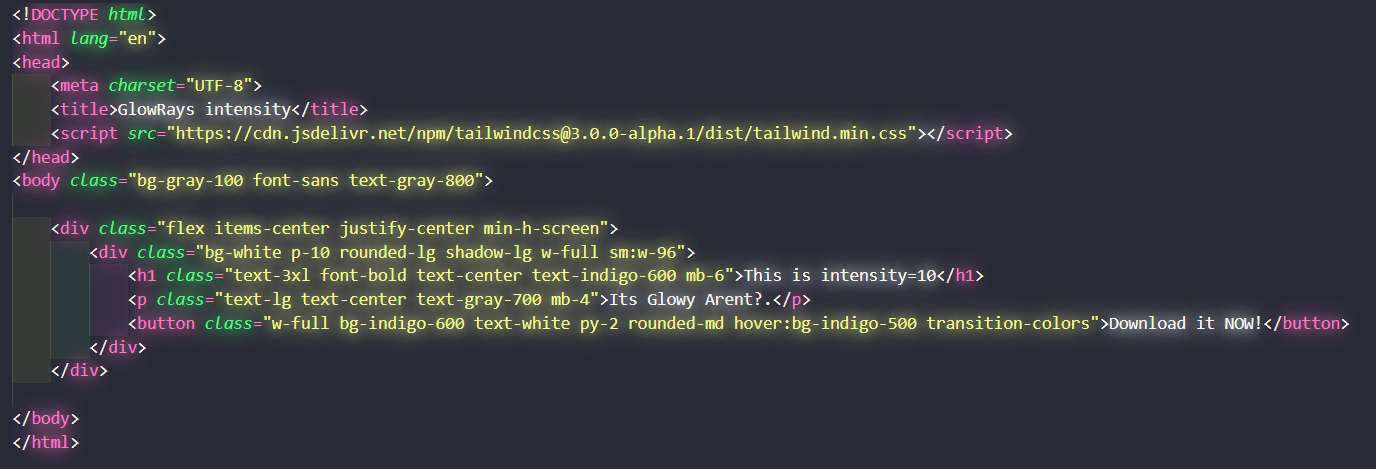
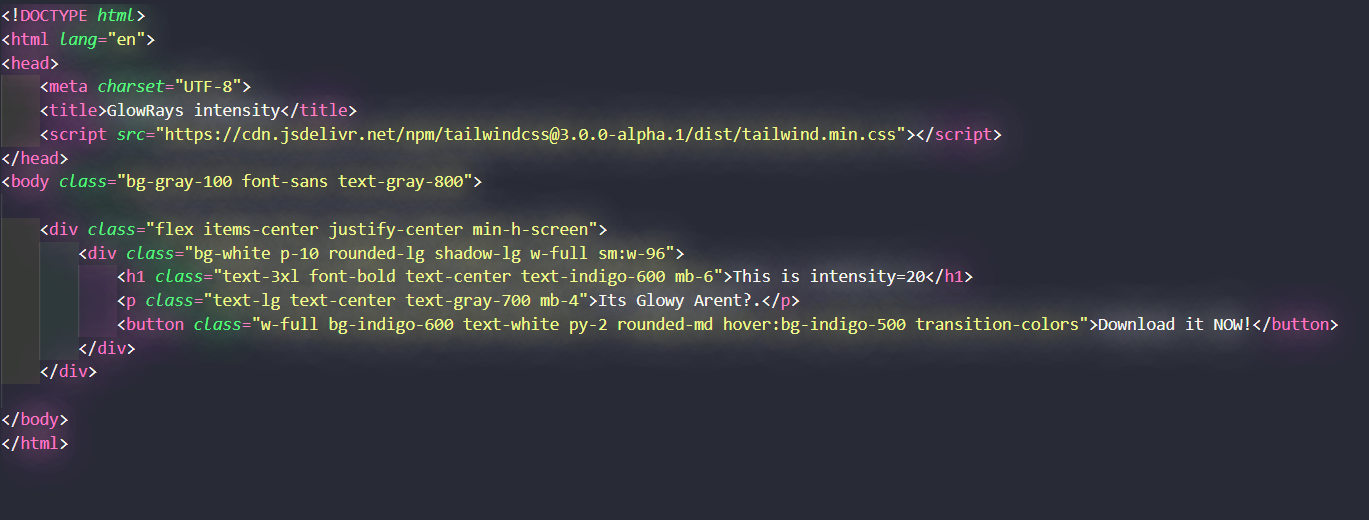
Different Intensity Levels
intensity = 1
intensity = 10
intensity = 20
⚠️ Notes
- Dynamic glow features remain in alpha state
- Performance may vary on low-end systems
📥 Installation
- Download the VSIX from this release
- In VS Code, go to Extensions view
- Click "..." menu → "Install from VSIX..."
- Select the downloaded file
Or install directly from the VS Code Marketplace.
GlowRays v1.2.0
GlowRays v1.2.0
What's New
✨ New Features
- Dynamic Intensity Effect: Added "breathing" glow effect that automatically varies intensity over time (alpha feature)
- Error Detection: Automatically disables glow on lines with syntax errors or problems
- Definition Focus: New
GlowOnDefinitionNamesoption to apply glow only to function/class definitions - Animation Pausing: Added option to pause animation while typing to prevent flickering
🛠️ Improvements
- Performance optimizations for larger files
- Improved compatibility with more VS Code themes
- Better handling of dynamic color changes
🐛 Bug Fixes
- Fixed issues with certain language syntaxes
- Resolved flickering during rapid editing
- Corrected glow effect application on folded code sections
Installation
Install from VS Code Marketplace:
- Open Extensions sidebar (
Ctrl+Shift+X) - Search for "GlowRays"
- Click Install
Or download directly from Marketplace
📸 Screenshots
JavaScript with Glow Effect

Python with Glow Effect

Different Intensity Levels
intensity = 1

intensity = 10

intensity = 20

Configuration
New settings available in this version:
glowrays.dynamic.config: Configure dynamic glow effect with format "min max speed enabled"glowrays.pauseAnimationWhileTyping: Pause animation during typing to reduce flickeringglowrays.GlowOnDefinitionNames: Focus glow effect only on code definitions
Known Issues
- Dynamic features are still in alpha and may affect performance on some systems
- Some themes may produce inconsistent glow effects
Feedback & Support
1.0.0
GlowRays v1.0.0 - Initial Release
🎉 Overview
The first release of GlowRays VSCode Extension, bringing beautiful neon text effects to your code editor!
✨ Features
- Glowing Text Effect: Code that literally glows with the same colors as your syntax highlighting
- Theme Compatibility: Works with your existing VS Code theme
- Customizable Intensity: Adjust glow strength from subtle to vibrant (1-10)
- Language Filtering: Control which languages use the glow effect
📸 Screenshots
JavaScript with Glow Effect
Python with Glow Effect
Different Intensity Levels
intensity = 1
intensity = 10
intensity = 20
📥 Installation
From VS Code Marketplace
- Open VS Code
- Press
Ctrl+P(orCmd+Pon Mac) - Type
ext install imagineSamurai.glowrays
Manual Installation
Download the .vsix file from this release and install via:
- VS Code → Extensions → ⋯ → "Install from VSIX..."
⚙️ Configuration
Open settings and search for "GlowRays" to configure:
{
    "vscodeGlow.enable": true,
    "vscodeGlow.intensity": 7,
    "vscodeGlow.includeLanguages": ["javascript", "typescript", "python"],
    "vscodeGlow.excludeLanguages": ["markdown", "plaintext"]
}
⚠️ Known Limitations
- Performance may be affected on very large files
- Some themes may produce inconsistent glow effects
- May not work properly with certain custom font settings
🐛 Bug Reports
Found an issue? Please report it on our GitHub Issues page
Thank you for trying GlowRays! Feedback and contributions are always welcome.