
Rasbeat is a Jubeat like game.
- This game was developed as old version of AppGameKit for Raspberry Pi and only works in the old version of Raspbian.
- You can customize songs, themes, and markers.
- It supports GPIO button input and keyboard input.
- You can also use DJ DAO FB9 the Jubeat Controller for PC, because this controller works like a keyboard device.
- It supports user configurable letterbox. so you can use FB9 controller and it makes you build your own machine easier.
- Compiled game binary
- 62 music memos
- Memo was imported from cosmos memo
- But there is no music files, so you should to download a pure *.mp3 file. (without ID3 tag)
- 2 language translation files
- supports en_US and ko_KR
- 2 default themes
- 4 default marker designs
- Raspberry Pi 3 Model B
- Raspbian Jessie with Desktop
- Only version of released at June 2017
There are 2 config files. One is settings.txt, and you need to open it and modify the file directly with a text editor. The other is settings.dat, which can only be changed inside of game.
Some low-level settings here. These settings are dependent on the execution environment. And if it set once, these settings rarely change in the future.
| Key | Value Type | Description |
|---|---|---|
key |
Numbers | 1 if use a keyboard as input or 0 |
key1~key16 |
Scan Codes | Keyboard codes corresponding to use as main buttons |
key17 |
Scan Codes | Keyboard code corresponding to use as special functional button |
gpio |
Numbers | 1 if use GPIO buttons as input or 0 |
gpip1~gpip16 |
Numbers | GPIO pin numbers corresponding to use as main buttons |
gpio17 |
Numbers | GPIO pin number corresponding to use as special functional button |
section... |
Real numbers | Related with the playhead synchronizing. |
It includes settings that are likely to change frequently. You can access basic settings in-game by pressing the bell-shaped button. And if you want to access more advaced settings, you must push the cogwheel-shaped button.
| Name | Description |
|---|---|
| Sory by... | |
| Autoplay | |
| Clap Sound | |
| Simple Effect | |
| Highlight Hold Marker |
| Name | Description |
|---|---|
| Theme | |
| Load Half Size Theme Resource | |
| Language | |
| Music Volume | |
| Sound Volume | |
| Clap Sound Volume | |
| Clap Sound Timing (AutoPlay Only) | |
| Note Timing | |
| Input Timing | |
| Show FPS (Top Left) | |
| Show Average Input Timing (Top Right) | |
| Input Timing Average Counts | |
| ... Screen ... Margin | |
| Update Music Library (musiclib.dat) | |
| Flush Play Records (records.dat) | |
| Perfect Range | |
| Great Range | |
| Good Range | |
| Bad Range |
You can play the video by clicking the images below.
Click the image to open YouTube page
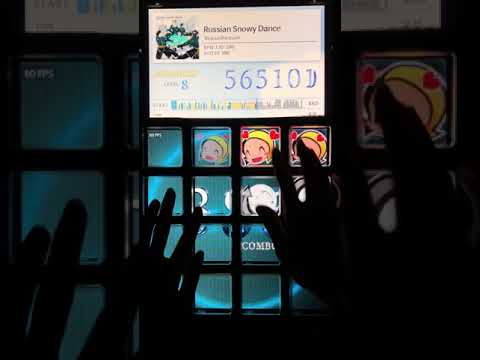
Click the image to open YouTube page
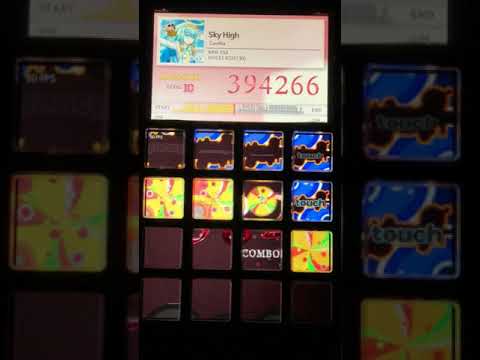
I made the actual working Rasbeat machine. You can read the journal on my blog. (in Korean language)
- Naver Blog: @rsatang5
- GitHub: @jeongtae
- E-mail: jtk101@icloud.com
