A native macOS workspacemap that shows your yabai workspace grid on demand. Press Ctrl+Space to toggle a floating overlay showing all your desktops as a 2D grid with window positions highlighted inside each cell.
Inspired by WindowMaker
Quick Demo of Spacemap
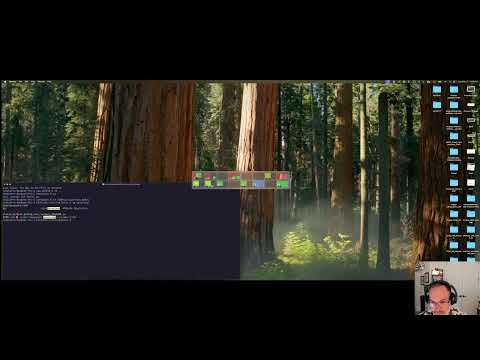
With yabai and skhd you can set up your desktop switching behavior to be on a grid in the macOS. You just don't have any visual reference that your workspaces are layed out that way. It takes alot of mental gymnastics to keep everything streight in your head. Spacemap can help you find where you left your things.
Before you run off because I said yabai:
You do not have to disable SIP System Integrity Protection to get this setup.
Here I have 4 windows open and spacemap is opened via: ctrl spacebar key sequence.
It is in the middle of the screen. You can see that we are on desktop 6 and there are 4 apps open.
Desktop Screenshot

| spacemap screenshot | spacemap config | skhd config |
|---|---|---|
 |
 |
skhdrc |
 |
 |
skhdrc |
 |
 |
skhdrc |
 |
 |
skhdrc |
Window positions are drawn as colored rectangles inside each cell (one color per app, derived from app name). The active cell updates instantly as you switch desktops, driven by yabai's space_changed signal.
| Action | Result |
|---|---|
Ctrl+Space |
Toggle HUD open/closed |
| Switch desktops with skhd keymaps while HUD is open | Active cell updates live |
| Click on a workspace | switches to workspace and closes spacemap |
- macOS 13+
- yabai installed at
/opt/homebrew/bin/yabaiand running - skhd installed at
/opt/homebrew/bin/skhdand running - Accessibility permission (prompted on first launch). This is not the same as disabling SIP protection, which is not required.
On first launch of spacemap macOS will prompt for Accessibility permission. Grant it — spacemap needs it to monitor the global Ctrl+Space hotkey.
Accessibility Permissions Screenshot

Config is read from ~/.config/spacemap/config on every HUD open (no restart needed after editing, except HOTKEY which requires a restart):
GRID_COLS=8
GRID_ROWS=2HOTKEY sets the keystroke that shows/hides spacemap. Format: modifier+modifier+key. Requires a restart to take effect.
| Modifier tokens | Key tokens |
|---|---|
ctrl, cmd, alt, shift |
pgdn, pgup, space, tab, return, escape, home, end, left, right, up, down, f1–f12, or any single letter/digit |
#HOTKEY=ctrl+pgdn     # default (Page Down)
#HOTKEY=ctrl+space    # original default (conflicts with Cursor)
#HOTKEY=ctrl+shift+s # example with multiple modifiersCELL_STYLE controls how windows are drawn inside each cell:
| Value | Description |
|---|---|
rects |
Colored rectangles scaled from real window geometry (default) |
icons |
App icons at each visible window's scaled position; all apps on the workspace shown as a small icon strip at the bottom |
hybrid |
Colored rectangles (like rects) plus a small icon strip at the bottom showing all apps on the workspace |
CELL_STYLE=rects   # default
CELL_STYLE=icons
CELL_STYLE=hybrid- Install Pre-Requesits
- Install spacemap
- Grant Accessibility Permission
- Configure skhd
- Configure spacemap
Step 1: Install Pre-Requesits
brew install asmvik/formulae/yabai
brew install asmvik/formulae/skhd
Step 2: Install spacemap
brew tap jsheffie/tap
brew install --cask jsheffie/tap/spacemap
Step 3: Grant Accessibility Permission
Launch spacemap once to trigger the permission prompt:
open /Applications/spacemap.appThen go to System Settings → Privacy & Security → Accessibility and enable spacemap. The Ctrl+Space hotkey activates automatically — no restart needed.
Step 4: Configure skhd
Copy the 8×2 grid keymap into your skhd config:
curl -fsSL https://raw.githubusercontent.com/jsheffie/spacemap/main/docs/skhd-configurations/skhdrc-8-by-2 \
  > ~/.config/skhd/skhdrc
Then restart skhd:
skhd --restart-serviceStep 5: Configure spacemap
mkdir -p ~/.config/spacemap
cat > ~/.config/spacemap/config << 'EOF'
GRID_COLS=8
GRID_ROWS=2
CELL_STYLE=hybrid
EOF
Press Ctrl+Space to open spacemap.
- Xcode Command Line Tools (
xcode-select --install)
| Target | Description |
|---|---|
make run |
Build, install, and launch |
make dev1 |
Uninstall; pause to remove Accessibility permission in System Settings |
make dev2 |
Reinstall and relaunch; grant Accessibility permission when prompted |
make config |
Create default config file if missing |
make distconfig |
Overwrite config with defaults (CELL_STYLE=icons) |
make permissions |
Print instructions for fixing a broken hotkey |
make uninstall |
Kill app and remove from /Applications |
make clean |
Remove build artifacts |
macOS grants Accessibility permission to the .app bundle as a whole, not the raw binary. Running the binary directly bypasses the bundle context and the permission check fails silently.
Every time you rebuild and reinstall, macOS revokes the Accessibility permission because the binary hash changes. The two-step dev workflow handles this:
make dev1— uninstalls the app; go to System Settings → Privacy & Security → Accessibility and click − to removespacemapmake dev2— reinstalls and relaunches; grant the permission prompt that appears
make permissions prints this reminder.
On launch, spacemap calls AXIsProcessTrustedWithOptions(prompt: true) if not trusted, which opens System Settings to the Accessibility page. After you toggle it on, the app polls every second and registers the hotkey automatically — no restart needed.