
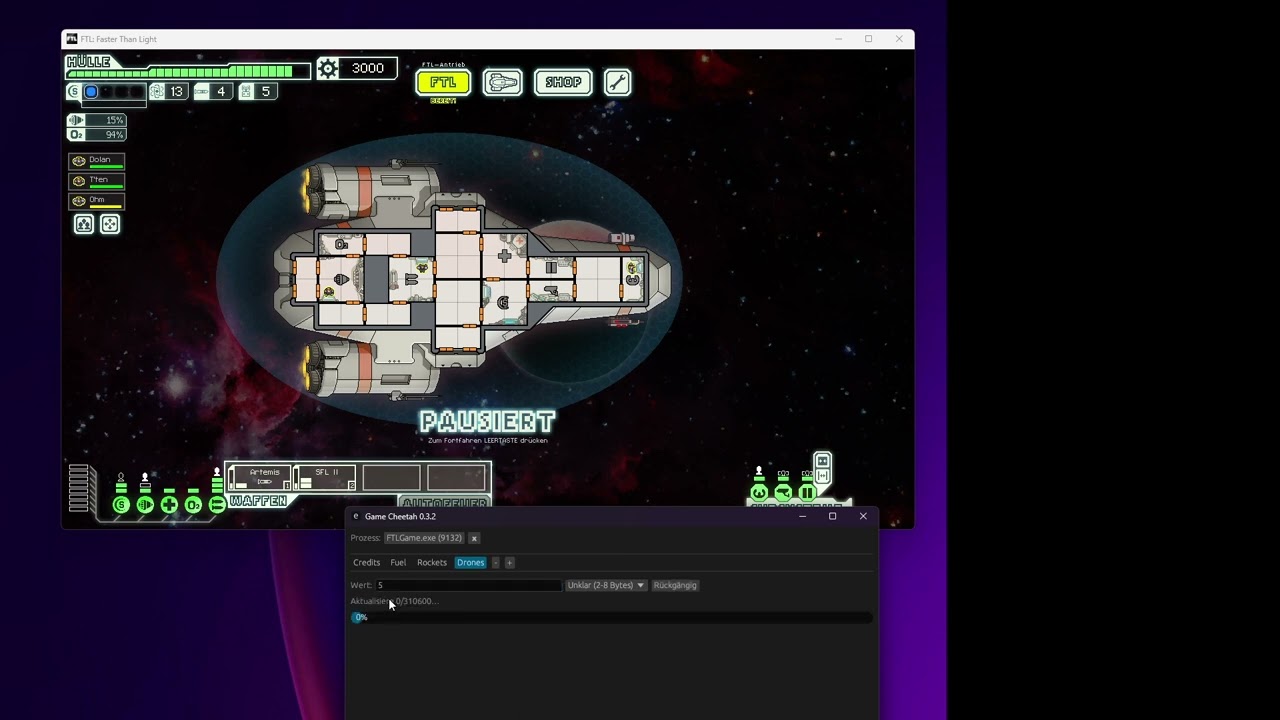
Game Cheetah is a fast, cross-platform memory scanner and game trainer for Linux, Windows, and macOS.
Use it to search values in a running process, narrow down result sets, edit memory, freeze values, and keep useful addresses in cheat tables. It is intended for single-player/offline games, debugging, reverse engineering, game modding, and educational use.
Modifying another process can crash the target application or behave unpredictably. Use at your own risk. Game Cheetah is not intended for cheating in online or multiplayer games.
- Cross-platform desktop app
- Linux, Windows, and macOS support
- Native GUI built with Rust,
egui, andeframe - English and German localization
- Fast memory scanning
- Search integers, floats, doubles, strings, UTF-16 strings, byte arrays, and unknown values
- Narrow results with exact, changed, unchanged, increased, decreased, and guessed-value workflows
- Parallel search and SIMD-aware code paths where they help
- Memory-region filtering to skip irrelevant or unsafe regions
- Live process editing
- Edit search results directly in the result table
- Freeze individual values or all visible results
- Changed-value highlighting for live rows
- Multiple search tabs for independent searches
- Memory editor
- Hex and ASCII memory view
- Direct byte inspection and editing
- Undo/redo support
- Highlighting for the selected result range
- Cheat tables and workflow helpers
- Save and load cheat-table entries
- Rename, close, and manage searches
- Auto-reconnect to a process with the same name after restart
- Optional update checks against GitHub releases
The recommended installation method is to download a prebuilt package from the latest GitHub release:
https://github.com/mkrueger/game_cheetah/releases/latest
Release artifacts usually include:
- Linux AppImage
- Linux
.debpackage - Windows executable
- macOS universal
.dmg
Game Cheetah is also published on crates.io:
cargo install game-cheetahThis requires a recent Rust toolchain. The current minimum supported Rust version is listed in Cargo.toml.
On Linux, reading or writing another process is controlled by the operating system. Game Cheetah can usually inspect processes owned by the same user, but some distributions restrict this through Yama ptrace_scope.
If Game Cheetah cannot open or read a process, check:
cat /proc/sys/kernel/yama/ptrace_scopeFor local development or personal single-user systems, you can temporarily relax this setting with:
echo 0 | sudo tee /proc/sys/kernel/yama/ptrace_scopeChanging this setting affects system security. Prefer the least-permissive setup that works for your use case.
Install Rust from https://www.rust-lang.org/tools/install, then run:
cargo build --releaseThe executable will be created at:
target/release/game-cheetahOn Linux, you may need development packages for native GUI, audio, and windowing dependencies. On Debian/Ubuntu-like systems, the CI build uses:
sudo apt install libgtk-3-dev libasound2-dev libxcb-shape0-dev libxcb-xfixes0-devCommon checks:
cargo fmt --all -- --check
cargo clippy --all-targets --all-features -- -D warnings
cargo test --all-targets
The GitHub Actions workflow runs formatting, linting, tests, dependency audit, and multi-platform release builds.
Game Cheetah is similar in spirit to Cheat Engine, ArtMoney, and GameGuardian, with a focus on Rust, performance, safety, and cross-platform desktop support.
Game Cheetah is licensed under the Apache License 2.0.