Linux
To use Mkchromecast you need to get into the cloned Mkchromecast directory and execute:
python mkchromecast.py
However, if you have installed the debian package, you just need to execute:
mkchromecast
This will cast to the first Google cast device in the list found, using parec and mp3. I suggest you use a codec different from mp3 when launching with parec to avoid delay between the sound played and listened in the chromecast. For example:
python mkchromecast.py -c aac
or
mkchromecast -c aac
Then, you need to open pavucontrol and select the sink called mkchromecast as seen
in the gif below:
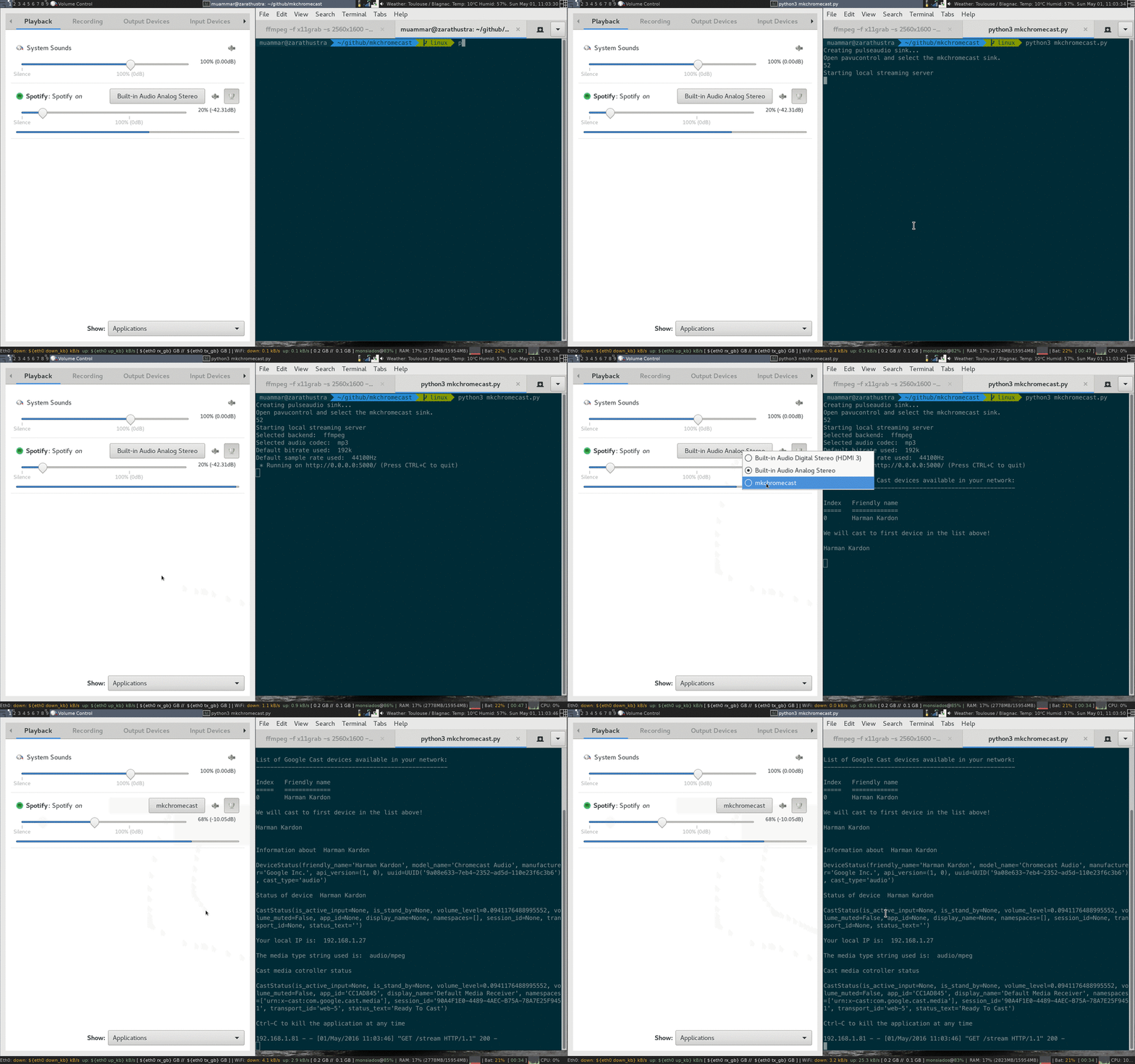
After that, you are good to go.
It has been reported by some users running ubuntu some unmet dependencies. If you are experiencing this error, please check this report.
Sure, don't worry. Check the ALSA page :).