💬 Nex Message is a full stack chat messaging application using Next.js, Chakra UI, GraphQL, Prisma, & MongoDB
- This project was created to experiment with websockets and creating my own websocket server!
- In addition, Chakra UI allowed me to flex my styling muscles, using new components to create the sleek UI.
- During this project I was able to learn to use the Prisma ORM to access my MongoDB database.
- This also exposed me to configuring and using GraphQL with Apollo to access Queries, Mutations, & Subscriptions for my websocket connections.
👨💻 Please use this link to demo the live site! https://nex-message.vercel.app/
🤩 To check out my server code for this project: https://github.com/nickhuynhq/nex-message-server
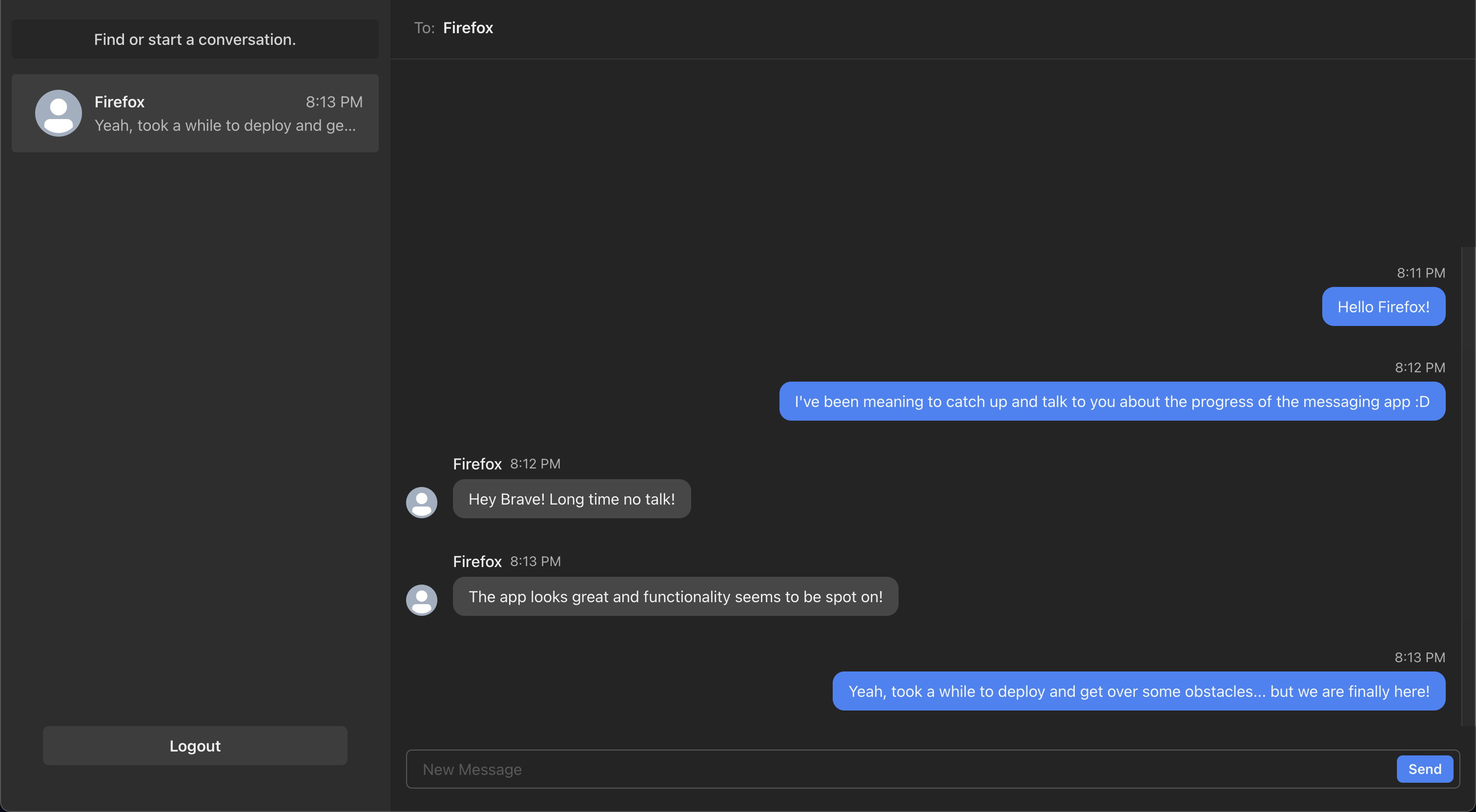
nex-message.-.HD.720p.mov
- Create chat rooms
- Google Accounts
- Group Chats
- Deleting rooms










-
Clone this repository.
$ git clone https://git@github.com:nickhuynhq/nex-message.git -
Run
npm installfrom inside the root directory.
$ cd nex-message
$ npm install- Create your own .env.local file
NEXTAUTH_URL=http://localhost:3000 OR <YOUR URL>
NEXTAUTH_URL_INTERNAL=http://localhost:3000 OR <YOUR URL>
NEXTAUTH_SECRET=<YOUR SECRET KEY>

BACKEND_URL=<URL OF THE BACKEND>

GOOGLE_CLIENT_ID=<YOUR ID HERE>
GOOGLE_CLIENT_SECRET=<YOUR SECRET KEY>

MONGODB_URI=<YOUR MONGODB URI>
- Generate Prisma Schema
$ npx prisma generate --schema=src/prisma/schema.prisma- Run the app
$ npm run devNicholas Huynh @nickhuynhq
