Enterprise static application security testing (SAST) — find and fix vulnerabilities directly in your editor. O360 SAST uses deep source code analysis with proprietary virtual compilers that understand code semantics, catching security flaws that go beyond surface-level pattern matching.
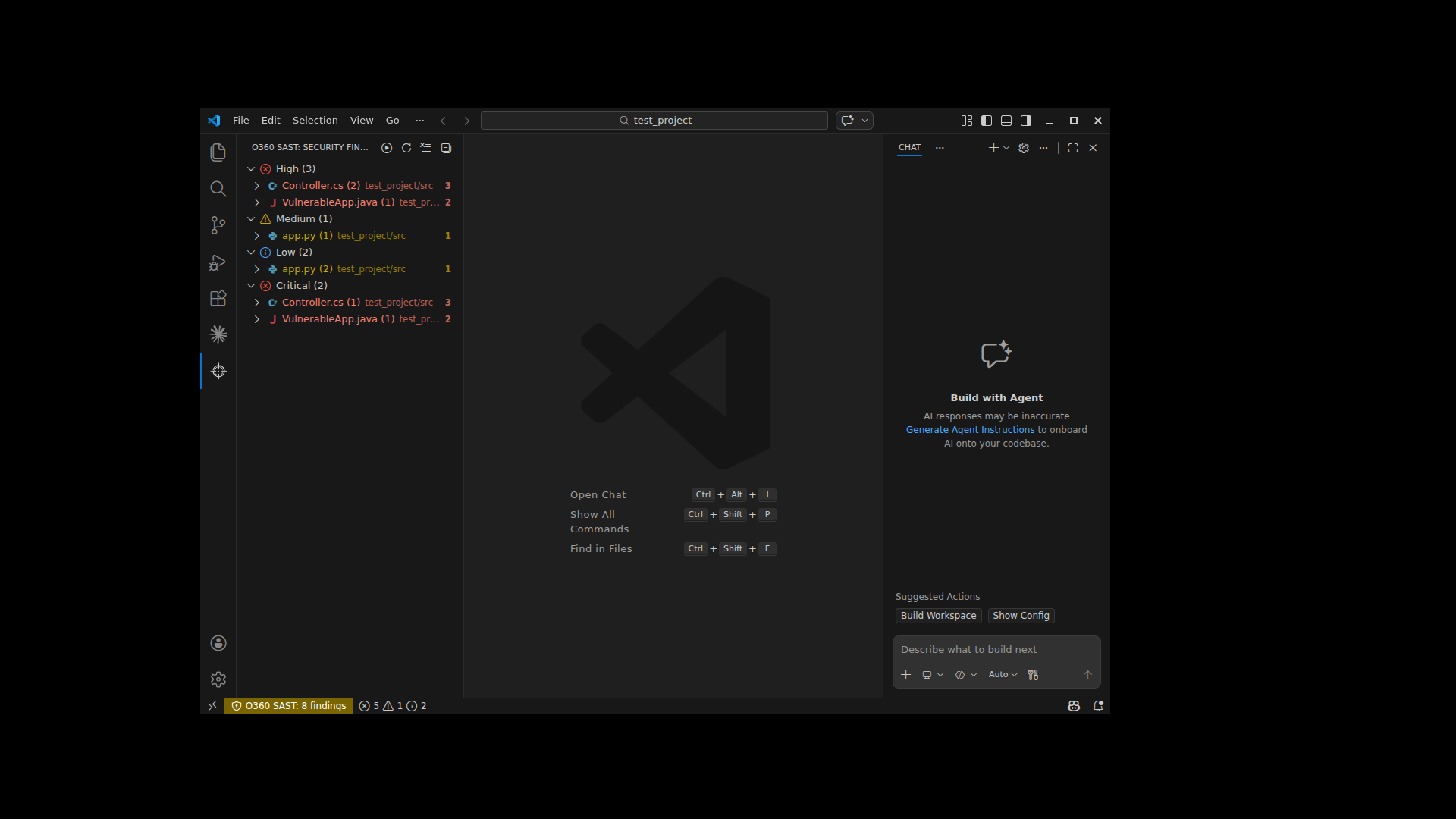
- Scan File — Right-click any file in the explorer or editor
- Scan Folder — Right-click any folder in the explorer
- Scan Workspace — Scan your entire project with one click
- Auto-scan on Save — Optionally scan files automatically when saved
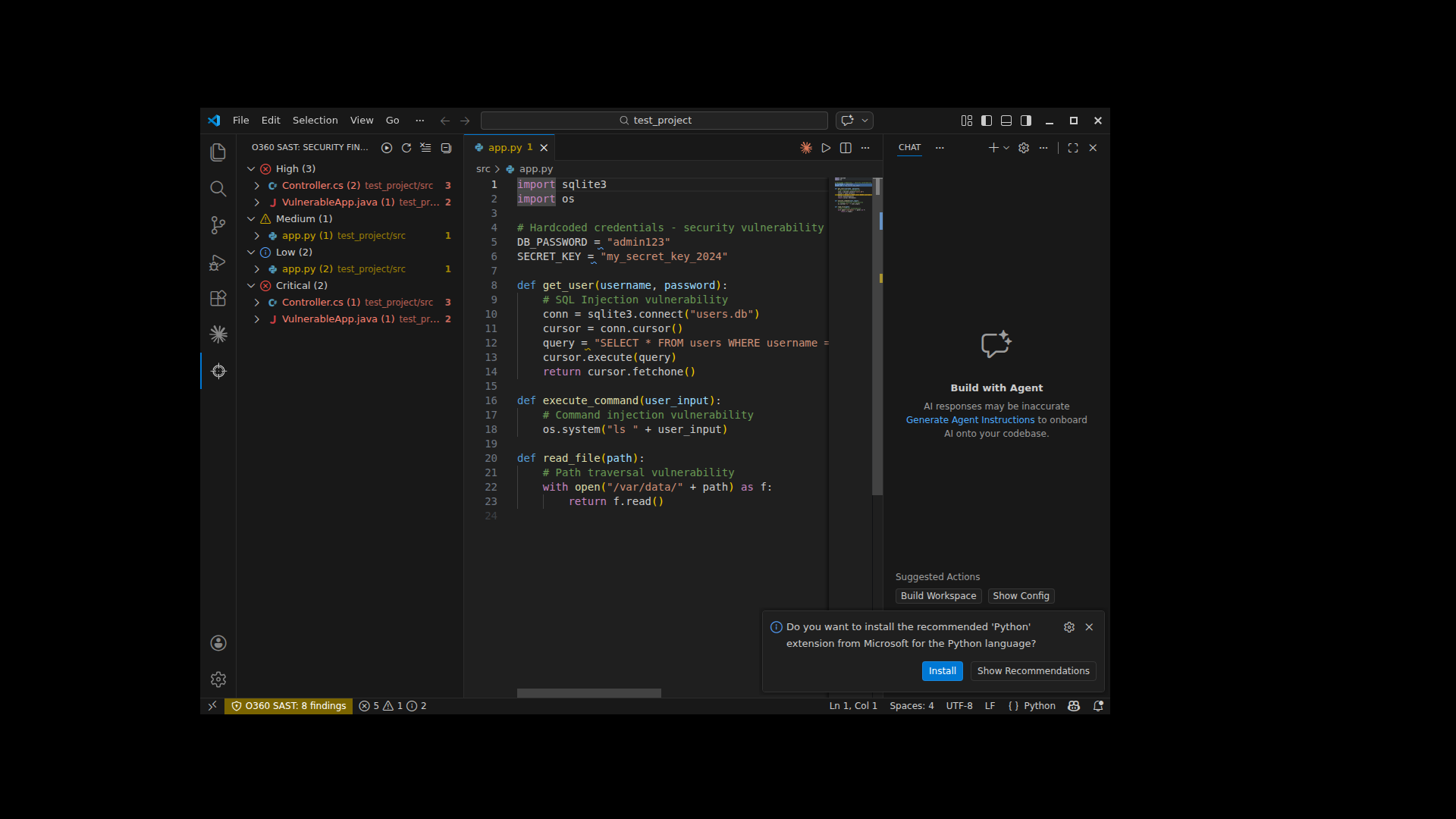
- Inline Diagnostics — Vulnerabilities appear as squiggly underlines directly in your code
- Severity Mapping — Critical/High → Error (red), Medium → Warning (yellow), Low → Info (blue)
- Hover Details — Hover over any finding to see severity, description, impact, and recommendation
- Status Bar — Always see the total count of findings at a glance
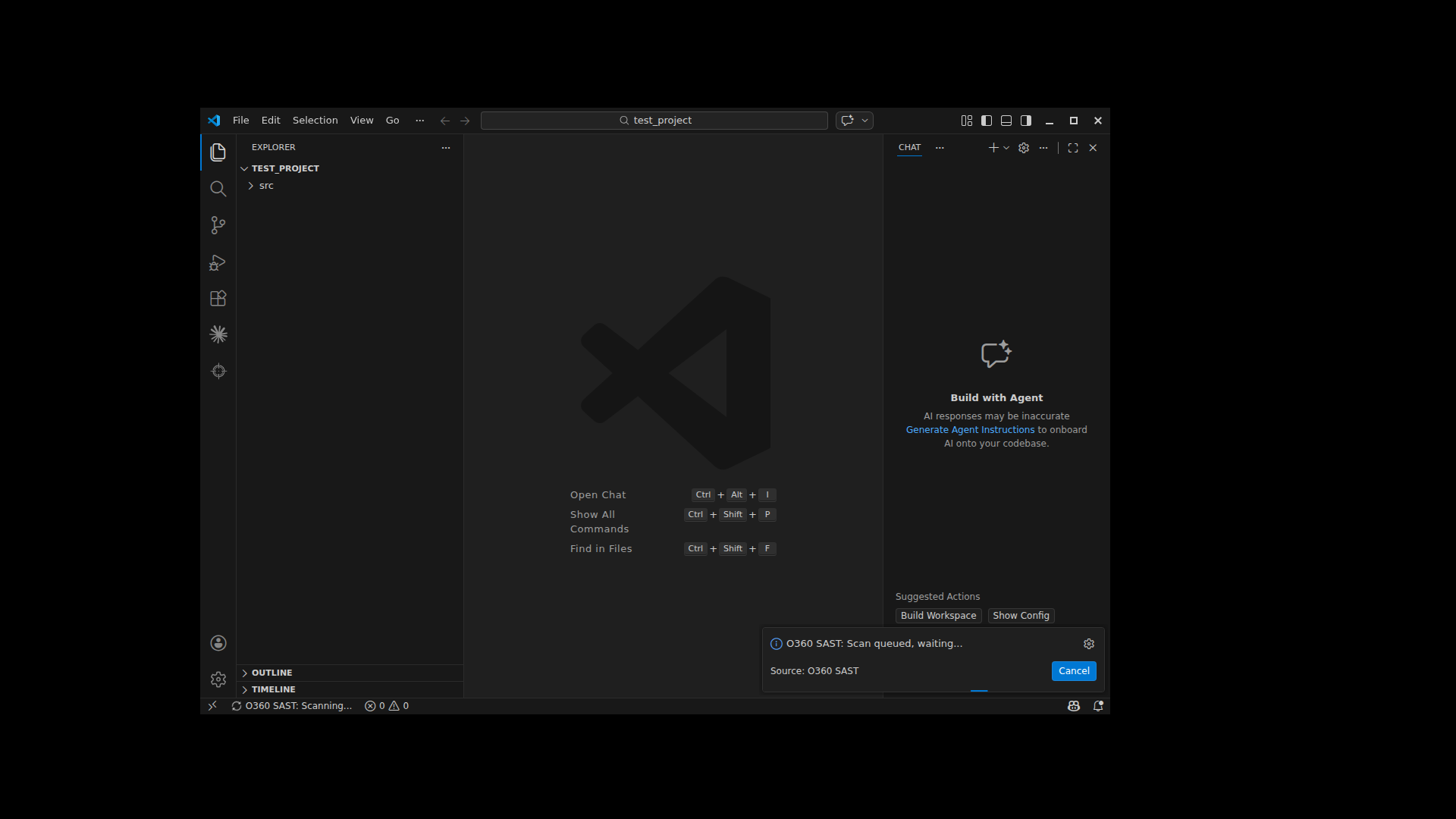
- Security Findings Tree — Browse findings organized by severity and file
- Click to Navigate — Click any finding to jump to the exact line in your code
- Scan & Refresh — Quick scan and refresh buttons in the panel header
Right-click any highlighted vulnerability to access:
- Fix Recommendation — View the recommended fix with full details in a side panel
- Explain Vulnerability — Understand the vulnerability's impact and description
- View References — Open OWASP, CWE, and other reference links
- Suppress Finding — Add to
.SASTO360/sastIgnoreto hide from future scans - Mark as False Positive — Suppress with a reason tag for audit tracking
- Clear All Findings — Remove all diagnostics from the editor
A rich side panel with tabbed navigation:
- Vulnerability Details — Full description, impact analysis, and affected code snippet
- How to Fix — Specific fix recommendations from the O360 knowledge base
- References — Clickable links to security references (OWASP, CWE, etc.)
- Code Vulnerabilities — 20+ language engines (C#, Java, JavaScript, Python, PHP, Go, Ruby, and more)
- Dependency Scanning (SCA) — Known CVEs in third-party libraries
- License Compliance — Open source license risk detection
- Malware Detection — YARA-based malware scanning
- An O360 SAST server instance (on-premises or cloud)
- An API access token (generated from the O360 dashboard)
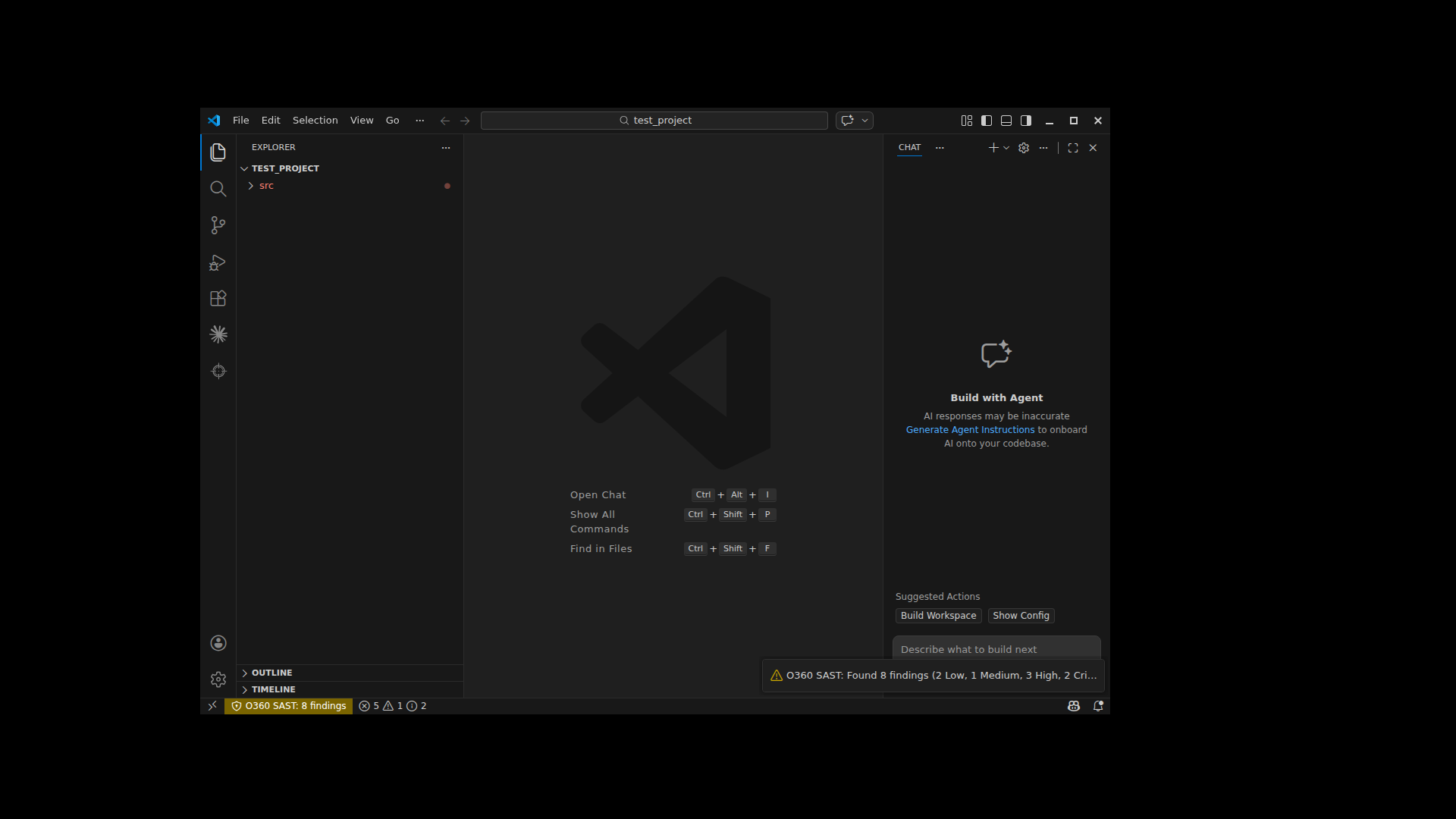
- Open Settings (
Cmd+,/Ctrl+,) - Search for
O360 - Set your Endpoint (e.g.,
https://your-server.com:1800) - Set your Access Token (generated from O360 dashboard → Settings → Tokens)
- Open a project in VS Code
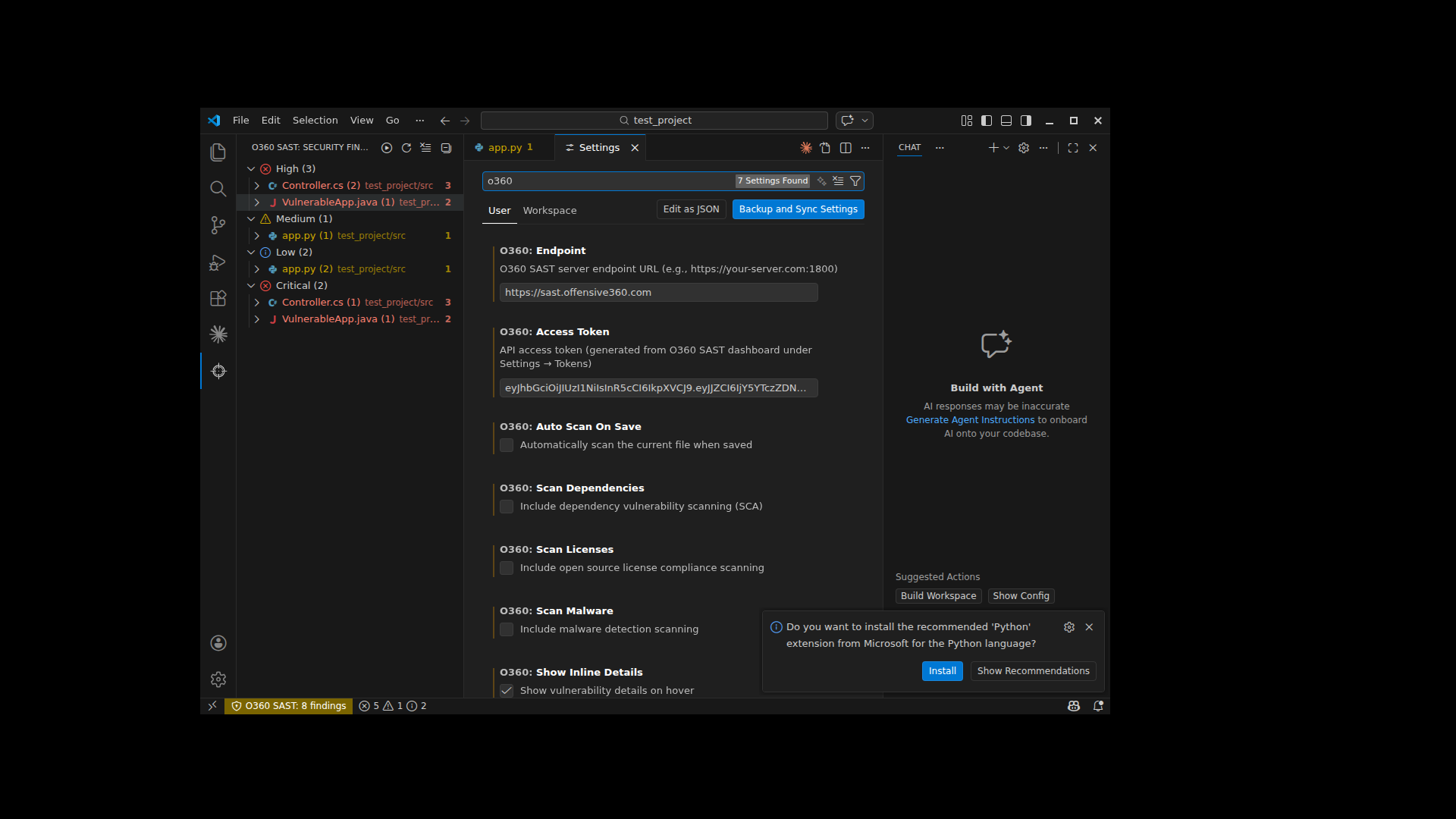
- Right-click in the explorer → O360 SAST: Scan Workspace
- Wait for the scan to complete (progress shown in notification)
- Review findings in the Security Findings sidebar panel
- Click any finding to navigate to the vulnerable code
- Use the Quick Fix menu (lightbulb) for fix recommendations
| Setting | Default | Description |
|---|---|---|
o360.endpoint |
— | O360 SAST server URL |
o360.accessToken |
— | API access token |
o360.autoScanOnSave |
false |
Auto-scan files on save |
o360.scanDependencies |
true |
Include SCA scanning |
o360.scanLicenses |
false |
Include license scanning |
o360.scanMalware |
false |
Include malware scanning |
o360.showInlineDetails |
true |
Show hover details |
Findings can be suppressed per-line using the Quick Fix menu. Suppressed entries are stored in .SASTO360/sastIgnore in your workspace root. You can commit this file to share suppressions across your team.
C#, Java, JavaScript, TypeScript, Python, PHP, Go, Ruby, Kotlin, Swift, Objective-C, Dart/Flutter, C/C++, Apex, and more — powered by O360's proprietary deep analysis engines and AI-assisted scanning.
- Issues: GitHub Issues
- Documentation: O360 SAST Docs