
~ Rxyhn's configuration files ~


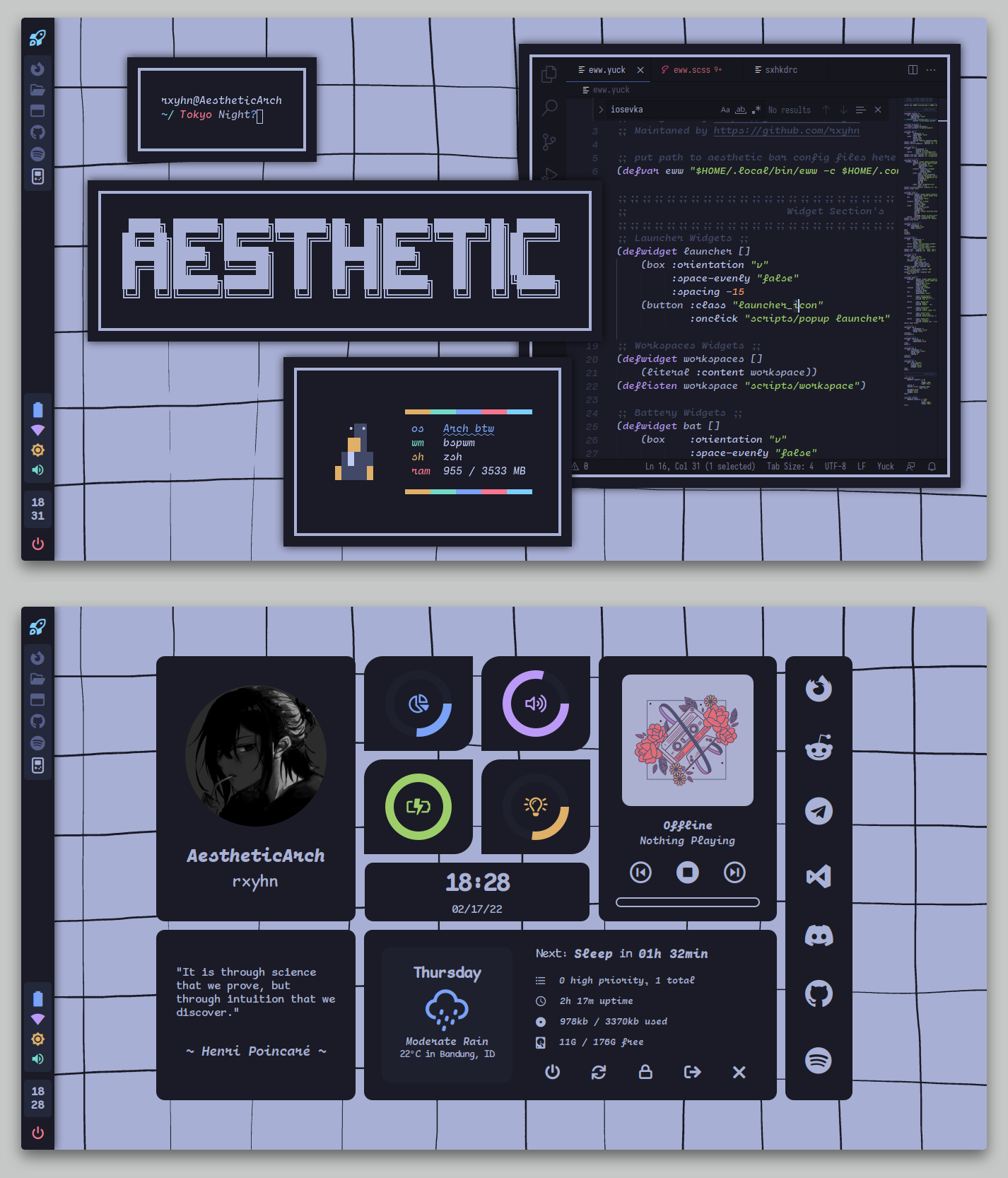
This is my personal collection of configuration files.
You are probably here for my Aesthetic BSPWM configuration.
The setup section will guide you through the installation process.
Here are some details about my setup:
- WM: bspwm
- OS: Arch Linux
- Terminal: kitty
- Shell: zsh
- Widgets: eww
- Compositor: picom
- Editor: neovim
- Browser: firefox
- File Manager: thunar
- Application Launcher: rofi
This is step-by-step how to install these bspwm dotfiles. Just R.T.F.M.
After cloning the repository, install the necessary dependencies to replicate by setup.
Arch Linux (and Arch-based distributions)
Assuming your AUR Helper is yay.
 $ yay -S bspwm sxhkd rofi kitty picom-ibhagwan-git calcurse todotxt \
 feh jq dunst betterlockscreen brightnessctl playerctl maim \
 xclip imagemagick
Then after the dependencies are installed, copy the files to it's respective folders.
Config and Binaries
 $ mkdir -p $HOME/.config/ && cp -r ./config/* $HOME/.config/
 $ mkdir -p $HOME/.local/bin/ && cp -r ./bin/* $HOME/.local/bin/
 $ cp -r ./misc/* $HOME/
You will need to install a few fonts.
Once finished copying the files, you might want to finalize the changes to your system.
 # Rebuilds the font cache
 $ fc-cache -fv
Lastly, log out from your current desktop session and log in into bspwm.
-
Elkowar's Wacky Widgets
If you're NOT using a monitor with a 1366x768 resolution, you might want to change the
xandyvalues of the widgets on the config. -
GTK Theme
You can find TokyoNight GTK theme here.
-
Icon Theme Suggested
You can install this icon theme that suits the GTK theme.
-
Thanks to
- niraj for some widgets.

