2.5.0.1 - Clarity

2.5.0.1 comes with the following changes:
- Minor Translation Updates
- Fixed Guides not being Clickable
- Removed long past Windows 11 release timeframe info
- Added Separate Indicators for Failed Windows Update Checks
- Changed Settings dropdowns to disable if no options available
- Removed no longer needed "Currently Known Requirements" disclaimer
Manually Updating Older 2.x Builds Processor Compatibility
1, Download SupportedProcessors<name>.txt
2. Place File in %localappdata%\WhyNotWin11

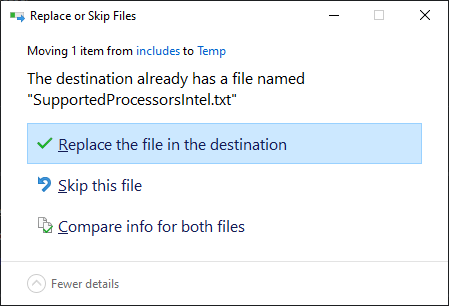
3. Override Existing Files when Prompted
Command Line Switches
Below are the available command line switches and their details:
| Switch | Parameters | Description | Added |
|---|---|---|---|
| /e /export /format |
* filetype * filepath |
Exports requirement check results to a file of a certain format: * CSV: Comma Separated Values, will append without headers to an existing file if one exists. * TXT: Plain Text File, will always overwrite existing files |
2.4.0 |
| /f /force |
- | Ignores any OS Environment Incompatibilities, useful for WinPE and other Environments | 2.4.2 |
| /h /help /? |
- | Displays a help dialog, then exits. Can NOT be used with any other switch | 2.4.0 |
| /s /silent |
- | Does not display the GUI but still runs checks and returns an Exit Code. Exit Code can be obtained using:(Start-Process WhyNotWin11.exe -PassThru -Wait).ExitCode |
2.4.0 |
| /u /update |
* buildtype (optional) | Downloads the latest of a specified build: * Release: Default if no buildtype is specified * Dev: Latest version automatically compiled based on github.qkg1.topmits. |
2.4.1 |
System Requirements
| Minimum Requirements | Recommended | |
|---|---|---|
| OS | Windows 8.1 | Latest Windows 10 Build |
| CPU | 32-bit Single Core | 64-bit Dual Core or Higher |
| RAM (Memory) | 40MB Free | 100MB Free |
| Disk (Storage) | 5MB Free | 100MB Free |
| Limitations | DirectX 12 Check Inaccurate | None |
Image Preview
