
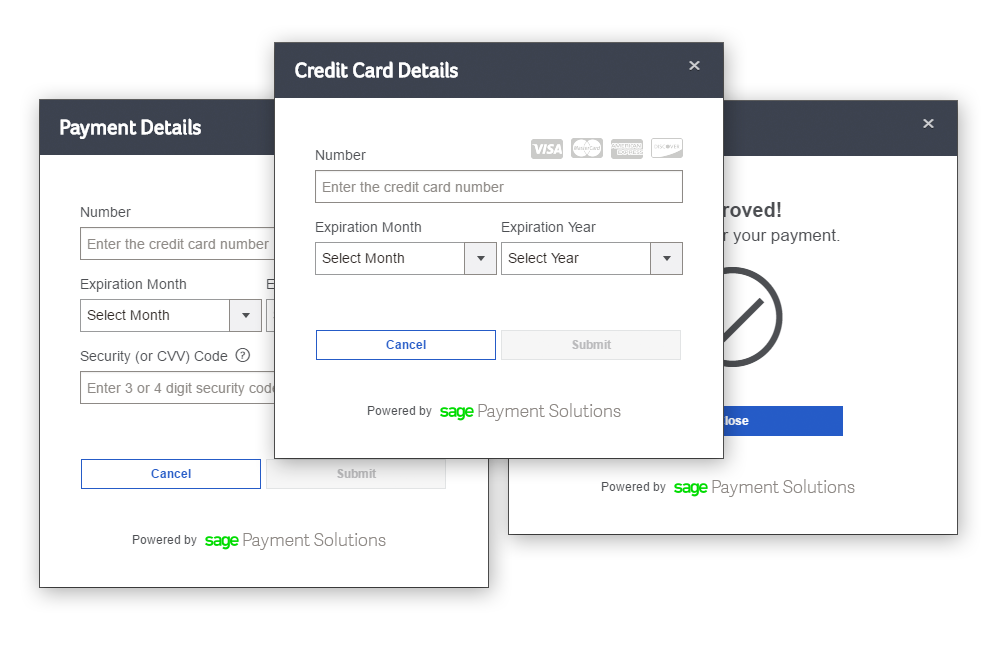
PaymentsJS is a JavaScript library that enables developers to quickly start processing credit cards on their website. The library includes a pre-built user interface, while also exposing the underlying methods for use in applications with more strict UI/UX requirements. And whichever route you go, the credit card data never touches your server.
Add the script to your page:
<script type="text/javascript" src="https://www.sagepayments.net/pay/1.0.0/js/pay.min.js"></script>And, just for the sake of this sample, add a button:
<button id="paymentButton">Pay Now</button>Then, in a separate <script> tag, initialize the library:
PayJS(['PayJS/UI'], // the name of the module we want to use
function($UI) { // assigning the module to a variable
    $UI.Initialize({ // configuring the UI
        apiKey: "myDeveloperId", // your developer ID
        merchantId: "999999999997", // your 12-digit account identifier
        authKey: "ABCD==", // covered in the next section!
        requestType: "payment", // use can use "vault" to tokenize a card without charging it
        requestId: "Invoice12345", // an order number, customer or account identifier, etc.
        amount: "1.00", // the amount to charge the card. in test mode, different amounts produce different results.
        elementId: "paymentButton", // the page element that will trigger the UI
        nonce: "ThisIsTotallyUnique", // a unique identifier, used as salt
        debug: true, // enables verbose console logging
        preAuth: false, // run a Sale, rather than a PreAuth
        environment: "cert", // hit the certification environment
        billing: {
            name: "Will Wade",
            address: "123 Address St",
            city: "Denver",
            state: "CO",
            postalCode: "12345"
        }
    });
    $UI.setCallback(function(result) { // custom code that will execute when the UI receives a response
        console.log(result.getResponse()); // log the result to the console
        var wasApproved = result.getTransactionSuccess();
        console.log(wasApproved ? "ka-ching!" : "bummer");
    });
});
At this point, clicking on paymentButton will make the payment form pop up! You can attempt a transaction, but it will be rejected... so our next step is to calculate the authKey.
Credit card data moves directly between the user's browser and Sage Payment Solutions' secure payment gateway. This is great news for your server, which doesn't have to touch any sensitive data! But, as with any client-side code, it means we have to take seriously the possibility of malicious users making changes to the request.
The authKey is an encrypted version of the configuration settings that you pass into the UI.Initialize() (or CORE.Initialize()) method. When we receive the request, we'll decrypt the authKey and make sure that everything matches up. This is also how you send us your merchantKey, which should never be exposed to the client browser.
The follow code snippets show the encryption in PHP; check out the samples folder of this repository for other languages.
First, we need a salt and an initialization vector:
$iv = openssl_random_pseudo_bytes(16);
$salt = base64_encode(bin2hex($iv));
Next, we're going to create an array (any serializable entity works) that contains our configuration settings, plus our merchantKey:
$req = [
   "apiKey" => "myDeveloperId",
   "merchantId" => "999999999997",
   "merchantKey" => "K3QD6YWyhfD",
   "requestType" => "payment",
   "requestId" => "Invoice12345",
   "postbackUrl" => "https://www.example.com/",
   "environment" => "cert",
   "amount" => "1.00",
   "nonce" => $salt,
   "preAuth" => false
];
We convert it to JSON...
$jsonReq = json_encode($req)... and then use it as the subject of our encryption:
$passwordHash = hash_pbkdf2("sha1", $clientKey, $salt, 1500, 32, true);
$authKey = openssl_encrypt($jsonReq, "aes-256-cbc", $passwordHash, 0, $iv);
Now that we have our authKey, all that's left is to initialize the JavaScript library with the same values!
PayJS(['PayJS/UI'],
function($UI) {
    $UI.Initialize({
        apiKey: "myDeveloperId",
        merchantId: "999999999997",
        authKey: "<?php echo $authKey ?>",
        requestType: "payment",
        requestId: "Invoice12345",
        amount: "1.00",
        elementId: "paymentButton",
        nonce: "<?php echo $salt ?>",
        preAuth: false,
        environment: "cert",
        postbackUrl: "https://www.example.com/",
        billing: {
            name: "Will Wade",
            address: "123 Address St",
            city: "Denver",
            state: "CO",
            postalCode: "12345"
        }
    });
});
If we don't have a sample in your language, the Developer Forums are a great resource for information and/or help.
Similarly, when we send the response back to the client, it will include a SHA-512 HMAC of the response (using your Developer Key to hash). Always calculate & compare this server-side before updating any orders, databases, etc.
PaymentsJS uses RequireJS to manage its components. Your page will only load the modules that you specify (plus any unspecified dependencies).
The following modules contain methods that you may want to use in your project:
| Name | Description |
|---|---|
| "jquery" | Version 2.0 of the common JavaScript library. |
| "PayJS/Core" | Manages configuration settings when not using the UI. |
| "PayJS/UI" | Manages configuration settings when using the UI. |
| "PayJS/Request" | Sends transaction and vault requests to the gateway. |
| "PayJS/Response" | Reads information out of responses from the gateway. |
| "PayJS/Formatting" | Converts credit card data into standardized strings. |
| "PayJS/Validation" | Checks credit card data for acceptable values. |
Additionally, the following dependency-modules will probably not be particularly useful, but are listed here for the sake of completeness:
| Name | Description |
|---|---|
| "PayJS/Extensions" | Extends the jquery module with certain Bootstrap components. |
| "PayJS/UI.html" | Provides the UI module with the HTML that it uses to build the payment form. |
If you're already using RequireJS on your page, add a path to PaymentsJS --
requirejs.config({
    paths: {
        "PayJS": 'https://www.sagepayments.net/pay/js/build'
    },
});
-- and then use it like you would any other module.
Please keep in mind that you'll also need to provide your own jQuery dependency if you don't already have one.
- Module Loading - PayJS()
- PayJS/Core
- PayJS/UI
- PayJS/Request
- PayJS/Response
- PayJS/Formatting
- PayJS/Validation
The entire PaymentsJS library is accessed through the PayJS function, which takes two arguments:
PayJS(
    // first, a string array containing the names of the modules you want to use
    ['moduleOne', 'moduleTwo'],
    // and second a function, inside which you can use those modules
    function(m1, m2){ // moduleOne is assigned to m1, moduleTwo to m2
        m1.doSomething();
        m2.doSomethingElse();
    }
);
Or, less generically:
PayJS(['PayJS/Core', 'PayJS/Request'],
function(CORE, REQ){
    CORE.Initialize(/*...*/);
    REQ.doPayment(/*...*/);
});The Core module's main role is to share common settings among the other modules.
Configures the library for a gateway request. If you're running payments using the PayJS/Request module, use this instead of UI.Initialize().
This method takes a single argument:
// pass this method an object literal containing your configuration settings
CORE.Initialize({
    someValue: "123456",
    mySetting: true
});
The configuration object can contain:
| Name | Description | Values | Length | Required | Default |
|---|---|---|---|---|---|
| debug | toggles verbose logging to browser console | boolean | N/A | no | false |
| environment | chooses between the certification and production environments | "cert" or "prod" | 4 | no | cert |
| apiKey | your developer id | alphanumeric string | 32 | yes | N/A |
| merchantId | identifies your gateway account | numeric string | 12 | yes | N/A |
| authKey | see Authentication & Verification | string | varies | yes | N/A |
| requestId | an identifier of your choosing | string | 1+ | yes | N/A |
| requestType | chooses between charging or tokenizing a card | "payment" or "vault" | N/A | yes | N/A |
| nonce | the encryption salt; see Authentication & Verification | string | varies | yes | N/A |
| amount | the amount to charge the card | "1.00", etc. | varies | when requestType = "payment" | N/A |
| preAuth | toggles between authorization-only and authorization & capture | boolean | N/A | no | false (auth & cap) |
| postbackUrl | a URL that will receive a copy of the gateway response | valid URI with https scheme | any | no | "" |
| billing | add billing information (address/etc.) to the transaction request | see CORE.setBilling() |
N/A | yes | N/A |
Returns a boolean that represents whether the module has been successfully initialized.
This method does not take any arguments:
CORE.isInitialized();
// => false
CORE.Initialize(validSettings)
CORE.isInitialized();
// => trueAdds billing information to a transaction request.
This takes a single argument:
CORE.setBilling({
    name: "John Smith",
    address: "123 Address St",
    city: "Denver",
    state: "CO",
    postalCode: "12345",
    country: "USA"
});
Notes:
- Billing information can also be set during initialization.
These methods return information about the current configuration:
CORE.getMerchantId();
// => "123456789123"
CORE.getAuthKey();
// => "H1x4ECB6TkeTSfkABNQXHNs5="
CORE.getRequestId();
// => "Invoice123"
CORE.getAmount();
// => "1.00"
CORE.getRequestType();
// => "payment"
CORE.getPreAuth();
// => false
CORE.getPostbackUrl();
// => "https://www.example.com/myHandler.php"
CORE.getNonce();
// => "NoncesAreCool"
CORE.getPhoneNumber();
// => "800-555-1234"
CORE.getBilling();
// => Object {name: "John Smith", address: "123 Address St", state: "CO", postalCode: "12345", country: "USA"}The UI module adds a pre-built payment form to your website.
Configures the library for a gateway request. If you're using the pre-built payment form, use this instead of CORE.Initialize().
This method takes a single argument:
// pass this method an object literal containing your configuration settings
UI.Initialize({
    someValue: "123456",
    mySetting: true
});
In addition to the information outlined in CORE.Initialize(), this configuration object can contain:
| Name | Description | Values | Length | Required | Default |
|---|---|---|---|---|---|
| elementId | the id of the html element to which the UI will attach | string | any | yes | N/A |
| suppressResultPage | hide the approved/declined pages that show after a gateway request | boolean | N/A | no | false |
| restrictInput | limits user entry to acceptable characters | boolean | N/A | no | true |
| formatting | after the user enters their credit card number, the form will remove invalid characters and add dashes | boolean | N/A | no | true |
| phoneNumber | displayed as a support number for declined transactions | string | any | no | none |
| show | automatically show the modal UI when ready | boolean | N/A | no | false |
| addFakeData | adds fake credit card data to the form, for testing | boolean | N/A | no | false |
Notes:
- If
targetElementrefers to a<button>,<a>, or<input>, the UI will appear as a modal dialog when that element is clicked. If it refers to a<div>, the UI will be put inside the element. Other element types will probably just do something weird. - If
suppressResultPageis enabled, the UI will never move past the processing bar. This can be used in conjunction withUI.setCallback()to customize response handling (eg, redirecting to another page). - We do not recommend changing
restrictInputorformattingtofalse. (These options may be deprecated in a future release.)
Returns a boolean that represents whether the module has been successfully initialized.
This method does not take any arguments:
UI.isInitialized();
// => false
UI.Initialize(validSettings)
UI.isInitialized();
// => trueSets a function that executes after a request completes.
This method takes a single argument:
var myCallback = function(RESP){
    SendResultToServer(RESP.getResponse({ json: true }))
    var wasApproved = RESP.getTransactionSuccess();
    RedirectUser(wasApproved ? "approved.html" : "declined.html");
};
UI.setCallback(myCallback);
Notes:
- The argument to your callback function is an object with all the methods of a
PayJS/Responsemodule.- This object will have already had
RESPONSE.tryParse()called.
- This object will have already had
- Always check the response hash server-side to verify the integrity of the response.
The Request module sends transaction and vault requests to the payment gateway.
Charges a credit card.
This method takes four arguments:
REQUEST.doPayment(cardNumber, expirationDate, cvv, callbackFunction);Notes:
- The argument to your callback function is a JSON string.
- Pass the string into
RESPONSE.tryParse()to initialize thePayJS/Responsemodule's getters.
- Pass the string into
- Always check the response hash server-side to verify the integrity of the response.
Tokenizes a credit card without charging it. The token can be used later to charge the card.
This method takes three arguments (CVVs can not be stored):
REQUEST.doVault(cardNumber, expirationDate, callbackFunction);Notes:
- The argument to your callback function is a JSON string.
- Pass the string into
RESPONSE.tryParse()to initialize thePayJS/Responsemodule's getters.
- Pass the string into
- Always check the response hash server-side to verify the integrity of the response.
Charges a credit card using a vault token.
This method takes three arguments:
REQUEST.doTokenPayment(vaultToken, cvv, callbackFunction);Notes:
- An empty string is an acceptable CVV value; however, to maximize the chances of the cardholder's bank approving the transaction, it is always preferable to collect and include a CVV whenever possible.
- The argument to your callback function is a JSON string.
- Pass the string into
RESPONSE.tryParse()to initialize thePayJS/Responsemodule's getters.
- Pass the string into
- Always check the response hash server-side to verify the integrity of the response.
The Response module exposes methods for traversing transaction results.
Attempts to initialize this module's getters from a JSON string.
This method takes a single argument:
RESPONSE.tryParse(gatewayResponse);
// => true
Notes:
- This method should be used in the callback functions of the
PayJS/Requestmodule's methods.- Pass the string into
RESPONSE.tryParse()to initialize thePayJS/Responsemodule's getters. - If this method returns
false, useRESPONSE.getResponse()to view the unparsed result.
- Pass the string into
Returns the result of the gateway request.
This method takes a single optional argument:
RESPONSE.getResponse(); // without an argment, the method returns an object
// => Object {Response: Object, Hash: "ABCD=="}

RESPONSE.getResponse({ json: true }); // pass a configuration object to retrieve a json string instead
// => "{ "Response": {"status":"Approved", ... }, "Hash": "ABCD==" }"
Notes:
- When using the
PayJS/Requestmodule's methods, you must callRESPONSE.tryParse()before this method is available. ThePayJS/UImodule does this for you. - Always check the response hash server-side to verify the integrity of the response.
Returns the result of the gateway request before any attempted parsing. Useful in (rare) situations where RESPONSE.tryParse() fails to interpret a response message.
This method does not take any arguments:
RESPONSE.getRawResponse(); // without an argment, the method returns an object
// => Object {Response: Object, Hash: "ABCD=="}
Notes:
- Always check the response hash server-side to verify the integrity of the response.
This module has various getters that return information about the gateway request.
These methods do not take any arguments:
// returns true if the payment request was approved; otherwise, false
RESPONSE.getTransactionSuccess();
// => true

// returns true if the vault request was approved; otherwise, false
RESPONSE.getVaultSuccess();
// => true

// returns the token representing the credit card in the vault
RESPONSE.getVaultToken();
// => "d01a3475-42ad-4d7e-b0a6-76e4ea1abec6"

// returns the approval or decline code
RESPONSE.getCode();
// => "123456"

// returns the approval or decline message
RESPONSE.getMessage();
// => "APPROVED"

// returns the unique gateway identifier for the payment
RESPONSE.getReference();
// => "123456789123"

// returns the payment's order number
RESPONSE.getOrderNumber();
// => "123456789123"
These methods can take a configuration object as a single optional argument:
// without any configuration, this method returns a single character representing the result of an AVS check
// (see: https://en.wikipedia.org/wiki/Address_Verification_System)
RESPONSE.getAVS();
// => "Z"

// use the "require" option to test whether the actual AVS result meets a certain level (or higher)
RESPONSE.getAVS({ require: "none" }); // no match
// => true
RESPONSE.getAVS({ require: "partial" }); // partial match (address OR zip)
// => true
RESPONSE.getAVS({ require: "exact" }); // exact match (address OR zip)
// => false

// use the "require" option with the "test" option to test the given code for a certain match-level, irrespective of the actual AVS result
RESPONSE.getAVS({ require: "none", test: "M" });
// => true
RESPONSE.getAVS({ require: "partial",  test: "M" });
// => true
RESPONSE.getAVS({ require: "exact", test: "M" });
// => true
// without any configuration, this method returns a single character representing the result of a CVV check
RESPONSE.getCVV();
// => "M"
// use the "require" option to determine whether it was a match or not
RESPONSE.getCVV({ require: "match" }); // no match
// => trueThe Formatting module converts strings into default or specified formats.
Converts a string into a formatted credit card number.
This method can take one or two arguments:
// pass the string to format
FORMATTING.formatCardNumberInput("5454545454545454");
// => "5454-5454-5454-5454"
FORMATTING.formatCardNumberInput("371449635392376");
// => "3714-496353-92376"

// pass a delimiter to use instead of a dash
FORMATTING.formatCardNumberInput("4111111111111111", "$");
// => "4111$1111$1111$1111"

// non-numeric characters are removed:
FORMATTING.formatCardNumberInput("4111-1111_1111a1111", "");
// => "4111111111111111"Converts a string into a formatted expiration date.
This method can take one or two arguments:
// pass the string to format
FORMATTING.formatExpirationDateInput("1216");
// => "12/16"

// pass a delimiter to use instead of a slash
FORMATTING.formatExpirationDateInput("1216", "~");
// => "12~16"
Notes:
- See
VALIDATION.getExpArray()for more on expiration date string parsing.
Removes from a string any characters other than digits.
This method takes a single argument:
FORMATTING.stripNonNumeric("abcd1234!@#$");
// => "1234"Removes from a string any characters other than digits, letters, and underscores.
This method takes a single argument:
FORMATTING.stripNonAlphanumeric("abcd1234!@#$");
// => "abcd1234"The Validation module tests that strings meet certain validity criteria.
Tests a credit card string for invalid characters, appropriate length, and mod10.
This method can take one or two arguments:
// pass the string to validate
VALIDATION.isValidCreditCard("5454545454545454");
// => true

// pass a card type to check validity for that particular type
VALIDATION.isValidCreditCard("5454545454545454", "3");
// => false
Notes:
- This method will allow dashes; all other non-numeric characters will result in
false. - This method expects American Express cards to have 15-digit cardnumbers; all other cardnumbers are expected to be 16 digits.
- The card type is represented by the first digit of that card type.
3-- American Express4-- Visa5-- MasterCard6-- Discover
Tests an expiration date string for invalid characters, impossible month, or past date.
This method takes a single argument:
VALIDATION.isValidExpirationDate("1220");
// => true

// expired
VALIDATION.isValidExpirationDate("1215");
// => false

// impossible date
VALIDATION.isValidExpirationDate("1320");
// => false
Notes:
- This method will allow slashes; all other non-numeric characters will result in
false. - See
VALIDATION.getExpArray()for more on expiration date string parsing.
Tests a CVV string for invalid characters and appropriate length.
This method takes two arguments:
// pass the string to validate, and a card type to check validity for that particular type
VALIDATION.isValidCvv("123", "4");
// => true
VALIDATION.isValidCvv("1234", "4");
// => false
VALIDATION.isValidCvv("1234", "3");
// => true
Notes:
- This method expects American Express cards to have 4-digit CVVs ("CIDs"); all other CVVs are expected to be 3 digits.
- The card type is represented by the first digit of that card type.
3-- American Express4-- Visa5-- MasterCard6-- Discover
Returns a string array containing an expiration date as ["MM", "YY"].
This method takes a single argument:
// with a slash
VALIDATION.getExpArray("01/18"); // MM/YY
// => ["01", "18"];
VALIDATION.getExpArray("1/18"); // M/YY
// => ["01", "18"];
VALIDATION.getExpArray("01/2018"); // MM/YYYY
// => ["01", "18"];
VALIDATION.getExpArray("1/2018"); // M/YYYY
// => ["01", "18"];

// without a slash
VALIDATION.getExpArray("0118"); // MMYY
// => ["01", "18"];
VALIDATION.getExpArray("118"); // MYY
// => ["01", "18"];
VALIDATION.getExpArray("012018"); // MMYYYY
// => ["01", "18"];
VALIDATION.getExpArray("12018"); // MYYYY
// => ["01", "18"];
Notes:
- Despite its parent module, this method does not validate the string.
VALIDATION.isValidExpirationDate()calls this method before validating.