Vibe is a traditional pixel-level background modeling algorithm. It was published as the IEEE in 2009 and it is very suitable for embedded device because of its low memory usage and low computational complexity. After referring to various open source codes, it was found that the execution efficiency of python code was too low. In order to interface with the algorithm used in the project, I implemented the Vibe in C++ and generated the library files by pybind11 that can be directly called by python. Actually, the author of the paper has open sourced the relevant C++ code and has several optimizations in its implementation.
Telecommunications and Imaging Laboratory(Vibe official website)
ViBE: A powerful random technique to estimate the background in video sequences
Following the command:
mkdir build && cd build
cmake ..
make
After that you will get the VIBE.xxx.so file in the build/. You can use python to directly import the corresponding library in the directory where the file is located. Of course, you can use it through sys.path.
# Put VIBE.xxx.so in ./lib

>>> import sys
>>> sys.path.append("./lib")
>>> from VIBE import VIBE
Run the test file to check whether the library file is generated correctly:
# before this, you should put the VIBE.xxx.so in ./lib

python test.py
It's OK if the video after background extraction is generated.
Need to initialize the class after importing the library
from VIBE import VIBE

vibe = VIBE()

vibe.sampleNums = 20 # model number of each pixel
vibe.miniMatch = 6 # minimum background model matching number
vibe.radis = 20  # maximum deviation of background model
vibe.rateNum = 16  # Background update probability seed (1/rateNum)

# Input three-dimensional array. Convert RGB image to grayscale image
vibe.Rgb2Gray(numpy.array())

# Input three-dimensional array. Initialize the background model with a grayscale image
vibe.Initial(numpy.array())

# Input two three-dimensional arrays
# Update the model with the input gray image and write the results into another input three-dimensional array
vibe.Update(numpy.array(), numpy.array())

# Input a three-dimensional array
# Use the RGB image to operate the Vibe algorithm, which is an integrated function of Initial and Update
vibe.Vibe(numpy.array())
See the test.py for details.
The actual effect is as follows:
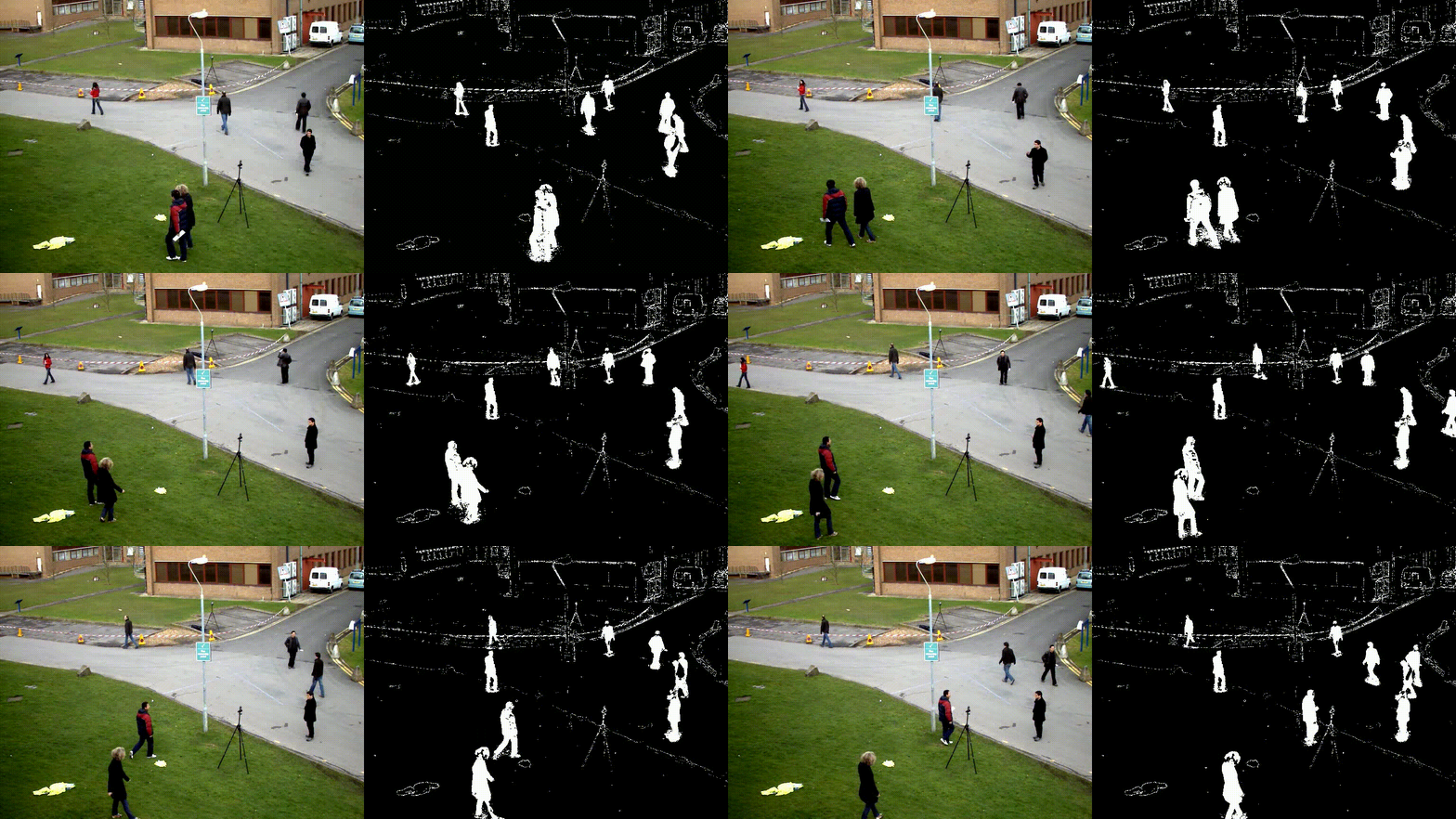
As shown above, the algorithm cannot eliminate ghost images well. The approximate running time of the algorithm is 120ms per frame. The optimization method mentioned in the author's implementation is not used here, so there is still a lot of room for optimization.
- quickly eliminate Ghost
- optimize C++ code to speed up