



ESPGeiger is an open-source project that turns an ESP8266 or ESP32 into an IoT-connected Geiger counter. It collects, calculates and reports radiation levels from a range of Geiger counters with pulse or serial outputs.
- 😃 Easy to install via web browser — no compiler required
- ✅ Works with generic pulse counters and GC10, GC10next, MightyOhm serial counters
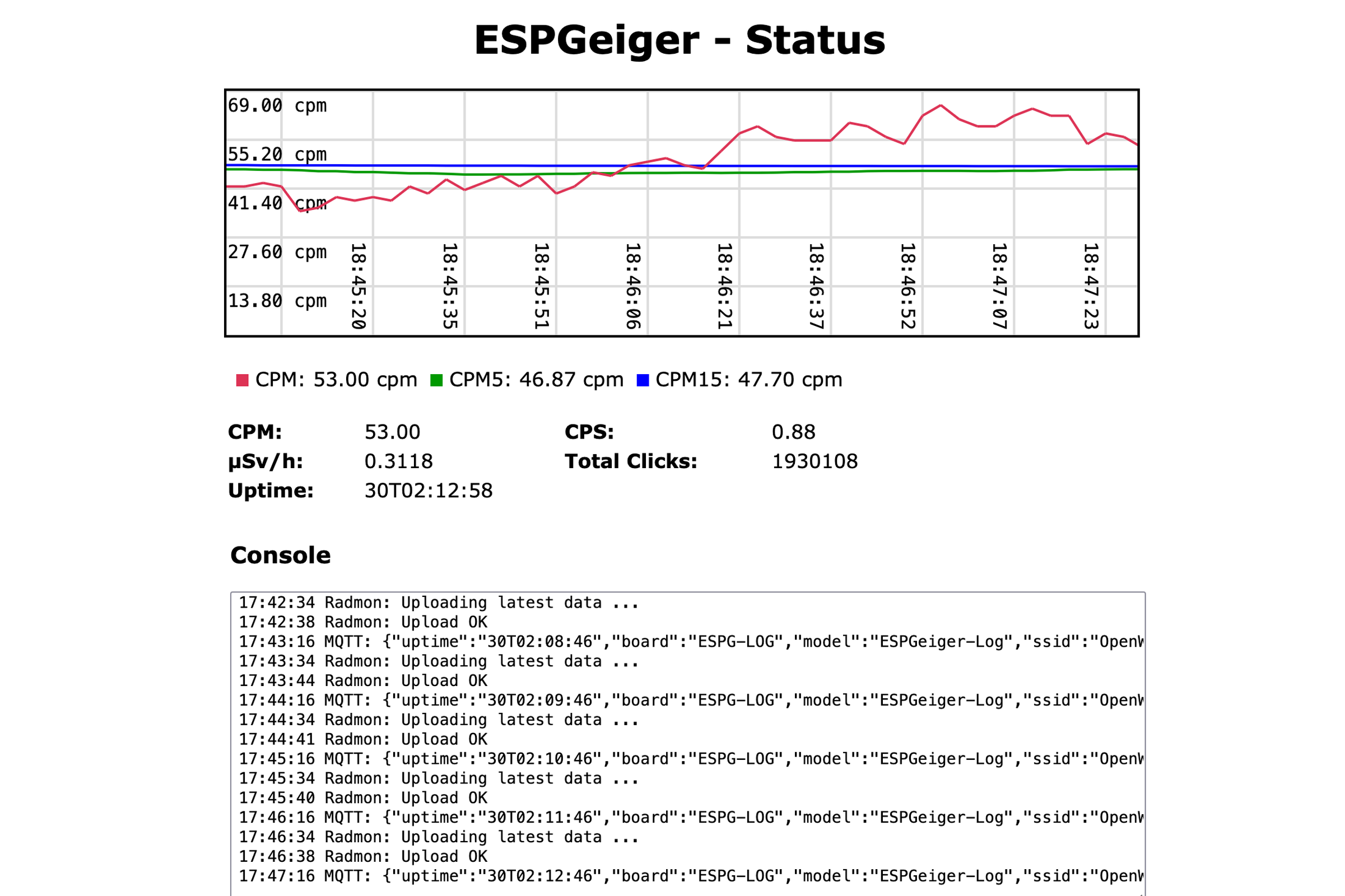
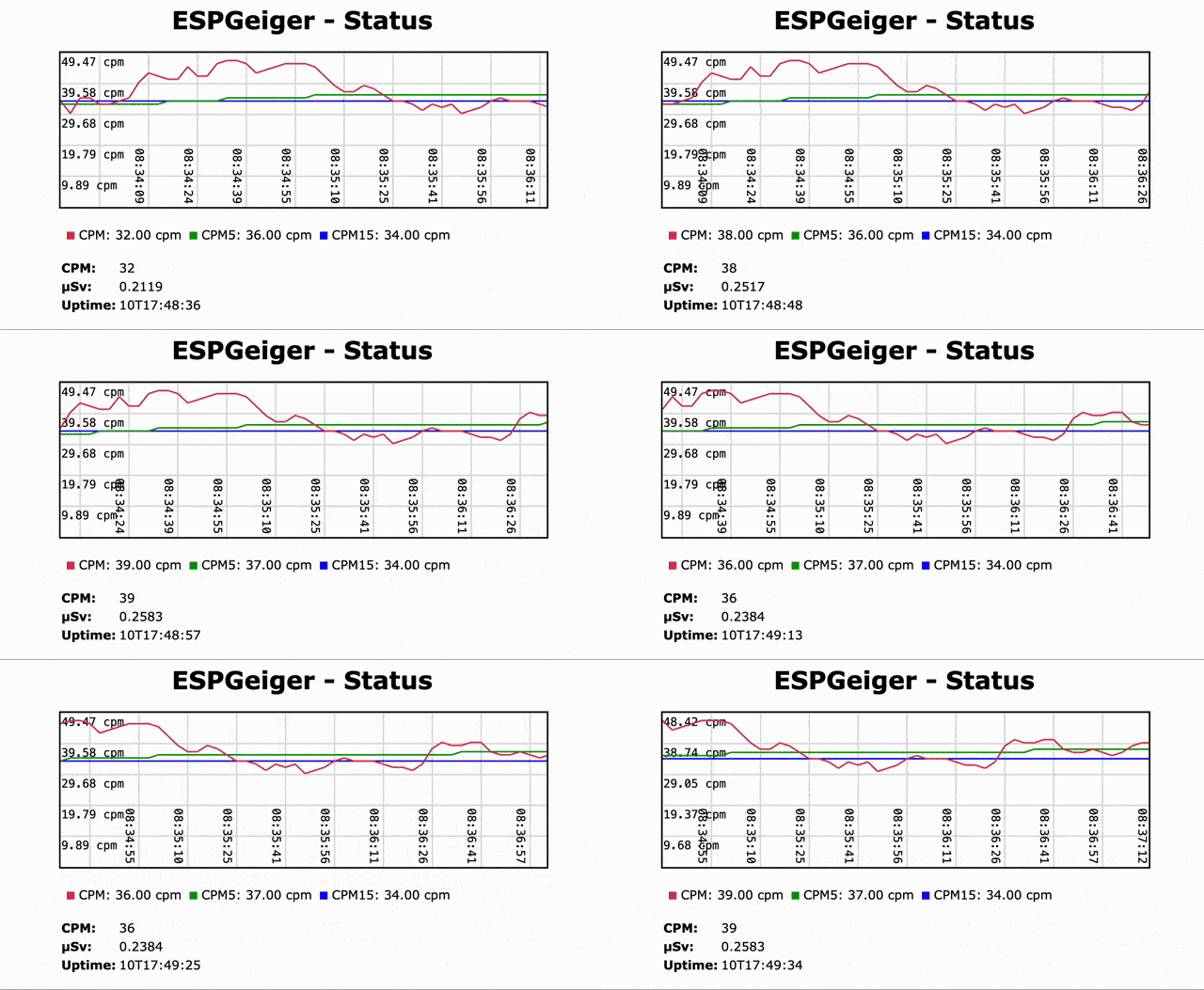
- 📈 Built-in web server with live graphing
- 🔴 Live CPM and μSv/h readings
- 🔢 Smoothed values over 1, 5 and 15 minutes
- 🖥️ Optional SSD1306 OLED display and WS2812X NeoPixel status light
- 📟 Accurate counting via interrupt or ESP32 hardware counter (PCNT)
- 🌐 MQTT, Home Assistant auto-discovery, Radmon.org, GMCMAP, ThingSpeak, custom Webhooks
- 💾 Optional SD card logging
- 🚧 Test builds for emulating pulse and serial counters
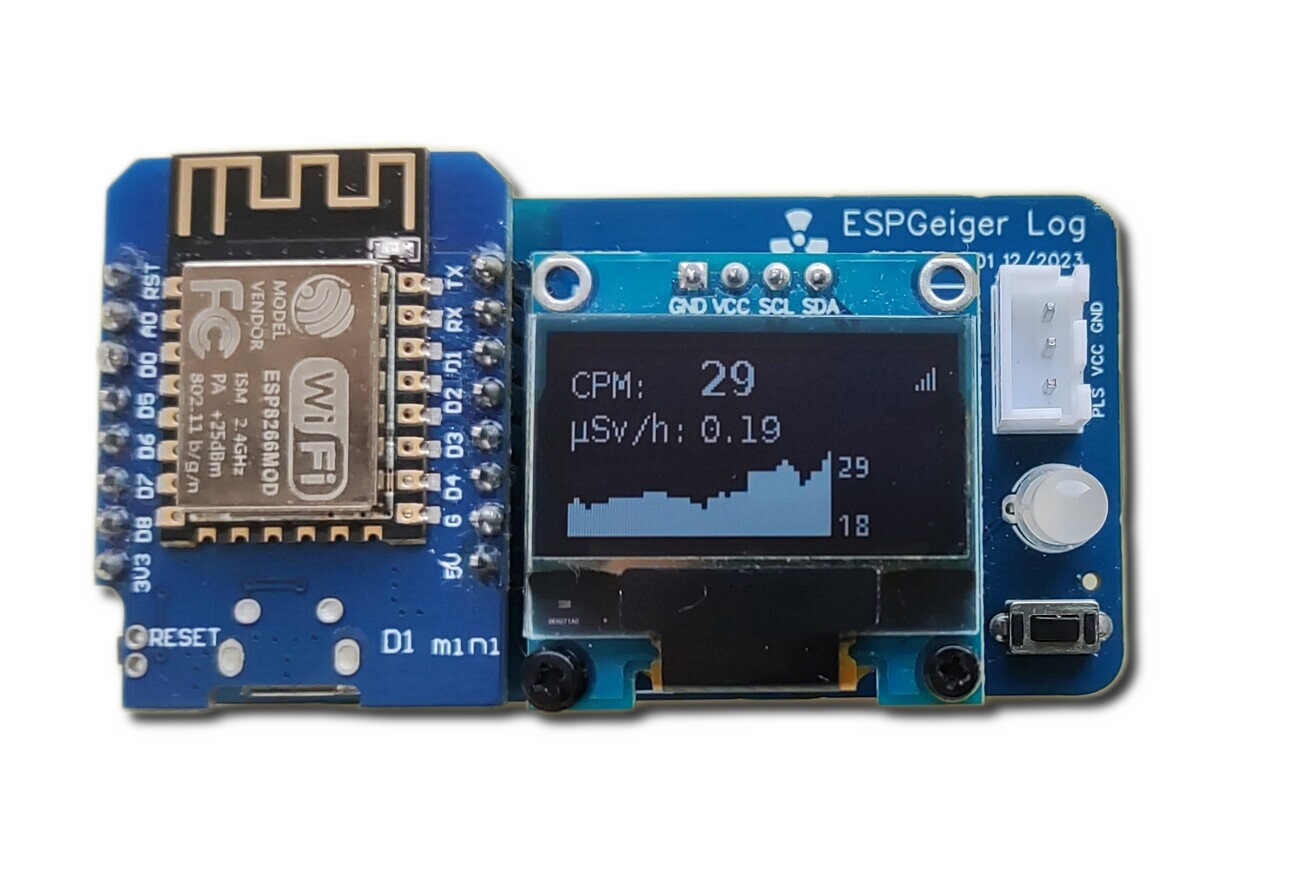
The easiest way to install ESPGeiger is the Web Installer — it runs in your Chrome or Edge browser and flashes your device over USB. No code editor or compiler required.
Select your build from the dropdown and follow the on-screen instructions. Installation takes about two minutes.
Pick the build that matches your hardware. If in doubt, start with Pulse — it works with most generic Geiger counters.
| Hardware | Recommended Build |
|---|---|
| ESP8266 (Wemos D1 Mini, NodeMCU, etc.) | esp8266_pulse |
| ESP8266 with SSD1306 OLED | esp8266oled_pulse |
| ESP32 | esp32_pulse |
| ESP32 with SSD1306 OLED | esp32oled_pulse |
| CAJOE IoT-GM (ESP32 with built-in OLED) | esp32_cajoe_iotgm |
| Counter | ESP8266 Build | ESP32 Build |
|---|---|---|
| GC10 | esp8266_gc10 |
esp32_gc10 |
| GC10-Next | esp8266_gc10next |
esp32_gc10next |
| MightyOhm | esp8266_mightyohm |
esp32_mightyohm |
OLED variants exist for each — replace esp8266_ with esp8266oled_ (or esp32_ with esp32oled_).
These are official ESPGeiger hardware kits — use the hardware-specific builds:
| Hardware | Pulse | GC10 | GC10-Next | MightyOhm |
|---|---|---|---|---|
| ESPGeiger-HW | espgeigerhw |
— | — | — |
| ESPGeiger Log | espgeigerlog |
espgeigerlog_gc10 |
espgeigerlog_gc10next |
espgeigerlog_mightyohm |
Test builds emulate a Geiger counter internally. You can also wire the TXPIN of one ESPGeiger to the RXPIN of another to simulate a serial counter:
| Build | Description |
|---|---|
esp8266_test / esp32_test |
Internal counter, no output |
esp8266_testpulse / esp32_testpulse |
Outputs Poisson-distributed pulses on TXPIN |
esp8266_test_gc10 / esp32_test_gc10 |
Emulates a GC10 serial counter |
esp8266_test_mightyohm / esp32_test_mightyohm |
Emulates a MightyOhm serial counter |
See the full list of available builds on the releases page or in the build targets documentation.
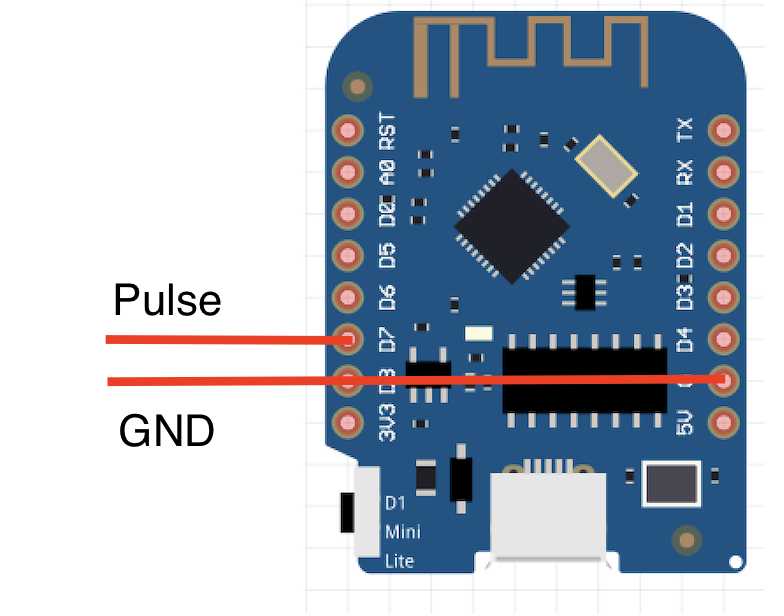
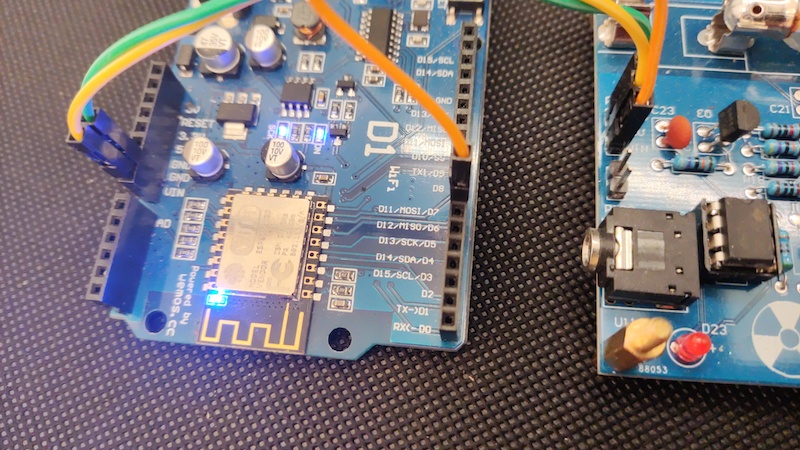
By default GEIGER_RXPIN is set to GPIO13. Connect your Geiger counter's pulse or serial TX output to this pin. Don't forget a common ground.
- After flashing, connect to the new Wi-Fi network (
ESPGeiger-XXXXXX) - A captive portal should pop up — if not, browse to http://192.168.4.1/
- Select your home Wi-Fi network and enter the password
- Once connected, browse to
http://ESPGeiger-XXXXXX.localor the assigned IP - Configure MQTT, Radmon, GMCMAP, ThingSpeak and other outputs from the Config page
Upgrades can be done over-the-air through the web interface. Please be careful to select the right firmware for your hardware.
Note: ESP32 users should use the firmware binary when upgrading (the merged binaries are for fresh installs via the Web Installer).
Full documentation is available at docs.espgeiger.com.
If you want to customise the firmware or create a build for unsupported hardware, you can build from source using PlatformIO. See the Platformio Build documentation for details.
- DIY GeigerKit
- NetIO GC10
- RHElectronics
- GeigerHV
- GGreg20
- MightyOhm Kit (can also be used as a pulse counter)
- DiY-GDC
- CAJOE (and clones) RadiationD-v1.1
- GC10 / GC10-Next
- MightyOhm
- ESPGeiger-HW
Other serial-based counters should be supportable with small additions to the codebase. If you have one not listed, please raise an issue.
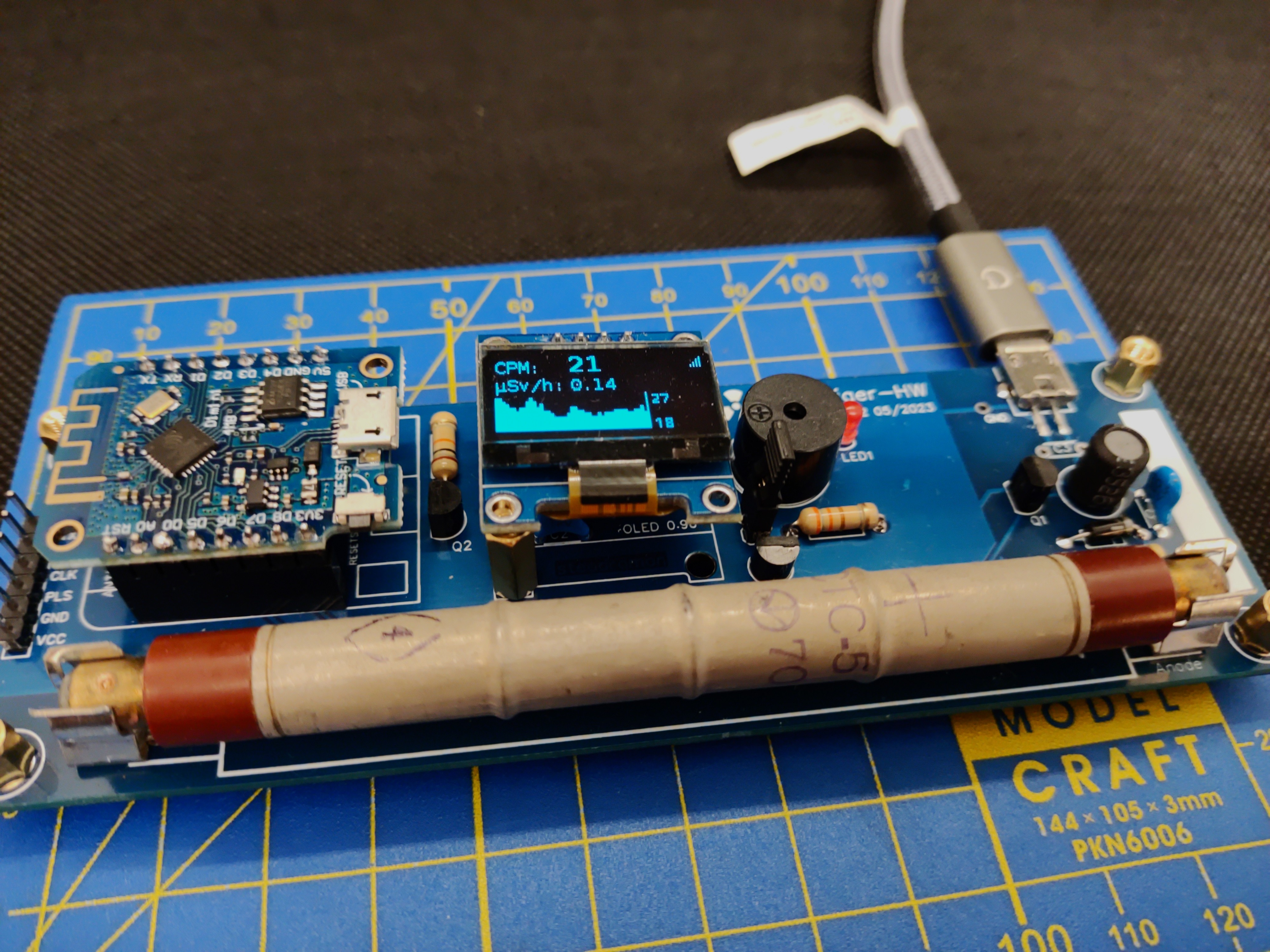
The official IoT Geiger counter powered by ESPGeiger. See docs.espgeiger.com for more information.
Contributions are welcome — please feel free to raise a Pull Request or open an issue.
Supporting libraries:
Inspiration: