- Mapping parameters
- Input modes for CCs
- Note-mapping
- Slew-limiting and input-scaling
- 14-bit CC
- MIDI-feedback
- LED-binding for MIDI-feedback
- Additional features
- MEM-expander
- CTX-expander
- CLK-expander
- FINE-expander
- Changelog
MIDI-CAT is a module for MIDI-mapping and an evolution of VCV's MIDI-MAP with several additional features:
- It has two different pickup-modes for controllers without input or automatic adjustment, so your parameters won't change until your controls reach their current positions.
- It allows mapping of MIDI note messages, providing momentary-mode, momentary-mode with velocity and toggle-mode.
- It can be configured for a MIDI output port to send controller feedback. If your controller supports it, all your controls are initialized when a patch is loaded.
- You can switch the module to "Locate and indicate" mode, which will help you to retrace your MIDI controls to the mapped module and parameter.
- CPU usage has been optimized.
- And much much more...
Besides these new features the module brings the goodies known from stoermelder's other mapping modules like...
- ...text scrolling for long parameter names,
- ..."Locate and indicate" on slot's context menu for finding mapped parameters and
- ...unlocked parameters for changes by mouse or by preset loading or using a preset-manager like stoermelder's 8FACE.

| Mode | Behavior | Best For |
|---|---|---|
| Direct | Immediate parameter change | Motorized faders, endless encoders |
| Pickup (snap) | Wait for value match, then lock | Standard MIDI controllers |
| Pickup (jump) | Same as snap, unlocks on jumps | Template switching controllers |
| Toggle | Min/max toggle on any CC | Buttons controlling switches |
| Toggle + Value | Min/value toggle | |
| Snapped | Advance to next step | Snapped parameters with discrete values |
| Snapped (short/long) | Next/previous with long press | Snapped parameters with discrete values |
| Mode | Behavior | Best For |
|---|---|---|
| Momentary | Max value on note-on | Drum pads, buttons |
| Momentary + Velocity | Velocity-mapped value | Velocity-sensitive pads |
| Toggle | Min/max toggle | Switches |
| Toggle + Velocity | Min/velocity toggle | |
| Snapped | Advance to next step | Snapped parameters with discrete values |
| Snapped (short/long) | Next/previous with long press | Snapped parameters with discrete values |
When using multiple expanders, they can be chained on the right side of MIDI-CAT in any order. All expanders (MEM, CTX, CLK, FINE) can be used simultaneously.
A typical workflow for mapping your MIDI-controller will look like this:
- Connect your MIDI controller and select it on the top display of MIDI-CAT. If your controller can receive MIDI messages you can select the output port of the controller in the display in the middle.
- Activate the first mapping slot by clicking on it.
- Click on a parameter of any module in your patch. The slot will bind this parameter.
- Touch a control or key on your MIDI device. The slot will bind the MIDI CC or note message.
- Repeat this process until all the desired parameters have been mapped.
Since v1.7.0 a blinking mapping indicator will indicate the bound parameter for the mapping-slot which is currently selected.

If you like to know more on MIDI-mapping in VCV Rack please refer to one of the existing tutorials like this one from Omri Cohen.
In v1.7.0 new mapping options have been added to MIDI-CAT to achieve even faster mappings without the need for touching every single parameter of a module:
- Map module (left) - Place MIDI-CAT directly on the left side of the module you like to map. Use the option Map module (left) on the context menu to fill the mapping slots with all parameters of the module. Please note that there are two different variants available: Clear first clears all mappings slots before the slots of MIDI-CAT are filled, Keep MIDI assignments will not clear the assigned MIDI controls but all bindings to parameters. The latter option is useful if you want to reuse the controls of your MIDI device and re-map them onto a different module. Mapping can be also enabled by Ctrl/Cmd+Shift+E (Clear first) or Shift+E (Keep MIDI assignments).

- Map module (select) - This option changes your cursor into a crosshair which needs to be pointed onto any module within your patch by clicking on the panel. The variants Clear first and Keep MIDI assignments work the same way as for Map module (left). Mapping can be also enabled by Ctrl/Cmd+Shift+D (Clear first) or Shift+D (Keep MIDI assignments).

- Map parameters by selection (Added in v2.0.0) - This option allows you to map several parameters at once by applying a selection bound box around them. All parameters must be on the same module and the selection box cannot span multiple modules. The sub-option Clear clears all mappings of MIDI-CAT before and sub-option Append appends newly mapped parameters at the end. The options with additional bind LED are described in LED-binding for MIDI-feedback.

MIDI-CAT supports a technique sometimes called "soft-takeover" or "pickup": If the control on your MIDI device has a position different to the mapped parameter's position all incoming MIDI messages are ignored until the parameter's position has been "picked up". This prevents unwanted parameter jumps when switching controller presets or loading patches. This method must be enabled for each mapping-slot in the context menu:
-
Direct - Every received MIDI CC message is directly applied to the mapped parameter (default). Best for controllers with motorized faders or endless encoders.
-
Pickup (snap) - MIDI CC messages are ignored until the control reaches the current value of the parameter. After that the MIDI control is "snapped" onto the parameter and will only unsnap if the parameter is changed from within Rack, e.g. manually by mouse or preset-loading.
-
Pickup (jump) - Same as Pickup (snap), but the control will lose the parameter when jumping to another value (in detail: The received MIDI CC value differs by 7% from the actual parameter value, on the default MIDI CC value range 0-127 this is a change by +/-8 from the last MIDI message). This mode can be used if your MIDI controller supports switching templates and you don't want your parameters to change when loading a different template.
-
Toggle (added in v1.9.0) - Every MIDI continuous control message toggles the parameter between its minimum and maximum value (usually 0 and 1 for switches).
-
Toggle + Value (added in v1.9.0) - Every MIDI continuous control message toggles the parameter between its minimum and the control's value.
-
Snapped (added in v2.2.0) - Only usable for snapped parameters (for example "Steps" on VCV SEQ3). A MIDI CC message with value greater than 0 advances the parameter to the next step and rolls over at the end of the range. This allows controlling a snapped parameter with a MIDI button.
-
Snapped (short/long) (added in v2.2.0) - Same as Snapped, but responds to MIDI CC value = 0 and long pressing will decrease the parameter to the previous step.

MIDI-CAT supports mapping of MIDI note-messages instead of MIDI CC. There are different modes available as note-messages work differently to continuous controls:
-
Momentary - Default setting, when a MIDI note is received the parameter will be set to its maximum value (an MIDI velocity of 127 is assumed).
-
Momentary + Velocity - same as Momentary, but the MIDI velocity of the note is mapped to the range of the parameter.
-
Toggle - Every MIDI note on message toggles the parameter between its minimum and maximum value (usually 0 and 1 for switches).
- Toggle + Velocity (added in v1.8.0) - Every MIDI "note on" message toggles the parameter between its minimum and the note's velocity value.
Some controllers with push-buttons don't handle "note off" messages the way the message is intended, hence a mapping-slot can be switched with the option Send "note on, vel 0" on note off to send a "note on" message with "velocity 0" as MIDI feedback instead (since v1.7.0).
-
Snapped (added in v2.2.0) - Only usable for snapped parameters (for example "Steps" on VCV SEQ3). A "note on" message increases the parameter to the next step and rolls over at the end of the range.
-
Snapped (short/long) (added in v2.2.0) - Same as Snapped, but responds to "note off" messages and long pressing a MIDI note will decrease the parameter to the previous step.

Added in v1.8.0: Each mapping slot has its own setting for slew-limiting of the input value which applies an exponential filter. Small values for Slew are smoothing incoming MIDI values which are quite "steppy" as MIDI supports only values 0-127 for CC and note velocity. Larger values for Slew give an overall steady movement of the mapped parameter on fast controller changes.
As slew-limiting can be a CPU-intensive operation when used on many parameters MIDI-CAT has an option to set the update frequency and thus its precision. This option can be found on the context menu and allows updating parameters on every audio sample which will cause the highest CPU usage but is rarely needed. Lower update frequencies also lower the CPU usage accordingly.
Added in v1.8.0: Each mapping slot has also two sliders (Low and High) for scaling incoming MIDI values which allows you to adjust the range of the MIDI control and how the mapped parameter is affected. By setting the two sliders accordingly (MIDI values range from 0 to 127) almost any linear transformation is possible, even inverting a MIDI control. For convenience some presets are provided and the current scaling transformation is shown on the context menu.
Please note that slew-limiting and input-scaling also work fine with note-mapping.

MIDI 14-bit CC pairs are supported since v1.9.0: continuous control messages 0-31 are combined pairwise with 32-63 for increasing the resolution of the value range from 0-127 to 0-16383. Of course the MIDI controller must support 14-bit CC as both messages must be always sent sequentially to make it work. 14-bit support can be enabled in each mapping slot assigned to MIDI CC 0-32.

The increased value resolution is displayed on the context menu and all available options like scaling and slew can be used like regular CCs.
Any parameter change can be sent back to a MIDI output with the same CC or note. "Feedback" is useful for initialization of the controls on the MIDI device if it is supported, especially after loading a patch. Slew-limiting is not applied on MIDI feedback.
The option Re-send MIDI feedback on MIDI-CAT's context menu allows you to manually send the values of all mapped parameters back to your MIDI device (since v1.7.0). This option can be useful if you switch your MIDI device while running Rack or the device behaves strangely and needs to be initialized again.
For some MIDI controllers which don't support different simultaneous "layers" but different switchable presets (e.g. Behringer X-Touch Mini) there is an additional submenu option called Periodically (since v1.8.0): When enabled MIDI-CAT sends MIDI-feedback twice a second for all mapped controls regardless if any parameter has been changed.
This is an experimental feature which was introduced in v2.0.0: It adds the ability to send MIDI-feedback according to the state of an LED on a module instead of the parameter's actual value. This is useful for buttons, which behave in a momentary way and do not represent the state of the parameter. Please note: the LED must be on the same module as the mapped parameter and cannot be on any other module. Here is a unpolished introduction video to demonstrate the configuration steps and how this feature works:
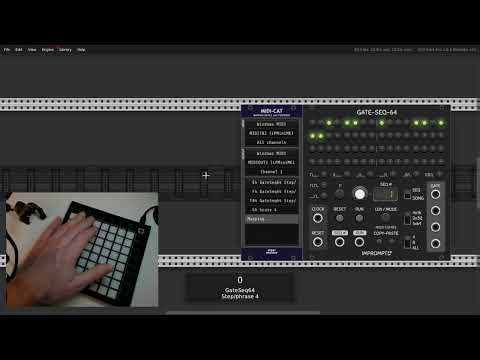
stoermelder STRIP-file for Impromptu GATE-SEQ-64
Modified template for LaunchPad Mini Mk3
For convenience, the following keyboard shortcuts are implemented for quick mapping and control. Most hotkeys are active while hovering the MIDI-CAT module; some are only active during an active mapping session.
| Hotkey | Action | Notes |
|---|---|---|
Shift + E |
Map module (left) — Keep MIDI assignments | Hover MIDI-CAT and use to map the module on the left without clearing existing CC/note assignments |
Ctrl/Cmd + Shift + E |
Map module (left) — Clear first | Clears mapping slots before filling them from the module on the left |
Shift + D |
Map module (select) — Keep MIDI assignments | Enable module-select mapping (cursor becomes crosshair) and keep MIDI assignments |
Ctrl/Cmd + Shift + D |
Map module (select) — Clear first | Enable module-select mapping and clear existing mappings first |
Shift + V |
Apply mapping (MEM) | Apply stored module mapping from MEM (also available from MEM panel) |
Esc |
Abort mapping | Abort an active mapping operation |
Space |
Skip current mapping slot | While in mapping mode, advances to the next slot |
Ctrl/Cmd + Shift + R |
Reset Pickup input-mode | Resets the input-mode Pickup (snap) |
Ctrl/Cmd + Shift + F |
Re-send MIDI feedback | Manually send MIDI feedback for all mapped parameters |
Ctrl/Cmd + Shift + I (hold) |
Temporarily activate Direct input-mode while held | Press & hold to force Direct mode; releases revert to previous mode |
Note: These hotkeys are active when the MIDI-CAT widget is hovered.
-
The module allows you to import presets from VCV MIDI-MAP for a quick migration.
-
The module can be switched to Locate and indicate-mode: Received MIDI messages have no effect to the mapped parameters, instead the module is centered on the screen and the parameter mapping indicator flashes for a short period of time. When finished verifying all MIDI controls switch back to Operating-mode for normal module operation of MIDI-CAT.
-
The text shown in every mapping slot can be replaced by a custom text label in the context menu (since v1.4.0).
-
If you find the yellow mapping indicators distracting you can disable them on MIDI-CAT's context menu (since v1.5.0).
-
Accidental changes of the mapping slots can be prevented by the option Lock mapping slots in the context menu which locks access to the widget of the mapping slots (since v1.5.0).
-
Scrolling Rack's current view by mouse is interrupted by MIDI-CAT's list widget while hovered. As this behavior can be annoying all scrolling events are ignored if Lock mapping slots is enabled (since v1.7.0).
-
An active mapping process can be aborted by hitting the ESC-key while hovering the mouse over MIDI-CAT (since v1.7.0).
-
An active mapping slot can be skipped by hitting the SPACE-key while hovering the mouse over MIDI-CAT (since v1.8.0).
-
Settings of a mapping slot are copied from the previous slot: If you set up the first mapping slot and map further mapping slots afterwards, these settings are copied. Useful for settings like "Pickup" or "14-bit CC".
- After a parameter has been mapped the parameter's context menu is extended with some additional menu items allowing quick MIDI learning and centering its mapping MIDI-CAT module on the center of the screen (since v1.8.0). There are even further options with the CTX-expander.

- MIDI-CAT uses an overlay window displaying parameter changes on the bottom of the screen (since v1.9.0). This overlay is enabled by default and can be disabled in the context menu. Some adjustments for the appearance of the overlay can be made with the stoermelder ME module.

-
Parameter changes are not reported back to the plugin-host by default if MIDI-CAT is used in a plugin-version of VCV Rack. A context menu option is available to enable this behavior - it might cause higher CPU usage of the plugin (since v2.2.0).
-
MIDI-CAT can receive MIDI System Reset messages: For mapping-slots with input-mode Pickup (snap) it resets the mapping and the parameter can be picked up again. This can be useful for switching MIDI controller presets (since v2.2.0).
MEM is a companion module for MIDI-CAT: The expander allows you store an unlimited number of module-specific mappings which can be recalled for the same type of module without doing any mapping manually.
A typical workflow will look like this:
- Place MEM on the right side of MIDI-CAT.
- Create a mapping using your MIDI device of any module in MIDI-CAT.
- You find a new option Store mapping in the MEM-expander-section of MIDI-CAT's context menu. The submenu shows all module-types which are currently mapped in MIDI-CAT. If you mapped only one module in MIDI-CAT there will be only one item.
- The module-mapping is listed under Available mappings in the context menu after storing. The number on the display of MEM will also increase by 1.
- If you like you can repeat this process: Clear the mapping-slots of MIDI-CAT and repeat for another module-type.
Stored module-mappings can be recalled by context menu option Apply mapping or hotkey Shift+V while hovering MIDI-CAT or using the button on the panel of MEM. The cursor changes to a crosshair and the MIDI-mapping is loaded into MIDI-CAT after you click on a panel of module in your patch and MEM contains a mapping for this module-type.

MEM should be considered as a sort of "memory-unit" for MIDI-CAT: The module-specific mappings are saved inside the MEM-module and can be exported using Rack's preset functionality on the context menu. This means you can reuse the same mappings in different instances of MIDI-CAT or multiple patches, independently of any current mapping of MIDI-CAT.
MEM is not designed to map and recall mappings for different types of modules the same time. If you desire to recall a specific mapping-setup into MIDI-CAT you can use stoermelder 8FACE which applies a complete setup by loading a preset of MIDI-CAT. For this purpose an option Ignore MIDI devices on presets has been added (since v1.8.0) which skips any MIDI device settings when loading a preset into MIDI-CAT, only settings for all mapping slots will be recalled.
Added in v1.8.0: MEM has two buttons labeled Prev and Next which scan your patch from top-left to bottom-right and apply a stored mapping to the next/previous module of the current mapped module. Modules without a mapping available in MEM will be skipped while scanning obviously. This function is especially useful when triggering Next and Prev with a MIDI controller which allows you to control your patch without touching the mouse or keyboard and without static mapping, for example.

Added in v2.2.0: MEM has a restriction list to restrict the modules considered by the buttons Prev and Next. By default, all modules in the current patch are considered if the restriction list is empty. The restriction list is managed by selecting a group of modules and pushing "Save".
-
MEM can store only one mapping of any specific module-type. If you store a mapping for a module which has a mapping already it will be replaced.
-
You can remove any mapping using the the context menu Delete.
-
All push buttons on MEM can be mapped using any mapping module if you like to activate Apply mapping by MIDI or some other command.
CTX is a second companion module for MIDI-CAT: The expander allows you to name each instance of MIDI-CAT in your patch. This name can be addressed in every parameter's context menu for activating MIDI mapping or re-mapping parameters to an existing MIDI control or note mapping in another mapping slot of MIDI-CAT.
CTX for MIDI-CAT must be placed on the right side of MIDI-CAT and can be used at the same time as the MEM-expander. The display can hold up to 8 characters for naming MIDI-CAT.

Additionally, MIDI-CAT CTX provides a button for activating mapping on the first empty mapping slot in MIDI-CAT. This button can also be mapped to a MIDI controller which allows you to start MIDI mapping by a MIDI message.
CLK is a companion module for MIDI-CAT which provides four additional clock-inputs. These clock-inputs can be used to time-quantize the incoming MIDI messages to running clocks or triggers or gates: When enabled the incoming MIDI message is buffered and applied to the parameter on the next trigger.
CLK for MIDI-CAT must be placed on the right side of MIDI-CAT and can be used together with the other expanders.

There are two modes with different behavior for MIDI-feedback:
- On (instant feedback): The MIDI feedback message is sent as soon as the MIDI message arrives, even if the new value is not yet applied on the parameter.
- On (deferred feedback): The MIDI feedback message is sent on the next clock-tick, the same time as the new value is applied on the parameter.
FINE is a companion module for MIDI-CAT which provides the ability to fine-tune mapped parameters. When the input/gate on either the 10% input or 1/2/5% input is high, the module switches to fine-tuning mode. In fine-tuning mode, the MIDI control must be moved to its center, then it fine-tunes the parameter within a 10% range or 1/2/5% range, respectively.
Fine-tuning for a parameter can only be used on MIDI CC mappings with input mode set to Pickup (snap) or Pickup (jump). Additionally, the module switches from 10% range to 1/2/5% range and from 1/2/5% range to 10% range smoothly if the 1/2/5% input is enabled while the 10% input stays high. This means finer adjustments can be made while holding two buttons without the need to center the MIDI control.
After fine-tuning is finished and gates on 10% input and 1/2/5% input are low, the mapped MIDI control can pick up the current parameter value again.
FINE for MIDI-CAT must be placed on the right side of MIDI-CAT and can be used together with the other expanders. High gates for the two inputs can be created by VCV MIDI-GATE using MIDI note messages or by STROKE using keyboard hotkeys, for example.
- v1.1.0
- Initial release of MIDI-CAT
- v1.3.0
- Fixed velocity-handling on note messages if in toggle-mode (does not need vel 127 anymore)
- v1.4.0
- Fixed wrong handling of CC-mappings in Direct-mode on parameter changes made within Rack
- Added option to enter custom labels for mapping slots (#75)
- v1.5.0
- Added option for hiding parameter indicator squares
- Added option for locking mapping slots to prevent changes by accident (#89)
- Fixed broken toggle-mode for MIDI note-mapping
- v1.6.1
- Added option for re-sending MIDI feedback values
- v1.7.0
- Added expander MEM for MIDI-CAT
- Don't capture mouse scrolling if mapping slots are locked (#137)
- Blink mapping indicator of currently selected mapping slot
- Added option for automatic mapping of all parameters of a module on the left side or by module-select
- Mapping is aborted using ESC-key while hovering the mouse over the module
- Added option for sending MIDI "note on, velocity 0" on feedback for note off (#130)
- v1.8.0
- Added context menu sliders for MIDI filtering/slew-limiting for CCs and notes (#79)
- Added context menu sliders for scaling or transforming the MIDI-input and parameter-range (#169)
- Added context menu options for precision/CPU-usage
- Added context menu options on mapped parameters of target module for MIDI-CAT
- Added skipping of current slot with SPACE-key while in mapping-mode
- Added context menu option for clearing all mapping-slots
- Added option for ignoring MIDI device settings on preset load (#185)
- Fixed broken "Re-send MIDI feedback" option
- Added context menu option for re-sending MIDI feedback periodically
- Added note-mode "Toggle + Velocity"
- v1.9.0
- Added expander CTX for MIDI-CAT
- Added support for MIDI 14-bit CC
- Added toggle-modes for MIDI CC mappings (#225)
- Added an overlay showing current parameter changes on the bottom of the screen
- Fixed crash when binding modules with more than 128 parameters (#234)
- Added option for clearing mapping slots on preset load (#259)
- v1.10.0
- Fixed broken multi-mapping for note-messages (#271)
- v2.0.0
- Added expander CLK for MIDI-CAT (#299)
- Fixed pickup of parameters with snapping (#308)
- Fixed broken button-handling of MIDI-CAT MEM and MIDI-CAT CTX when triggered by Parameter-mapping (#356)
- Added trigger-inputs for Prev and Next on MIDI-CAT MEM
- Implemented response curves (logarithmic/exponential) (#258)
- Implemented experimental LED binding for proper MIDI feedback on push-buttons (e.g. on VCV SEQ3 or Impromptu GATE-SEQ-64) (#401)
- Implemented alternative parameter binding by selection box
- v2.1.0
- Improved mapping logic to allow more parameters to be mapped (e.g. SurgeXTRack) (#410)
- v2.2.0
- Added FINE-expander
- Added module restriction list for MEM-expander
- Added input-modes "Snapped" and "Snapped (short/long)" for CC and Notes for use with snapped parameters (e.g. "Steps" on VCV SEQ3)
- Added color setting for mapping indicators
- Added handling for MIDI System Reset message for resetting input-mode "Pickup (snap)"
- Added context menu option to report parameter updates to plugin-host (only in plugin-version of Rack)
- Fixed broken MIDI feedback when loading stored mappings on MIDI-CAT MEM
- Fixed mistaken copy-over of 14-bit CC flag from previous mapping slot on CCs >= 32
- Fixed missing parameter updates after manual adjustment in some situations
- Fixed broken MIDI learning for CC 31
- Fixed broken Locate and indicate mode
- v2.3.0
- Added hotkey Ctrl/Cmd+Shift+R for resetting input-mode Pickup (snap)
- Added hotkey Ctrl/Cmd+Shift+I for temporarily activating input-mode Direct while held
- Added hotkey Ctrl/Cmd+Shift+F for re-sending MIDI feedback