A modern, Material Design 3 inspired theme and simplified UI for OpenWrt routers -- built for beginners, loved by OpenWRT nerds.
The PrivateRouter LuCi Theme transforms the standard OpenWrt LuCI interface into a clean, card-based experience that anyone can use. No terminal commands, no config files -- just a beautiful web UI for managing your router, your VPN connections, your Wi-Fi mesh network, and more.
The best part? It installs as a standard LuCI theme and does not modify any OpenWrt core components. Your existing LuCI setup stays completely intact, and you can switch back to the full advanced interface at any time with a single toggle.
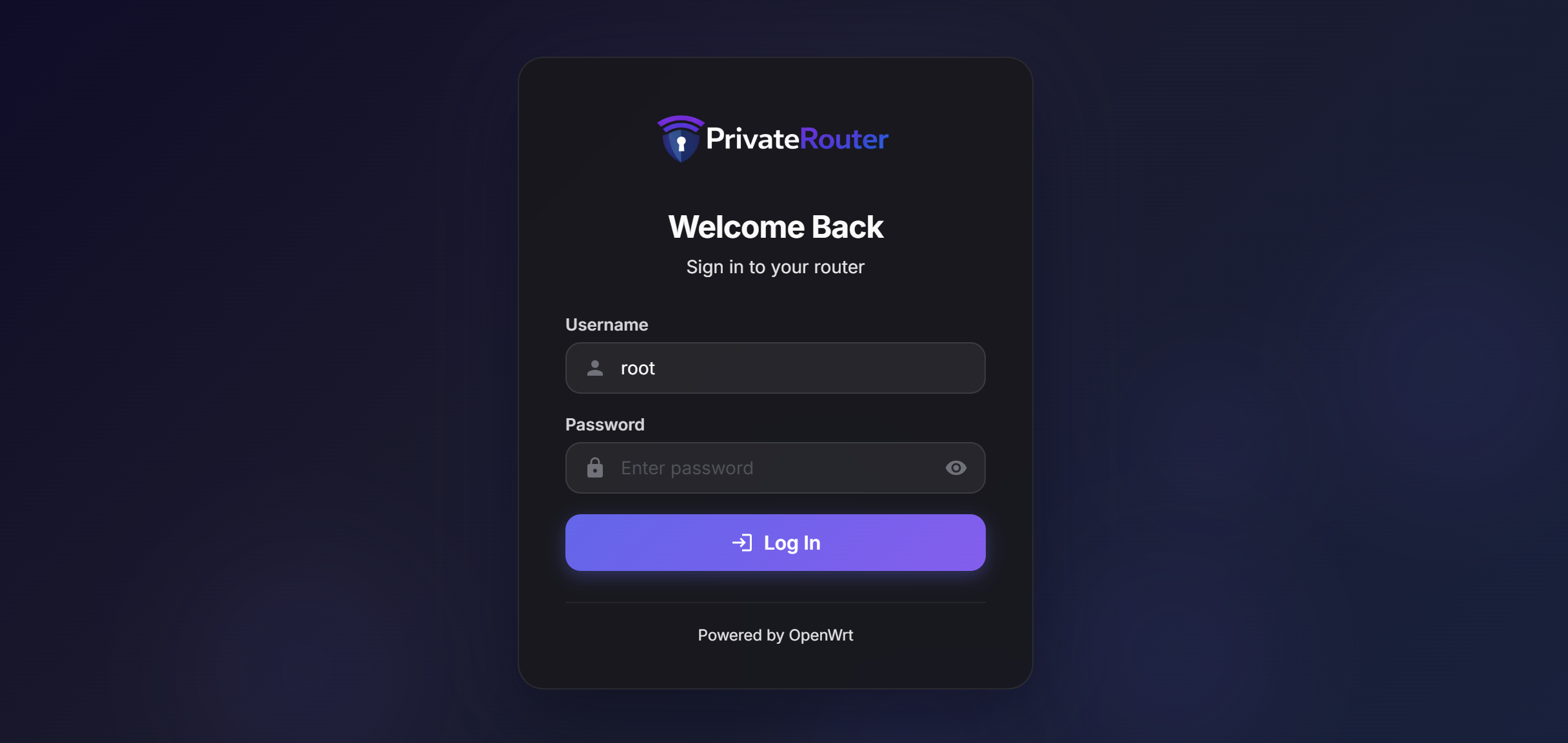
The PrivateRouter Theme sits on top of LuCI as a standard OpenWrt theme package. It uses the same LuCI framework, the same UCI configuration system, and the same ubus RPC calls that power every OpenWrt router. Nothing is patched, replaced, or overwritten.
Three packages work together to deliver the experience:
| Package | What It Does |
|---|---|
| luci-theme-oat | The visual theme -- Material Design 3 styling, dark mode, the Simple/Advanced toggle, and all the icons and layout |
| luci-mod-dashboard | A real-time dashboard with CPU/memory gauges, internet status, Wi-Fi info, VPN status, connected devices, and traffic stats |
| luci-mod-simple | The simplified interface pages -- Wi-Fi, Internet, VPN, Devices, Docker, System settings, and more |
When you log in, you see the Simple mode by default: a clean sidebar with only the pages you need. Flip the Simple / Advanced toggle in the header bar and you get the full traditional LuCI menu with every option OpenWrt offers. Your preference is remembered across sessions.
Simple Mode                          Advanced Mode
+------------------+                 +------------------+
| Dashboard        |                 | Status           |
| Wi-Fi            |                 | System           |
| Internet         |                 | Network          |
| VPN              |                 | Firewall         |
| Devices          |                 | Services         |
| Docker           |                 | Docker           |
| System           |                 | NAS              |
| Logout           |                 | (all LuCI menus) |
+------------------+                 +------------------+
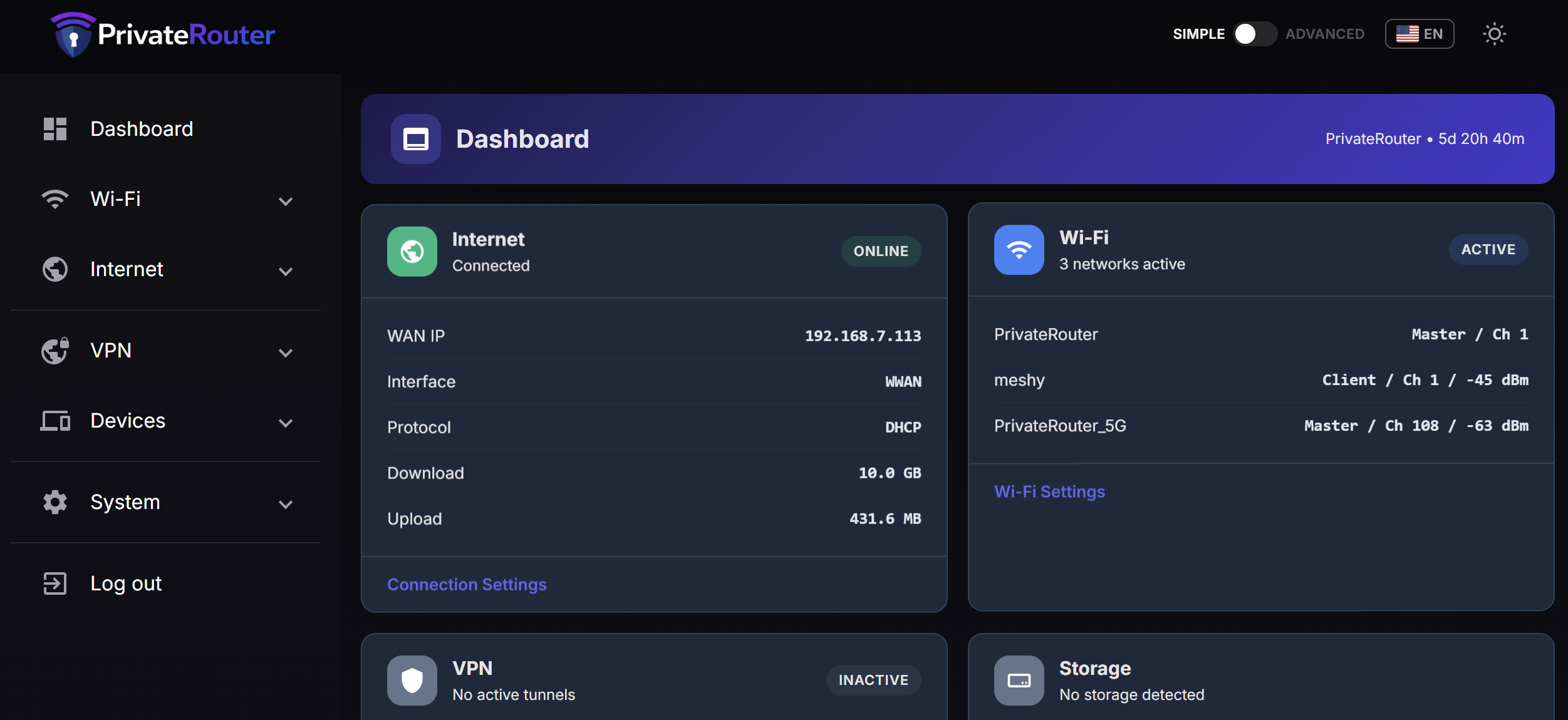
Real-time system overview with animated CPU and memory gauges, WAN connection status with IPv4/IPv6 badges, wireless network details, download/upload traffic counters, storage usage bars, VPN tunnel status, and a connected devices list. Quick-access tiles link to the most common settings pages. Auto-refreshes every 5 seconds.

A toggle switch in the header bar lets you flip between the simplified UI and the full LuCI interface. In Simple mode, the sidebar shows only the clean, card-based pages. In Advanced mode, every standard LuCI menu appears. Switching to Simple mode from an advanced page automatically redirects you to the Dashboard.
Full dark mode support across every page, toggle it from the header bar. All cards, forms, gauges, and menus adapt seamlessly using CSS custom properties.
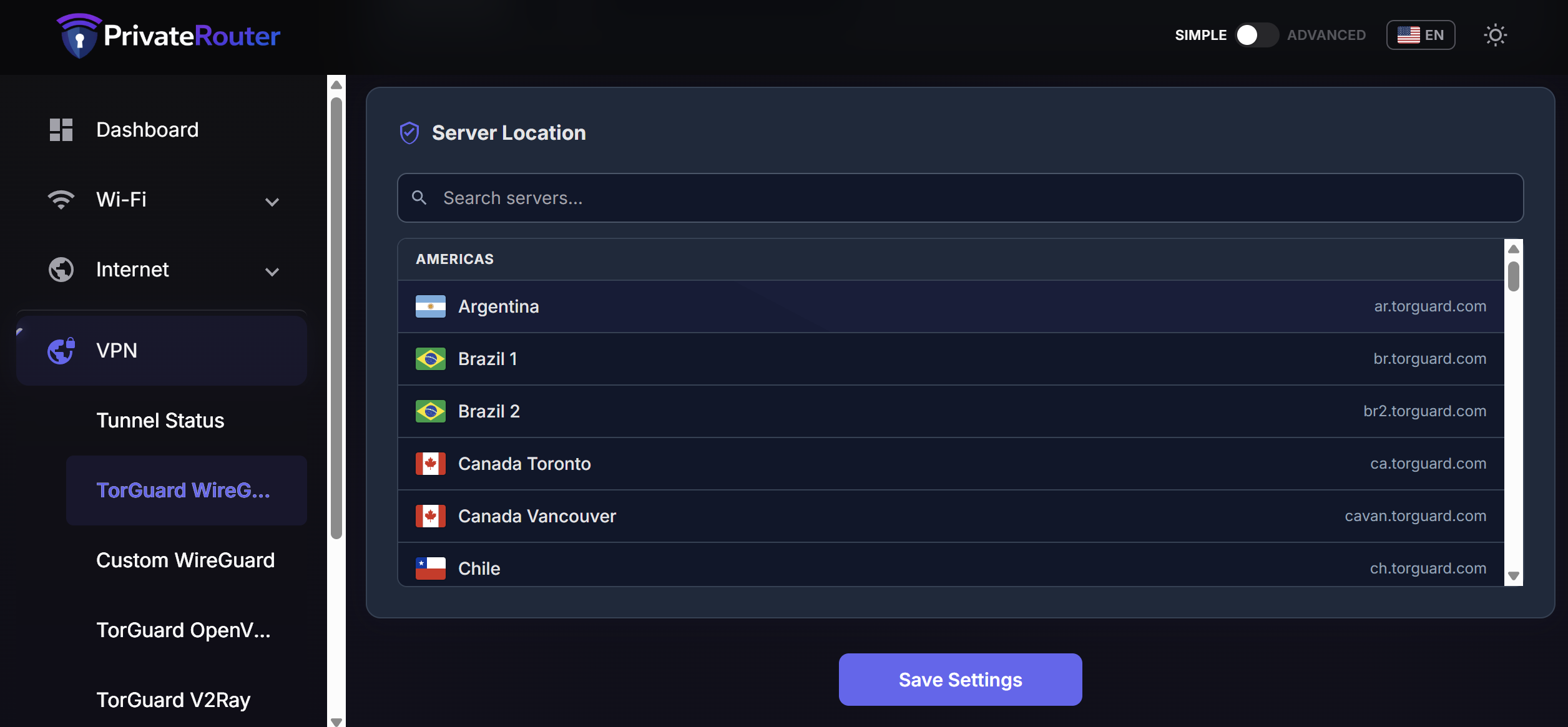
Built-in pages for managing TorGuard VPN connections directly from the simple UI:
- TorGuard WireGuard -- Select a server from a global list (Americas, Europe, Asia Pacific, Middle East & Africa), enter your credentials, and connect. One-click start/stop with real-time tunnel status and traffic counters.
- TorGuard OpenVPN -- Full server list with protocol selection (UDP/TCP), port options, cipher configuration, and dedicated IP support.
- TorGuard V2Ray -- VPN and Proxy modes with VLESS, VMess, Trojan, and Shadowsocks support. Custom server import, SOCKS5/HTTP proxy ports, and sing-box powered.
- Custom WireGuard -- Bring your own WireGuard configuration from any provider.
- VPN Status -- Overview page showing all active tunnels with connection state, traffic stats, and quick links to each VPN configuration page.
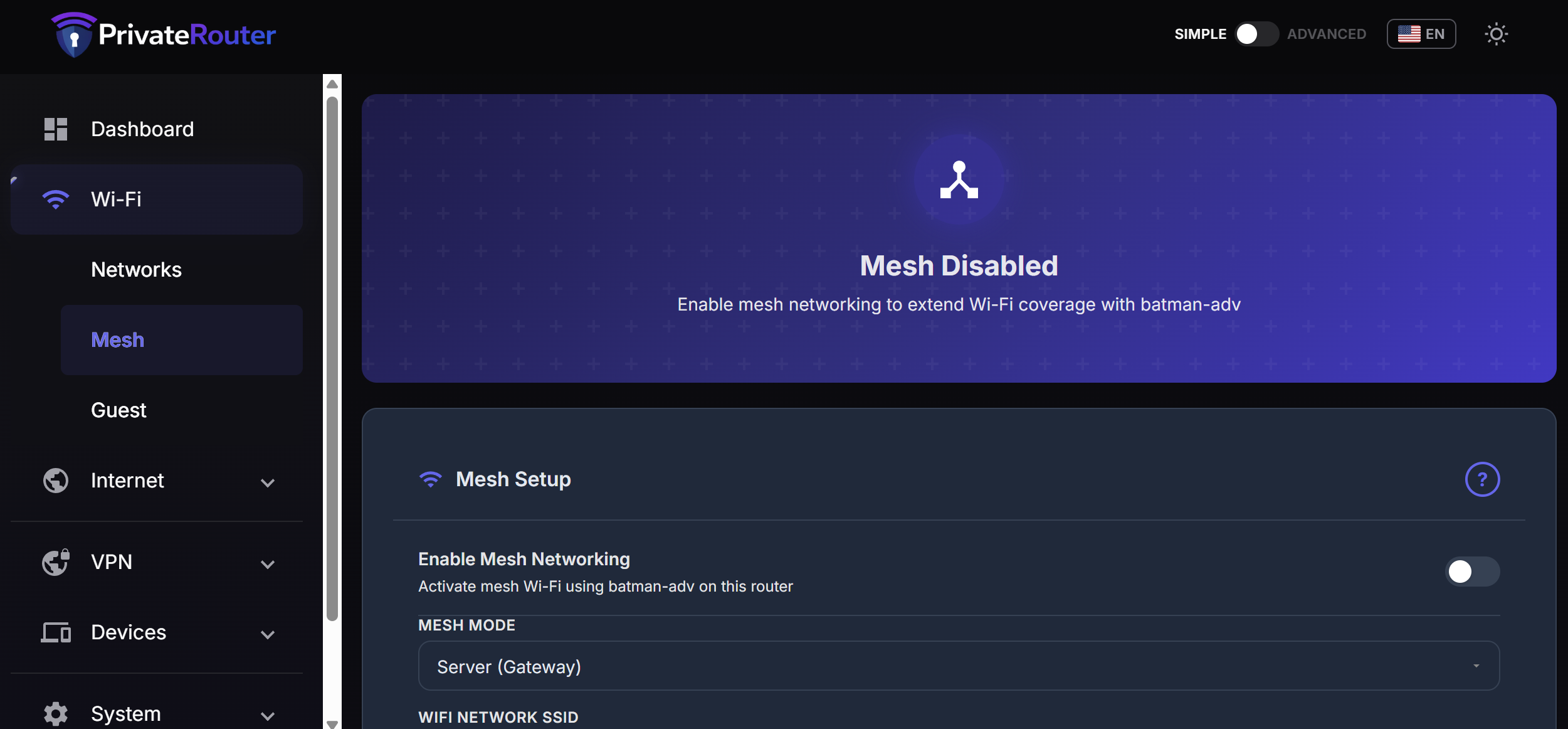
Set up a mesh network across multiple OpenWrt routers without touching the command line. Choose between Server (Gateway) and Client roles, configure the mesh ID and Wi-Fi settings, enable 802.11k/v/r fast roaming (KVR), and let Easy Mesh handle the batman-adv networking. Includes a step-by-step setup guide modal built right into the page.
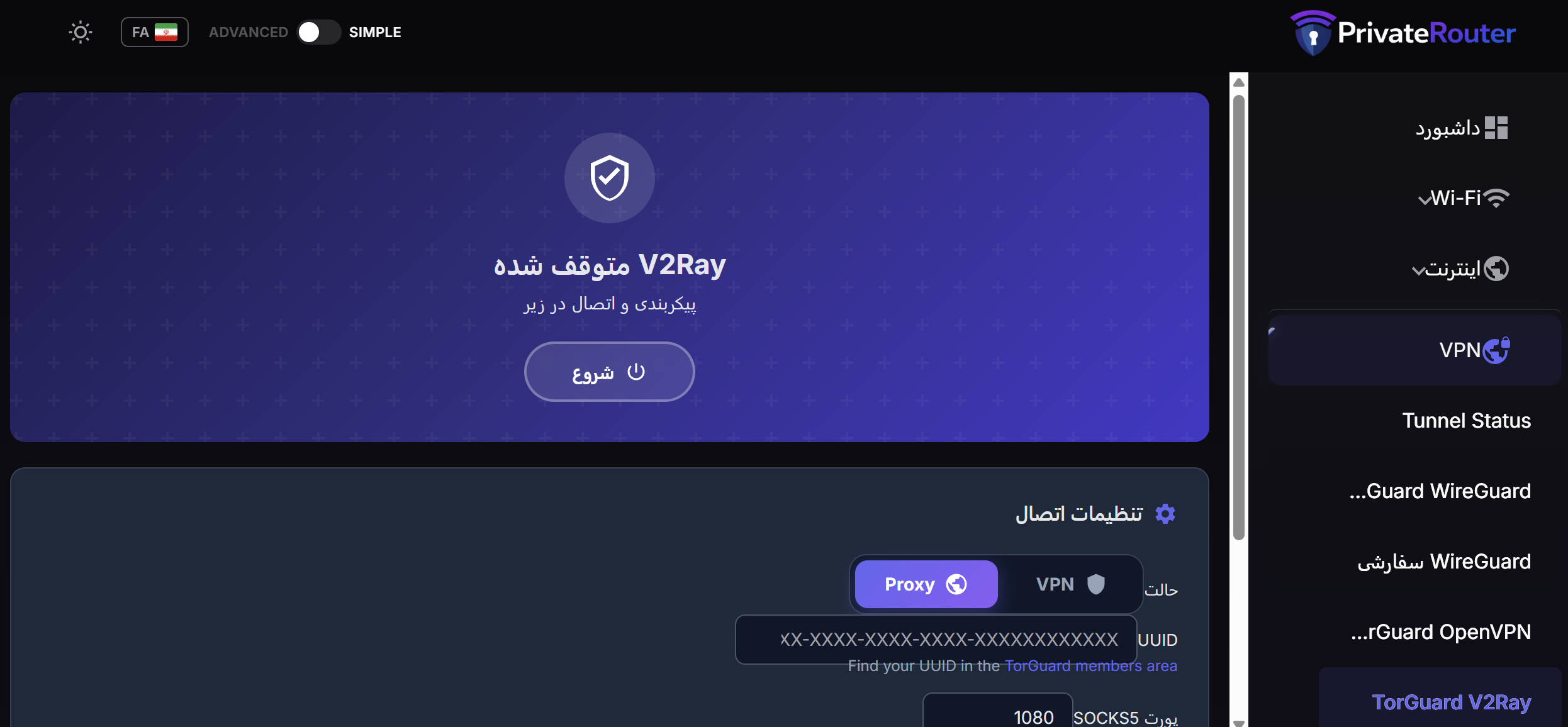
The simple UI is fully translated into 20 languages, making it accessible to users worldwide:
| English | French | Japanese | Thai |
| Spanish | German | Korean | Turkish |
| Arabic (RTL) | Hindi | Polish | Ukrainian |
| Bengali | Indonesian | Portuguese | Vietnamese |
| Farsi (RTL) | Italian | Russian | Chinese |
Language selection is available from the header bar with country flag icons. Right-to-left (RTL) layout is fully supported for Arabic and Farsi.
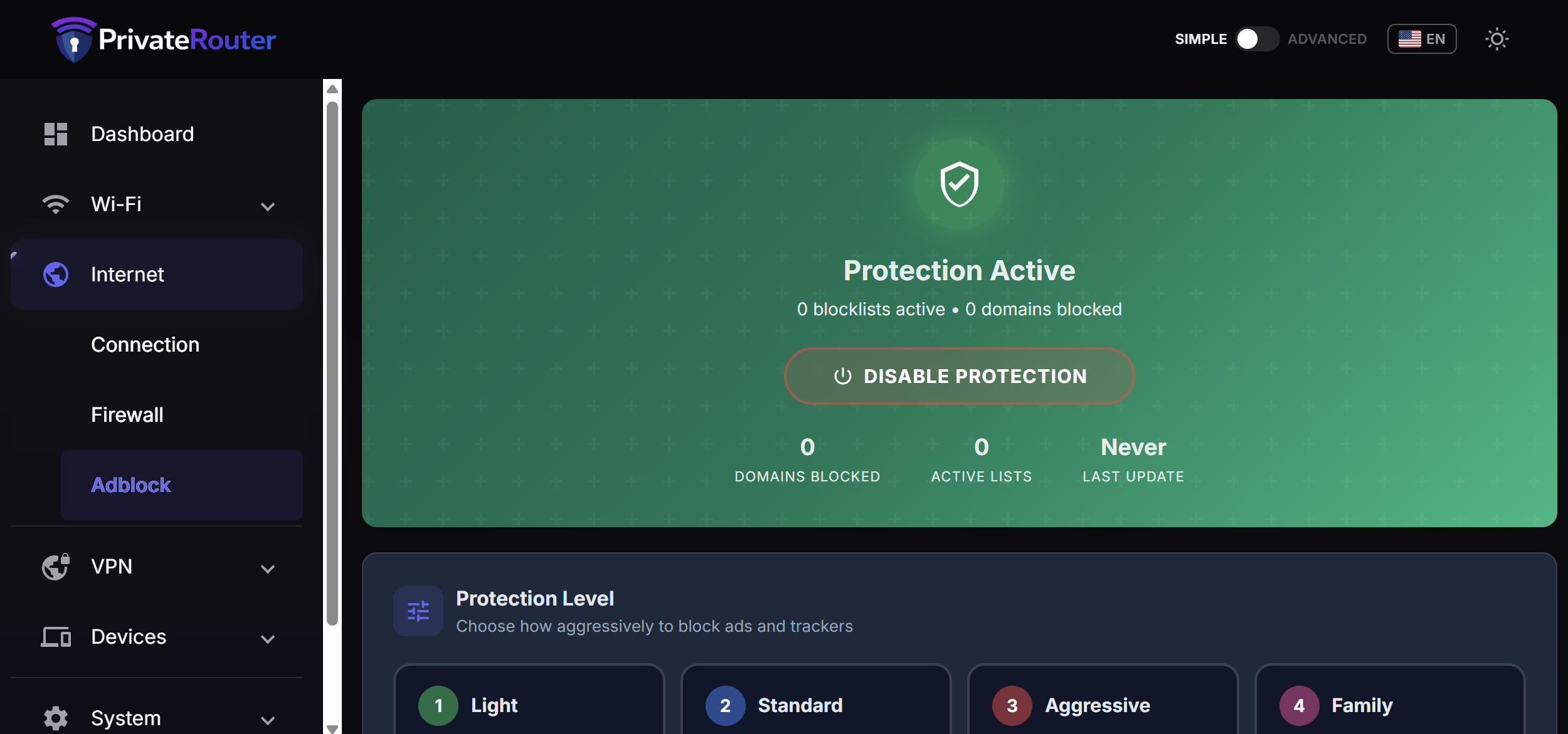
- Wi-Fi Networks -- View and edit SSIDs, passwords, encryption, and enable/disable radios
- Guest Wi-Fi -- Dedicated guest network management
- Internet / WAN -- Connection status with IP, gateway, DNS, uptime, and traffic
- Firewall -- Simplified firewall management
- Adblock -- Ad blocking configuration
- IP Ban -- IP ban list management (when banIP is installed)
- IDS -- Intrusion detection (when Snort is installed)
- Connected Devices -- DHCP client list with hostname, IP, MAC, and lease expiry
- Storage -- Disk and swap usage overview
- Docker -- Container management, an App Store catalog, and Docker settings (when Docker is installed)
- Custom DNS -- DNS server configuration
- Admin Password -- Change the router login password
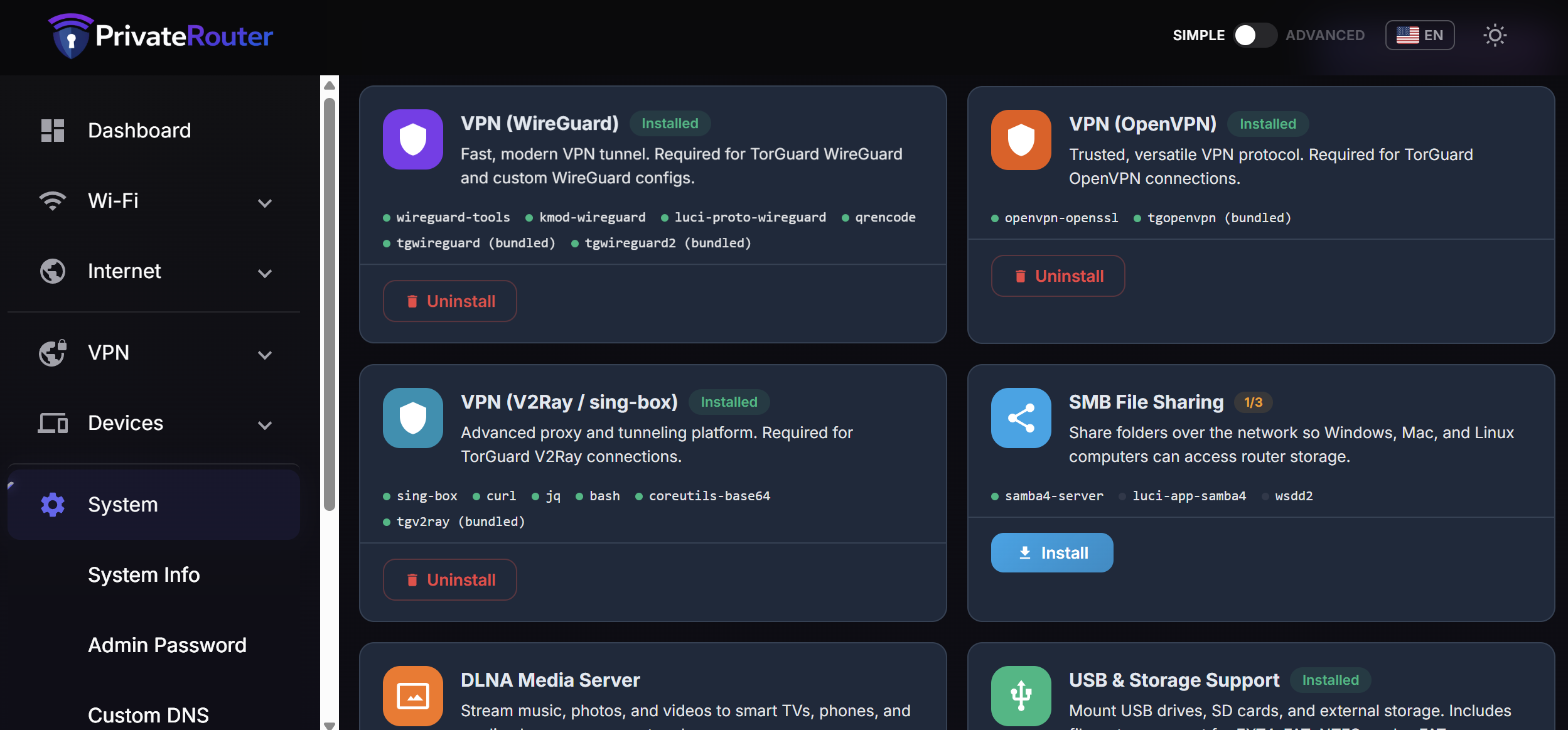
- Software -- Install and remove packages including VPN and mesh bundles
- Backup & Restore -- Download and upload router configuration backups
- System Update -- Firmware update management
- System Info -- Hostname, memory, uptime, reboot
- An OpenWrt router running a recent release (23.05+)
- LuCI web interface installed (
luci-base)
Install all three .ipk packages in this order to satisfy dependencies:
Step 1 -- Install the OAT Theme
opkg install luci-theme-oat_*.ipkStep 2 -- Install the Dashboard Module
opkg install luci-mod-dashboard_*.ipkStep 3 -- Install the Simple UI Module
opkg install luci-mod-simple_*.ipkAfter installing all three, clear the LuCI cache and restart the web server:
rm -rf /tmp/luci-*
/etc/init.d/rpcd restart
/etc/init.d/uhttpd restart
Then open your router's web interface. The LuCi theme will be active and you will see the new simplified dashboard.
To enable the built-in VPN and mesh pages, install the corresponding TorGuard and Easy Mesh packages from the Software page in the simple UI, or manually:
# TorGuard WireGuard
opkg install tgwireguard2_*.ipk

# TorGuard OpenVPN
opkg install tgopenvpn_*.ipk

# TorGuard V2Ray
opkg install tgv2ray_*.ipk

# Easy Mesh (requires batman-adv kernel module)
opkg install kmod-batman-adv batctl-default luci-app-easymesh_*.ipkThe toggle is implemented entirely in the theme layer -- no LuCI core files are modified.
- A toggle switch in the header bar stores your preference in the browser's
localStorageasoat-ui-mode(either"simple"or"advanced") - The
<html>element receives adata-ui-modeattribute that CSS rules use to show or hide menu items - In Simple mode, only menu items with
admin/oat-*andadmin/simple-*paths are visible - In Advanced mode, those simplified items are hidden and the full LuCI menu tree appears
- Switching to Simple mode from any advanced page automatically redirects to the Dashboard
This means every standard LuCI package, plugin, and configuration page continues to work exactly as before. The OAT theme simply controls which menu items are visible based on the selected mode.
privaterouter-oat-theme/
├── luci-theme-oat/                  # Theme package
│   ├── htdocs/luci-static/oat/      # CSS, JS, fonts, icons, logo
│   ├── ucode/template/themes/oat/   # Header, footer, login templates
│   └── root/etc/uci-defaults/       # Auto-activate theme on install
│
├── luci-mod-dashboard/              # Dashboard module
│   ├── htdocs/.../view/dashboard/   # Dashboard JS, CSS, icons
│   └── root/usr/libexec/            # VPN status detection script
│
└── luci-mod-simple/                 # Simplified UI module
    ├── htdocs/.../view/simple/      # 25+ page JS files, CSS
    │   ├── i18n/                    # 20 language translation files
    │   ├── flags/                   # Country flag SVGs
    │   └── appstore/                # Docker app catalog
    └── root/usr/share/              # Menu definitions, ACL permissions
To build the .ipk packages yourself using the OpenWrt build system:
# Place each package directory in the OpenWrt feeds
cp -r luci-theme-oat   feeds/luci/themes/luci-theme-oat
cp -r luci-mod-dashboard feeds/luci/modules/luci-mod-dashboard
cp -r luci-mod-simple  feeds/luci/applications/luci-mod-simple

# Update and install feeds
./scripts/feeds update -a
./scripts/feeds install luci-theme-oat luci-mod-dashboard luci-mod-simple

# Select in menuconfig
make menuconfig
# Navigate to LuCI > Themes > luci-theme-oat
# Navigate to LuCI > Modules > luci-mod-dashboard
# Navigate to LuCI > Applications > luci-mod-simple

# Build
make package/luci-theme-oat/compile
make package/luci-mod-dashboard/compile
make package/luci-mod-simple/compile
The resulting .ipk files will be in bin/packages/.
- Works with any OpenWrt device that supports LuCI
- Responsive layout adapts to desktop, tablet, and mobile screens
- Self-contained -- no external CDNs, fonts, or JavaScript libraries required
- All assets (CSS, JS, SVG icons, translations) are bundled in the packages
- OpenWrt LuCI -- the web interface framework this theme extends
- Material Design 3 -- design language inspiration
- MDUI -- Material Design UI component reference
- TorGuard -- VPN service integration
- PrivateRouter -- project sponsor and maintainer
MIT