The local command center for everything you vibe-code. Projects, MCP servers, prompts, and markdown — one clean dashboard, zero cloud.



If you vibe-code a lot, you end up with dozens of projects scattered across your machine, a pile of half-remembered prompts, a few MCP servers to prod, and a growing stack of markdown notes. Vibe Launcher gives every one of them a permanent home — a local web dashboard where you can launch servers, open editors, test tools, organize prompts, and keep your docs tidy, all without touching the terminal.
No cloud. No account. No telemetry. Just a single vibel command.
npm install -g @vjixy/vibel
vibel
Open http://localhost:3000.
Or run from source:
git clone https://github.com/vjixy/VibeLauncher.git
cd VibeLauncher
npm install
npm start
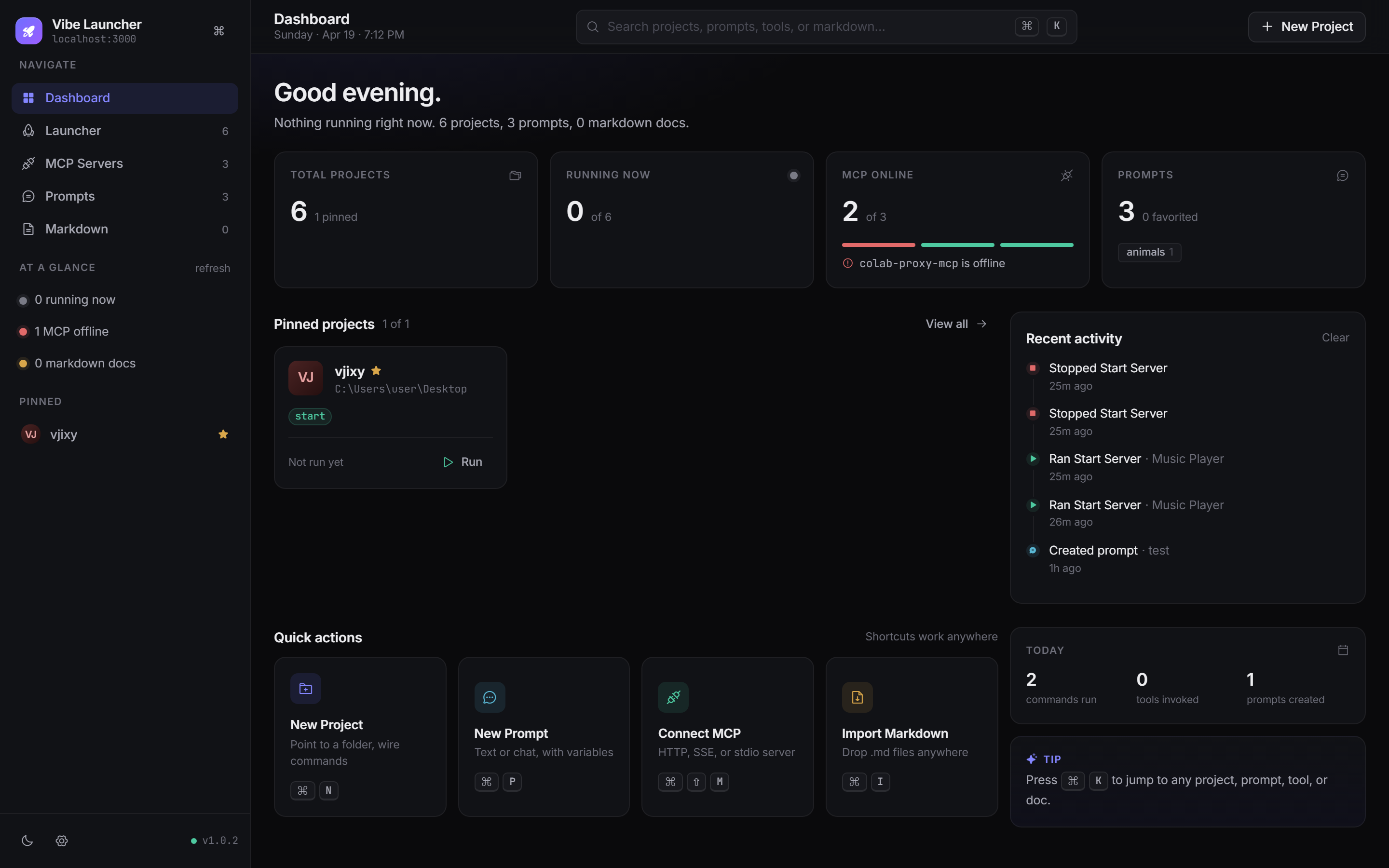
- Stat cards for total projects, currently running, MCP servers online, and prompts in the library.
- Pinned projects row — run, stop, or open your most-used projects in one click.
- Recent activity feed — every command run, tool invoked, prompt created, or server dropping offline shows up here.
- Quick actions with keyboard shortcuts for creating a project, prompt, MCP connection, or importing markdown.
- Today counters, a rotating tip, and a friendly empty state on a fresh install.
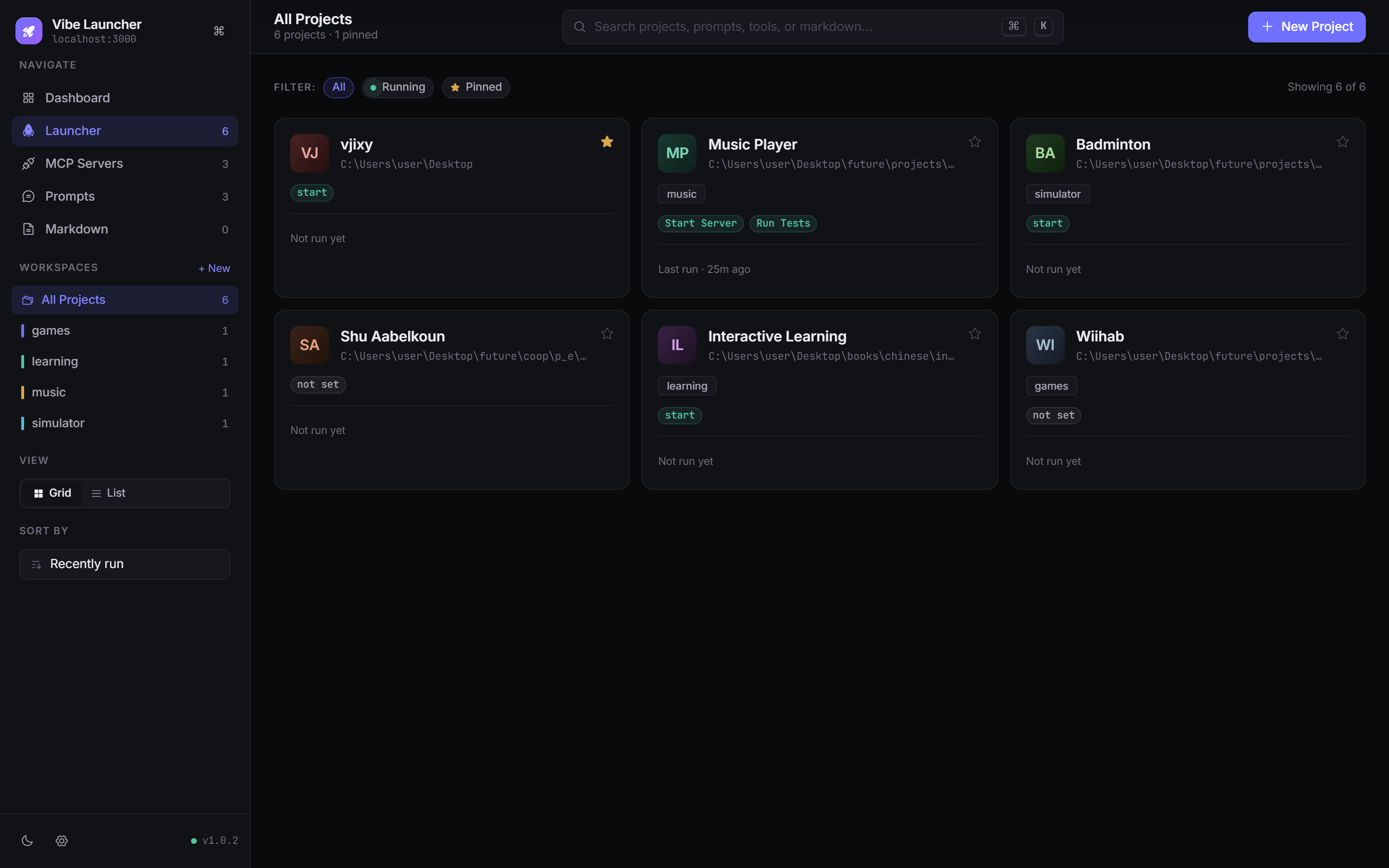
- Category workspaces in the sidebar. Create, color-tag, and filter on the fly.
- Command pills per project with distinct tints for run / build / test / custom — click to launch, click again to stop.
- Live running state with a pulsing green dot on any project with an active process.
- Pin important projects to the top, drag to reorder, filter by running/pinned, and sort by recent / name / pinned-first.
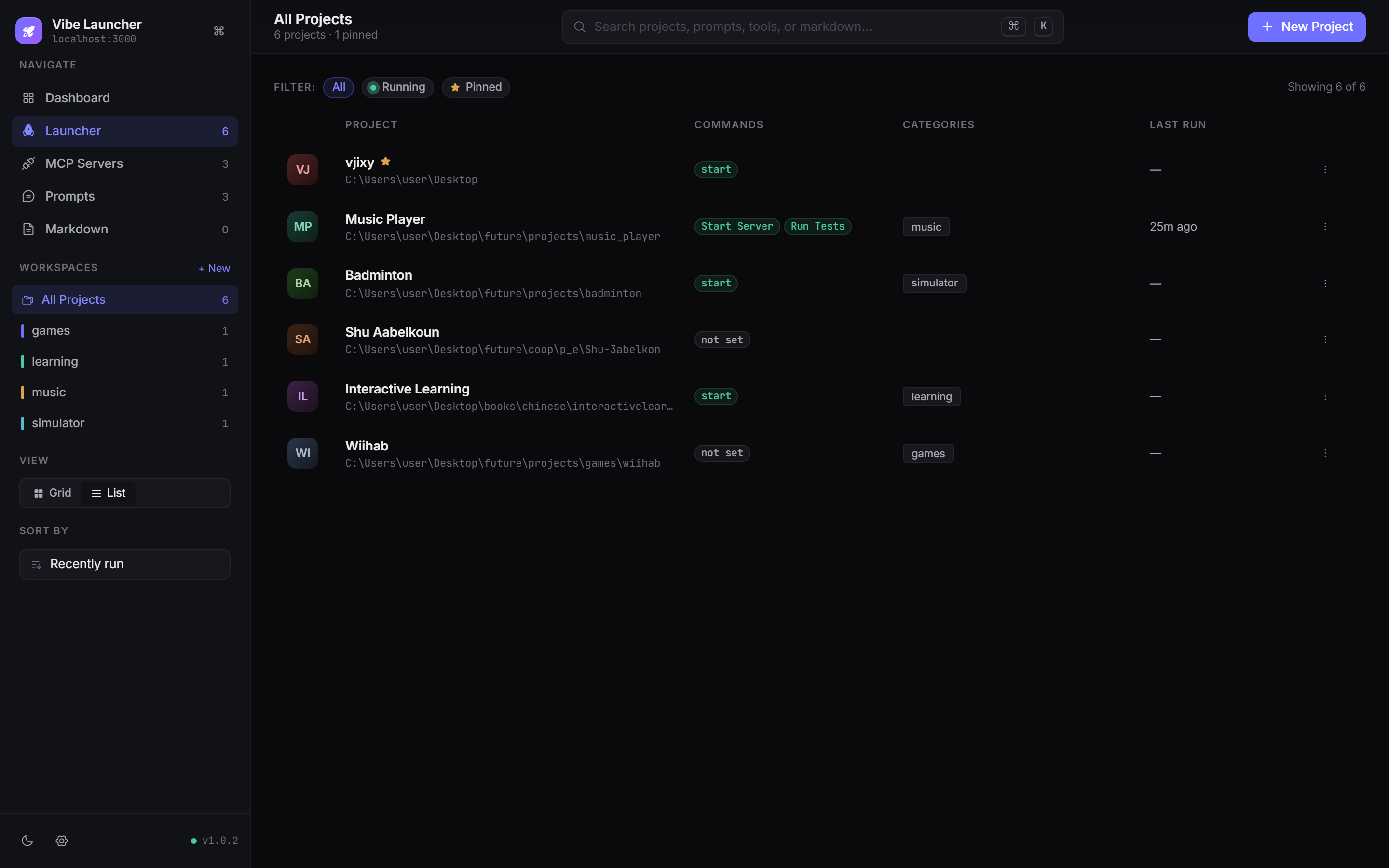
- Grid or list view toggle. Search filters across names, paths, notes, and categories instantly.
List view — denser layout when you have lots of projects
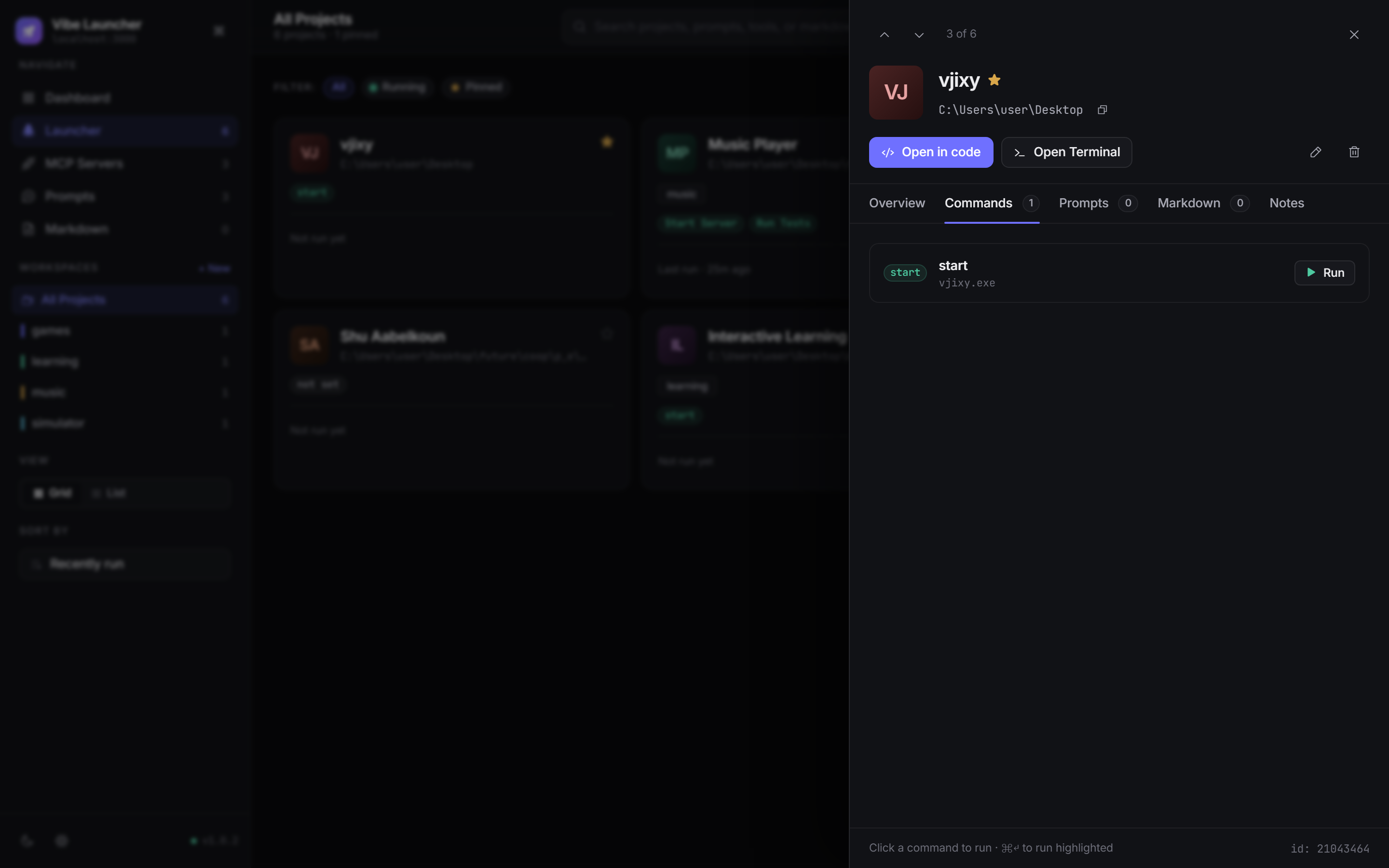
- Health check — path exists, IDE command resolvable,
package.jsonpresent. - Commands tab — run / stop each command inline, see uptime for running processes.
- Prompts & markdown links — attach relevant prompts and docs to a project so they travel with it.
- Notes tab with autosave.
- Keyboard-navigate between projects with the
↑/↓buttons at the top.
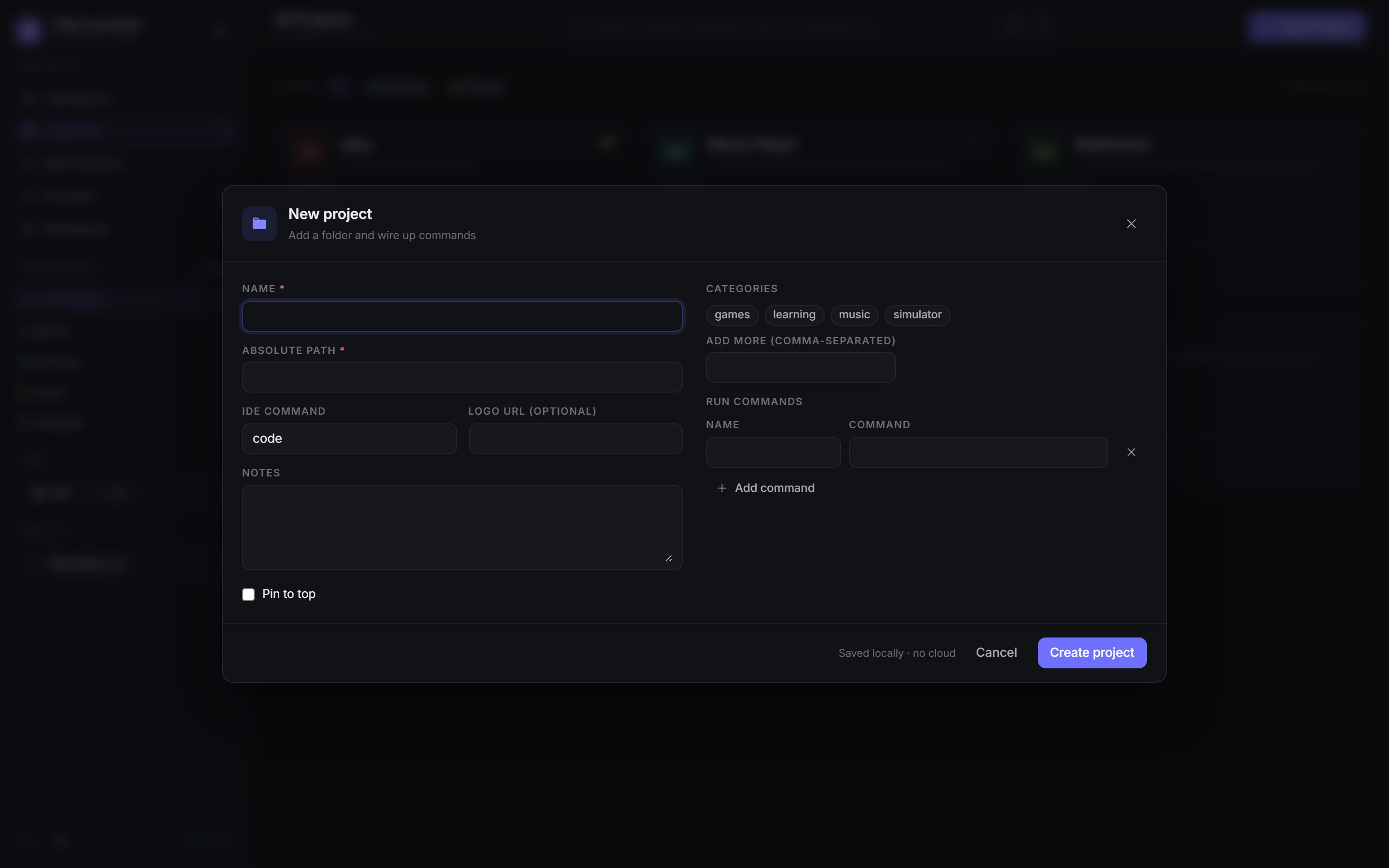
Name, absolute path, IDE command, categories (with inline create), multiple named run commands, notes, and a one-click pin toggle. Saves locally, no round trip.
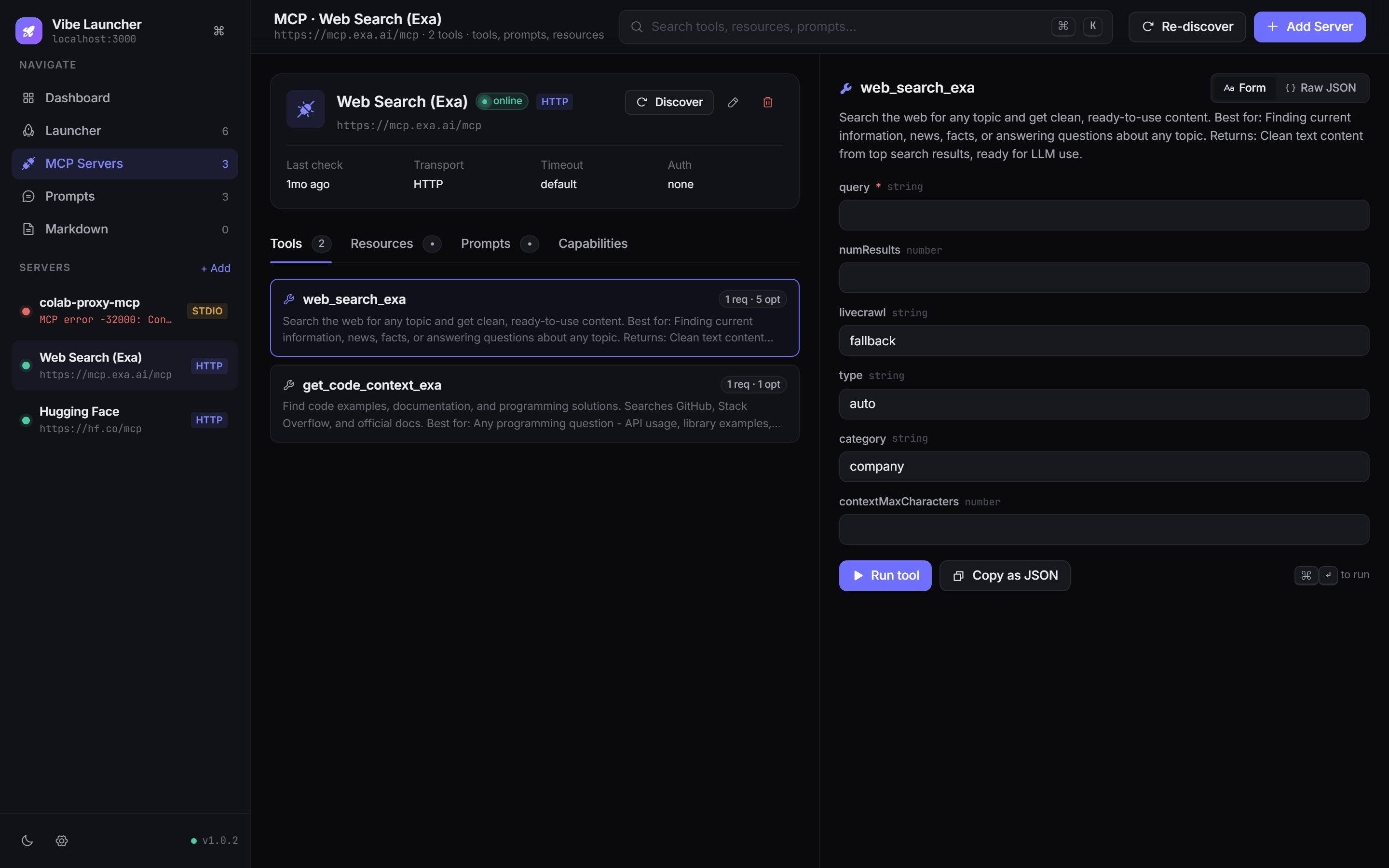
- Server list with live status dots and transport badges (HTTP / SSE / STDIO).
- Schema-driven tool tester — forms auto-generated from each tool's JSON Schema, with typed inputs (strings, numbers, enums, booleans, arrays, nested objects).
- Raw JSON mode for when the form view isn't enough.
- Run history per server — re-run any previous invocation with one click.
- Capabilities tab surfaces what each server advertises (tools / resources / prompts / logging).
- Transports supported: Streamable HTTP, SSE, and stdio with bearer tokens, custom headers, env vars, working directory, roots, and per-server timeout.
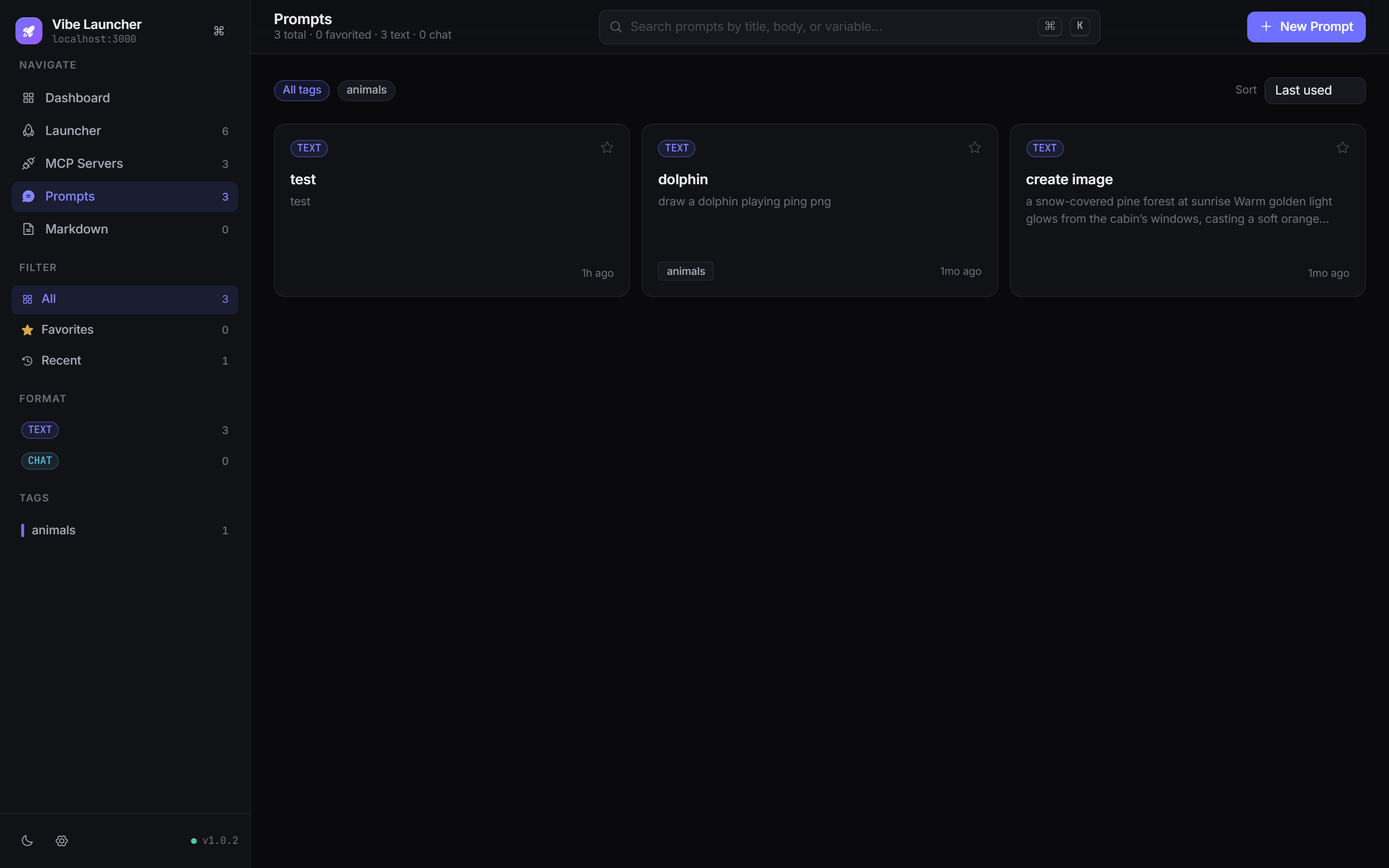
- TEXT or CHAT format, multi-turn system/user/assistant messages, and variables (
{{name}}) with live substitution. - Favorites, tags, and recent filters. Tag colors show up both in the sidebar and on the cards.
- Copy template or copy rendered (with example variables filled in) — one click, onto your clipboard.
- Duplicate any prompt to iterate without losing the original.
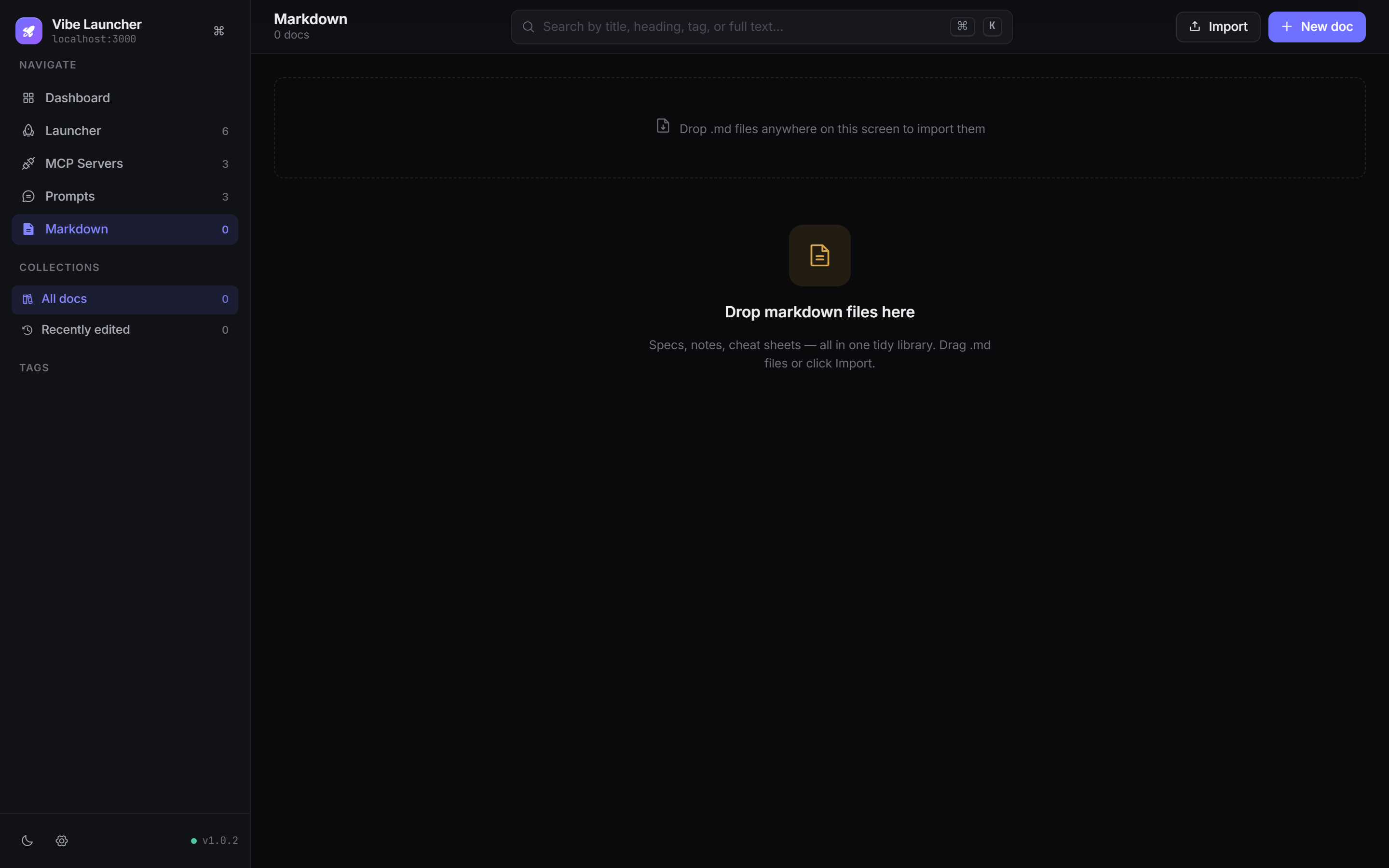
- Drag and drop
.mdfiles anywhere on the app — they land in the library with title, tags, size, and an auto-extracted excerpt. - Built-in markdown renderer for instant preview. Edit source inline, metadata in a separate tab.
- Bulk select and export a ZIP of any subset of docs.
- Tag-colored sidebar so you can find the right cheatsheet fast.
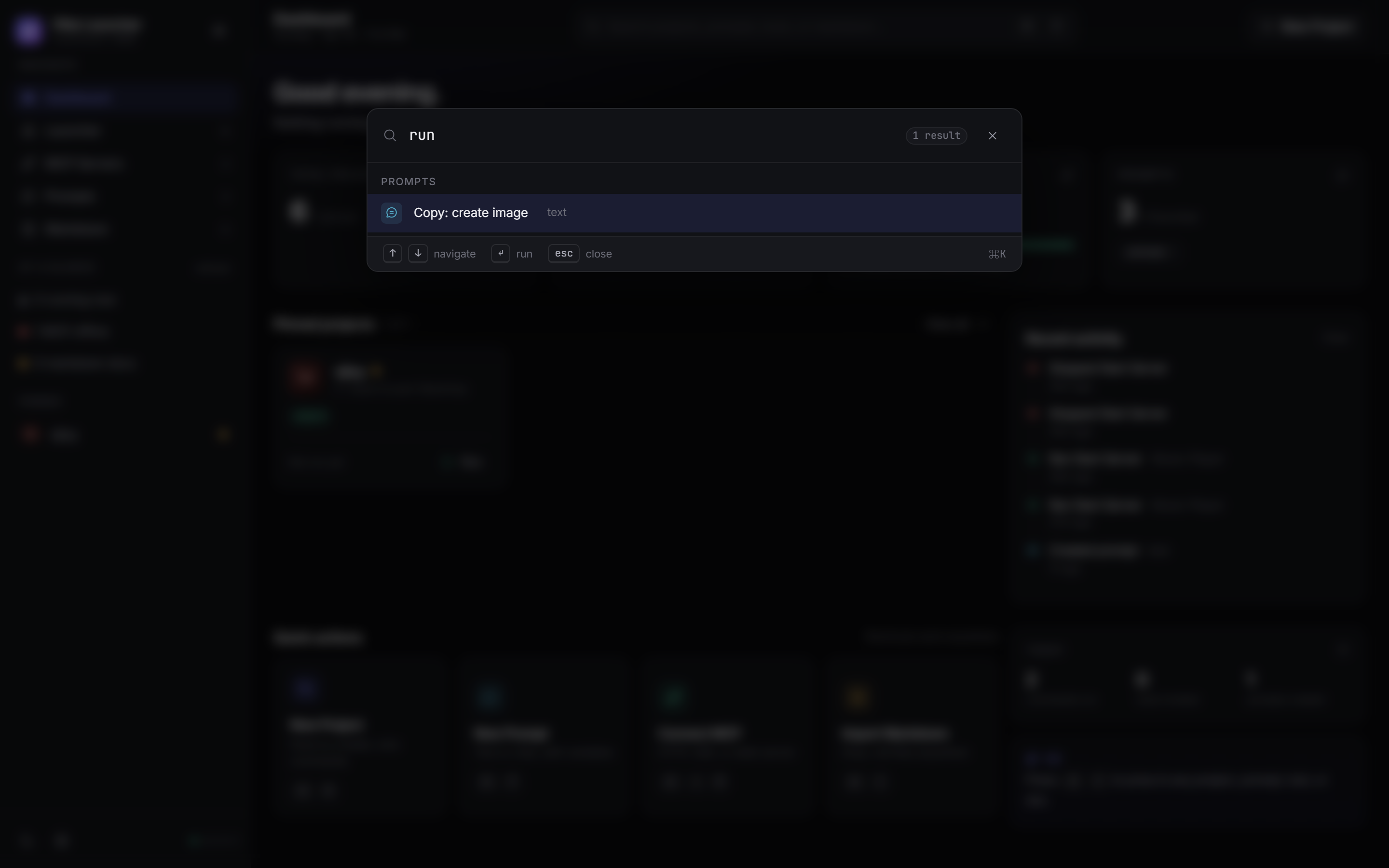
Press ⌘ K (or Ctrl K) to open a global fuzzy search across projects, commands, MCP tools, prompts, markdown, and actions. Mark-highlighted matches, keyboard nav, ↵ to run.
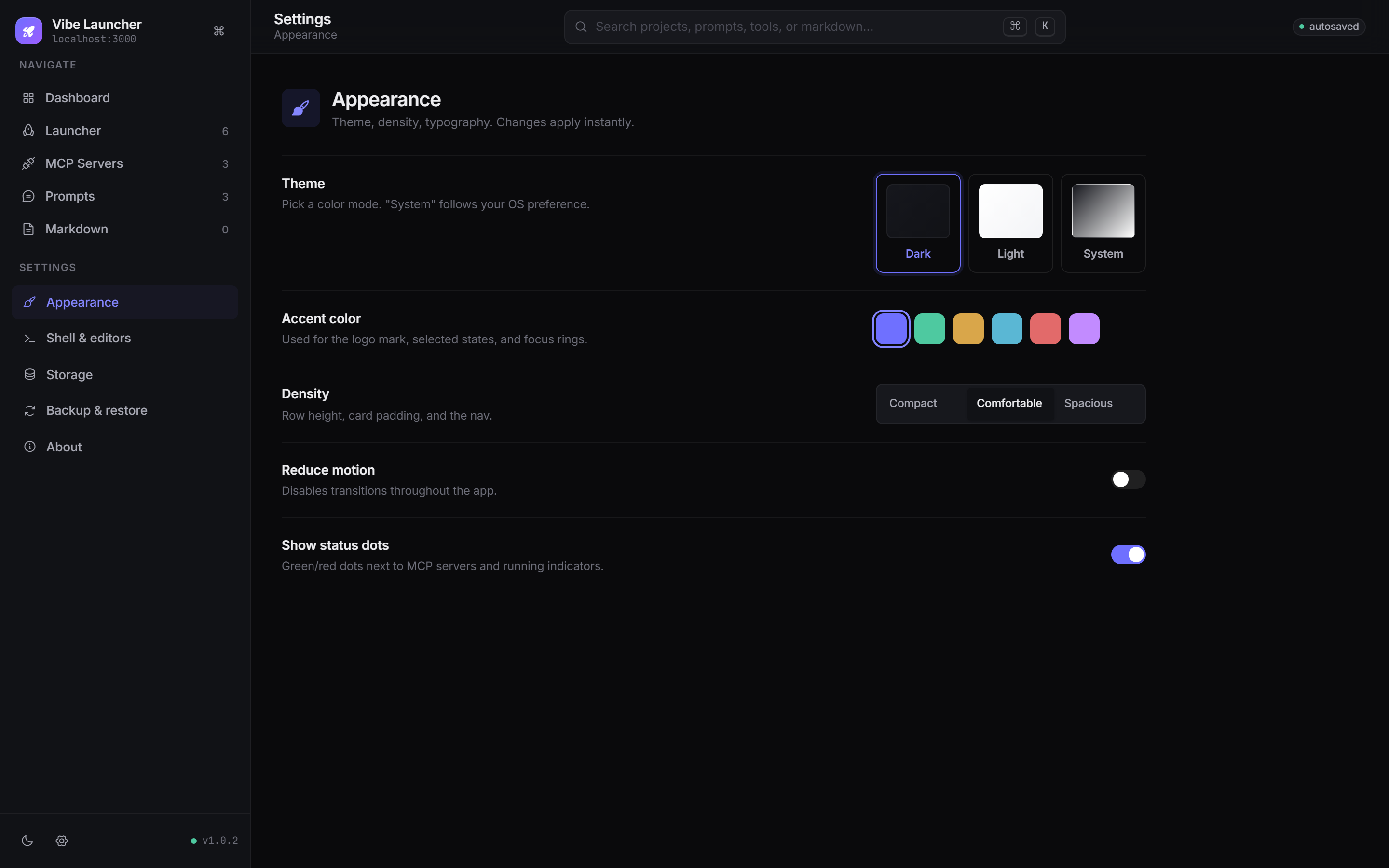
- Dark / Light / System theme.
- Six accent colors — indigo (default), emerald, amber, cyan, rose, violet.
- Density: compact / comfortable / spacious.
- Reduce motion, status dot visibility, default IDE, default startup section.
- Backup & restore — one JSON file, the whole state, in or out.
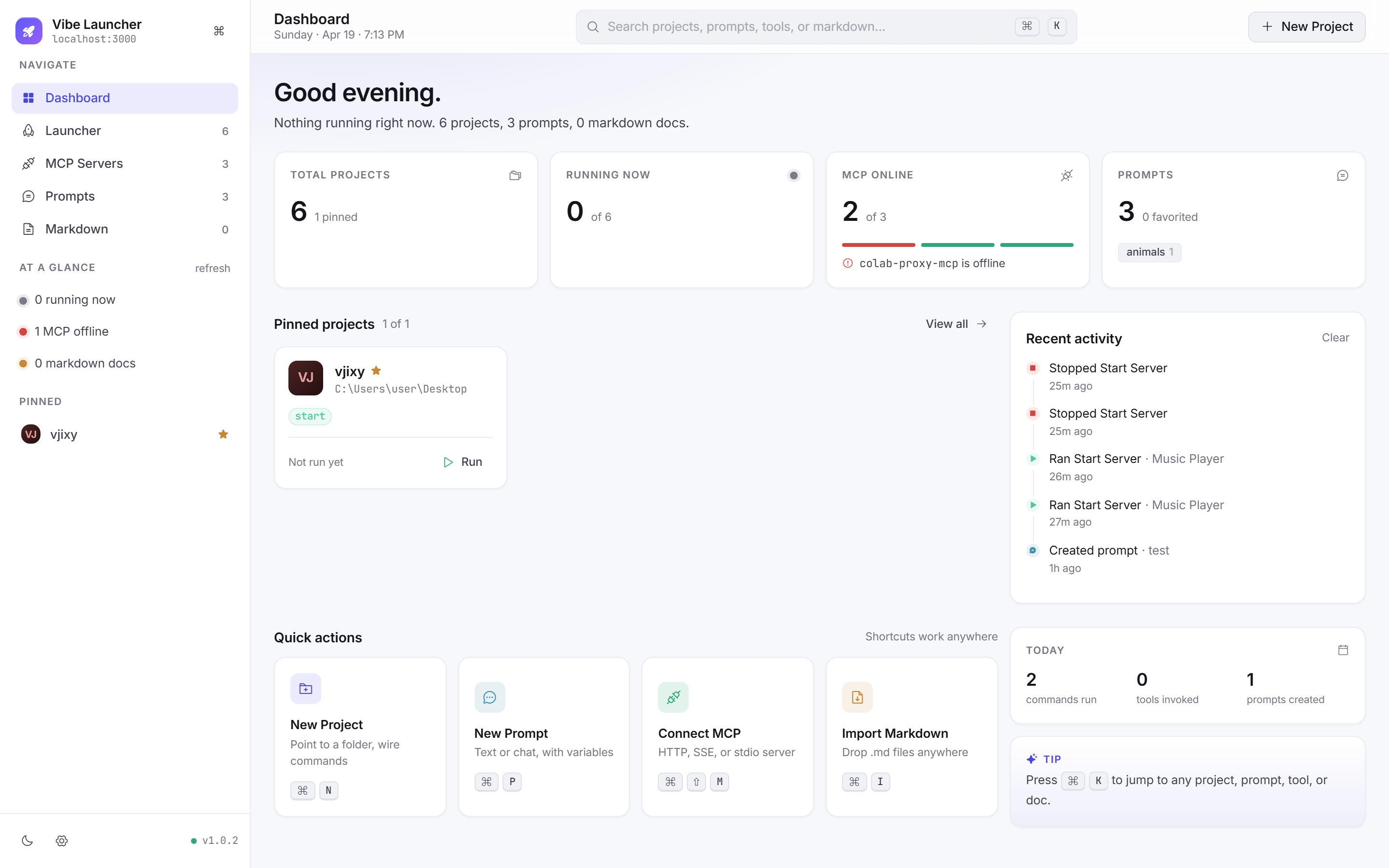
Every surface, badge, and chart is tuned for both palettes. Your system preference is honored by default.
| Shortcut | Action |
|---|---|
| ⌘ K | Open command palette |
| ⌘ N | New project |
| ⌘ P | New prompt |
| ⌘ ⇧ M | Connect MCP server |
| ⌘ I | Import markdown |
| ⌘ , | Open settings |
| ⌘ ⇧ L | Toggle theme |
| 1 – 5 | Jump between sections |
| esc | Close palette / modal / drawer |
(Use Ctrl in place of ⌘ on Windows / Linux.)
- Runtime — Node.js 16+
- Server — Express 5, single-file, no build step
- Frontend — Vanilla ES modules + Tailwind (via CDN) + Phosphor Icons + Inter & JetBrains Mono
- Storage —
projects.jsonandsettings.jsonalongside the binary. Markdown file contents inmarkdown-library/. Activity log inactivity.json. No database, no cloud, no telemetry. - MCP client — official
@modelcontextprotocol/sdk
VibeLauncher/
├── public/
│   ├── index.html         # app shell
│   ├── tokens.css         # design tokens (dark, light, 6 accent, 3 density)
│   ├── app.css            # component styles
│   ├── main.js            # bootstrap + router + keyboard shortcuts
│   ├── state.js           # central store
│   ├── api.js             # backend fetch wrappers
│   ├── ui.js              # modal / drawer / toast / confirm
│   ├── chrome.js          # sidebar + header
│   ├── utils.js           # helpers (dom, dates, markdown, json)
│   └── views/
│       ├── dashboard.js
│       ├── launcher.js
│       ├── project-modal.js
│       ├── mcp.js
│       ├── prompts.js
│       ├── markdown.js
│       ├── settings.js
│       └── palette.js
├── lib/
│   ├── data-store.js       # normalizer + read/write
│   ├── markdown-store.js   # import, export zip, disk i/o
│   ├── mcp-client.js       # MCP SDK glue
│   ├── activity-store.js   # activity log
│   ├── settings-store.js   # user settings
│   └── process-tracker.js  # running-command tracking
├── server.js               # Express app
├── projects.json           # local db (auto-created)
├── settings.json           # user prefs (auto-created)
├── activity.json           # recent activity (auto-created)
└── markdown-library/       # imported .md files (auto-created)
- Node.js 16 or later
- Windows for now (command execution uses
cmd.exe/ PowerShell — macOS / Linux support is planned)