
Screen.Saver.mp4
Discover.mp4
DynamicView.mp4
mini.3.mp4
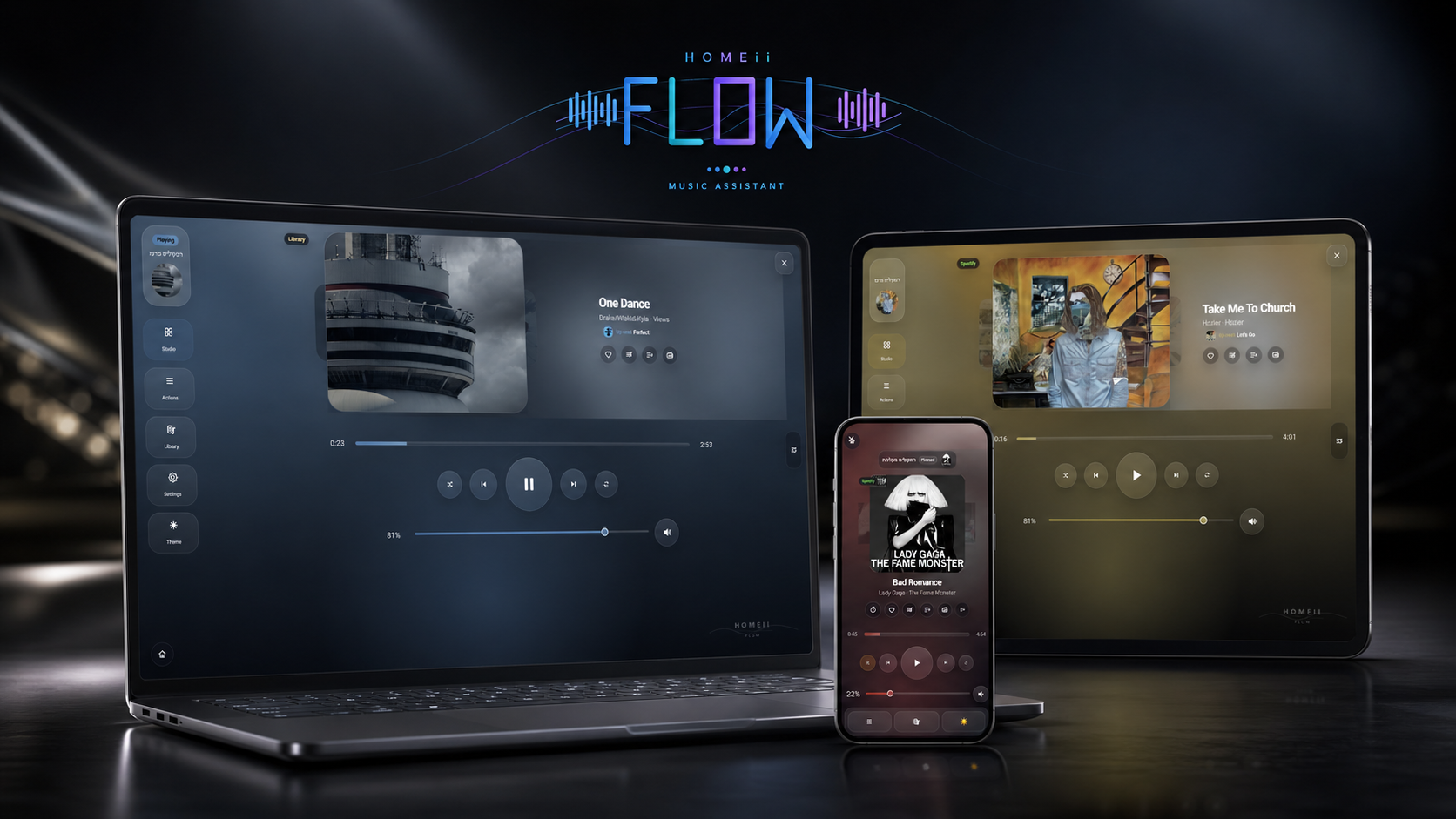
A premium Music Assistant dashboard card for Home Assistant.
Built for wall tablets, phones, RTL/Hebrew homes, multi-room listening, and a real music-first experience.











New here? Start with the complete user documentation.
Documentation Hub |
Getting Started |
Configuration |
Features |
Diagnostics |
Troubleshooting
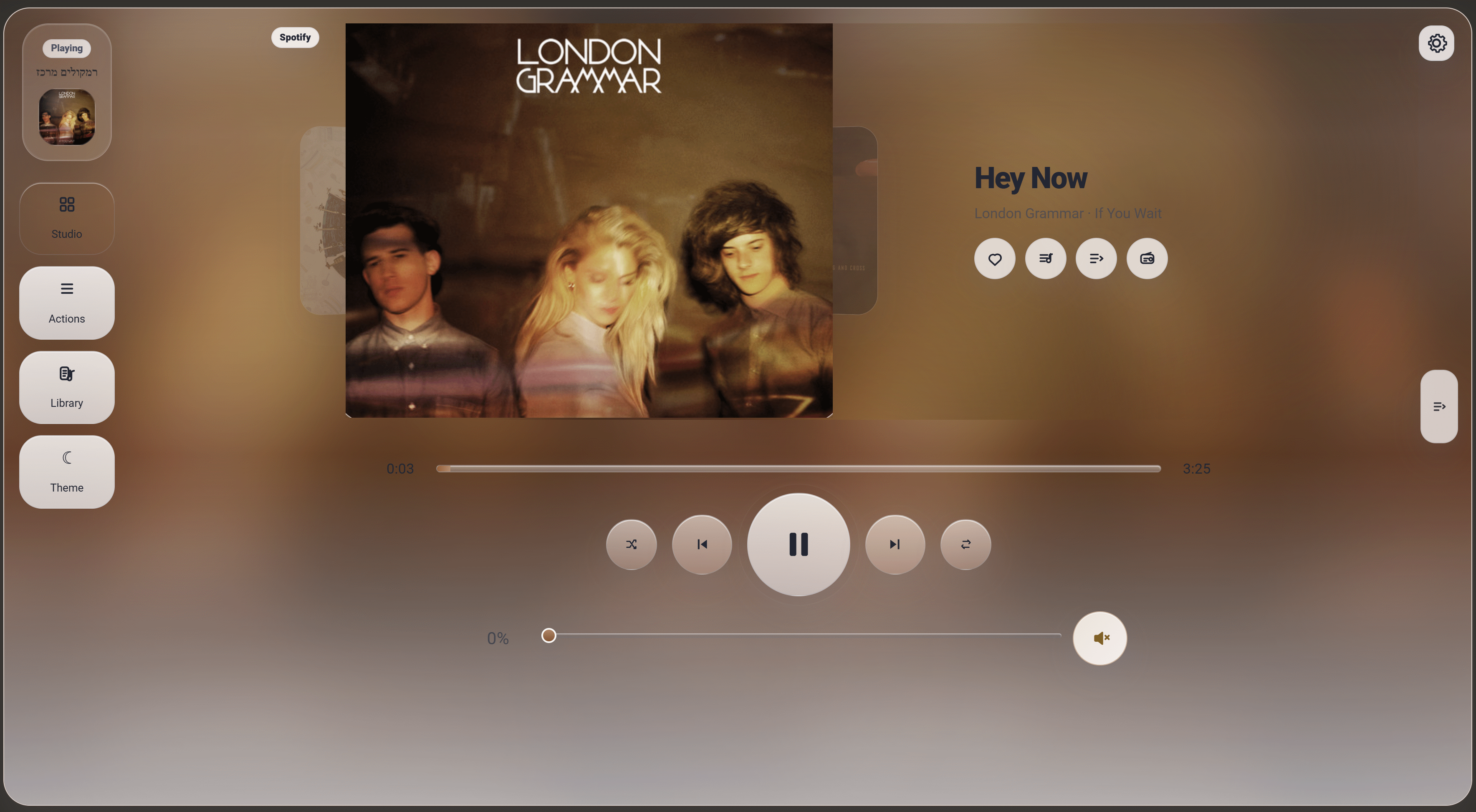
HOMEii Flow is a custom Home Assistant Dashboard card for Music Assistant. It turns music control into a polished listening surface: visual, fast, personal, and comfortable on both wall tablets and phones.
HOMEii Flow started from my own daily use of Home Assistant and Music Assistant. I wanted it to feel less like a technical dashboard widget and more like a real music app inside Home Assistant, so a lot of thought went into the flow, touch interactions, Hebrew/RTL comfort, wall-tablet behavior, mobile details, and the small moments that make choosing music feel natural at home.
HOMEii Flow 5.9.3 is a focused stability release on top of 5.9.2. It improves queue handling, configured-player selection, provider search, Radio favorites, progress timing, and Diagnostics while keeping the release scoped to bug fixes and supportability.
Release focus:
- Queue stability: detects partial Music Assistant queue snapshots and avoids treating them as clean OK states.
- Player selection clarity: configured
entityworks as a stable default, and player selection surfaces expose entity ids when friendly names are ambiguous. - Search improvements: fast library results can appear immediately while provider/direct Music Assistant search continues and merges in later.
- Radio favorites: external/RadioBrowser station favorites no longer depend on the currently playing item.
- Diagnostics v7: adds configured-entity and search-provider checks for cleaner support reports.
After updating, hard-refresh with:
/local/community/homeii-music-flow/homeii-music-flow.js?v=5.9.3
Use the My Home Assistant button:
Or add it manually:
- Open Home Assistant.
- Open HACS.
- Open
Custom repositories. - Add:
https://github.com/r11a/homeii-music-flow
- Select category
Dashboardin the UI. HACS internally calls this categoryplugin. - Download
HOMEii Flow. - Add the card:
type: custom:homeii-music-flowIf HACS does not add the resource automatically, add:
/hacsfiles/homeii-music-flow/homeii-music-flow.js
- Create:
/config/www/community/homeii-music-flow/
- Copy the full contents of
dist/into that folder. - Add this Dashboard resource:
/local/community/homeii-music-flow/homeii-music-flow.js?v=5.9.3
- Add the card:
type: custom:homeii-music-flow- Home Assistant with Dashboard custom cards enabled.
- Music Assistant installed, running, and connected to Home Assistant.
- At least one Music Assistant player exposed as a Home Assistant
media_player. - HACS for the easiest install path, or manual access to
/config/www/community/. - A modern browser for the dashboard: Chrome, Edge, Safari, or a modern Android/iOS browser.
- For the local Sendspin browser player: a direct Music Assistant URL and Music Assistant token configured in the card settings.
- For best Sendspin performance: the browser device and Music Assistant should be on the same local network.
- Sendspin URL security must match the dashboard: if Home Assistant is opened over
https://, configure Music Assistant with anhttps://URL so HOMEii Flow can usewss://; browsers blockhttp:///ws://Sendspin from an HTTPS dashboard. - If Home Assistant is opened locally over
http://, a localhttp://Music Assistant URL is usually fine and HOMEii Flow will usews://. - Mobile browsers can pause audio and WebSocket work when the app is backgrounded or the phone is locked. HOMEii Flow remembers the active "This device" intent during the current app/browser session and reconnects when the dashboard becomes active again.
- Optional: a configured
tts.*entity for text-to-speech announcements. - Optional but recommended: correct Home Assistant internal/external URLs, especially for phones, tablets, and remote access.
If the card loads but feels incomplete, check these first:
- Music Assistant is installed, running, and exposes at least one player as a Home Assistant
media_player. - The Dashboard resource points to
/hacsfiles/homeii-music-flow/homeii-music-flow.jsfor HACS, or to the copied/local/community/...file for manual installs. - If you use HOMEii Flow remotely, confirm Home Assistant external/internal URLs are correct. For Direct Music Assistant features,
ma_urlshould be reachable from the browser you are using, not only from the local network. - If artwork is missing only when away from home, prefer Home Assistant-accessible artwork paths or expose Music Assistant through a secure reachable URL. HOMEii Flow now avoids private-network artwork URLs when the browser is remote, but a local-only MA URL can still limit Direct API artwork.
- If no players are shown, check Music Assistant player exposure and remove overly strict pinned-player filters from the card settings.
- Optional automation helper: create an
input_text, then setactive_player_helper_entityso automations can read the current HOMEii Flow target.
HOMEii Flow can optionally publish the currently selected/active player to a Home Assistant helper. This is useful when you want automations, scripts, templates, dashboard buttons, or voice flows to know which player HOMEii Flow is currently controlling.
The card does not create a Home Assistant entity by itself. Create an input_text helper once, then point HOMEii Flow to it. The card will keep that helper updated with the active player entity_id.
- In Home Assistant, open Settings > Devices & services > Helpers.
- Select Create Helper.
- Choose Text.
- Name it, for example:
HOMEii Flow Active Player. - Copy the created entity id, for example:
input_text.homeii_flow_active_player- Add it to the HOMEii Flow card configuration:
type: custom:homeii-music-flow
active_player_helper_entity: input_text.homeii_flow_active_player
You can also select the helper from the visual card editor in the connection/settings section.
When HOMEii Flow is controlling the living room player, the helper value becomes:
media_player.living_room
When you switch HOMEii Flow to another player, the helper updates automatically:
media_player.kitchen
alias: HOMEii Flow - Toggle active player
sequence:
  - service: media_player.media_play_pause
    target:
entity_id: "{{ states('input_text.homeii_flow_active_player') }}"alias: HOMEii Flow - Set active player volume
sequence:
- service: media_player.volume_set
target:
entity_id: "{{ states('input_text.homeii_flow_active_player') }}"
data:
volume_level: 0.35{{ state_attr(states('input_text.homeii_flow_active_player'), 'friendly_name') }}condition:
- condition: template
value_template: "{{ states('input_text.homeii_flow_active_player') | regex_match('^media_player\\.') }}"By default, every HOMEii Flow card in the same browser shares its in-card customizations (theme, layout, excluded players, pinned players, screensaver settings, and the rest) via a single set of browser-storage keys. That keeps phones, tablets, and the desktop dashboard in sync when you only run one HOMEii Flow card.
If you want separate dashboards — for example one card per kid's bedroom, or a kitchen wall tablet showing one player and a living-room phone view showing another — give each card its own card_id:
type: custom:homeii-music-flow
card_id: ida-music
entity: media_player.ida_vaerelsetype: custom:homeii-music-flow
card_id: toke-music
entity: media_player.toke_vaerelseRules:
card_idis optional. Cards without it behave exactly as before (shared state).card_idmust be 1-64 characters of letters, digits,-, or_.- Two cards that share the same
card_idwill share state — useful when you want a phone and a wall tablet to stay in sync within one dashboard. - Adding
card_idto a card that previously had nocard_idwill appear to reset its in-card customizations once. The old global values still live in localStorage under the original keys; the card now reads from the new card-scoped keys. Reconfigure once via the in-card Settings panel and you are done. - This only affects browser-local UI state. Music Assistant playback, your
media_playerentities, and Home Assistant configuration are unaffected.
HOMEii Flow includes a local browser player flow powered by Sendspin. In the card this appears as This device.
What it does:
- connects the current browser directly to Music Assistant through Sendspin
- registers the phone, tablet, PC browser, or wall panel as a playable Music Assistant target
- lets the device appear in the player list once Music Assistant publishes it back to Home Assistant
- keeps a HOMEii-specific player identity so the card does not accidentally pick a random browser player from another tab
- keeps the active local player alive at dashboard/tab level while moving between Dashboard pages in the same Home Assistant session
- removes the HOMEii local player immediately when Disconnect this device is used
- packages the required
sendspin-jsruntime indist/sendspin-js/
What you need:
- Music Assistant running and reachable from the device.
ma_urlconfigured in the card settings.ma_tokenconfigured in the card settings.- Press Connect this device from the player screen.
- Select the new HOMEii browser player when it appears.
Notes:
- Sendspin is built into Music Assistant and the provider is enabled by default.
- Sendspin is still a technical preview in Music Assistant, so behavior can change over time.
- Local network playback is preferred. Remote playback depends on Music Assistant, browser, WebRTC, and network conditions.
- HTTPS matters: an HTTPS Home Assistant dashboard cannot open an insecure
ws://Sendspin connection. Use an HTTPS Music Assistant URL, or open Home Assistant locally over HTTP when testing on the same network. - Mobile lifecycle matters: iOS, Android, and WebView-based apps can suspend browser audio/WebSocket work when the app is backgrounded or the phone is locked. HOMEii Flow will reconnect the HOMEii Sendspin player when the dashboard becomes active again, but it cannot force the operating system to keep a locked/backgrounded browser alive forever.
- Dashboard navigation is handled inside HOMEii Flow: the local Sendspin audio element and connection intent are kept outside the card instance, so moving between dashboard pages should not require reconnecting.
- Use Disconnect this device in the player screen when you want HOMEii Flow to stop reconnecting the local browser player.
- Mobile browsers may require a user gesture before audio playback is allowed after a reconnect.
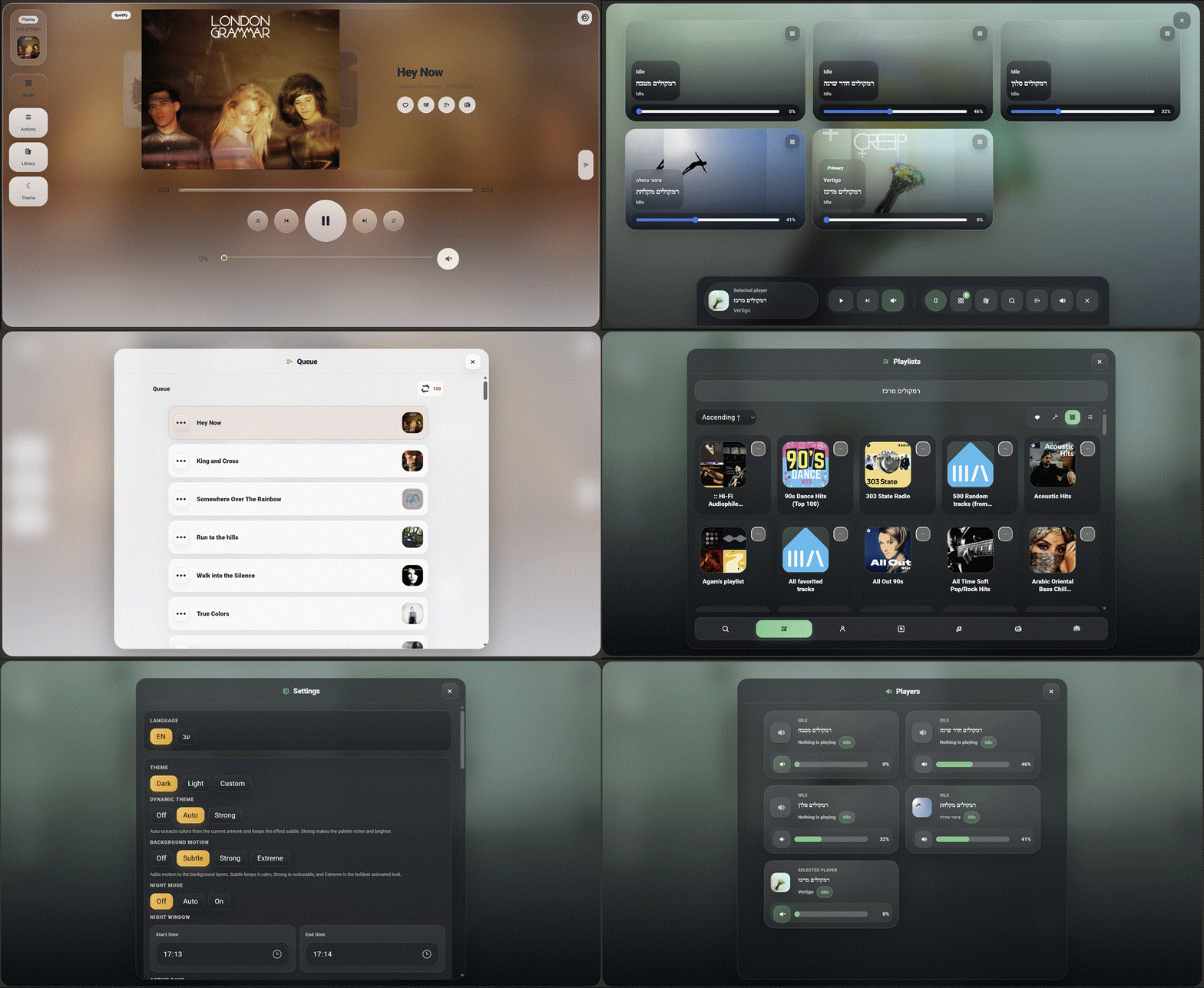
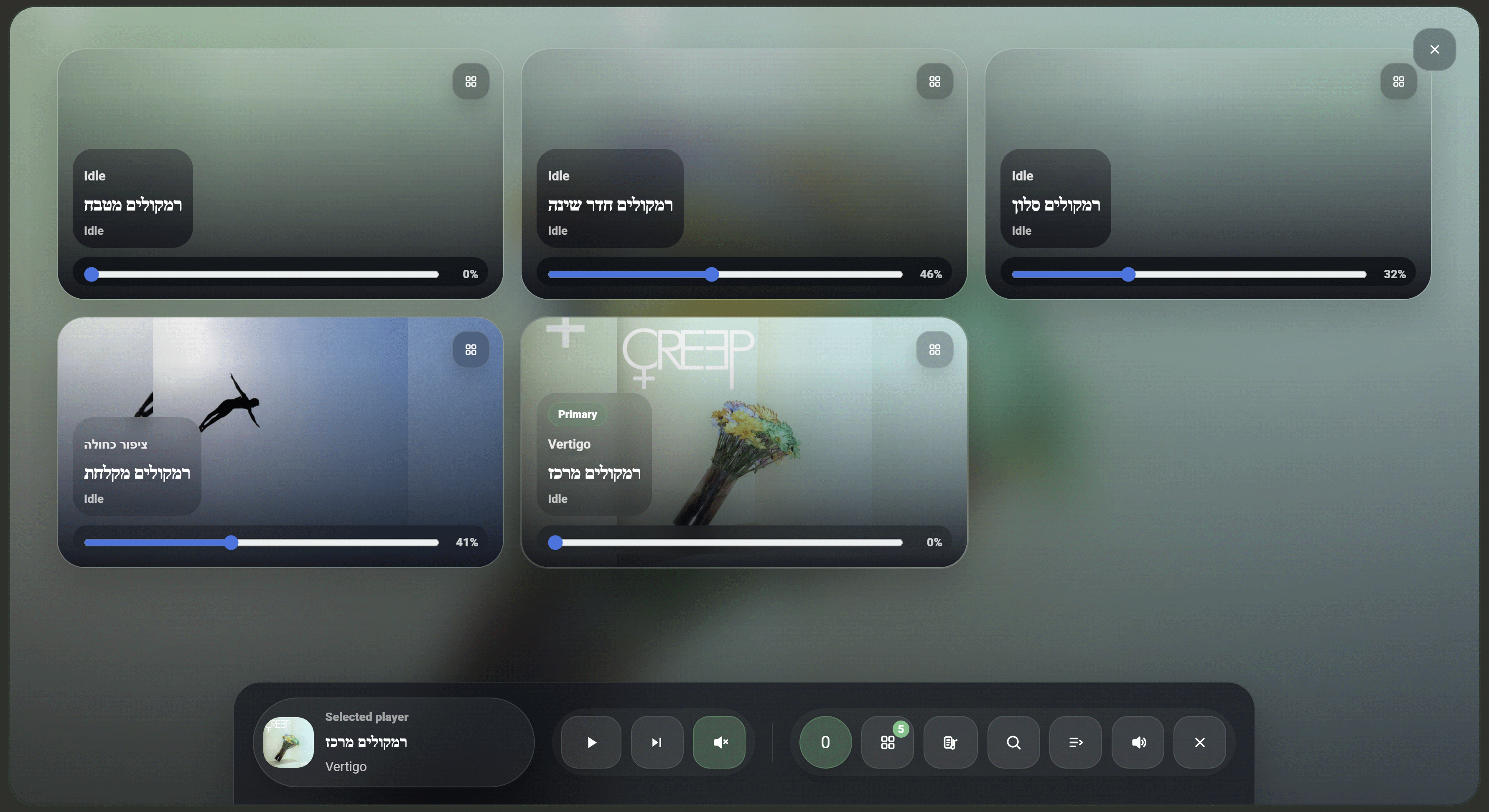
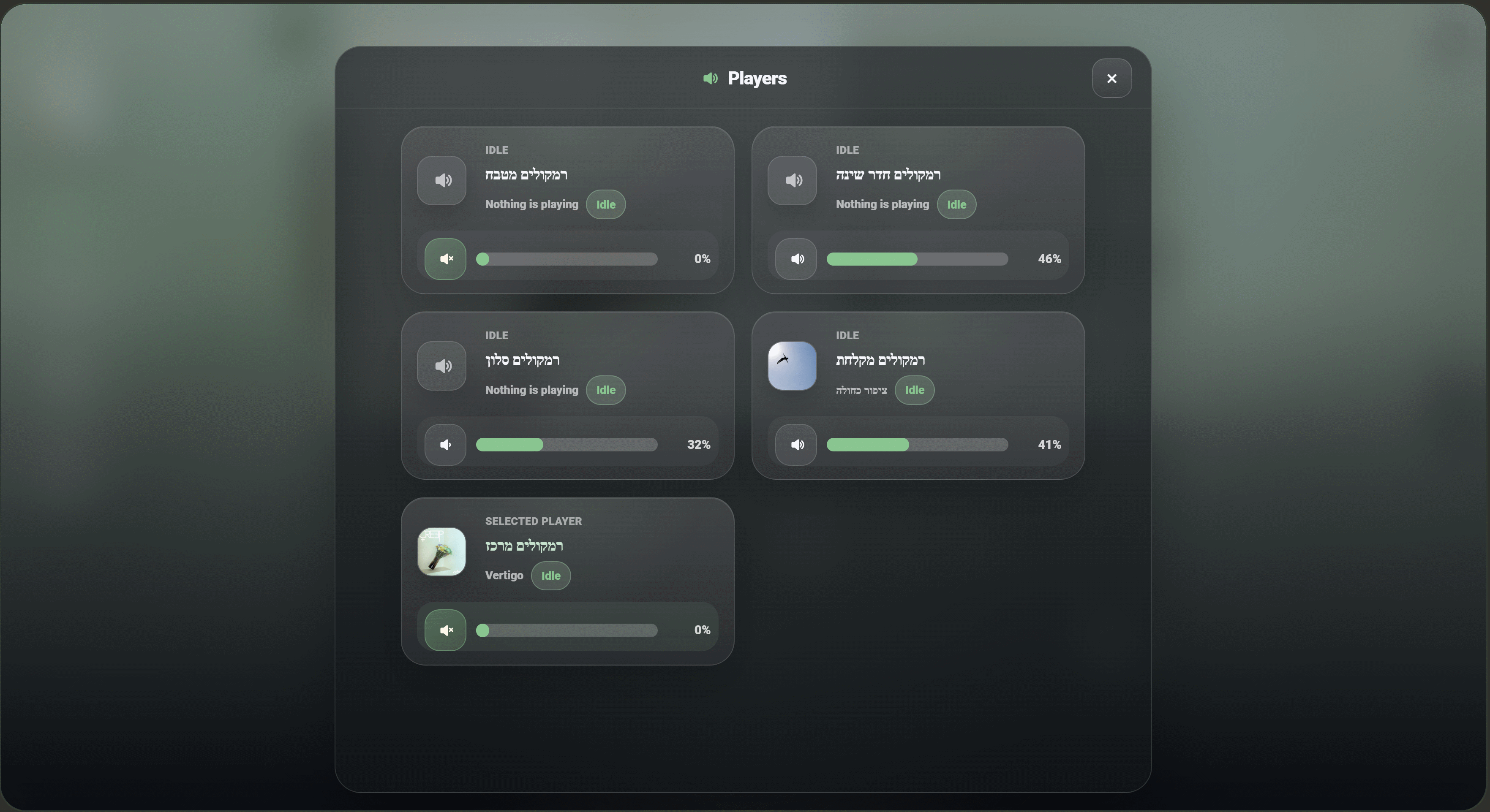
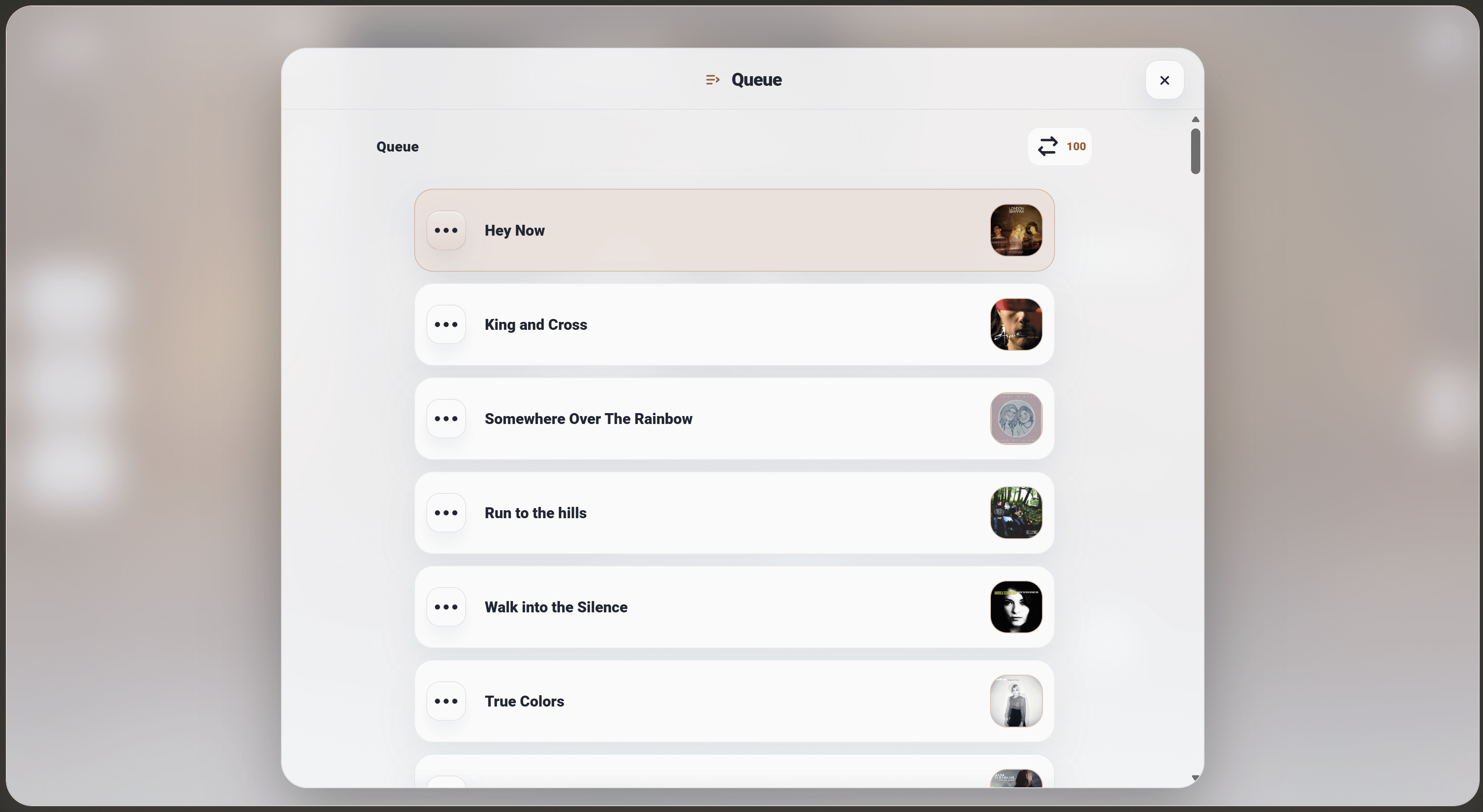
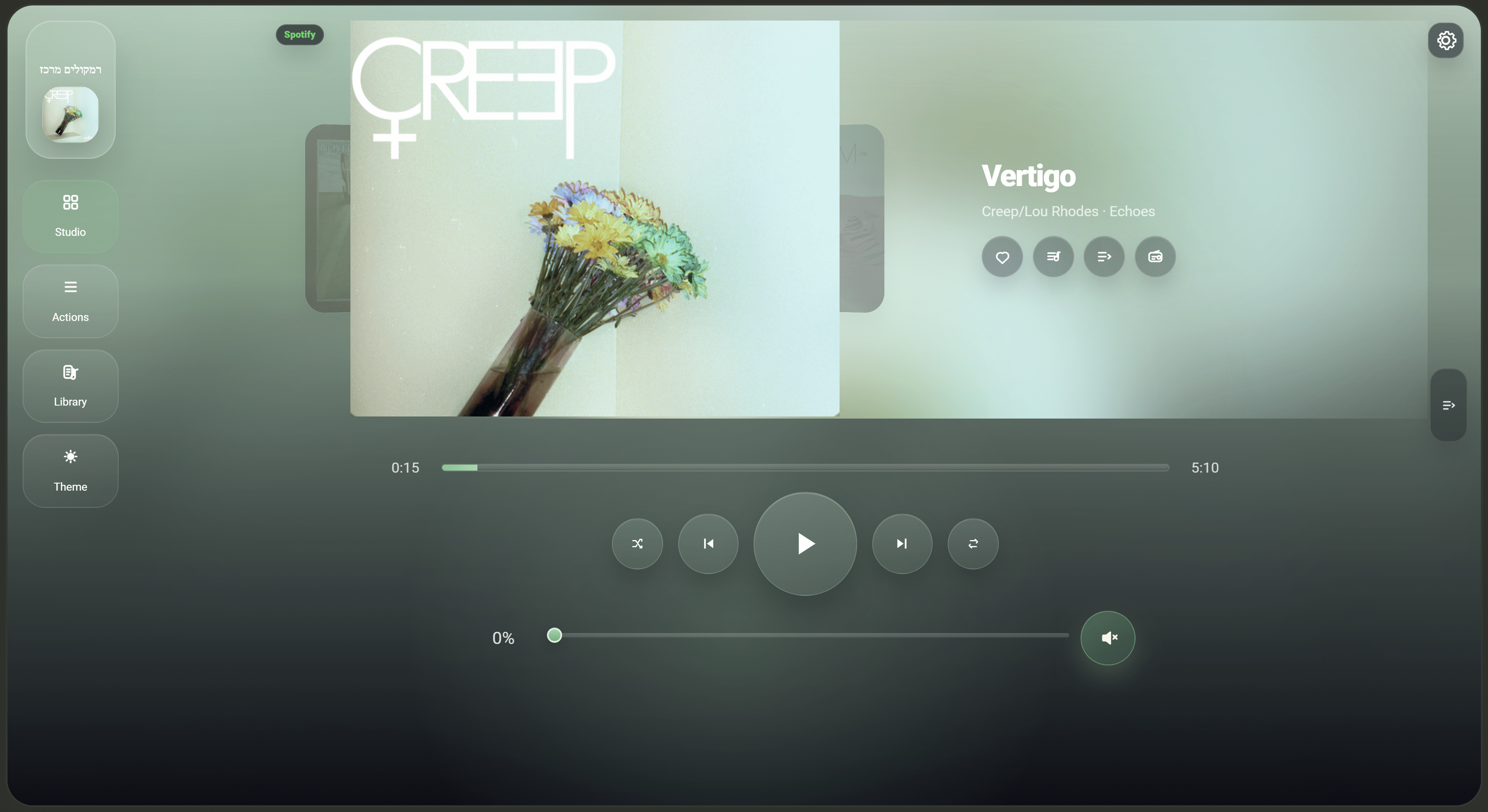
| Studio | Players | Queue |
|---|---|---|
 |
 |
 |
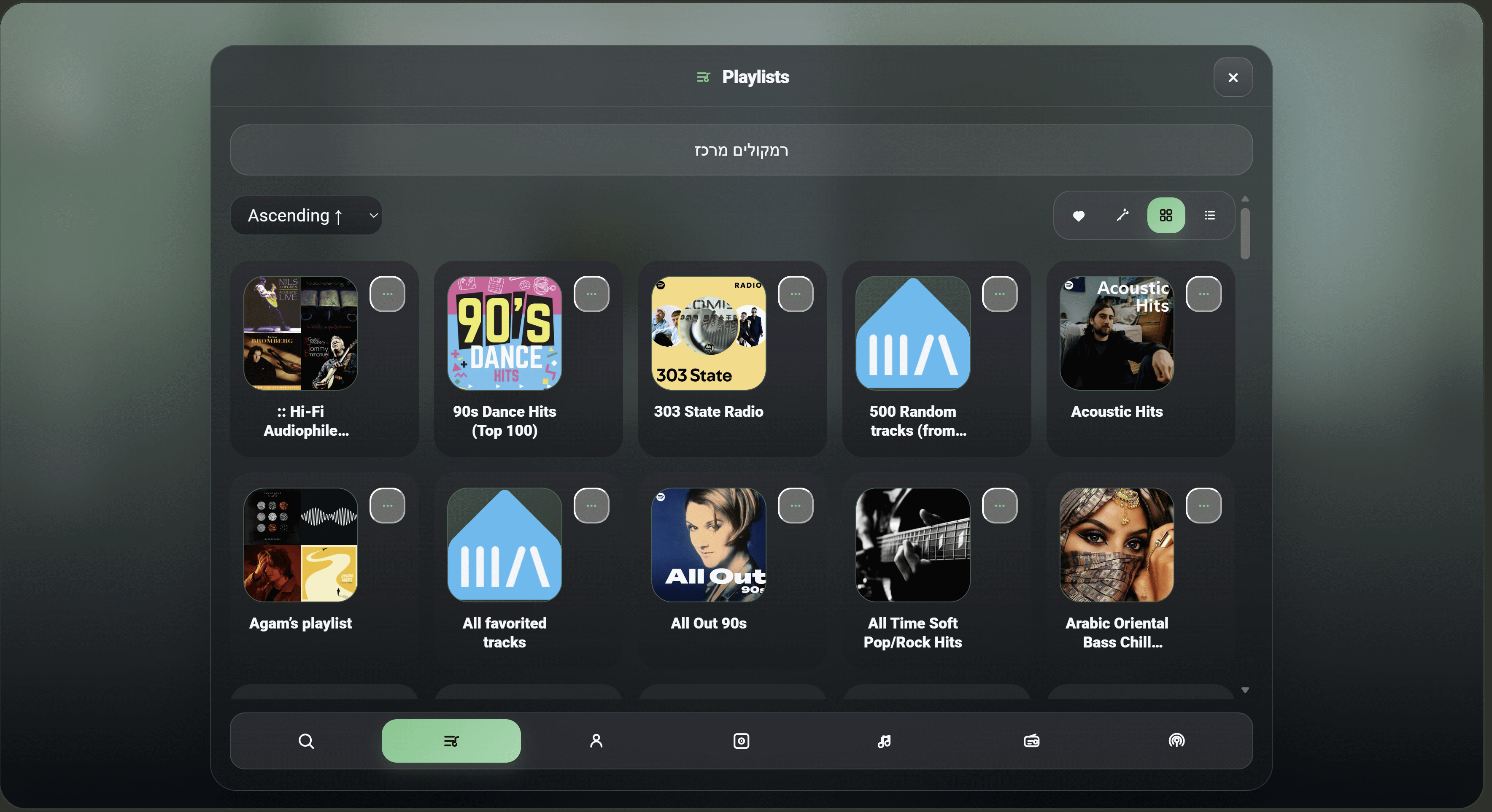
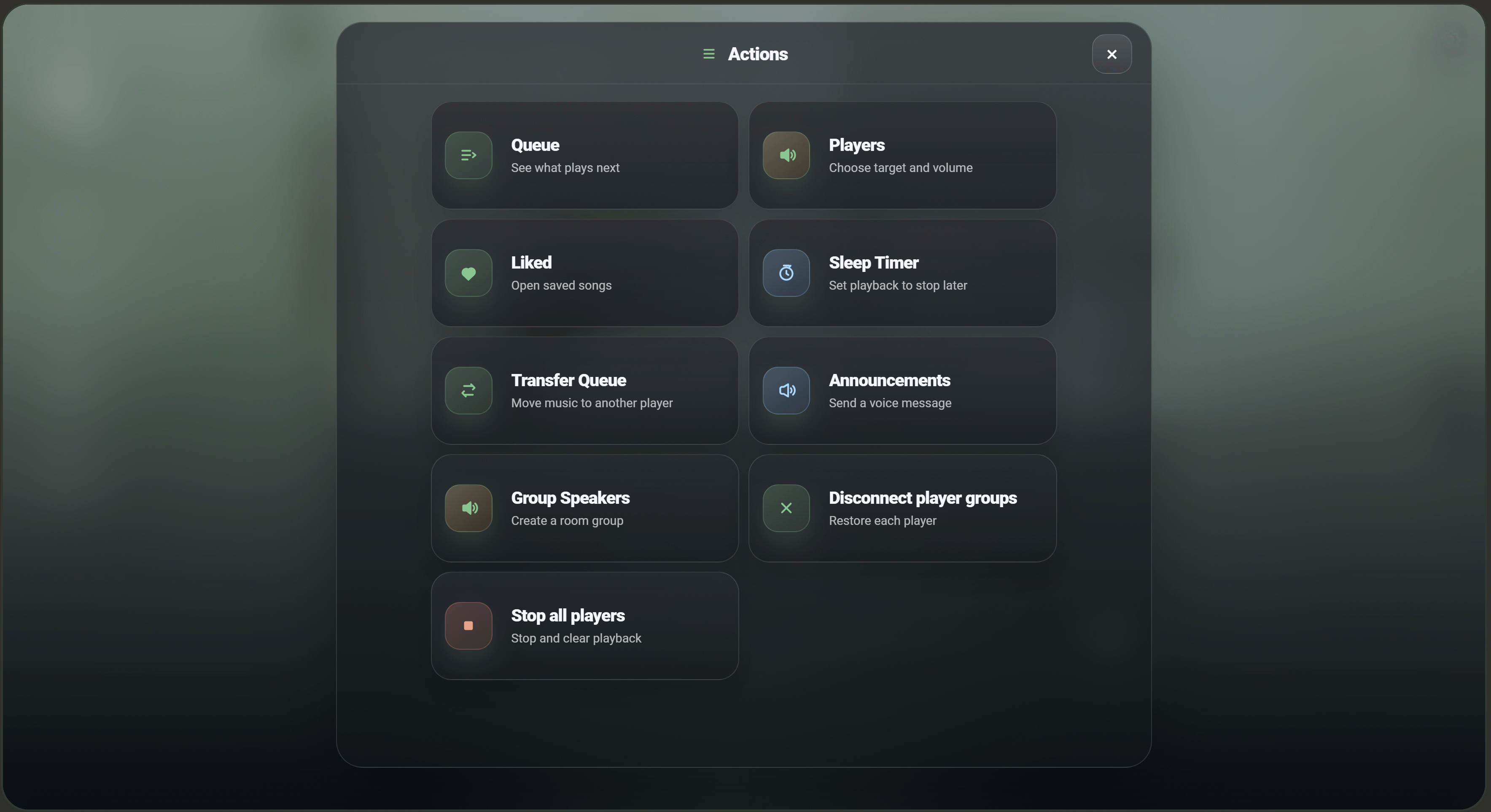
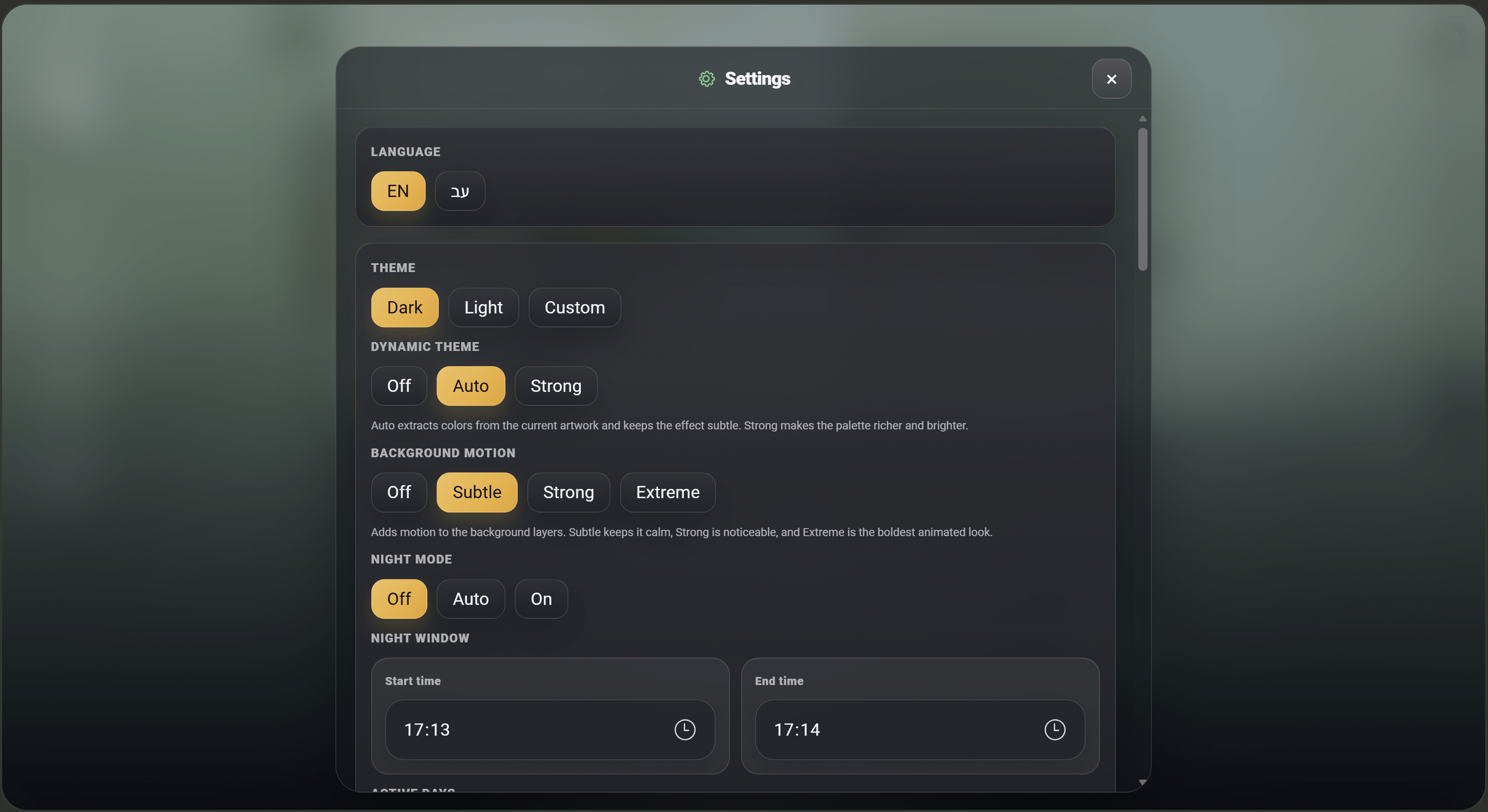
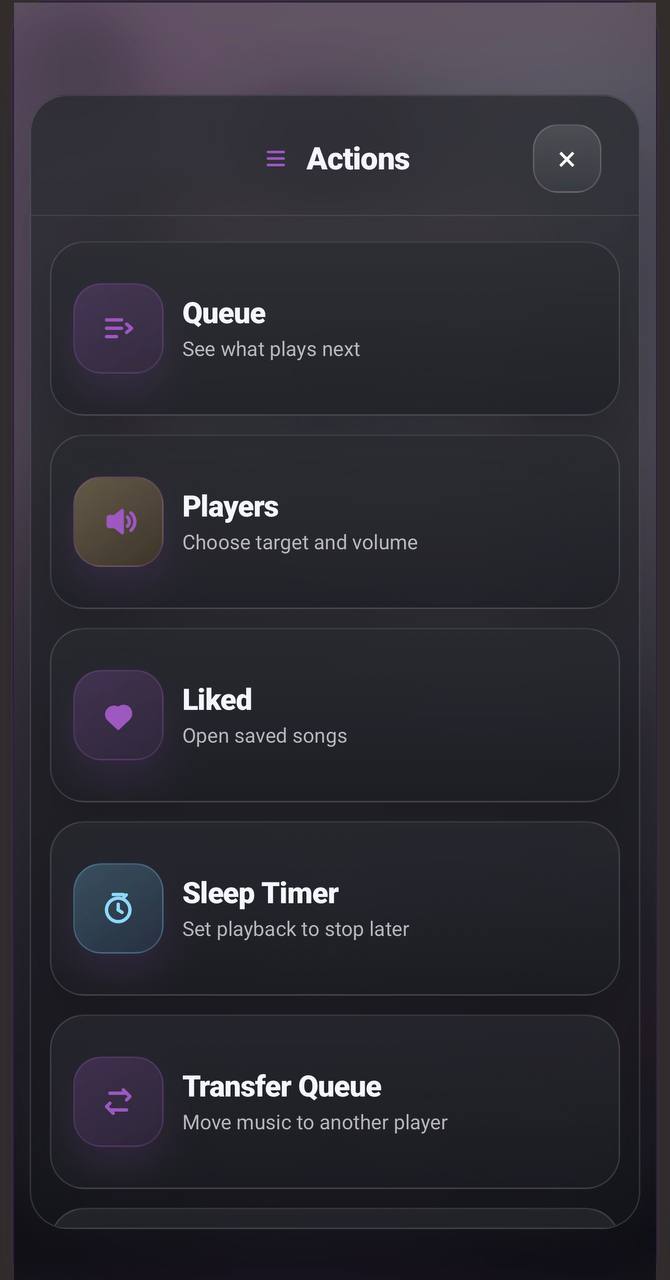
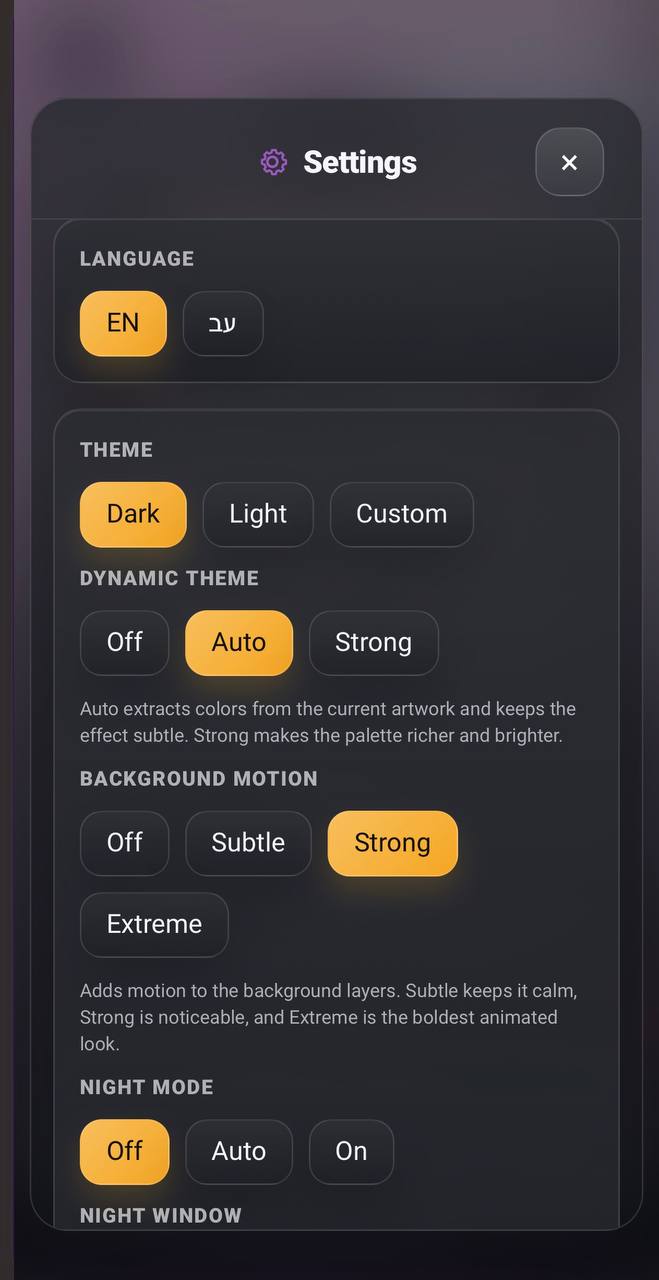
| Library | Actions | Settings |
|---|---|---|
 |
 |
 |
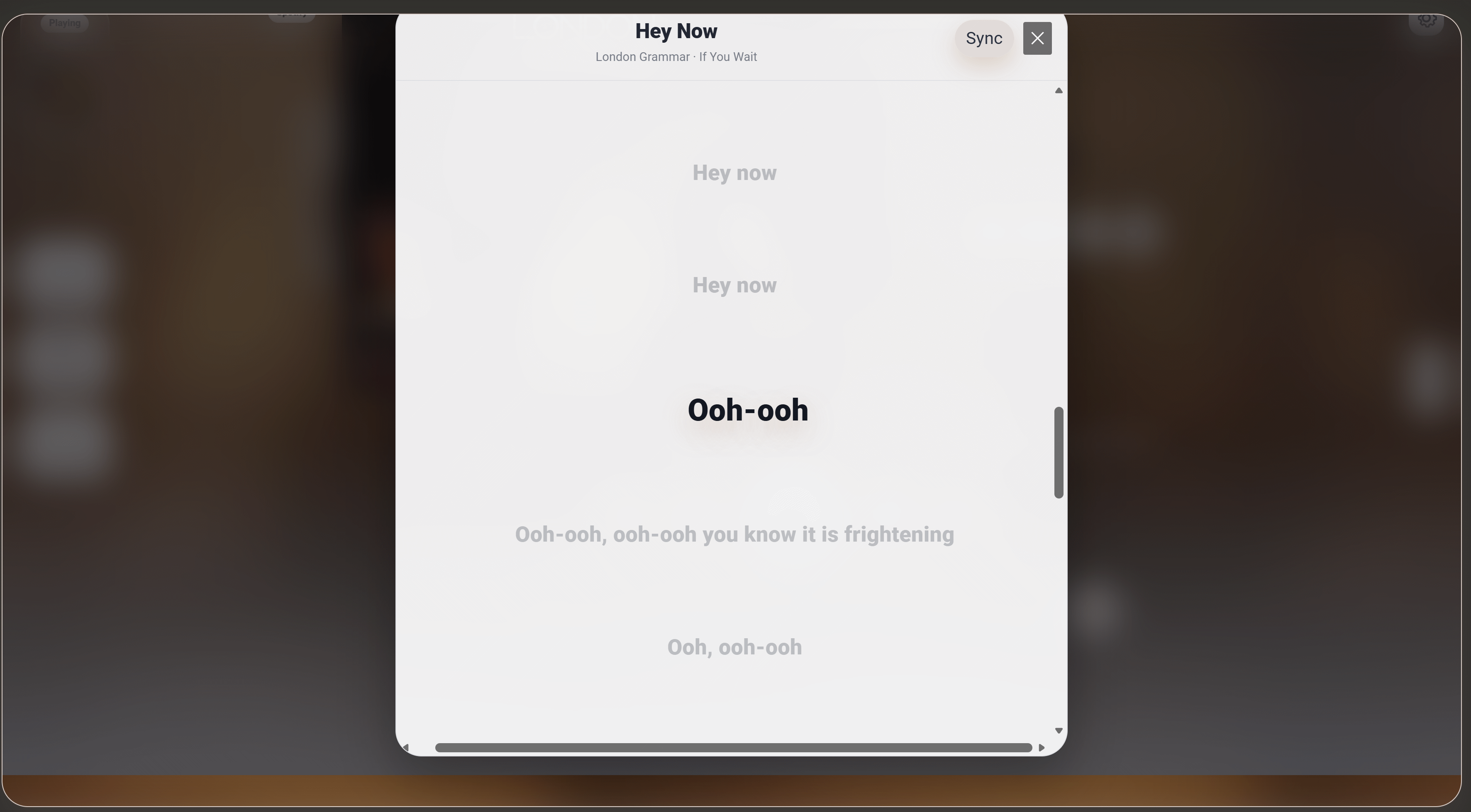
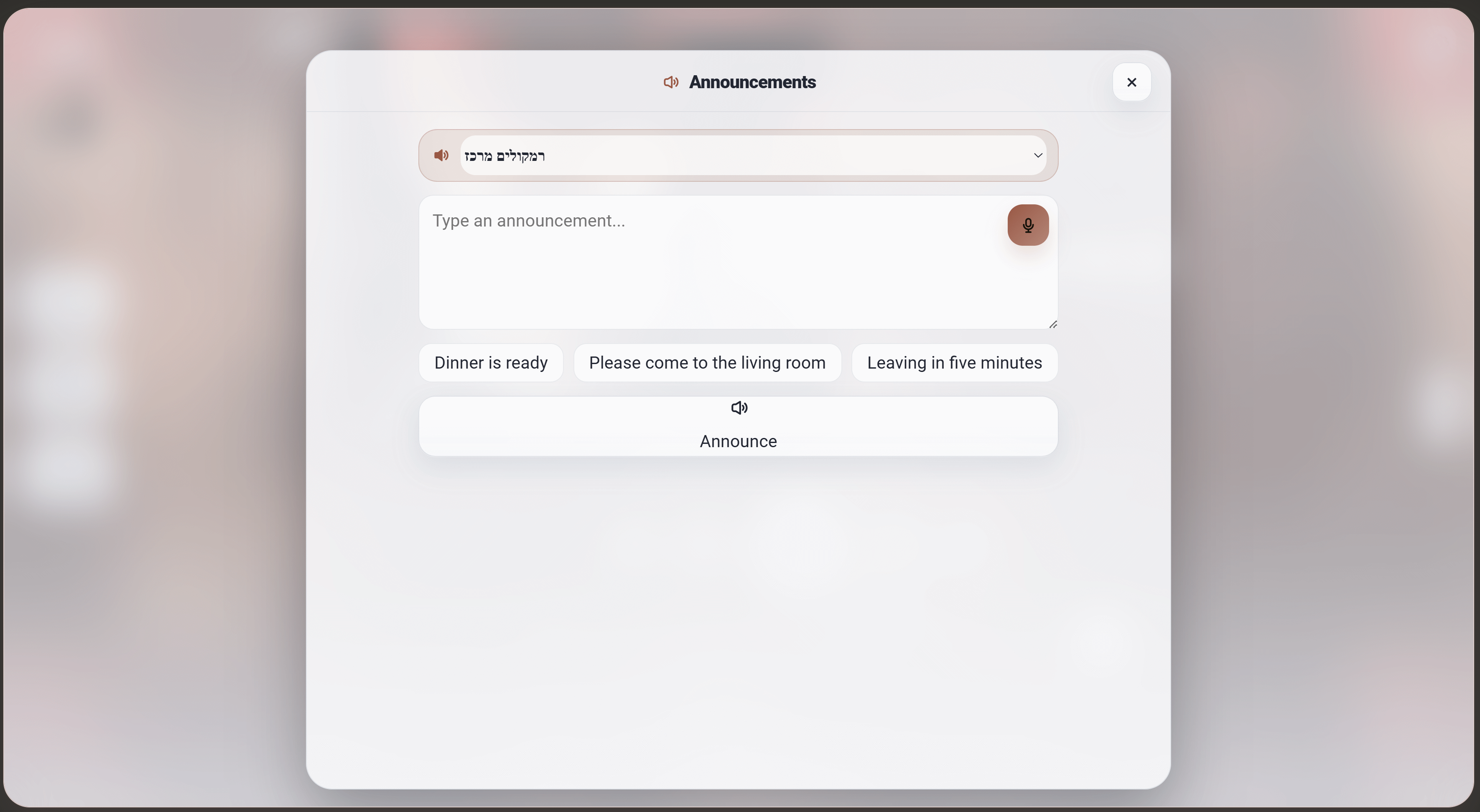
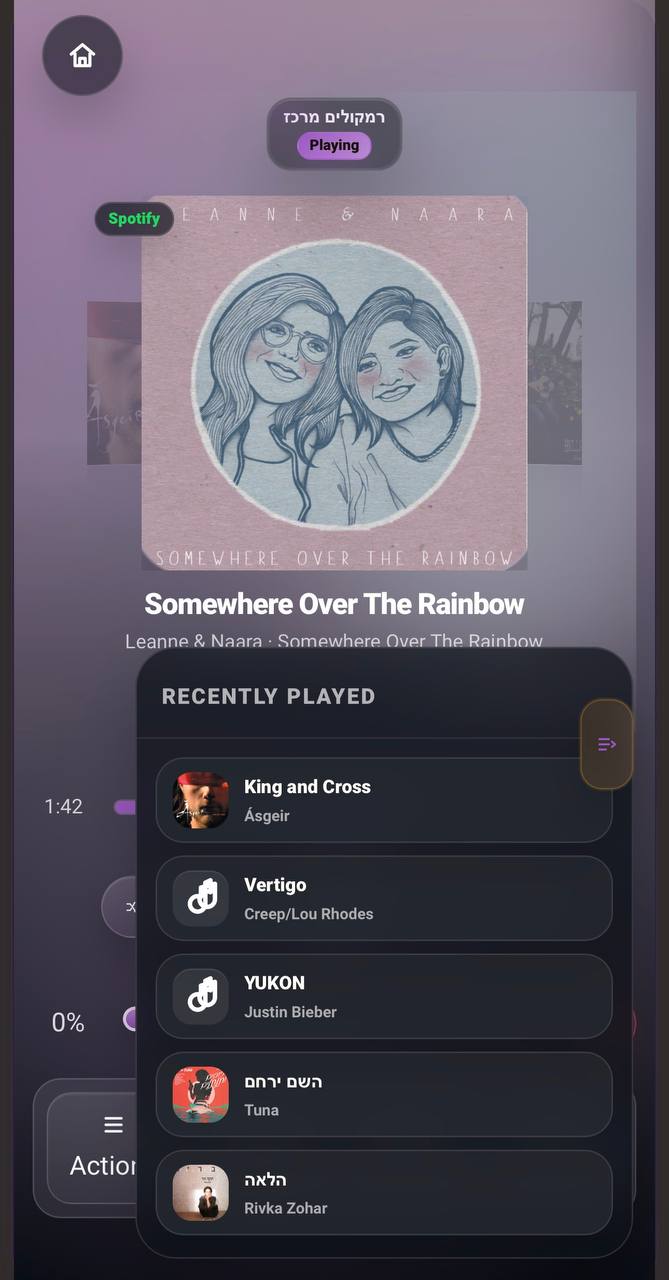
| Lyrics | Announcements | Tablet |
|---|---|---|
 |
 |
 |
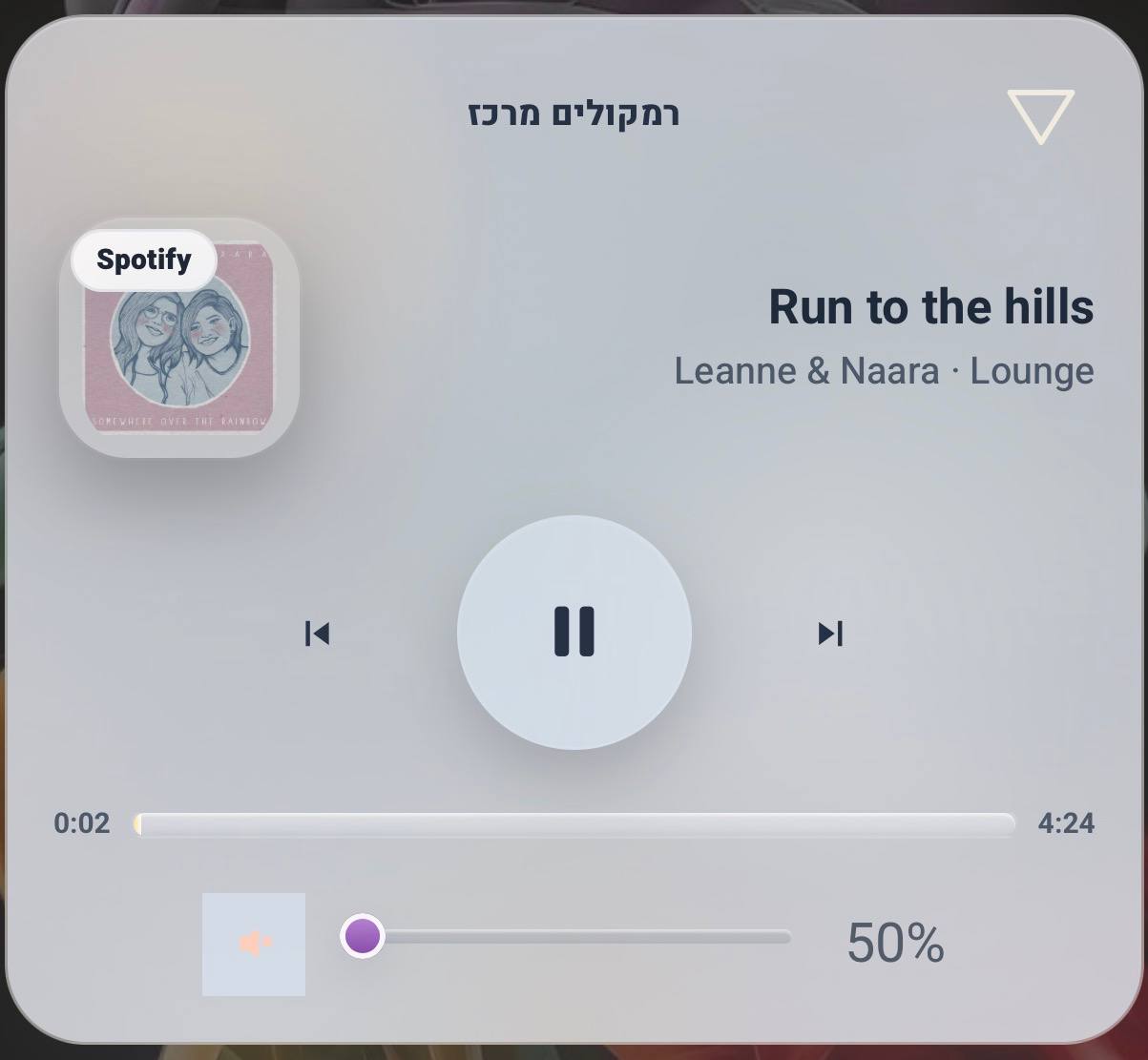
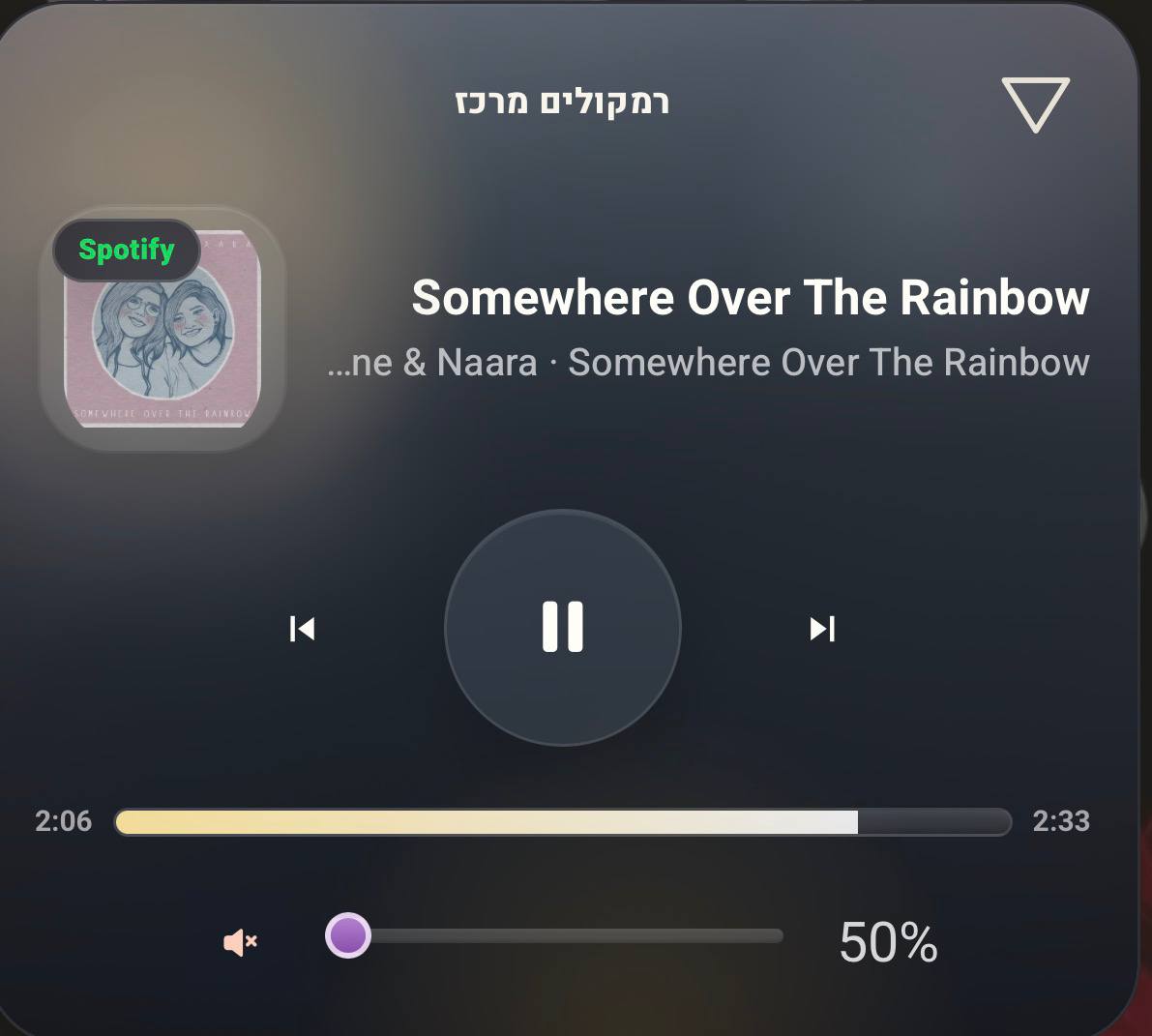
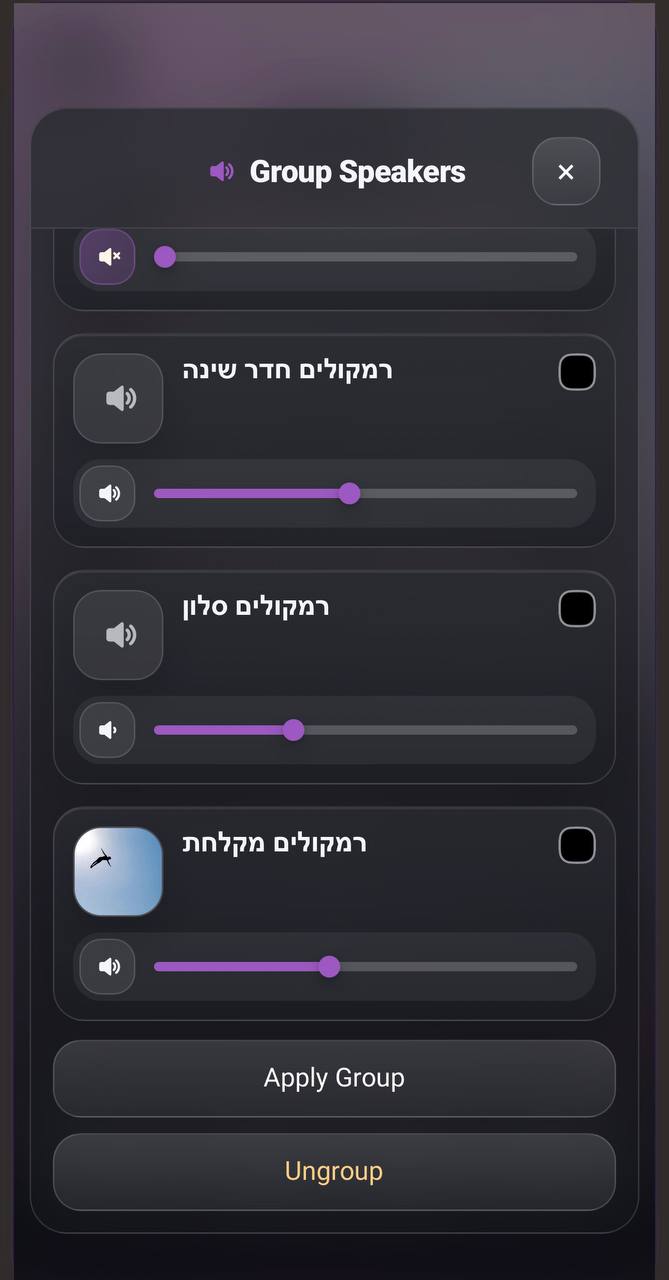
| Mobile 1 | Mobile 2 | Mobile 3 |
|---|---|---|
 |
 |
 |
| Mobile 4 | Mobile 5 | Mobile 6 |
|---|---|---|
 |
 |
 |
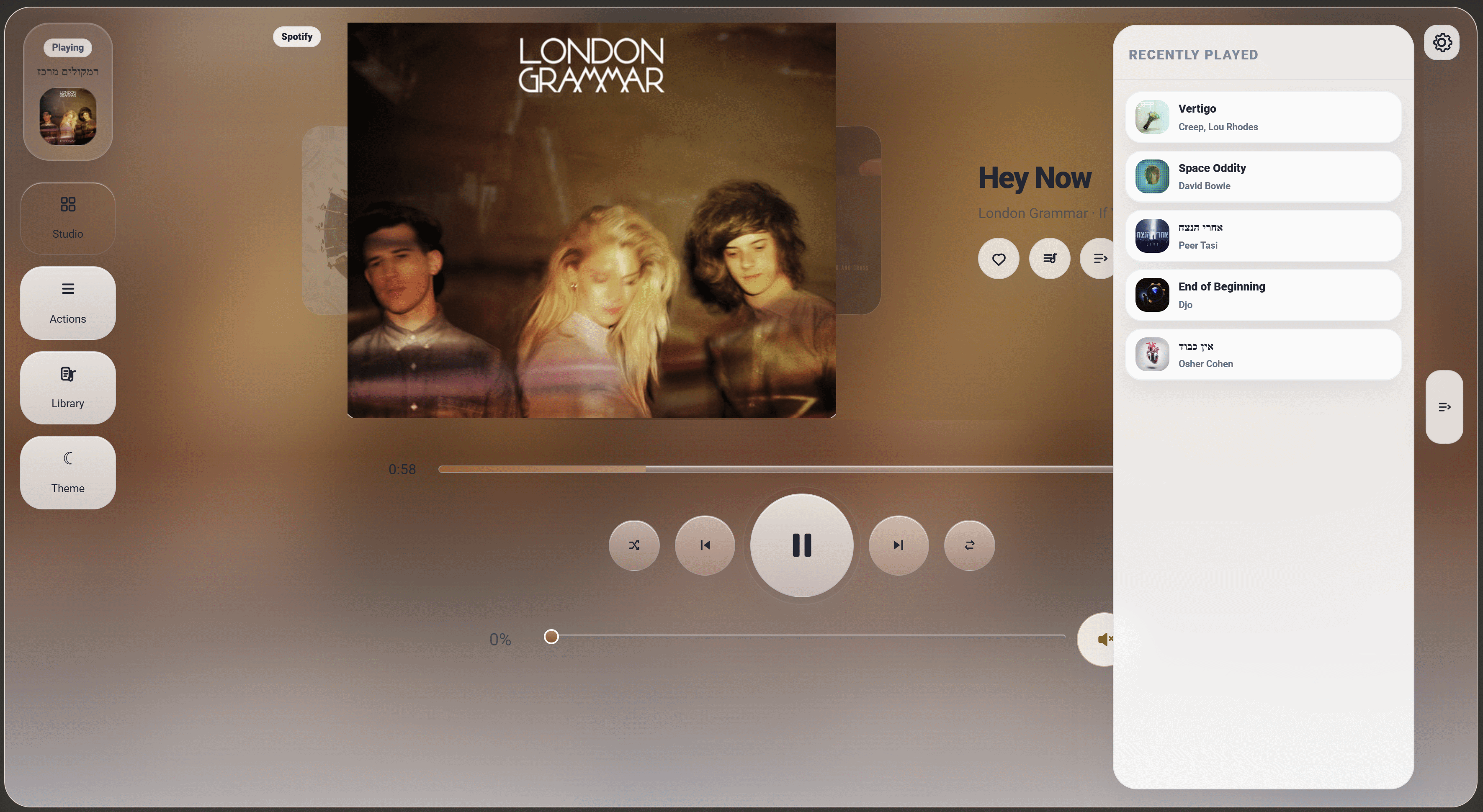
| History | Mobile 7 |
|---|---|
 |
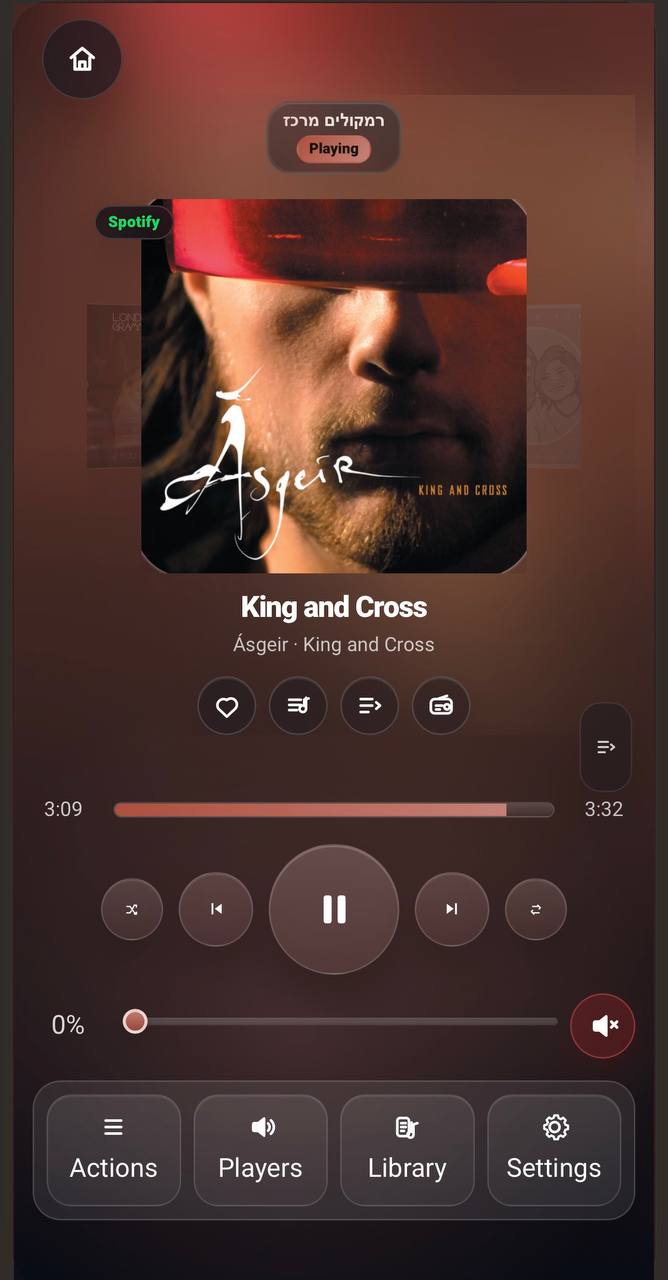 |
- Premium artwork-first now-playing screen
- Dynamic background and color atmosphere from current artwork
- Full player, compact player, mobile player, tablet layout, and desktop layout
- Album art, title, artist, album, source, progress, volume, and queue context
- Clean neutral fallback when no artwork is available
- Light, dark, and auto theme behavior
- Local browser player connection from inside the card
- HOMEii-specific Sendspin player identity
- Direct authenticated Sendspin WebSocket bridge
- Reconnect on dashboard return, app focus,
pageshow, and network-online events - Dashboard-level local session so the browser player is not tied to one Dashboard card instance
- Grace period when leaving the dashboard page before stopping the local player
- Manual disconnect action to stop automatic reconnect for this browser session
- Device discovery after connection
- "This device" and "Browser players" player flows
- Local sync delay storage
- Packaged
sendspin-jsruntime for HACS/manual installs
- Step-by-step music wizard for non-technical users
- Clean restart every time FLOW is opened from the actions menu
- Reset button on every step
- Player and multi-player selection
- Choose by mood or from existing library content
- Mood presets: calm, energetic, morning, night, kids, Israeli, and free style
- Existing content modes: playlist, artist, artist radio, and library radio
- Free-style text search for custom moods or situations
- Visual result grid with large rounded cards, artwork, media type, and clear selection state
- Playback confirmation overlay before returning to the main player
- Player grid for room control
- Select primary player
- Multi-player selection
- Speaker grouping and ungrouping
- Per-room volume sliders
- Move/transfer playback foundations
- Search and play library media from Studio
- Labeled action dock for search, queue transfer, grouping, and ungrouping
- Stable tablet panel layout and scroll handling
- Queue panel and full queue view
- Current item and up-next display
- Queue search
- Inline expandable queue-row actions
- Play now, play next, add to queue, remove, and move actions where supported
- Clear transfer-queue label and queue-count button
- Artwork and duration display
- Empty queue and loading states
- Music Assistant playlists, albums, artists, tracks, radio, and podcasts
- Library search
- Play all, shuffle all, play now, add to queue
- Favorite/liked handling
- Radio Browser support with country/filter/search foundations
- Clean grid and list views for touch
- Wide lyrics screen
- Centered, immersive lyric presentation
- Synced lyrics offset controls
- Lyrics font size controls with
+,-, and reset - Lyrics cache and unavailable states
- Mobile/tablet layout fixes for long song and artist names
- Sleep timer countdown
- Quick timer buttons
- Scheduled start actions
- Choose player, days, time, volume, and playlist
- Random pleasant morning fallback when no playlist is selected
- Night mode off / auto / on
- Night mode time window and day selection
- Mobile timer display above the active player button
- Recent listening drawer
- Last 10 recent items shown immediately when opening history
- Recommendations tab
- Playlist recommendations
- Queue/recent-based suggestion foundations
- Quick play from history or recommendation chips
- Announcement page
- Target player selection
- Text-to-speech announcements
- Preset announcement buttons
- Voice dictation when the browser supports it
- Automatic Hebrew/English language detection
- One-handed control layout
- Active player button
- Mobile main bar customization
- Compact volume controls
- Artwork swipe/browse support through Embla
- Immediate artwork selection feedback while browsing covers
- Mobile settings saved locally
- Touch-sized controls and RTL-safe layout
- Built-in Home Assistant visual editor support
- In-card settings panels
- Language, theme, layout, color, motion, footer, volume, mic, swipe, liked, night mode, and shortcut settings
- Announcement preset and TTS entity settings
- Current defaults: auto-fit card height, night mode
off, up-nextoff, micsmart, settings sourcevisual editor, dynamic themeauto, background motionsubtle, footericon+text, font scale1, artwork swipebrowse, home shortcutoff, liked modeMusic Assistant - Config validation and tested state helpers
Open the complete feature map
- Artwork-first now-playing presentation
- Blurred artwork background and ambient treatment
- Track title, artist, album, and source metadata
- Source/provider badge display
- Neutral missing-artwork fallback
- Idle, unavailable, loading, paused, and playing states
- Long title and long artist handling
- Hebrew/RTL-safe metadata alignment
- Main layout for tablet and desktop
- Mobile layout for narrow screens
- Immersive full player view
- Compact dashboard mode
- Up-next visibility support
- Recent playback foundations
- Play / pause
- Previous track
- Next track
- Shuffle toggle
- Repeat toggle
- Repeat-one icon/state support
- Progress bar
- Seek interaction
- Live progress refresh
- Transport controls in regular and immersive layouts
- Touch-friendly control sizing
- Visual active states
- Volume slider
- Mute / unmute
- Soft mute handling
- Last volume memory by player
- Large player volume controls
- Control-room volume controls
- Volume presets
- Mobile volume mode: always visible or button-triggered
- Per-player volume display
- Slider fill and thumb styling for light/dark modes
- Embedded queue panel
- Full queue view
- Compact queue cards
- Mini queue list
- Active queue item highlighting
- Previous/past queue styling
- Up-next state resolution
- Queue search
- Queue and library combined search flow
- Clear search and back-to-queue behavior
- Queue item artwork
- Queue item duration
- Queue item context actions
- Inline row expansion for touch-safe actions
- Text actions for play next and play now
- Wider centered move up/down action buttons
- Red translucent remove action
- Play now
- Shuffle play
- Play next
- Add to queue
- Remove from queue
- Move up/down where supported
- Queue transfer label and count in the queue header
- Queue transfer between players foundations
- Empty queue state
- Queue action feedback
- Library home view
- Playlists
- Artists
- Albums
- Tracks
- Radio
- Podcasts
- Favorite radio
- Recently played
- Recently added
- Discover/random album sections
- Library caching
- Grid collection rendering
- Track list rendering
- Track grid/list toggle
- Play all
- Shuffle all
- Add library item to queue
- Play library item now
- Search across library categories
- No-results state
- Loading and error states
- Radio Browser country list support
- Country filter support
- Top-voted station discovery
- Station search
- Radio metadata normalization
- Radio identity detection
- Radio playback detection
- Radio artwork/favicon support where available
- Music Assistant favorite detection
- Local liked-state mode
- Optimistic favorite updates
- Favorite cache entries
- Current-media favorite matching
- Queue-based favorite state resolution
- Favorite remove-argument resolution
- Favorite radio support
- Liked library tab support
- Player picker
- Selected player summary
- Active players view
- Browser player detection
- This-device Sendspin flow
- Waiting-for-device-player state
- Other players section
- Pinned player support
- Multiple pinned players
- Player grouping
- Group speakers modal
- Apply group
- Ungroup
- Group membership detection
- Static group handling foundations
- Derived group stats
- Stop all players with stop, queue clear, group disconnect, and local Sendspin disconnect
- Player transfer target selection
- Player state indicators
- Player artwork/track preview
- Announcement screen
- Target player selection
- Announcement text input
- Up to three presets
- Preset fill buttons
- TTS entity configuration
- Automatic TTS entity fallback detection
- Text-to-speech announcements
- Music Assistant announcement playback fallback
- Hebrew/English announcement language detection
- Voice dictation when supported
- Success/failure feedback
- Sleep timer menu
- +15 / +30 / +60 minute actions
- Clear/cancel timer
- Timer countdown label
- Timer footer/chip display
- Timer persistence in local storage
- Scheduled start by hour
- Scheduled start by selected days
- Scheduled start player selection
- Scheduled start volume
- Scheduled start playlist selection
- Mobile-safe schedule controls for narrow iPhone layouts
- Random pleasant morning fallback
- Night mode: off / auto / on
- Night mode start/end times
- Night mode day selection
- Overnight window handling
- Night-mode-triggered timer state
- Helper tests for foundations
- Dedicated actions menu
- FLOW guided wizard
- Scheduling shortcut
- Sleep timer shortcut
- Announcements shortcut
- Queue/player action shortcuts
- Home shortcut option
- Studio shortcut option
- Fast mobile access to high-use controls
- Guided three-step flow: players, music, play
- Clean state on every open from the actions menu
- Reset action on every step
- All players and individual player selection
- Mood-based search
- Existing content search
- Free-style mood query
- Playlist, artist, artist radio, and library radio flows
- Visual results grid
- Large rounded result cards with artwork and media type
- Active result highlighting
- Play confirmation overlay
- Automatic return to the main player after starting playback
- Global search input
- Search clear button
- Debounced search timers
- Search across radio, podcasts, albums, artists, tracks, and playlists
- Queue search
- Library search
- Side search summary
- No-results messaging
- Mobile/tablet search adaptation
- Auto / light / dark theme modes
- Theme toggle
- Custom color support
- Dynamic theme from current artwork
- Dynamic theme modes: off / auto / strong
- Dynamic palette cache
- Background motion modes: off / subtle / strong / extreme
- Light theme refinements
- Dark theme refinements
- Accent color resolution
- Palette tuning helpers
- Background glow and artwork aura
- High-contrast text handling
- Custom text tone: light/dark
- Mobile-first shell
- Mobile compact mode
- Expandable compact behavior
- Mobile up-next toggle
- Mobile footer modes: icon / text / both
- Optional footer search
- Mobile main bar customization
- Mobile library tab customization
- Mobile font scale
- Mobile swipe mode
- Mobile mic mode
- Mobile volume mode
- Mobile home shortcut
- Mobile studio shortcut
- Tablet layout mode
- Auto layout mode
- Height-aware layout adaptation
- Desktop wide layout
- Responsive grid behavior
- Tablet sheet sizing for library, search, queue, actions, players, group players, and settings
- English labels
- Hebrew labels
- Auto language mode
- Manual language toggle
- RTL layout support
- RTL-safe controls
- Hebrew-friendly settings labels
- Hebrew announcement flow
- Editor locale helpers
- Start from
src/localization/en.jsand translate values only. - Register the new file in
src/localization/index.js. - Add the language to
LANGUAGE_OPTIONS. - Add the language code to
RTL_LANGUAGE_CODESonly for right-to-left languages. - Run
npm test,npm run build, andnode scripts/release.mjs. - Use
TRANSLATING.mdfor the full string glossary andHOW_TO_ADD_A_LANGUAGE.mdfor the step-by-step release checklist.
- Structured
src/corefoundation helpers - Config validators
- State defaults and derived state helpers
- Mobile settings normalization
- Responsive layout helpers
- Palette and dynamic theme helpers
- Night mode and sleep timer helpers
- Media queue identity and matching helpers
- Favorites and optimistic favorite-state helpers
- Player, pinned-player, and grouping helpers
- Media presentation helpers
- History and source-badge helpers
- Vitest coverage for high-risk logic
- ESLint configuration
- Vite build flow
- Release sync script
- HACS validation workflow
- QA matrix for viewport/theme/interaction checks
type: custom:homeii-music-flow
language: auto
rtl: true
theme_mode: auto
show_theme_toggle: true
# Optional: create this helper in Home Assistant first.
active_player_helper_entity: input_text.homeii_flow_active_playertype: custom:homeii-music-flow
ma_url: "http://YOUR_MUSIC_ASSISTANT_HOST:8095"
ma_token: "YOUR_MUSIC_ASSISTANT_TOKEN"Use the visual editor or in-card settings whenever possible.
dist/homeii-music-flow.js             HACS/manual runtime
dist/sendspin-js/                     packaged local Sendspin browser player files
dist/vendor/embla-carousel.umd.js     packaged swipe support
dist/homeii-flow-logo.svg             packaged brand asset
src/homeii-music-flow.js              source snapshot for the card
src/sendspin-js/                      source copy of Sendspin browser player files
vendor/embla-carousel.umd.js          source copy of Embla used by the release package
src/core/                             extracted foundation helpers
src/config/                           config validators
tests/                                regression coverage
scripts/release.mjs                   release sync tooling
RELEASE_NOTES_5.9.3.md                detailed GitHub release notes for the current stable release
docs/README.md                        complete user documentation hub
docs/brand/                           logo and brand assets
docs/media/                           GitHub/HACS README screenshots and GIF
docs/qa-matrix.md                     viewport/theme/interaction release gate
HACS plugin repositories must expose the dashboard JavaScript in dist/ or the repository root. HOMEii Flow keeps the full installable runtime in dist/ because the local Sendspin player, Embla, and logo asset are required at runtime.
npm install
npm run build
npm run lint
npm test
Current packaged version: 5.9.3
Before publishing a release:
- Run
npm run build. - Run
npm run lint. - Run
npm test. - Confirm
dist/homeii-music-flow.jsexists. - Confirm
dist/sendspin-js/exists. - Confirm
dist/vendor/embla-carousel.umd.jsexists. - Confirm
dist/homeii-flow-logo.svgexists. - Confirm the README renders all screenshots.
- Create a GitHub release, not only a tag.
- Install through HACS as a custom repository and verify the resource path.
- Test phone, tablet, and desktop layouts.
- Test Sendspin "This device" connection on at least one browser device.
HOMEii Flow is free and built as an independent community project. If it improves your Home Assistant music dashboard and you want to support continued polish, fixes, documentation, and new features, sponsorship is appreciated.
No pressure: stars, feedback, screenshots, bug reports, and thoughtful feature ideas also help a lot.

HOMEii Flow is an independent community project and is not an official Music Assistant or Home Assistant project.
Credit and thanks:
- Music Assistant for the music server, Home Assistant integration, library model, player control, announcements, and Sendspin support that make this card possible.
- Sendspin and the Open Home Foundation for the browser/local playback protocol used by the "This device" player flow.
- Home Assistant for the dashboard platform.
- HACS for the custom repository distribution path.
- Embla Carousel for the packaged swipe foundation.
- Daniel Eduardo Gonzalez (@danielxb-ar) for the Spanish translation.
- Donatas / donatassmarterhome for the Lithuanian translation.
- Julien Moreau B. / jingle-jew for the French translation, French wording corrections, PR #34, PR #35, PR #36, Sendspin / Media Session improvements, and 5.7.x testing feedback.
- @Dieghito72 for the Italian translation contribution.
- @gao19970120 for the Simplified Chinese translation contribution.
- @TheBamse for the Danish translation contribution and performance-focused PRs.
- Codex for helping turn a non-programmer's product and UX vision into a working release-ready card.